

Test Data vs. Live Data
Test Data
Test Data
These data are the ones used while you are testing your Gameball engagement experience before going live, mostly used by your team. Gameball will give you the ability to test the whole experience you designed on your staging/UAT environment. No need to care about deleting the test data that you have used during the integration cycle.
Live Data
Live Data
These data are the ones used once you start going live with Gameball on your platform, with the Gameball engagement experience exposed to your customers according to your configurations.
How to Use the Test/Live Data
Your account will have 2 different API Keys — one for Test and the other for Live data. You can access your API Keys settings section in the Gameball Admin Dashboard through Settings > Admin Settings > Account Integration.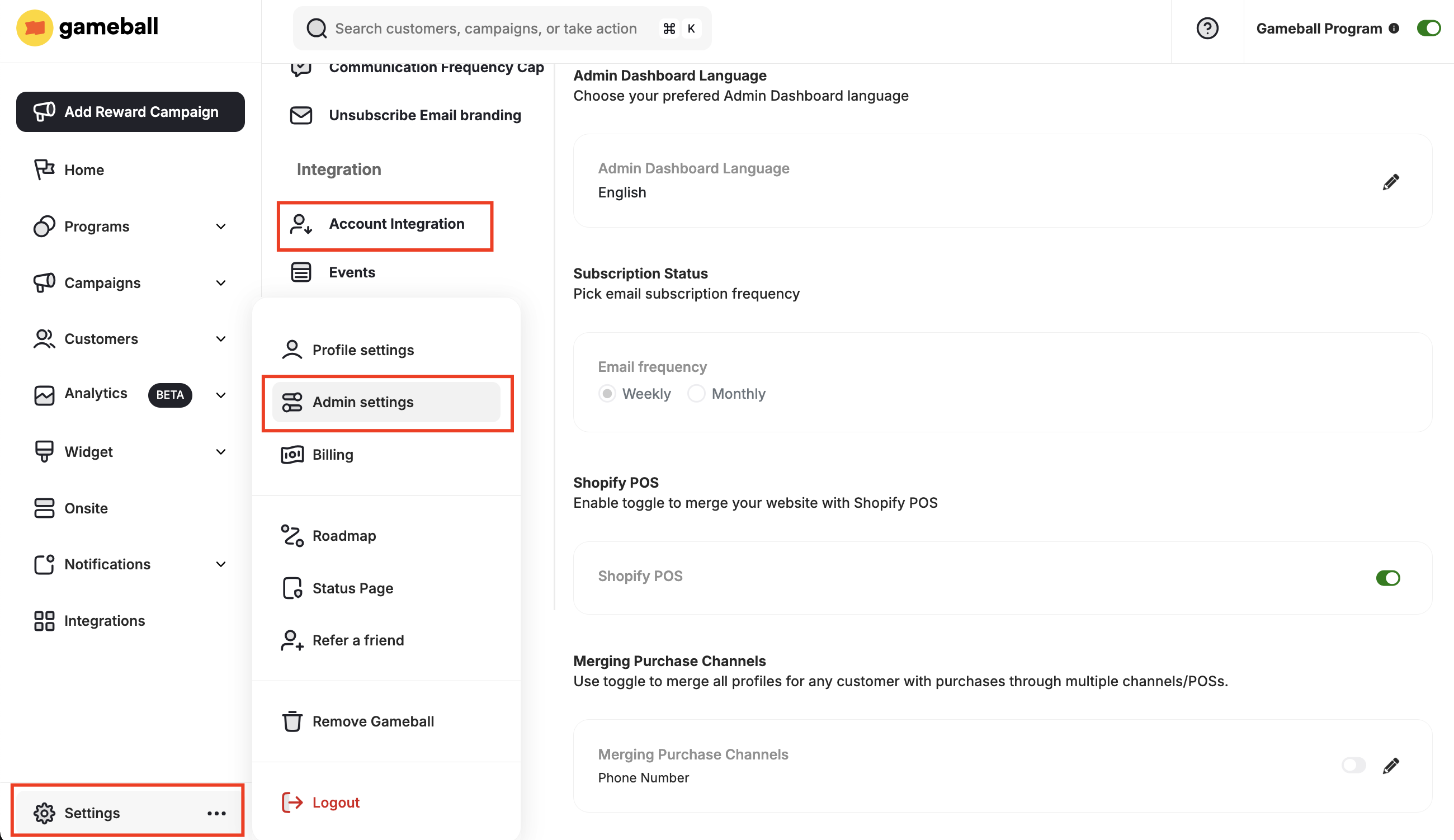
Test/Live Data Dependency
Your designed and configured experience will be the same using both API Keys (tiers, campaigns, etc). The only difference will be with the below:| Affected Area | Notes |
|---|---|
| Analytics section | Tracked separately per environment |
| Customers list | Separate customer records per environment |
| Customers’ Game Plan Achievements | Independent per environment |
| Customer Points Transactions | Separate transaction history per environment |
How to Switch Between Test and Live Data on the Dashboard
You can switch between both live/test data inside the dashboard using the toggle at the top left section of any page, as shown below.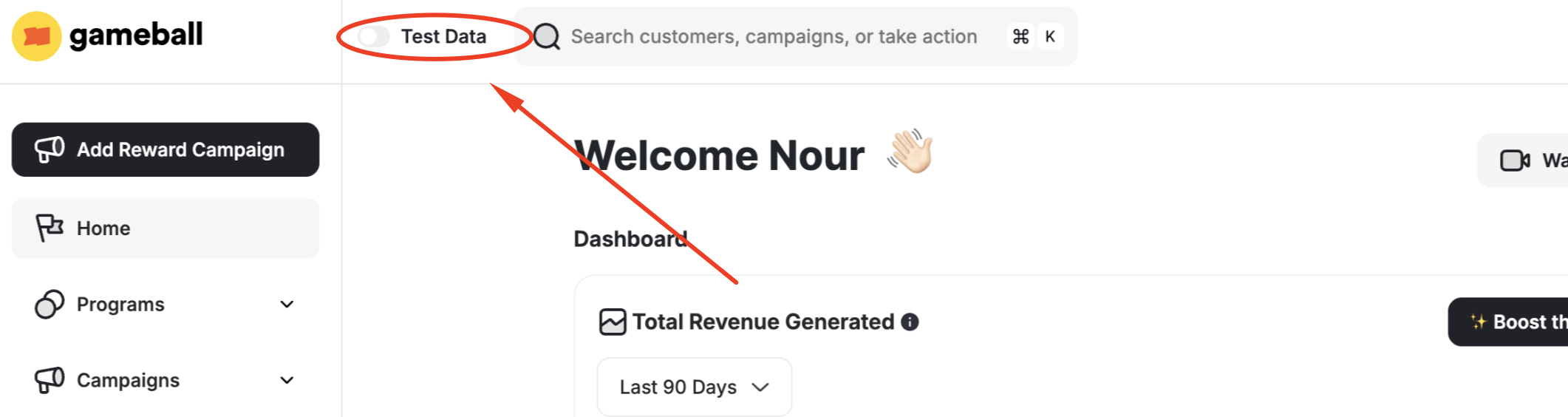
Related Articles
Publish Gameball Experience on Your Store
Publish the Gameball experience and widget on your Shopify store.
Understand Your Customers' Basic Analytics
Introduction to Gameball Analytics.