

How Does It Work?
When sending notifications, the system will detect if a user has a Huawei device and send the push notification via Huawei’s push service (HMS - Huawei Mobile Services) instead of Firebase (FCM).If a customer has both Google Play and Huawei services, prioritize Firebase.
Requirements for a Successful Setup
You must provide the following Huawei credentials in the Gameball dashboard:| Credential | Description |
|---|---|
| Client ID | Unique identifier for your Huawei app |
| Client Secret | Secret key used to authenticate with HMS |
How to Get Your Huawei App Client ID and Secret
In the App information area displayed, view the app information, and you will find the Client ID and Client Secret.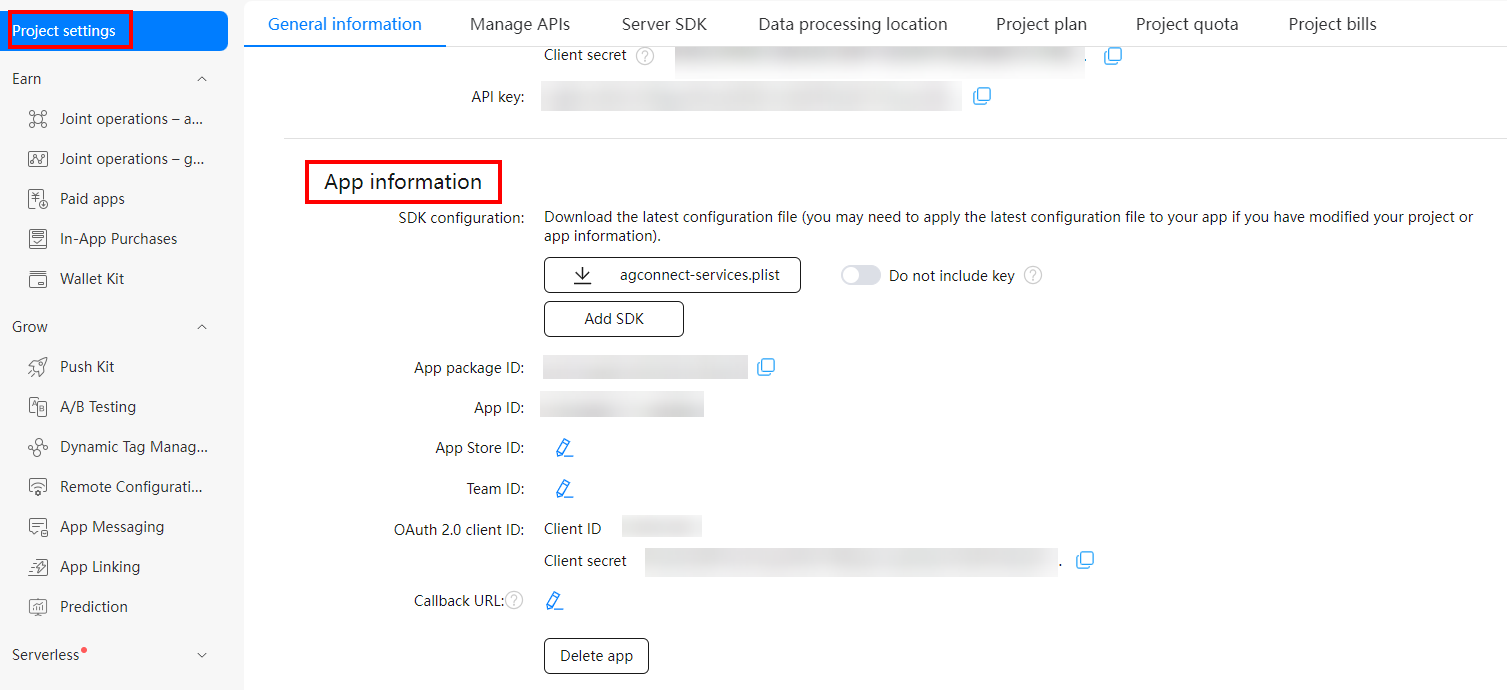
Configure Huawei Push Notifications on the Dashboard
Navigate to Mobile Configuration
On the Gameball Dashboard, go to Settings > Admin Settings > Mobile Configuration.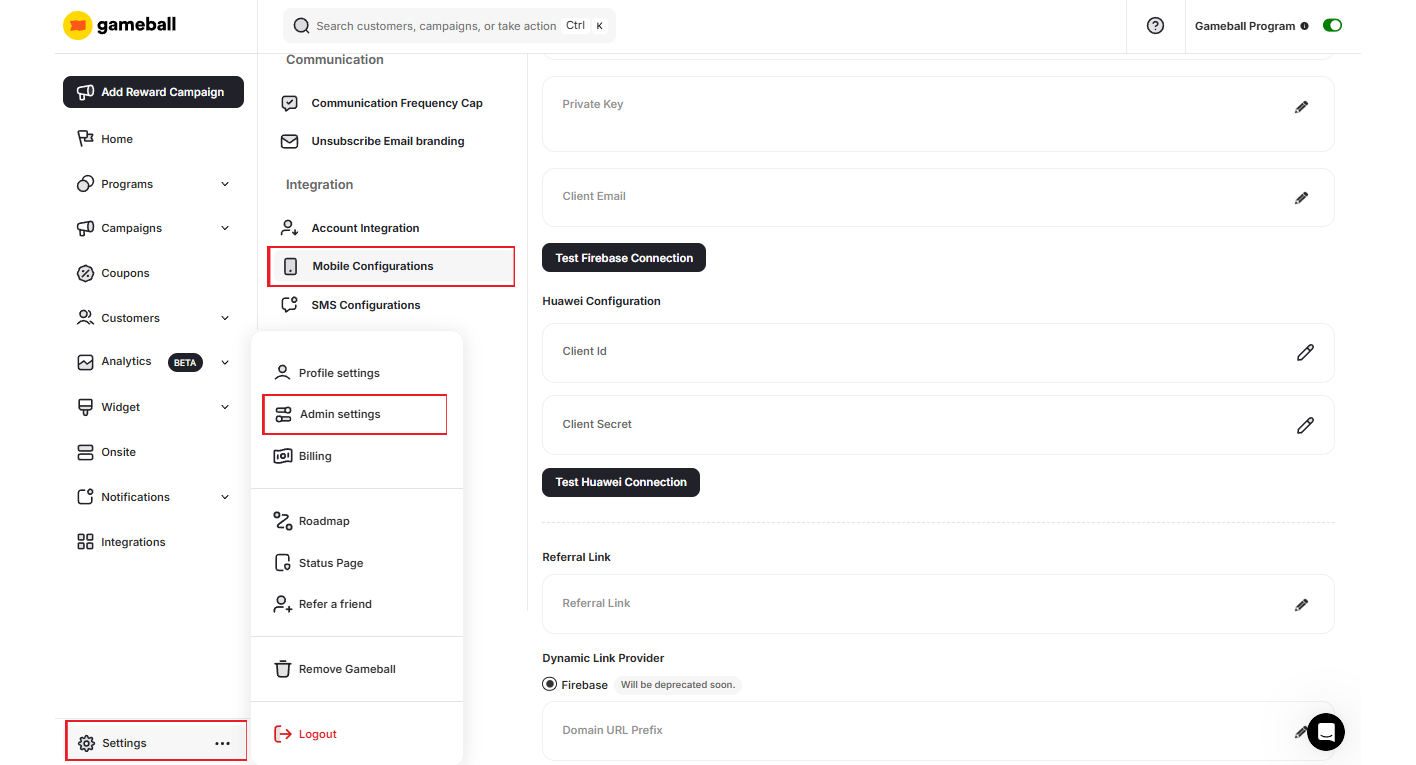
Enter Your Huawei Credentials
Scroll down to Huawei Configuration and click the edit icon next to Client ID to paste the retrieved ID, then do the same with Client Secret.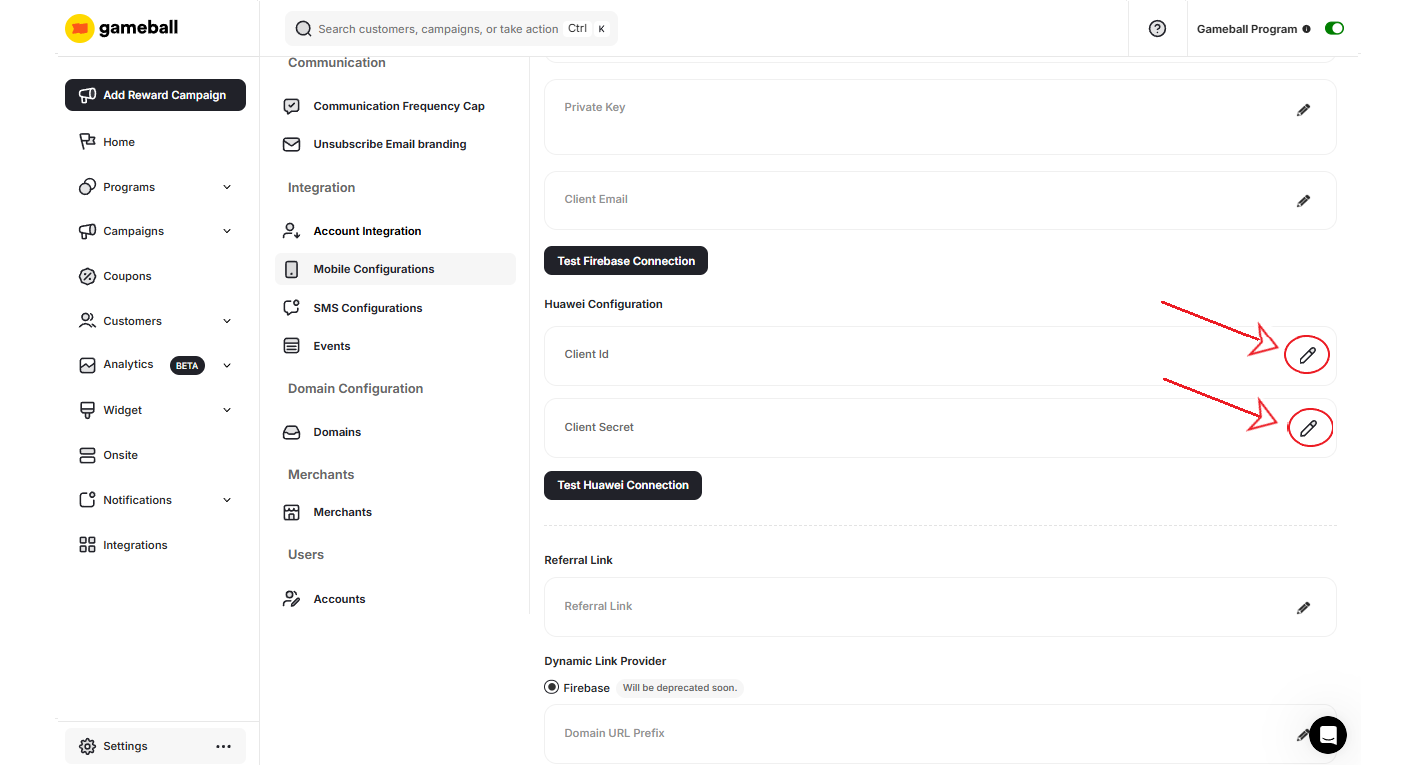
Related Articles
Mobile and Web Integration FAQs
Common questions about integrating Gameball with mobile and web platforms.
Publish Gameball Experience and Widget
Learn how to enable the Gameball experience on your platform.