

What is Family Wallet?
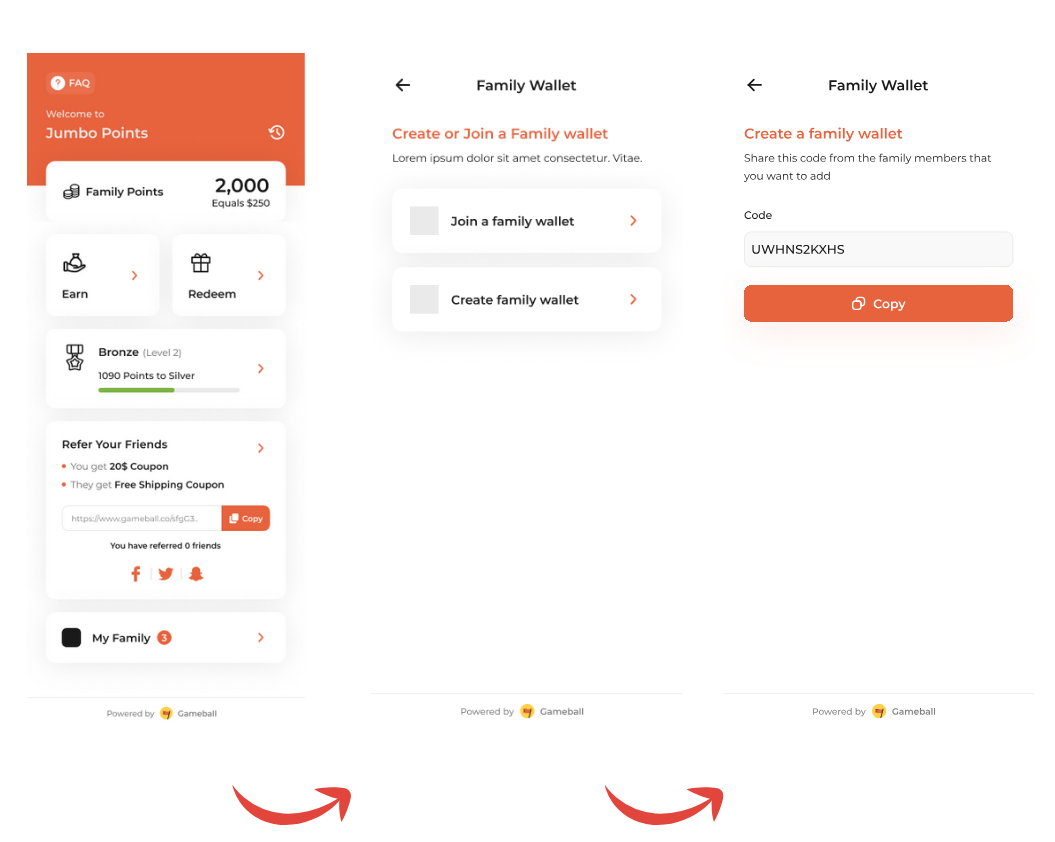
Family Wallet enables multiple customers to share a common point wallet and rewards. When enabled, family members can combine their individual point balances into one shared wallet, making it easier to accumulate points faster and redeem bigger rewards together.✅ With Family Wallet
Unified Experience
- Shared point balance across family members
- Faster point accumulation through combined efforts
- Ability to redeem bigger rewards together
❌ Without Family Wallet
Individual Accounts
- Each customer has separate point balance
- Points can’t be combined
- Limited redemption options
Key Features
Family Wallet Ownership
A Family Wallet is owned by a single customer, referred to as the Parent:- The Parent owns and manages the Family Wallet
- The Parent can invite other customers (family members) to join
- Members must confirm their invitation to join
- Only the Parent can invite or remove members
- Maximum 10 members per Family Wallet
Point Management
- Earning: Points earned by Parent and all members are combined into a single wallet
- Redemption: Both Parent and members can redeem from the combined wallet anytime
- Viewing: Every member can see their individual points and the combined balance
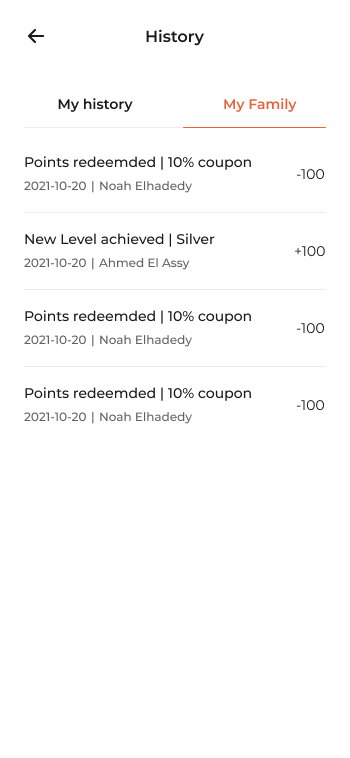
- History: Parent sees complete history; members see only their own history
Family Wallet Views
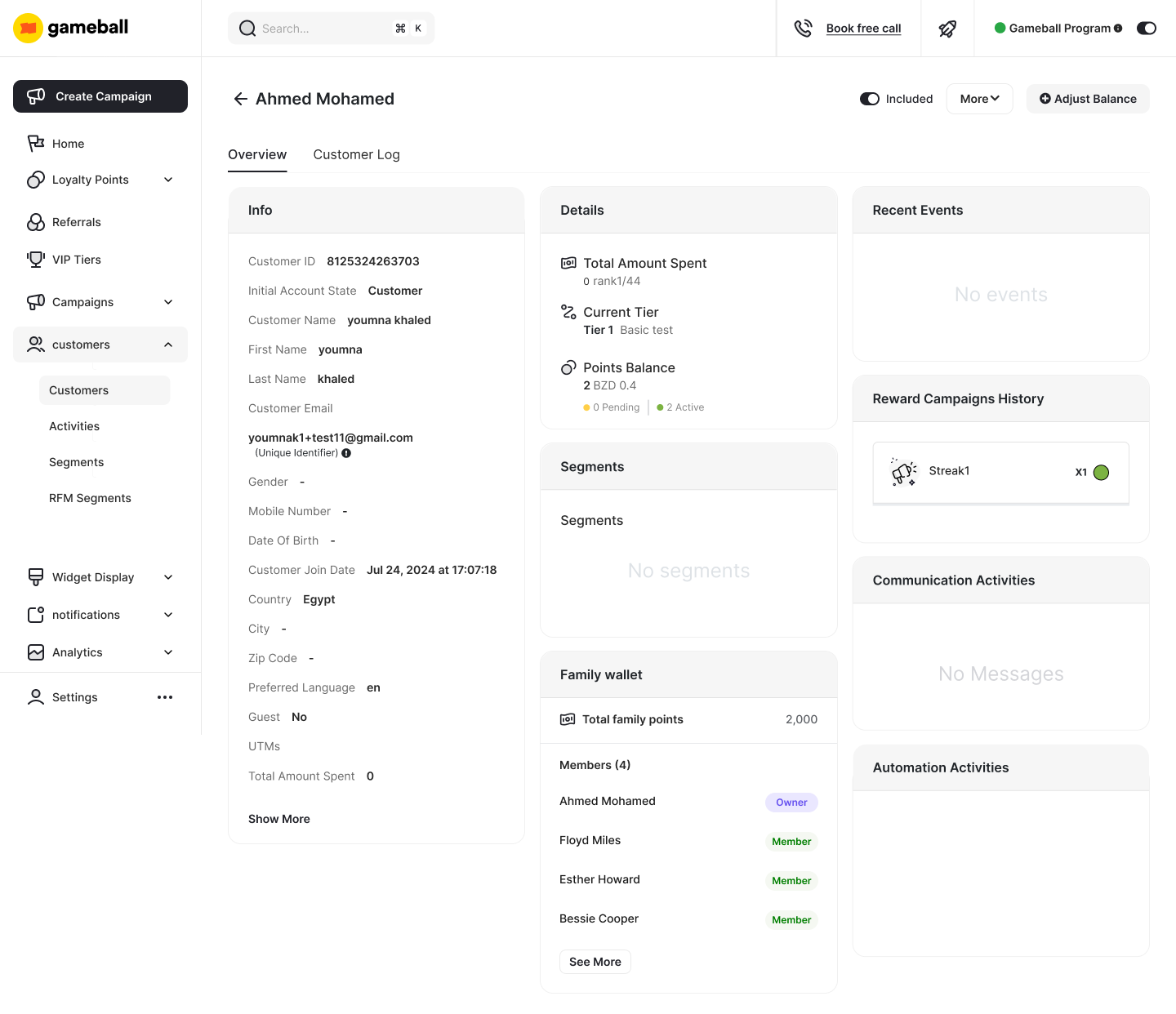
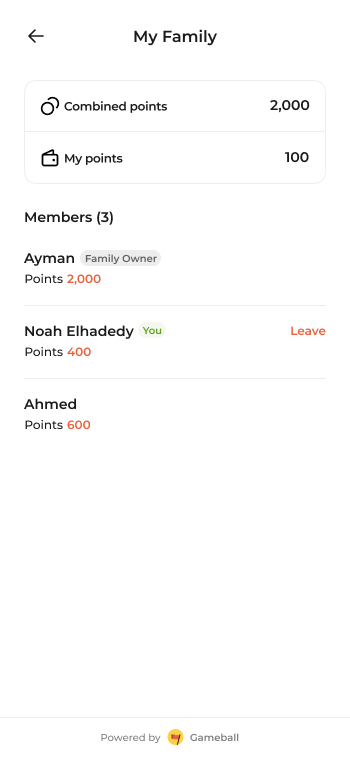
Parent/Owner View: The Parent can see all family members, their individual points, and manage the wallet (add/remove members, delete wallet).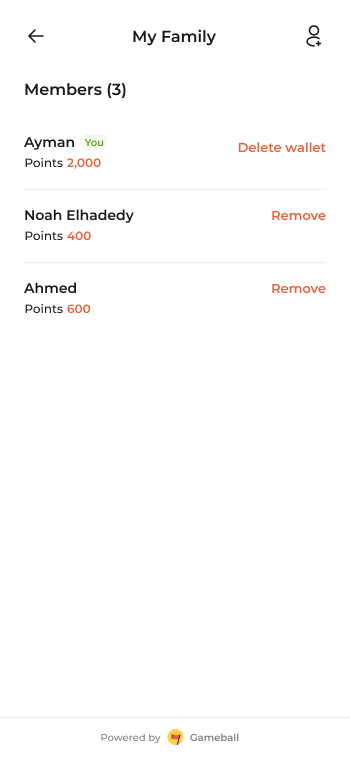
Setting Up Family Wallet
Family Wallet is enabled through the Gameball Dashboard: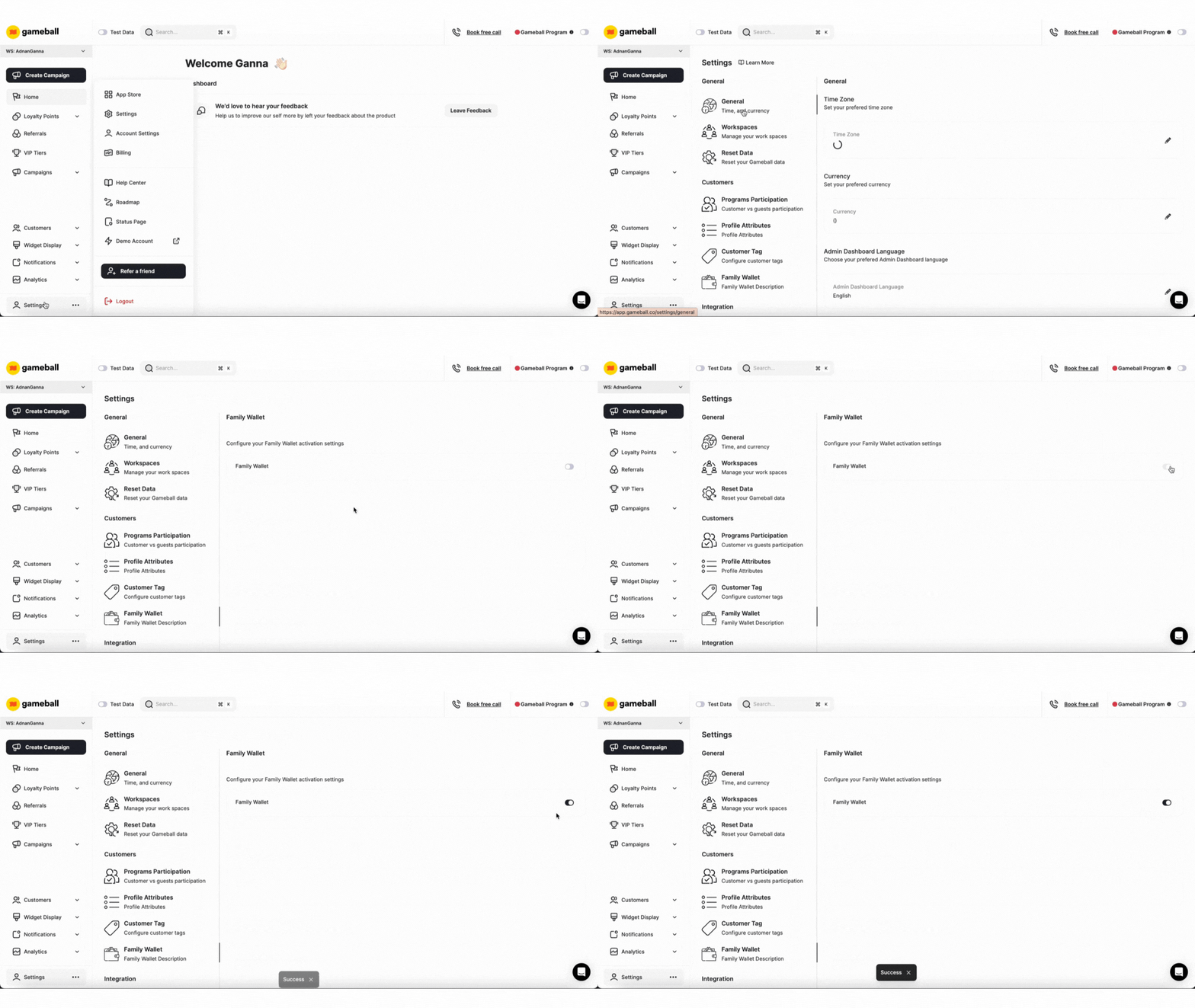
Once enabled, customers (as Parents) can start inviting members to join their Family Wallet through the dashboard. When creating a Family Wallet, a shareable code is generated that family members can use to join.
Family Wallet in the API
While Family Wallet management (inviting members, removing members, etc.) is handled through the Gameball Dashboard, the API provides visibility into family wallet redemptions through transaction responses.Family Wallet Redemption Fields
When a customer redeems points from a Family Wallet, the transaction response includes these fields:familyRedemptionAmount: Redemption monetary value related to family wallet, if applicable (null for individual redemptions)familyRedemptionPoints: Redemption points related to family wallet, if applicable (null for individual redemptions)
Example: Identifying Family Wallet Redemptions
Use Cases
- Family Shopping
- Multi-Channel Loyalty
- Parental Control
Families who frequently shop together can pool their rewards to reach higher-tier benefits or redeem bigger rewards more quickly.Example: A parent shopping for household goods earns points while their children earn points from individual purchases—all contributing to the same Family Wallet.
The entire family works together to accumulate points faster.
Best Practices
Clear Communication
Clearly communicate how Family Wallet works, including the Parent role, member limits, and redemption policies.
Transaction Transparency
Use
familyRedemptionAmount and familyRedemptionPoints fields to provide transparency about family wallet redemptions in your UI.Related Resources
List Transactions API
View transaction history with family wallet redemption fields