

| Platform | Plan |
|---|---|
| Shopify | Pro & Guru |
Checkout app blocks are available for Shopify Plus customers only.
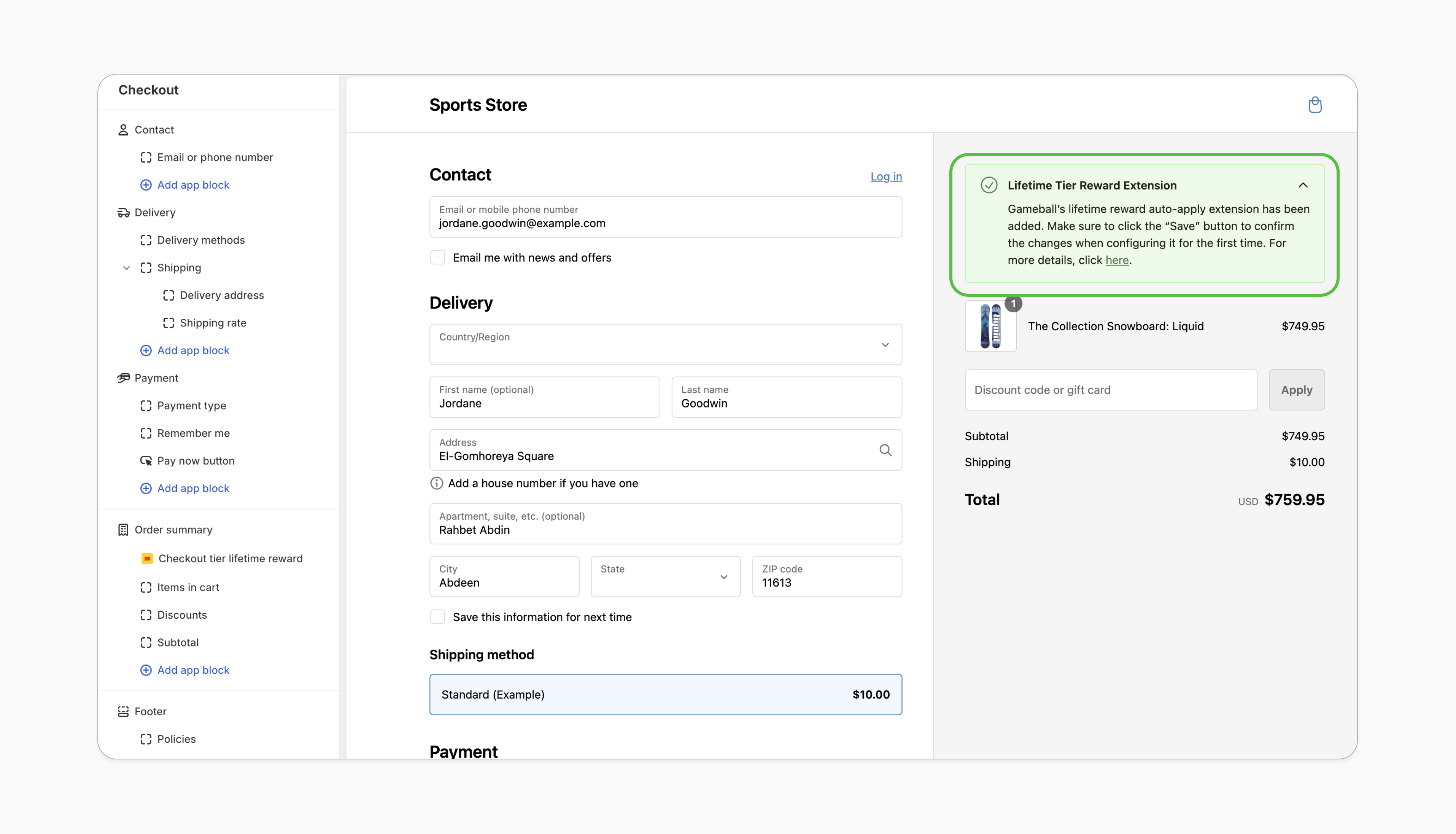
Effortless Experience for VIPs
VIP customers don’t need to manually apply their discount, streamlining the checkout process and adding convenience.
Increased Loyalty and Retention
Automatically applying rewards reinforces the value of being a VIP, fostering loyalty and encouraging repeat purchases.
Prerequisites
Updated Shopify Theme
Your Shopify theme must support app blocks. Without this, the option to add the Gameball block won’t appear in the editor. Learn more.
Enable Gameball Embed Block
Go to the Theme Editor in your Shopify admin. Select App Embeds from the left menu, search for “Gameball,” and toggle it on.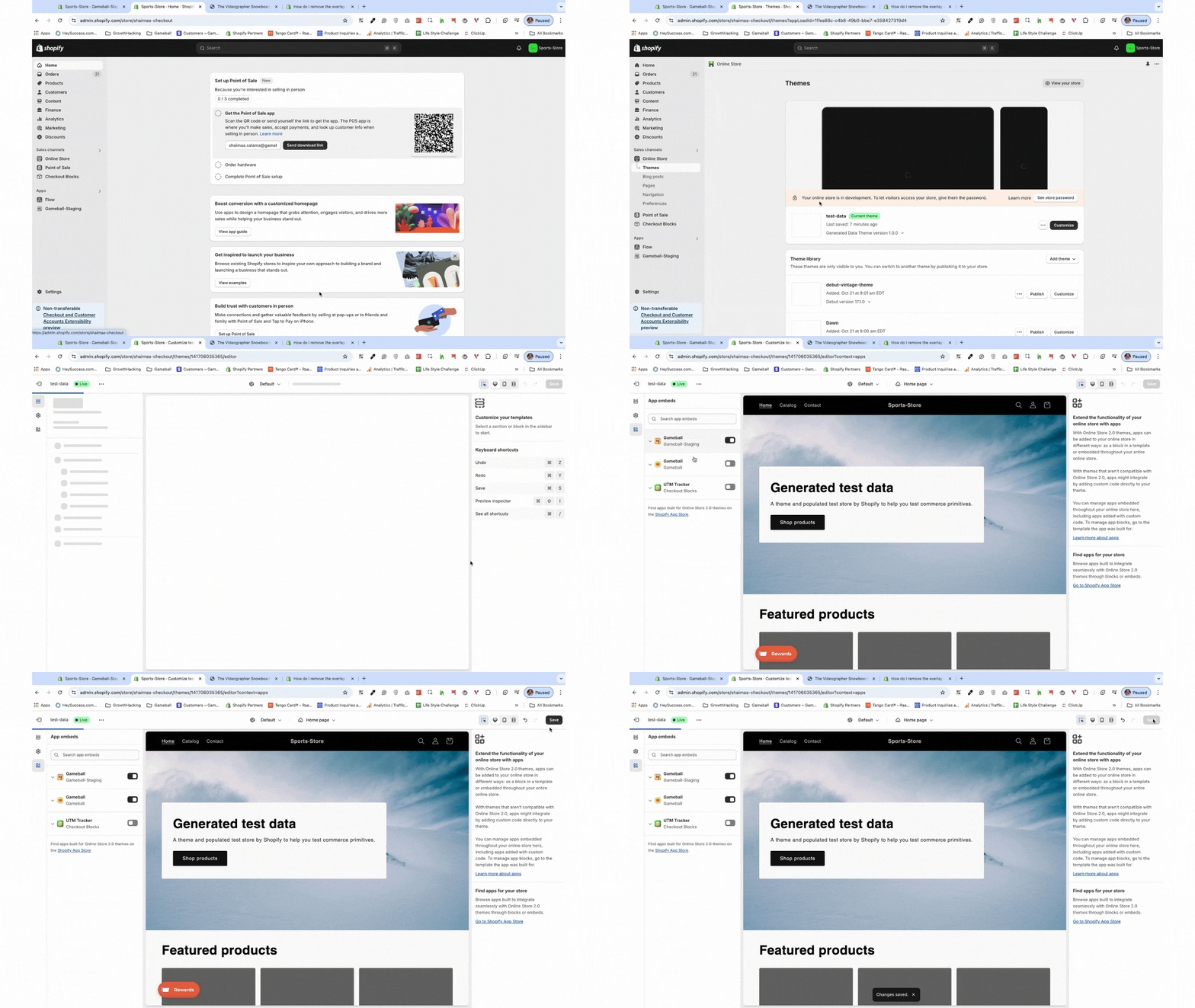
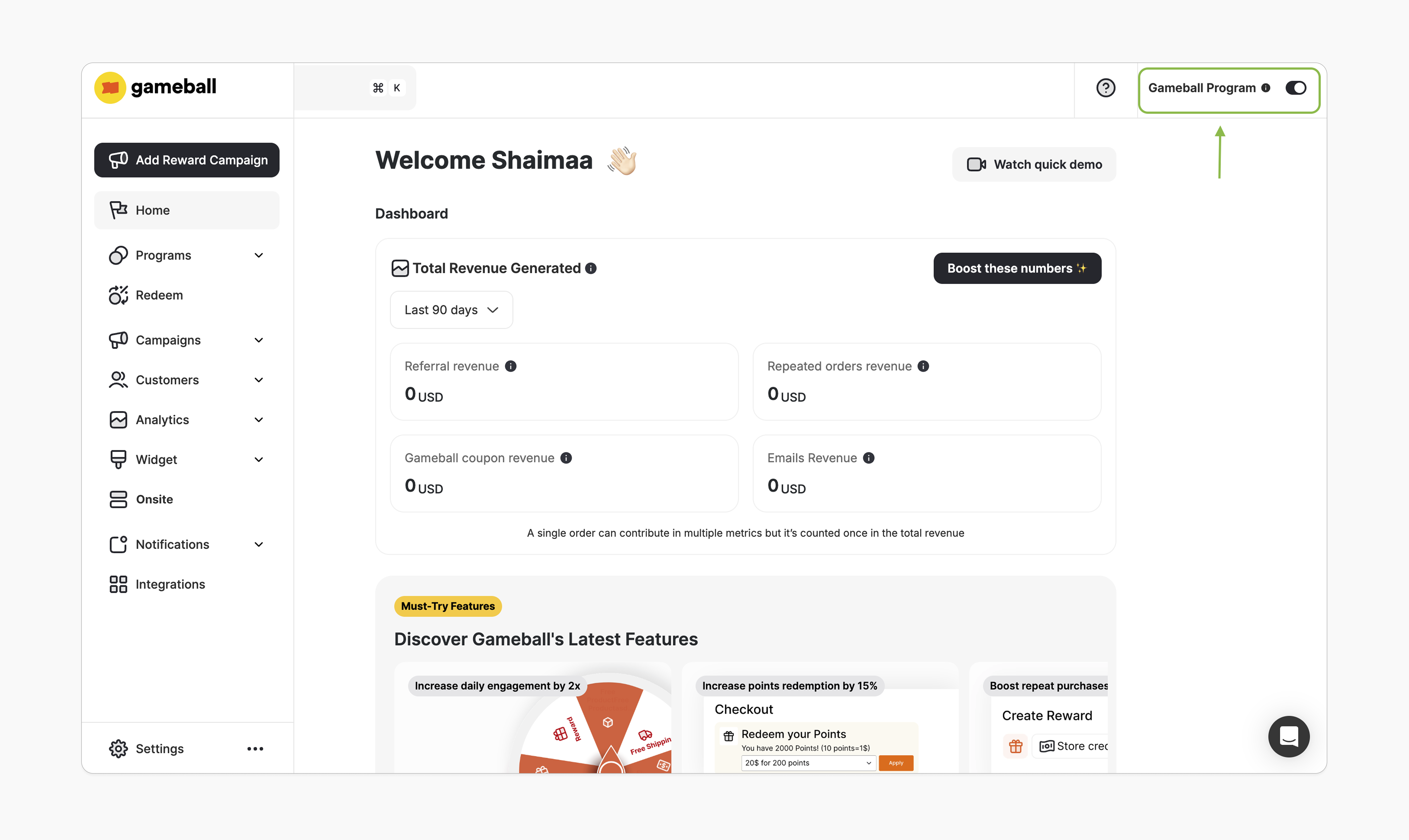
How to Install the Block
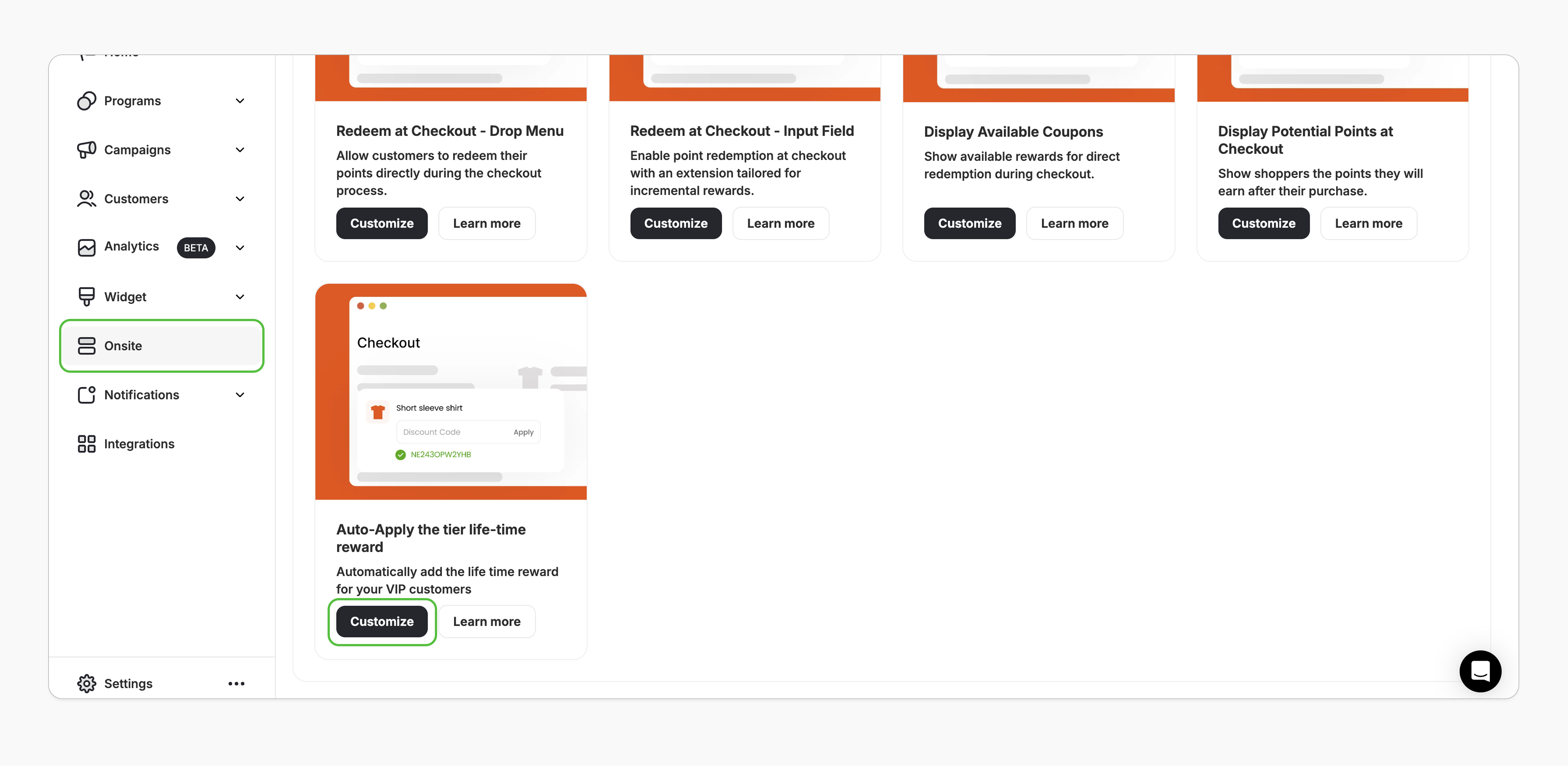
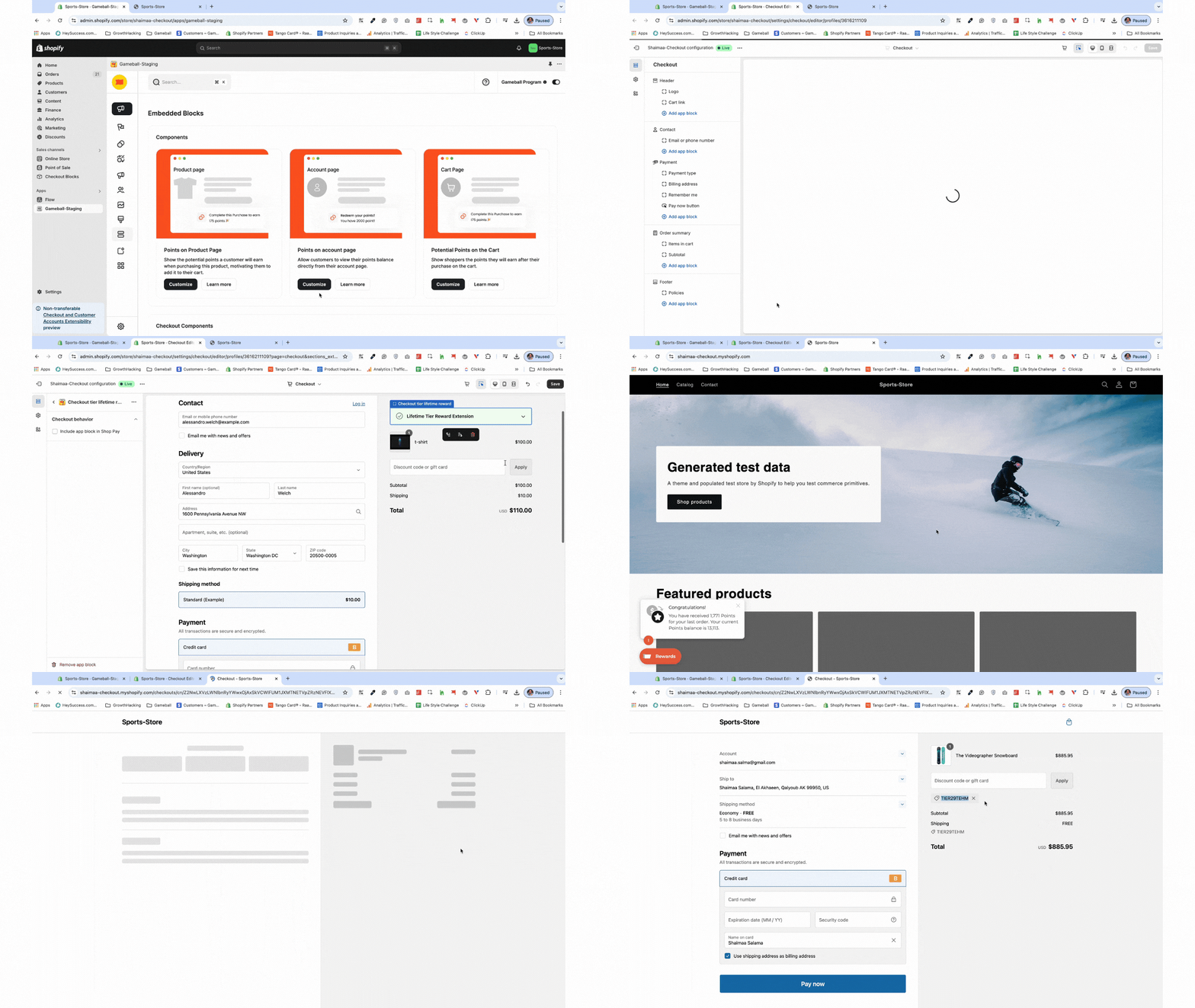
Add the App Block
In the left sidebar, under the “Order Summary,” click Add App Block > Apps, and search for the “Checkout tier lifetime reward”.
How It Works
- Logged-In Customers
- Guest (Not Logged-In) Customers
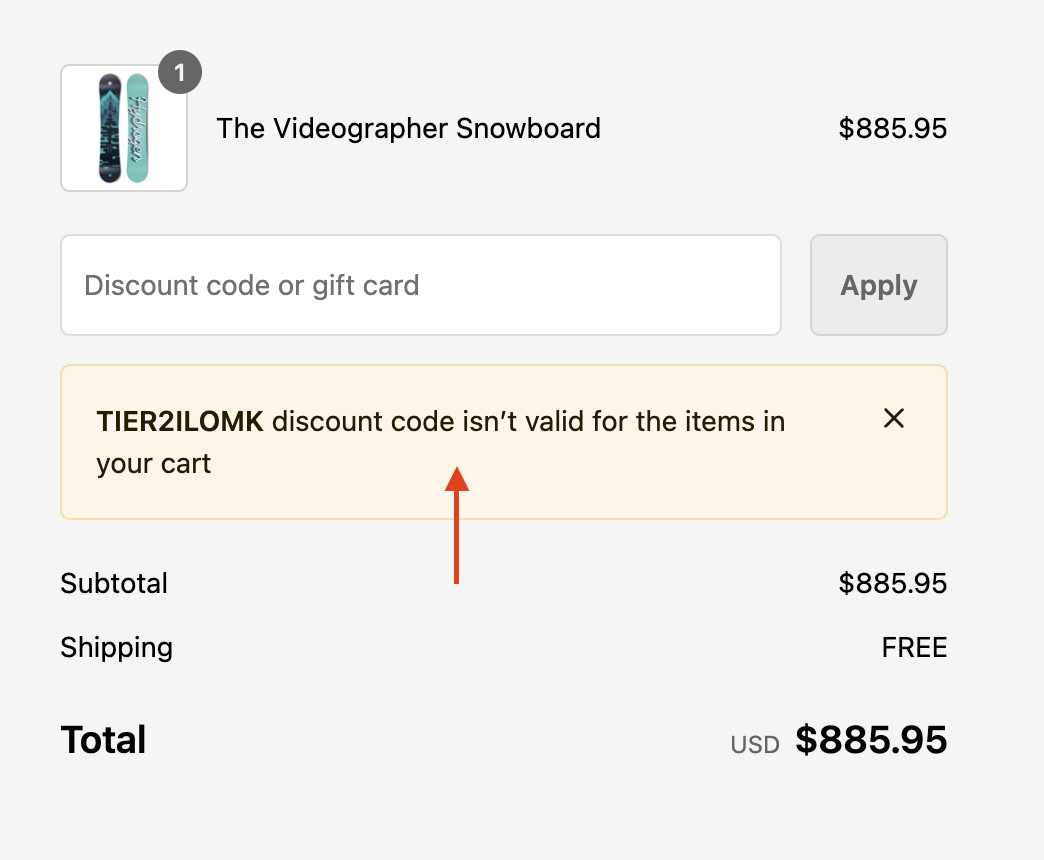
When a logged-in customer reaches the checkout page, the extension will automatically apply a discount if the customer is part of a tier that qualifies for a lifetime reward.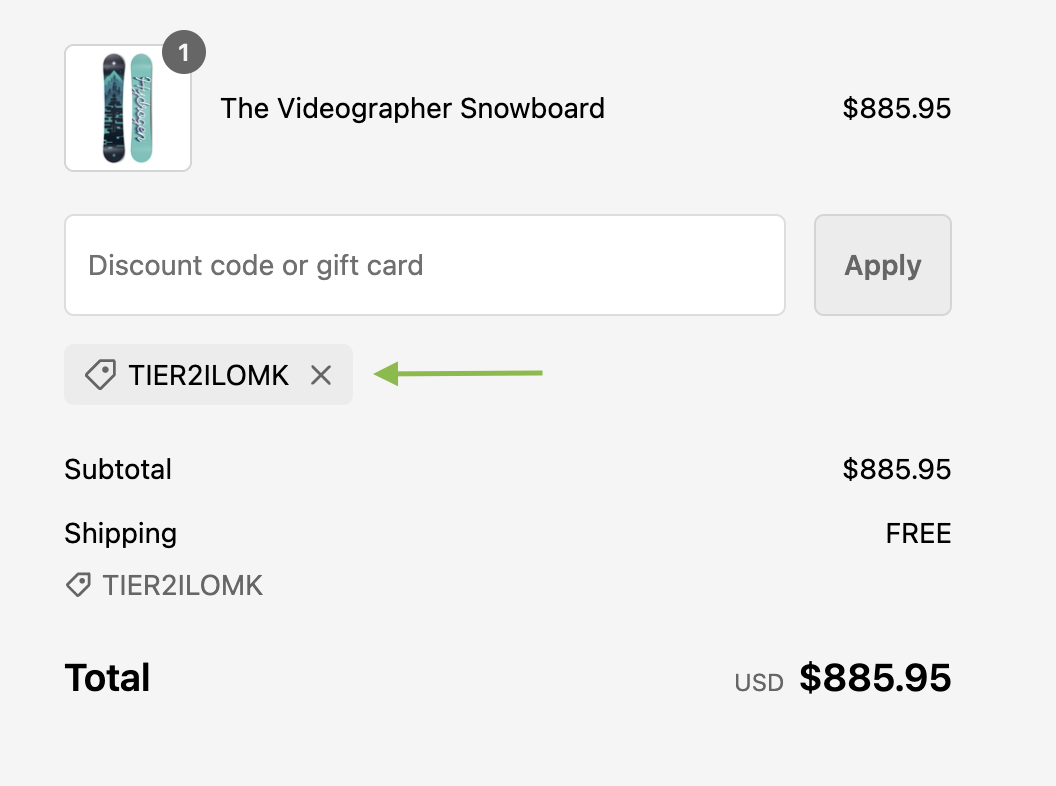
Important Notes
Frequently Asked Questions
Is this feature available for all Shopify stores?
Is this feature available for all Shopify stores?
This feature is exclusive to Shopify stores on Shopify Plus and select new Gameball plans.
What happens if my account is downgraded?
What happens if my account is downgraded?
The block will appear blurred in your store, and the Customize button in the dashboard will be disabled.
Related Articles
Embed Points in Customer Profile
Display customers’ points balances in their profiles.
Display Points Redemption at Checkout
Let customers redeem points directly at checkout.