

| Platform | Plan |
|---|---|
| Shopify | Guru |
| Salla | Guru |
| Non-platform Clients | Included in Automation Add-on |
Webhooks in Gameball let you send and receive customer information to and from external applications, all within your automation flows. You can use webhooks as both triggers (to start an automation from an external event) and actions (to push customer data to another platform). Learn more about Automated Workflows.
Using Webhooks as a Trigger
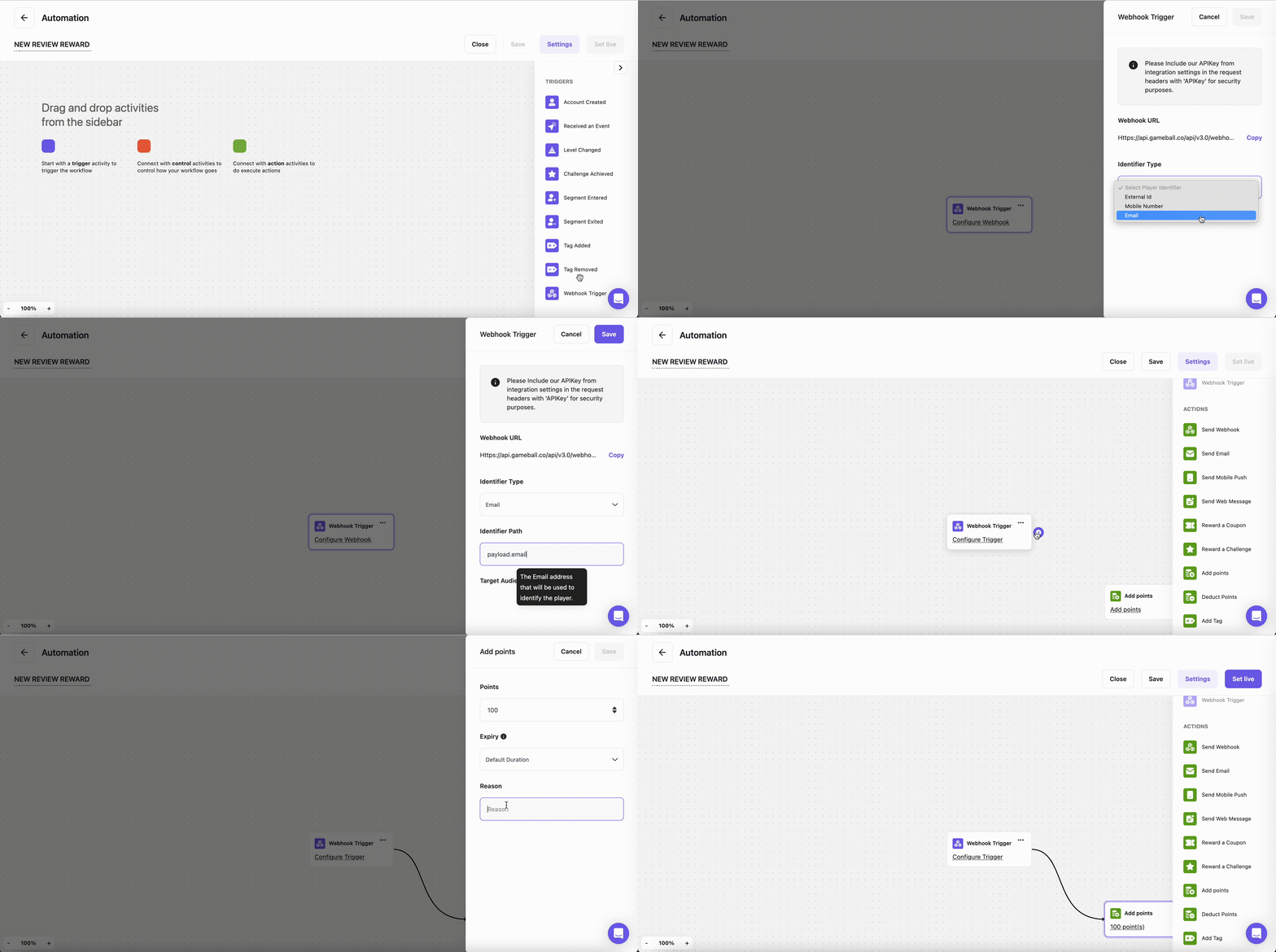
You can create an automation triggered by an action the player initiates on an external app. For example, you want to reward your customers with 100 points for each review they leave on your review app.Configure the Webhook
Set up the webhook configuration:
- Copy the Webhook URL that Gameball provides and paste it into the integration section of your external app, along with your API key for authentication.
- Select how you want to identify your players (Email, External Customer ID, or Mobile Number).
- Fill in the payload based on the selected identifier to confirm the format (e.g.,
{payload.data.email}). - Press Save.
Add the Points Action
Connect your trigger to the Add Points action:
- Click Add Points.
- Fill in the reward information.
- Press Save.
Using Webhooks as an Action
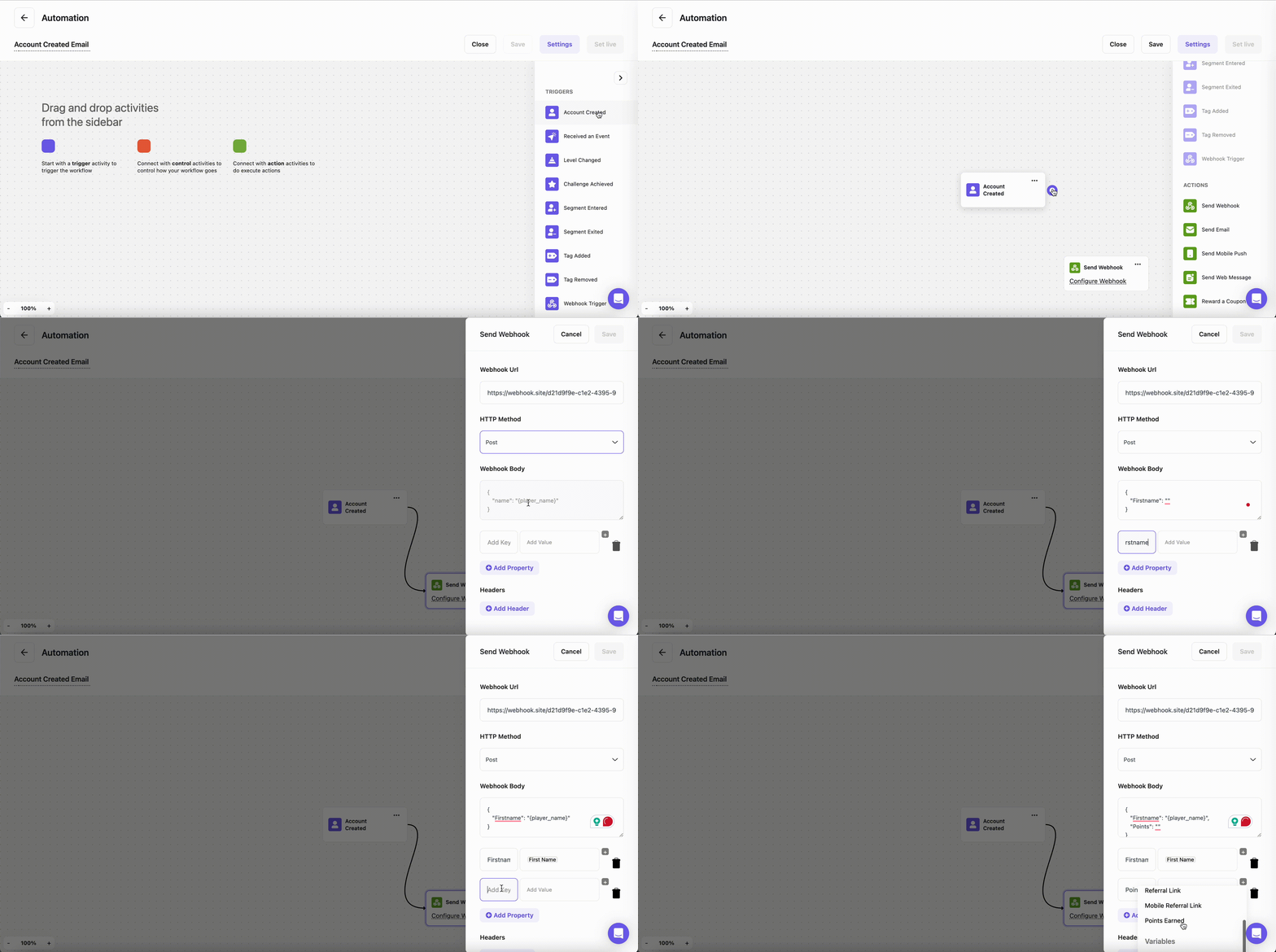
You can use webhooks as an action within your automation to send customer information to an external app. For example, you want to send a welcome email using your external mailing app to a new customer who just created an account.Configure the Webhook
Set up the webhook configuration: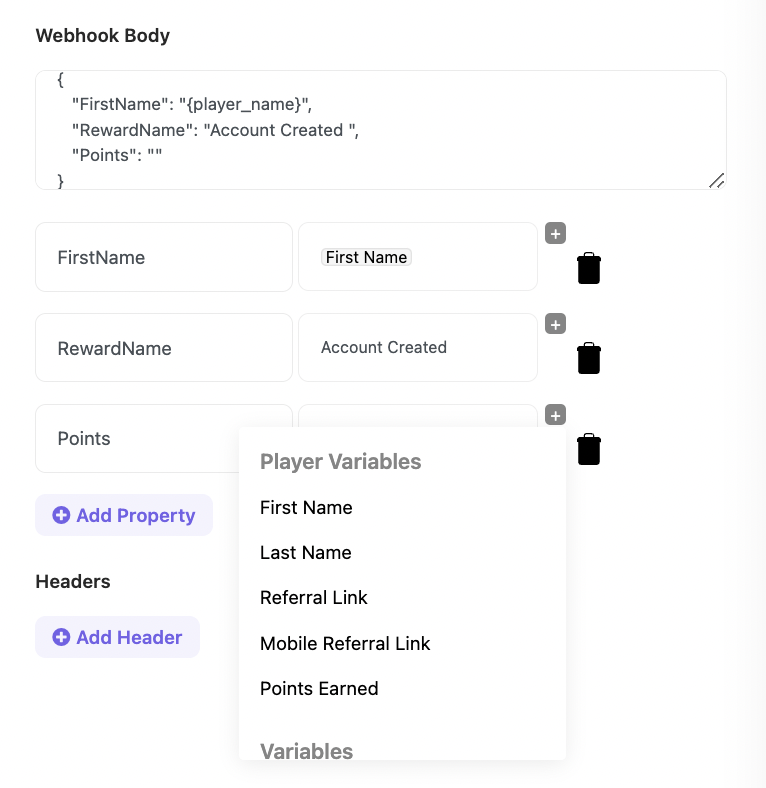
- Paste your external app’s webhook URL in the Webhook URL field.
- Choose your HTTP method (POST, GET, or PUT).
- Add the player information you want to send in the Webhook body. You can use JSON format, the visual builder, or select from customer variables.
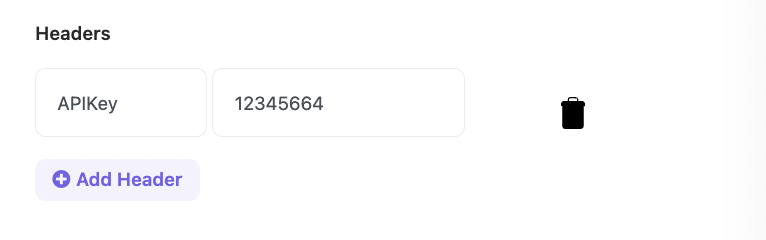
- Add the required Headers.
- Press Save.
Payload Configuration:
- If the action is to send an email within Gameball, add a configuration field to specify the payload part for the customer’s email (
{payload.data.email}). - If the action is external, add all required details for the webhook link and payload in JSON format.
Related Articles
Introduction to Automation Campaigns
Learn the fundamentals of Gameball’s automation campaign system.
How to Create an Automation Campaign
Step-by-step guide to building and launching automation workflows.
Making Edits on Active Automation
Understand how changes to a live automation affect your customers.