

| Platform | Plan |
|---|---|
| Selfserve | Add-on (Contact Support) |
Types of Coupons in Gameball
Coupons Linked to Gameball Modules
Coupons Linked to Gameball Modules
Coupons can be generated automatically through Gameball features such as:
- Reward Campaigns: Reward customers with discounts for completing campaigns. Learn more.
- Automations: Automate coupon generation based on triggers like customer anniversaries or purchases. Learn more.
- Referrals: Reward advocates with unique coupon codes for successful referrals. Learn more.
- Tiers: Celebrate customers’ loyalty with exclusive tier-based coupons. Learn more.
- Redemption Rules: Allow customers to redeem points for tailored discounts. Learn more.
Standalone Coupons
Standalone Coupons
Create independent coupons that can be distributed directly to customers without any specific actions required:
- Fixed Value Coupons: Offer a set discount amount (e.g., $10 off).
- Percentage-Based Coupons: Provide a percentage discount (e.g., 15% off).
Key Features of Gameball’s Couponing Engine
Comprehensive Management
Automatically mark coupons as used, expired, or inactive. Validate coupon eligibility, ensure accuracy in coupon application, and prevent duplicate coupon names for streamlined tracking.
Advanced Options
Add prefixes or specific characters to coupon codes, set usage limits (global or per customer), specify start and expiry dates, and activate, deactivate, or duplicate coupons effortlessly.
Seamless Integration
Coupons integrate seamlessly with all Gameball modules, making it easier to reward, engage, and incentivize your customers.
How to Create & Manage Coupons
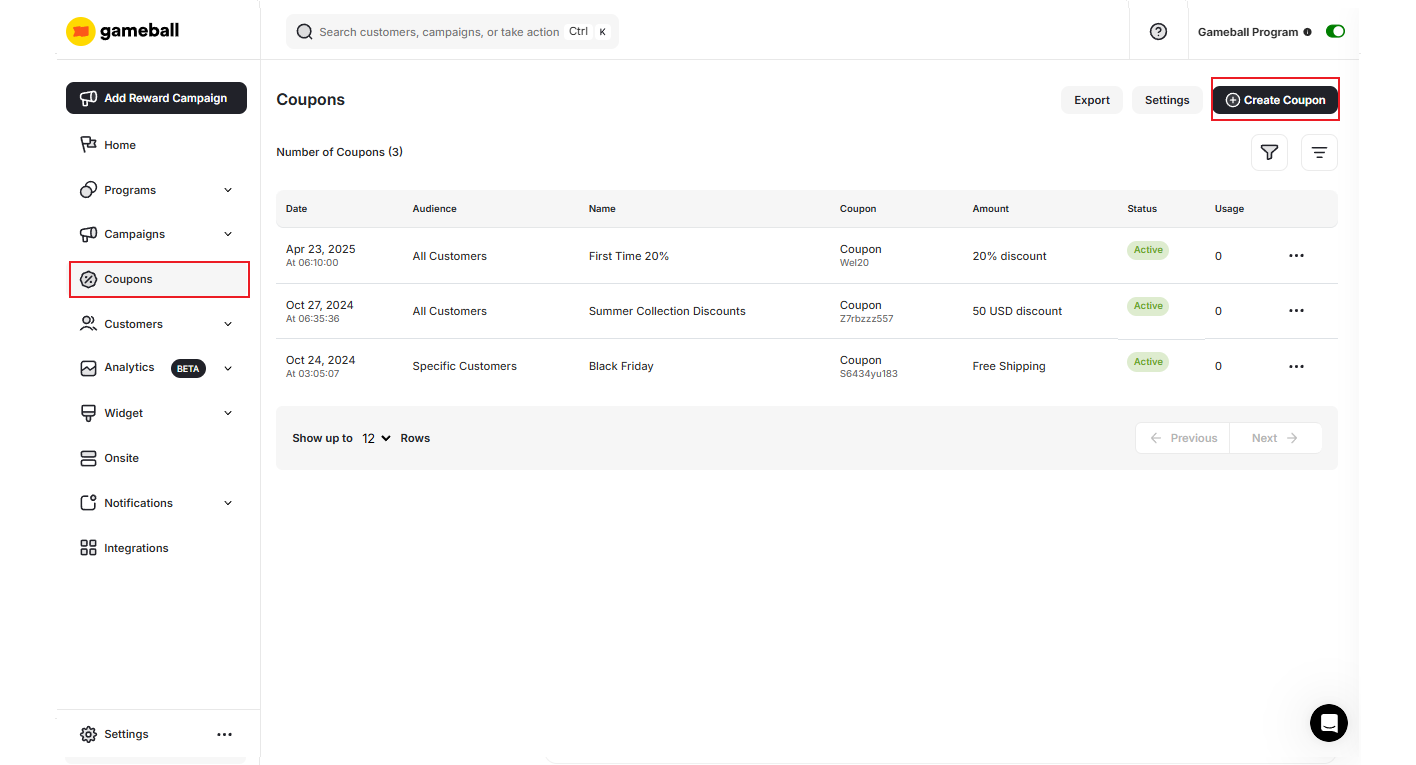
Navigate to Coupons
Navigate to the Coupons section. Inside, you can create new coupons. Learn More.
Customer’s List: Coupon Insights Tab
To learn more about each coupon’s performance and which customers are engaging with it, pick any created coupon and go to Customer List.This tab is available only under manually created coupons.
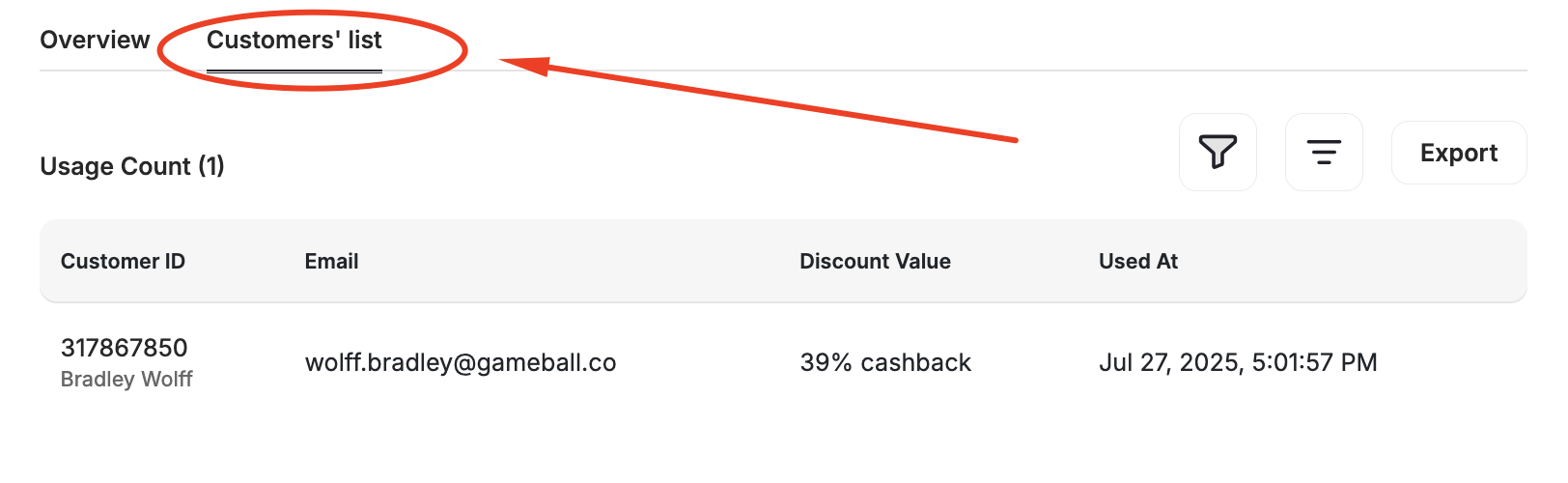
New Insights Tab
Available only for manually created coupons and promotions. Accessible when you navigate to the Coupons page and click on the coupon you want to check.
View Redemption Details
Each coupon redemption displays:
| Field | Description |
|---|---|
| Customer ID | Unique identifier for the customer |
| Customer Email | Email address of the customer |
| Discount Value | The discount applied at redemption |
| Date of Use | When the coupon was redeemed |
Coupon Source Visibility in Widget
Customers can see exactly where each coupon came from, directly inside the Gameball loyalty widget. When a customer views their available coupons in the Redeem Tab, each coupon displays its source — whether it was issued through a reward campaign, a game, an automation, a VIP tier reward, or a referral. This transparency helps customers understand how they earned their rewards and encourages them to engage more with your loyalty programs.Why Use Gameball’s Couponing Engine?
| Benefit | Description |
|---|---|
| Efficiency | Simplify the process of creating and managing coupons in one unified platform. |
| Flexibility | Generate coupons tailored to your business needs, whether tied to customer actions or not. |
| Control | Gain full oversight of coupon usage, ensuring fair use and accurate tracking. |
| Scalability | Support for multiple use cases across different Gameball modules and standalone promotions. |
Related Articles
How to Create a Manual Coupon
Step-by-step guide to creating and configuring coupons manually.
Request a Coupon Creation
Request coupon creation from your couponing engine via API.