

| Platform | Plan |
|---|---|
| Shopify | Starter, Pro, & Guru |
| Salla | Pro, & Guru |
| Non-platform clients | Growth & Enterprise |
Customer Segments and Tactics
Gameball enables you to identify and engage with multiple customer segments. Below are four common and highly valuable segments, along with tactics to improve their engagement:| Segment | Description |
|---|---|
| The Champions | Your top-performing VIP customers who contribute a significant portion of your revenue. |
| Product Viewers | Customers who explore your products but do not proceed to checkout. |
| Slipping Away Customers | Customers who are showing signs of churn and disengagement. |
| The Buyer | Segments customers into groups based on different purchasing behavior. |
The Champions (VIP Customers)
Identify Bases for Segmentation
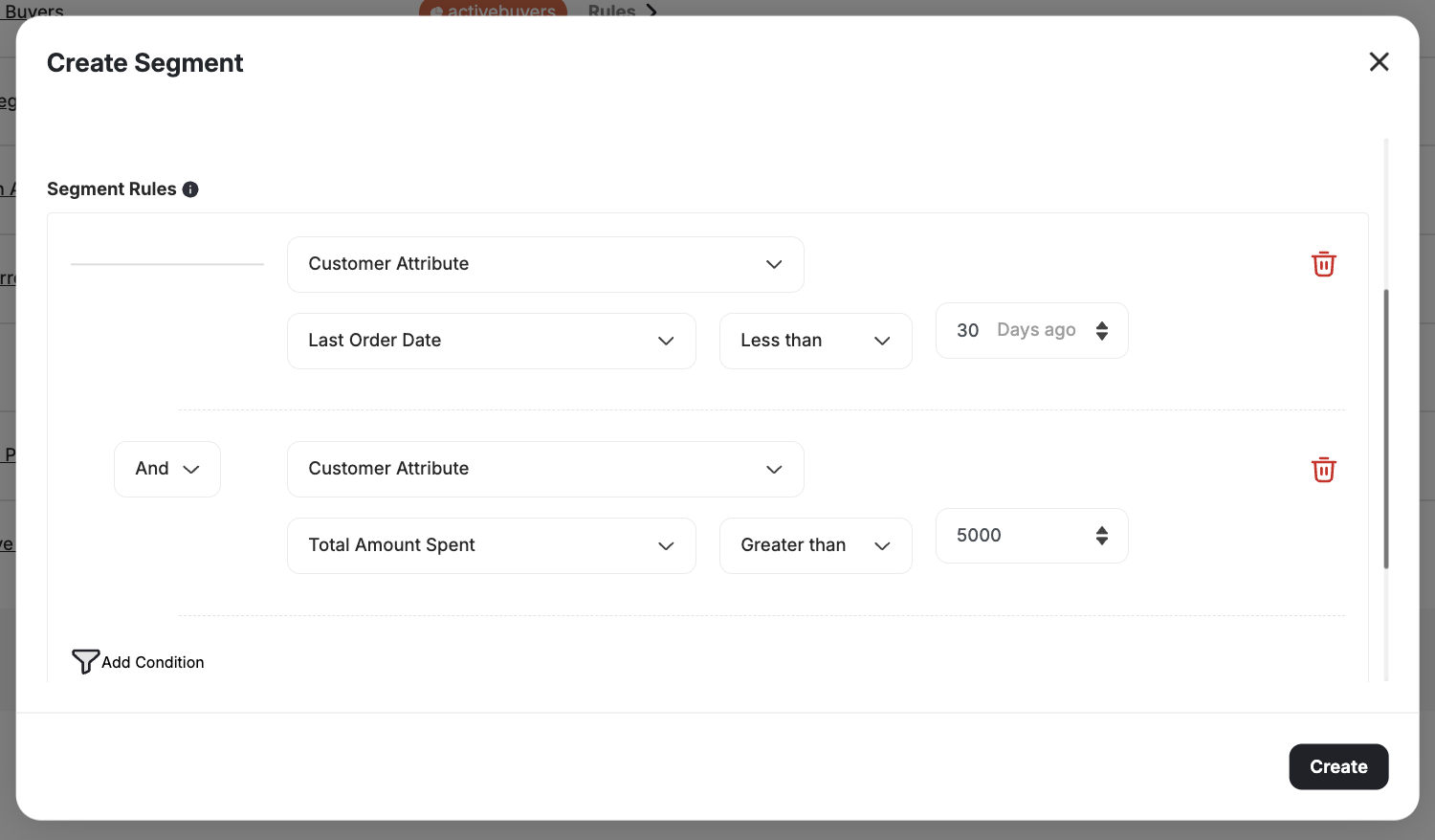
A VIP customer could be someone who:- Made a purchase within the last 30 days
- Spent over $5,000 in total
Create a New Segment
Set Last Order Date Filter
Use Last Order Date as the filter attribute, set the operator to less than, and set the time frame to 30 days.
Alternative Segment Criteria
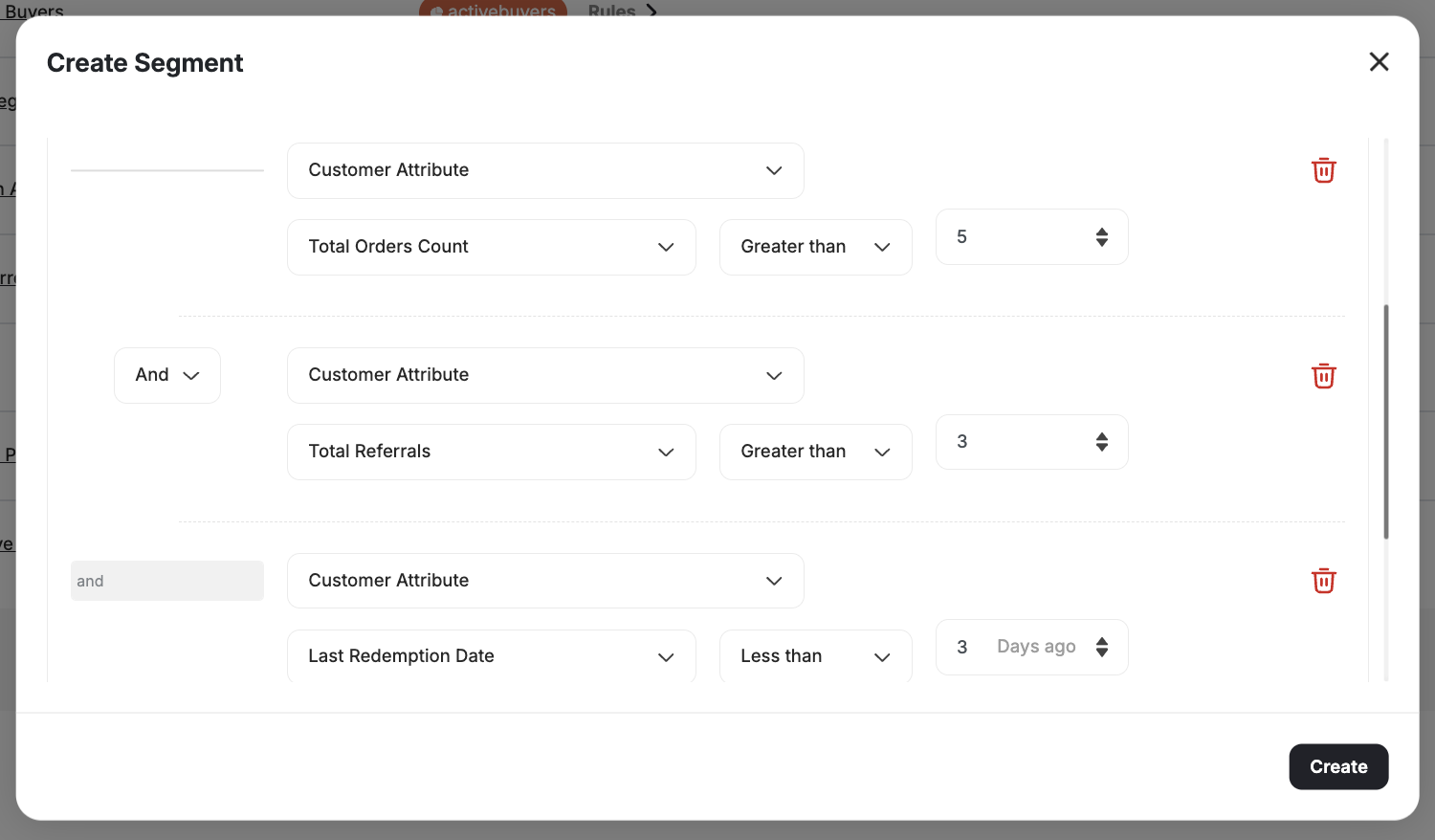
You may also define VIP customers as those who:- Placed more than 5 orders
- Referred more than 3 friends
- Redeemed points recently
Add Place Order Event
Select Event as the segmentation attribute and choose Place Order, with Count greater than 5.
The Product Viewers
Identify Bases for Segmentation
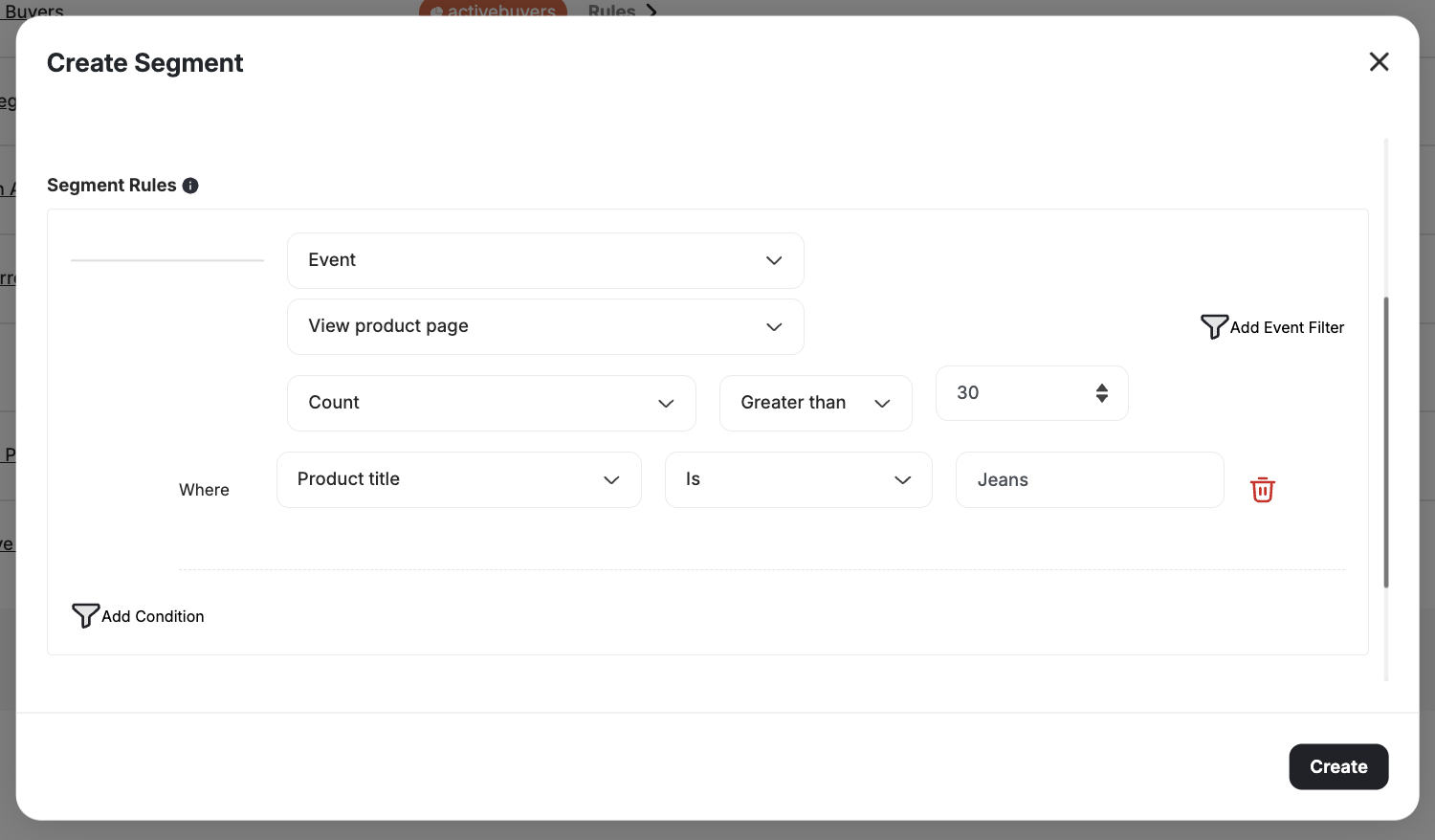
For instance, if your jeans product page is frequently visited but sees low conversions:Create a New Segment
Select View Product Page Event
Choose Event as the segmentation type. Select View Product Page, and use the First Occurrence greater than 30 days.
The Slipping Away Customers
Identify Bases for Segmentation
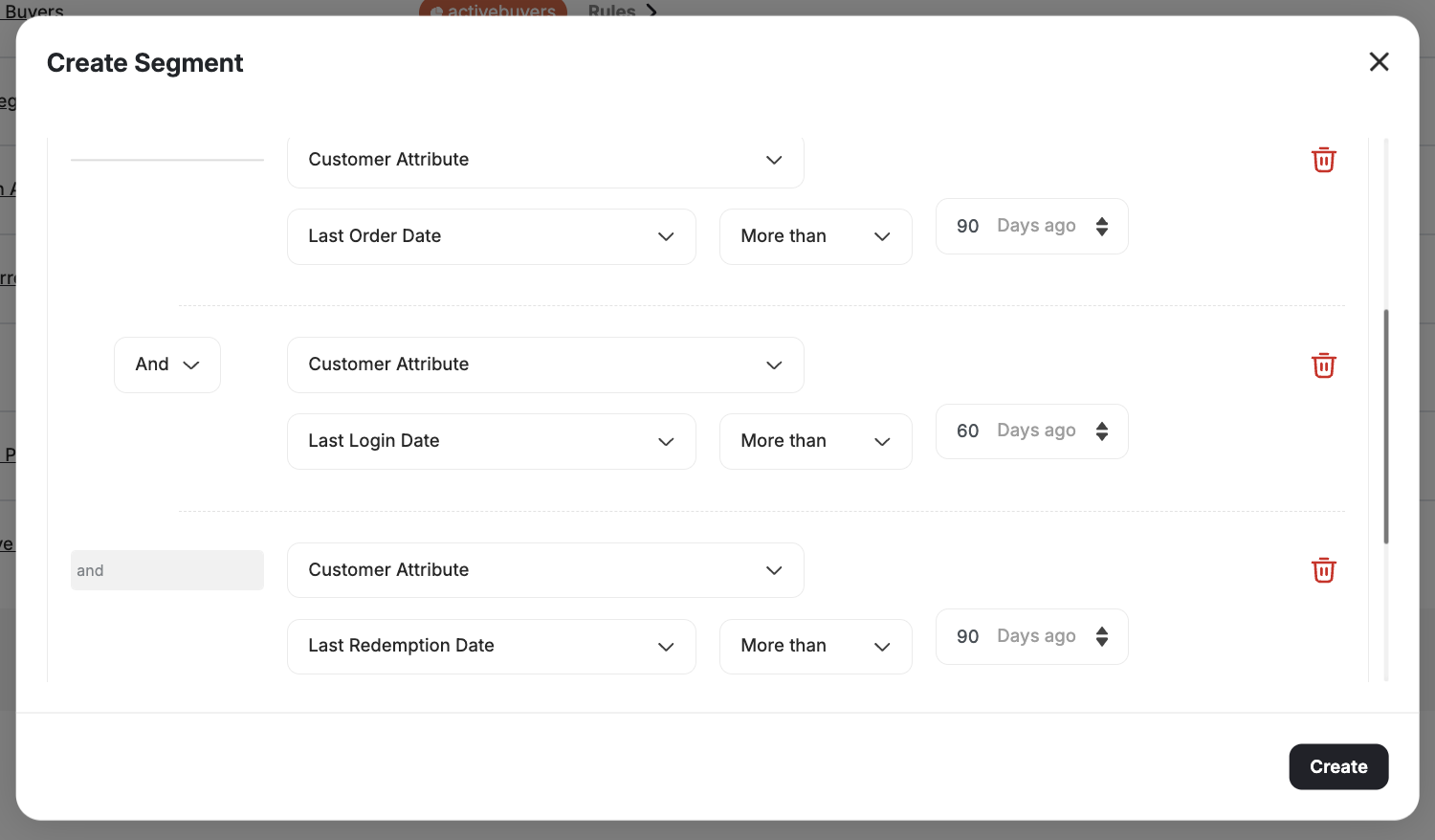
Disengaged customers are at high risk of churn. You may consider a customer as slipping away if:- No orders in the last 90 days
- No website visits in the last 60 days
- No point redemptions in the last 90 days
Create a New Segment
The Buyer: Product-Level Order Segmentation
You can create highly targeted and personalized campaigns by analyzing specific product purchase behavior. Segment customers based on the exact products and quantities purchased in actual orders. For example:- Target customers who purchased a specific SKU.
- Segment customers buying a particular category or high-quantity product.
| Filter | Description |
|---|---|
| Product ID | Target customers who purchased a specific product |
| SKU | Filter by stock-keeping unit |
| Category | Segment by product category |
| Collection | Target purchasers from a specific collection |
| Product Title | Filter by product name |
| Quantity Purchased | Filter by the quantity purchased per product |
| Price | Filter by price per line item |
Related Articles
How to Segment Customers
Learn how to create and manage customer segments using the segmentation engine.
Introduction to RFM Segments
Understand RFM analysis and how Gameball automatically segments customers.