

- Track their progress
- View the required actions to complete challenges
- Receive more rewards
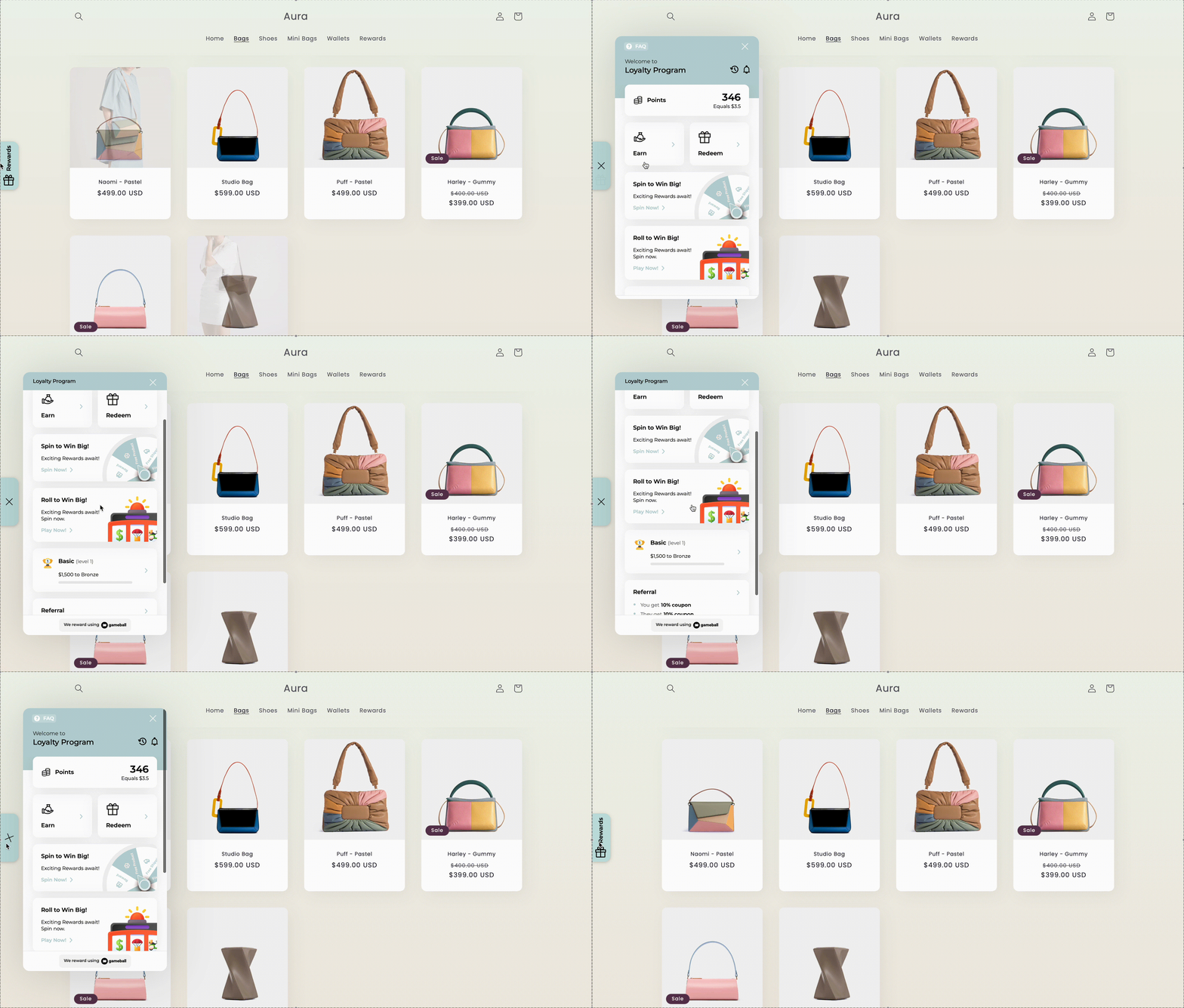
Explore the Gameball Widget Features
Learn about the different sections and features your customers can access directly through the Gameball widget. The Gameball widget provides your customers with a centralized space to track their progress, redeem rewards, engage with your loyalty program, and more. Here’s an overview of each section they will find inside the widget:Points Section
Points Section
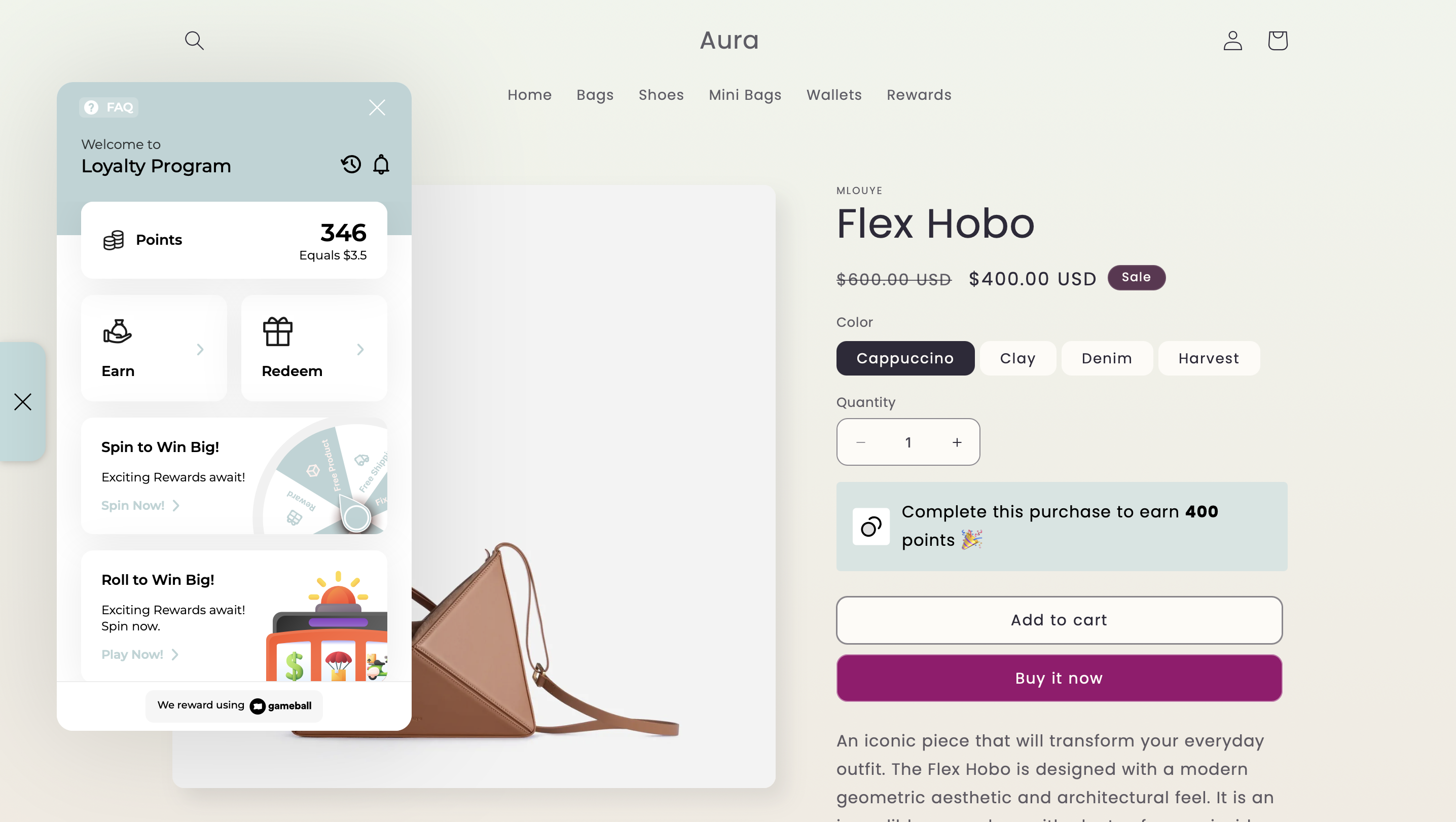
This section displays the customer’s current points balance and its equivalent monetary value.
Earn Tab
Earn Tab
Customers can explore how to earn more rewards. This tab includes:
- Cashback Section: Shows how customers earn points through purchases.
- Badges Section: Displays all earned and unearned challenges that have been customized for the customer. It also includes progress indicators and status updates for each challenge.
Play & Win Tab
Play & Win Tab
Play & Win is a widget section that displays all active game campaigns in one place. It helps customers quickly discover games and clearly separates games from standard earning actions. The section appears automatically when at least one game is active and disappears when no games are available.
Redeem Tab
Redeem Tab
Here, customers can exchange their collected points for different types of discount coupons or other available rewards. Each coupon displays its source — whether it was issued through a reward campaign, a game, an automation, a VIP tier reward, or a referral — so customers always know where their rewards came from.
Levels Tab
Levels Tab
This tab shows the customer’s current level, the upcoming levels they can unlock, and the benefits and rewards associated with each level.
Referral Tab
Referral Tab
Gameball’s referral feature allows customers to refer your platform to their friends. Once a referred friend signs up, the referring customer receives rewards. The more friends they refer, the bigger the rewards they can earn.
Transaction History
Transaction History
Customers can view the full history of their points activity, including how and when they earned or redeemed points.You can use a deep link to open the Gameball widget directly in the Customer History section.Deep Link Identifier:
#gameball-historyUse Case: Include the link in your message campaigns:“Check your latest rewards here: YourWebsite.com#gameball-history”Notifications Tab
Notifications Tab
A log of real-time updates related to the customer’s progress, such as earning a badge or reaching a new level.
Activated Game Campaigns
Activated Game Campaigns
If any game campaigns are activated, such as Spin the Wheel, they will appear as interactive sections within the widget for the customer to engage with.
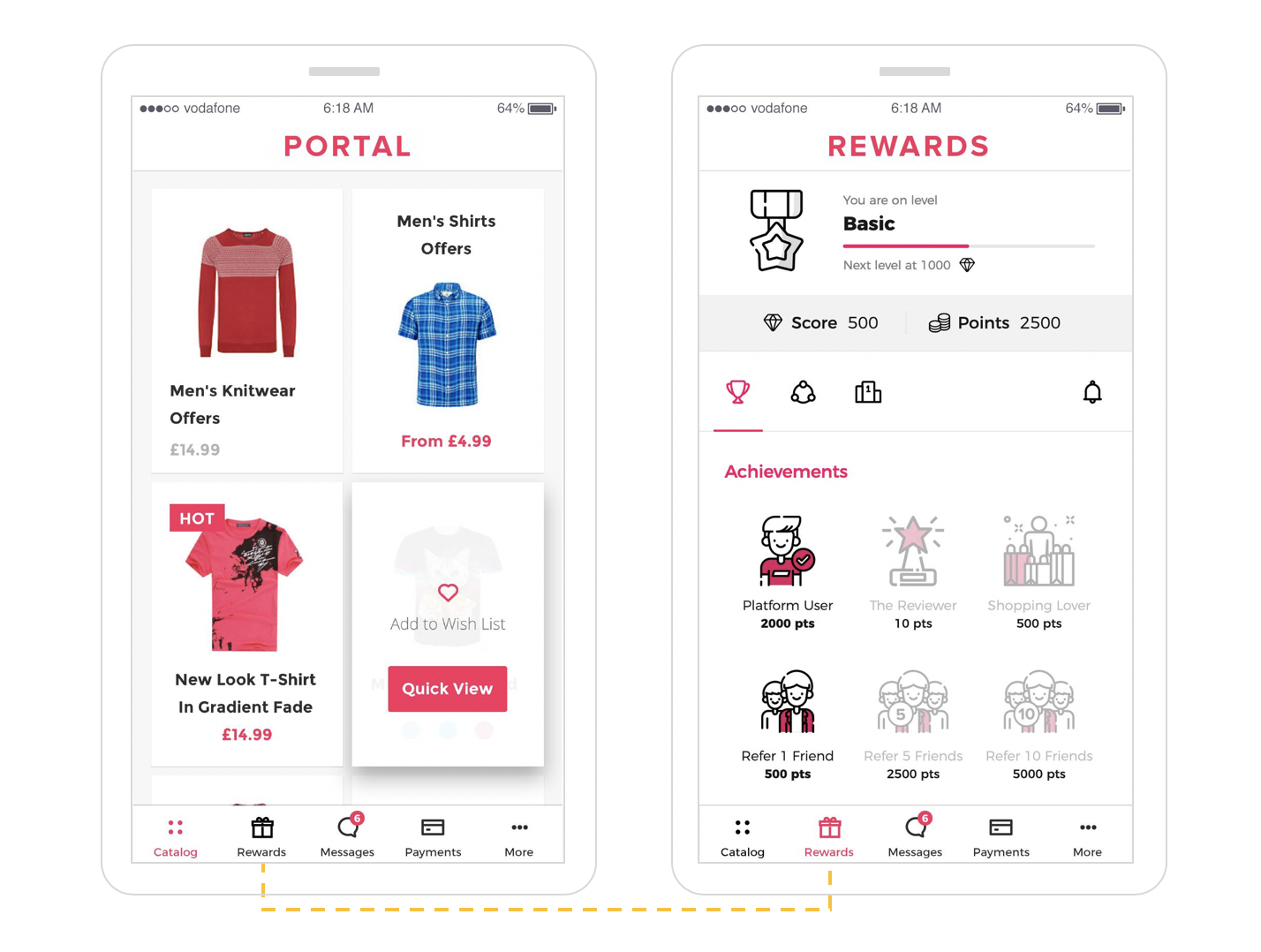
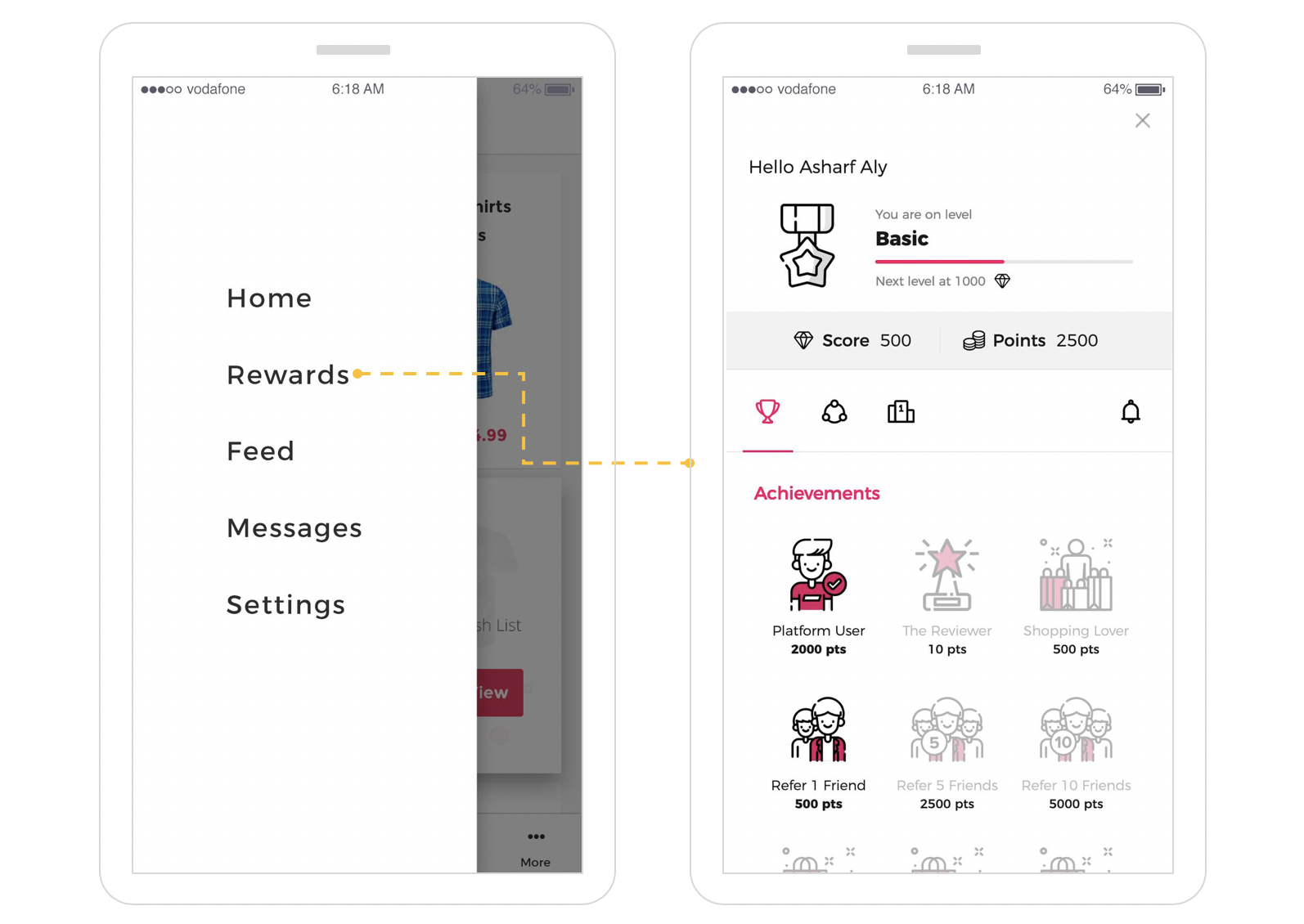
How Will Gameball Customer Widget Be Displayed on Your Platform?
- Web
- Mobile
What’s Next?
Customize Tabs Visibility and Order
Control which tabs appear in your widget and in what order they are displayed.
Customize Widget to Match Your Brand
Adjust colors, fonts, icons, and identity to align the widget with your platform’s look and feel.
Configure Widget Language
Set a default language and add additional languages to serve a multilingual audience.