

What Is the Weekly Engagement Report Email?
Gameball sends you that report so that you can take a quick look at the overall progress of your configured loyalty program. Here is the information that you will find in the email:| Section | What It Includes |
|---|---|
| General Activities | Newly enrolled customers, overactive customers, and referred customers |
| Points Activities | Total points accumulated and total points redeemed by all customers |
| Programs Activities | Customers who tiered up, completed reward campaigns, referrals, and purchased rewards |
| Current Total Enrolled Customers | Total customers who joined the loyalty program, including inactive ones |
How to Manage Your Communication Preferences
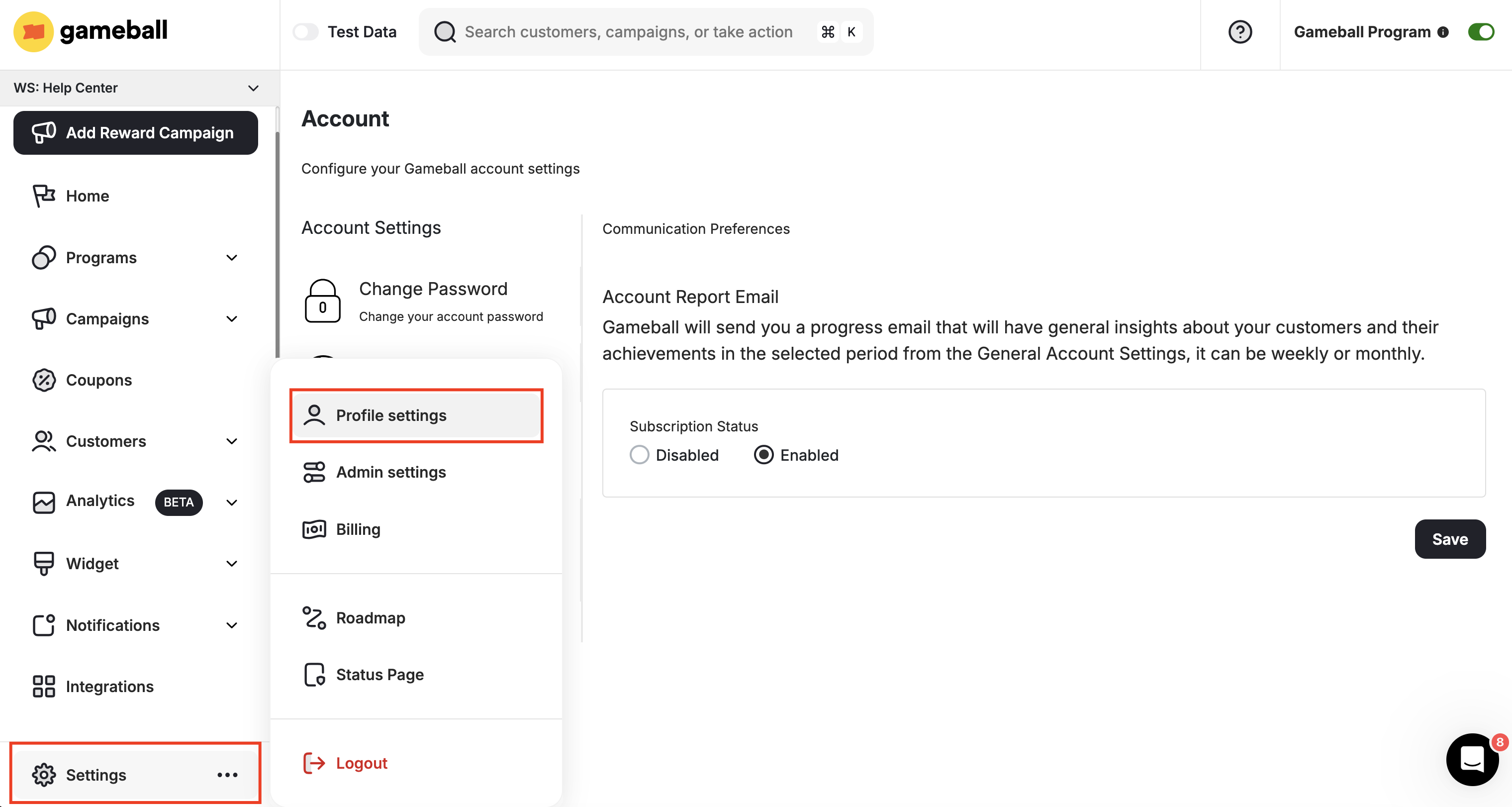
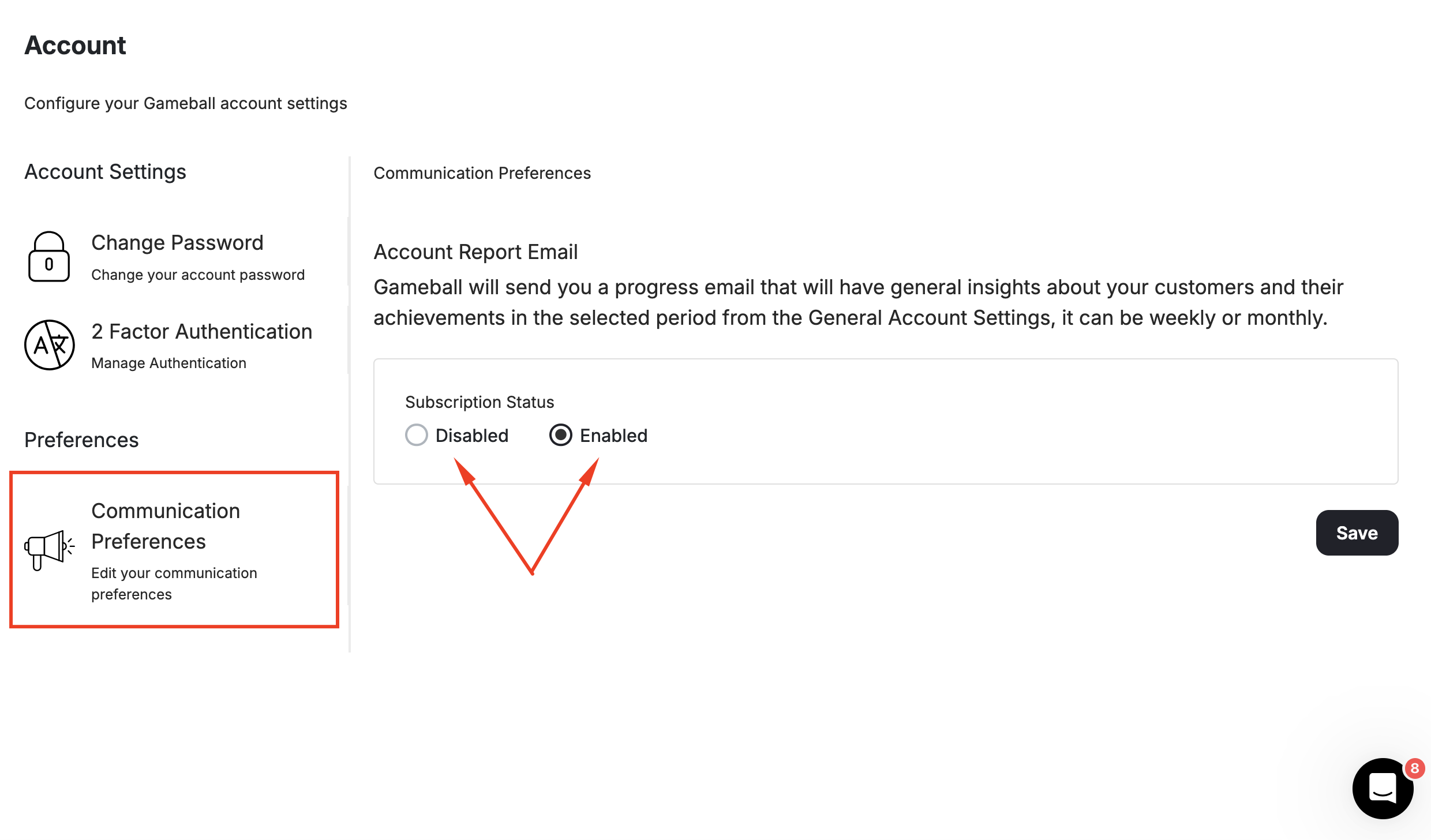
How to Change the Frequency of Engagement Emails
If you do not want to unsubscribe but would rather receive the report less frequently, go to Settings > Admin Settings, then General.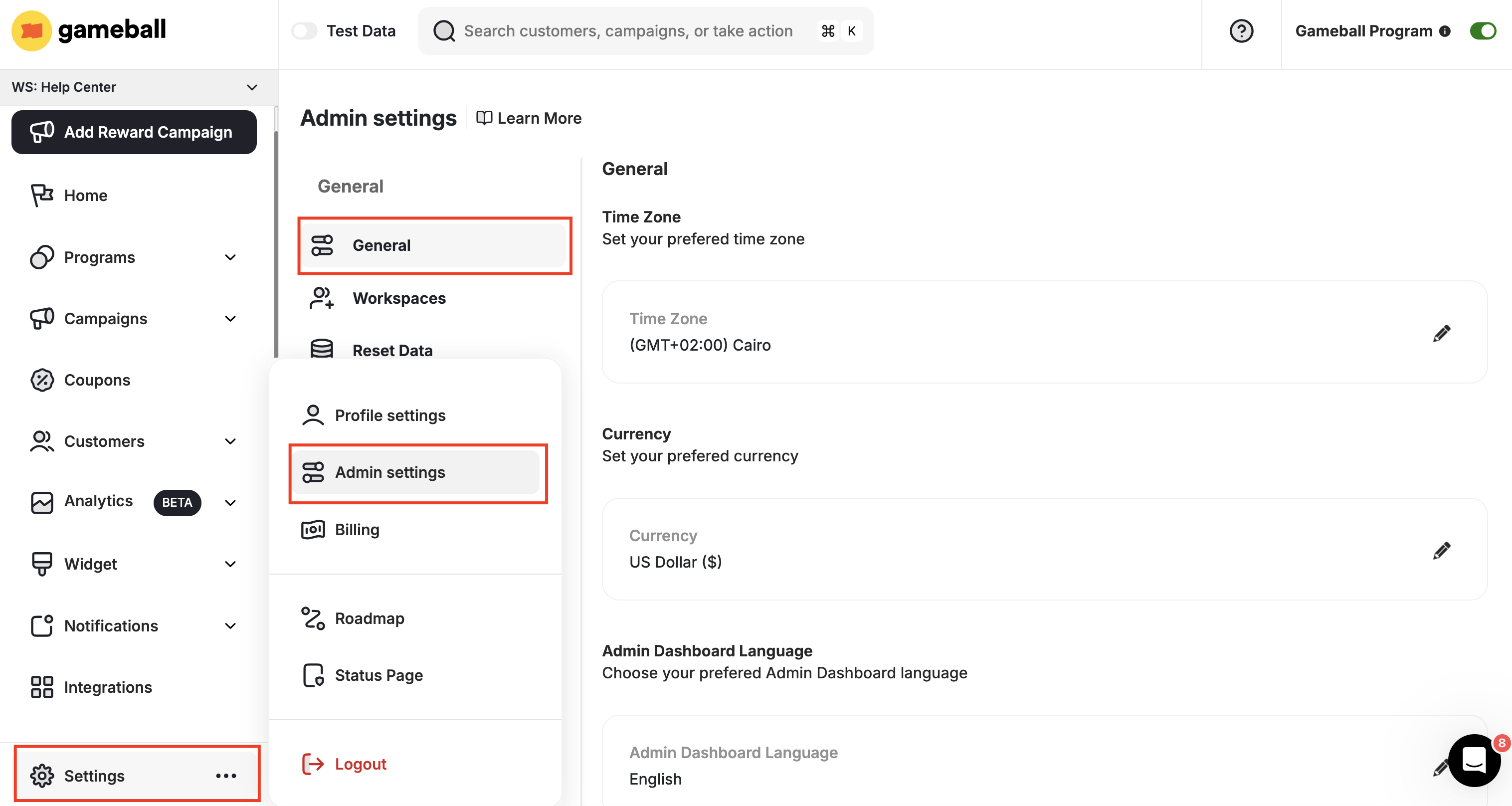
| Frequency | Description |
|---|---|
| Weekly | Default setting. Report covers your program performance during the past week only. |
| Monthly | Receive the email every month. Report covers your program performance over the past month. |
Related Articles
Contact Customer Support
Learn how to reach a Gameball support agent through any channel.
Admin Settings
Explore the full range of Gameball admin configuration options.