

Step 1: Delete Configured Tiers
Skip this step if you want only to hide the tiers tab from the widget but still want to enroll your customers in the tiers program and let them tier up.
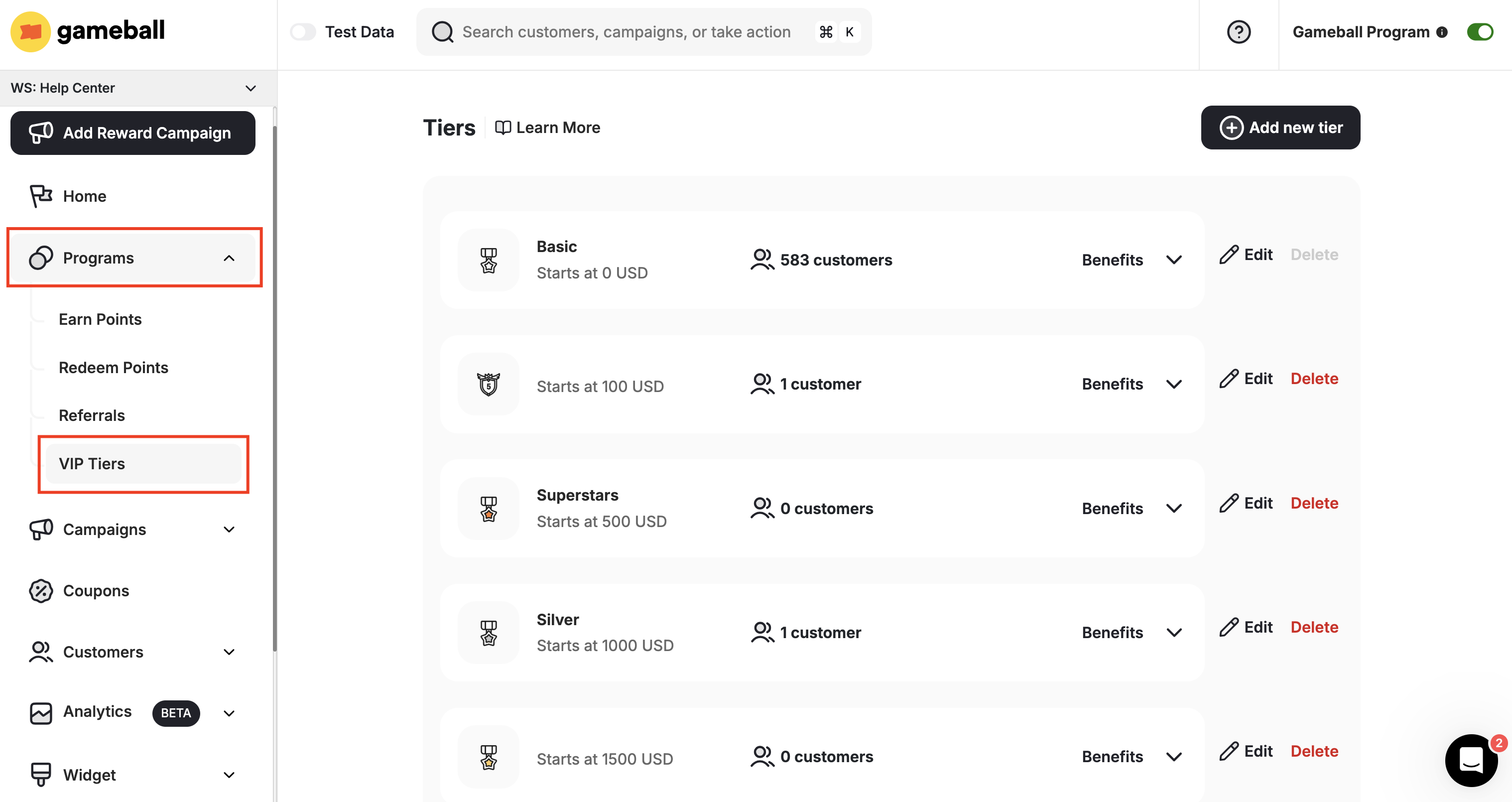
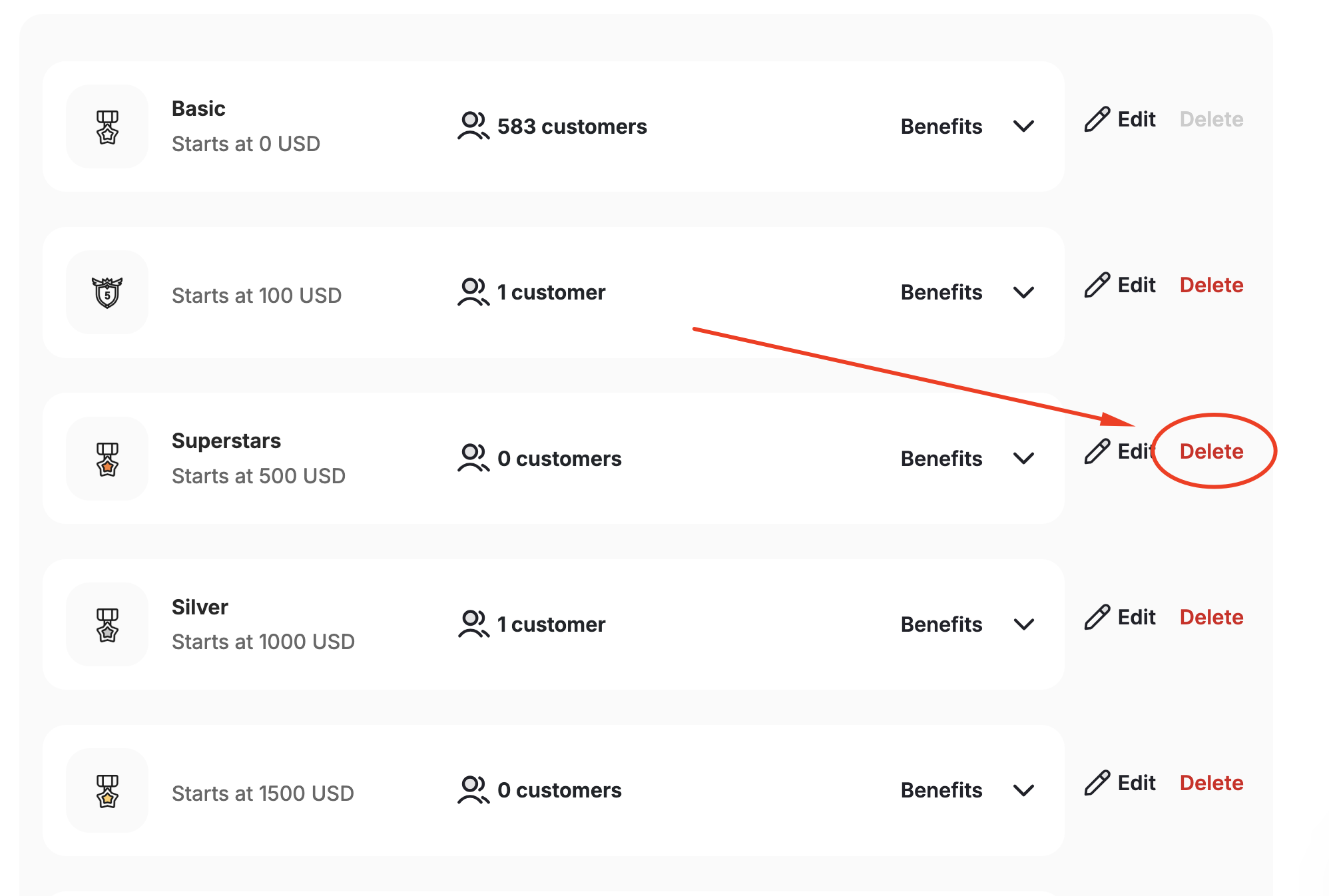
Step 2: Hide the Tiers Tab from the Widget
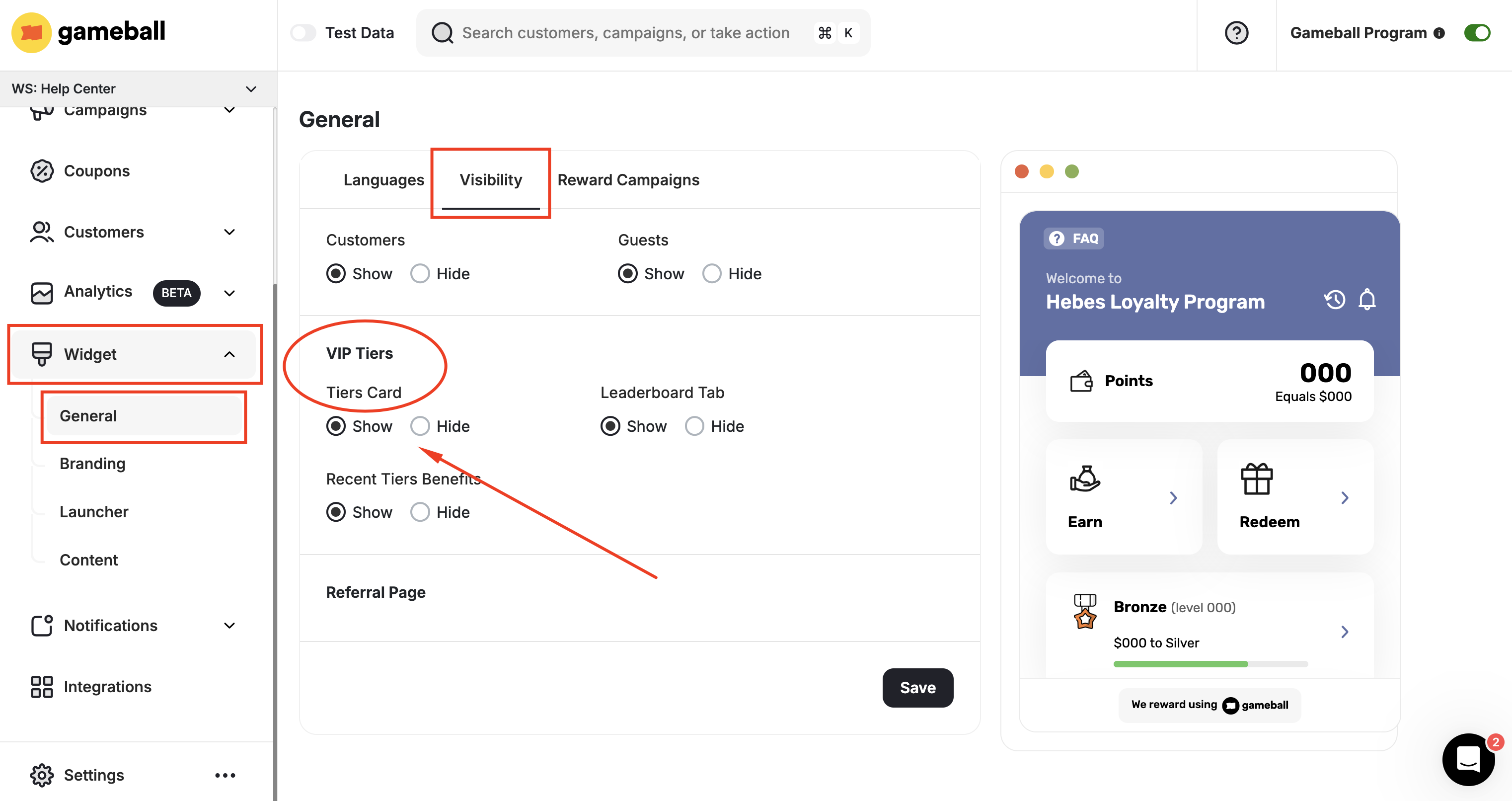
Only the first tier is left, and all the manually added tiers are removed. Customers can no longer tier up; however, the tiers tab still exists, showing the basic tier that cannot be removed. To completely hide the tiers tab from the Gameball widget, follow the steps below.Navigate to Widget Visibility Settings
On the Gameball Admin Dashboard, go to Widget > General: Visibility tab.
Related Articles
Remove Gameball Leaderboard from Widget
Learn how to hide the leaderboard from your Gameball customer widget.
Control Program Visibility on Your Platform
Understand the different stages of controlling the Gameball widget presence.