

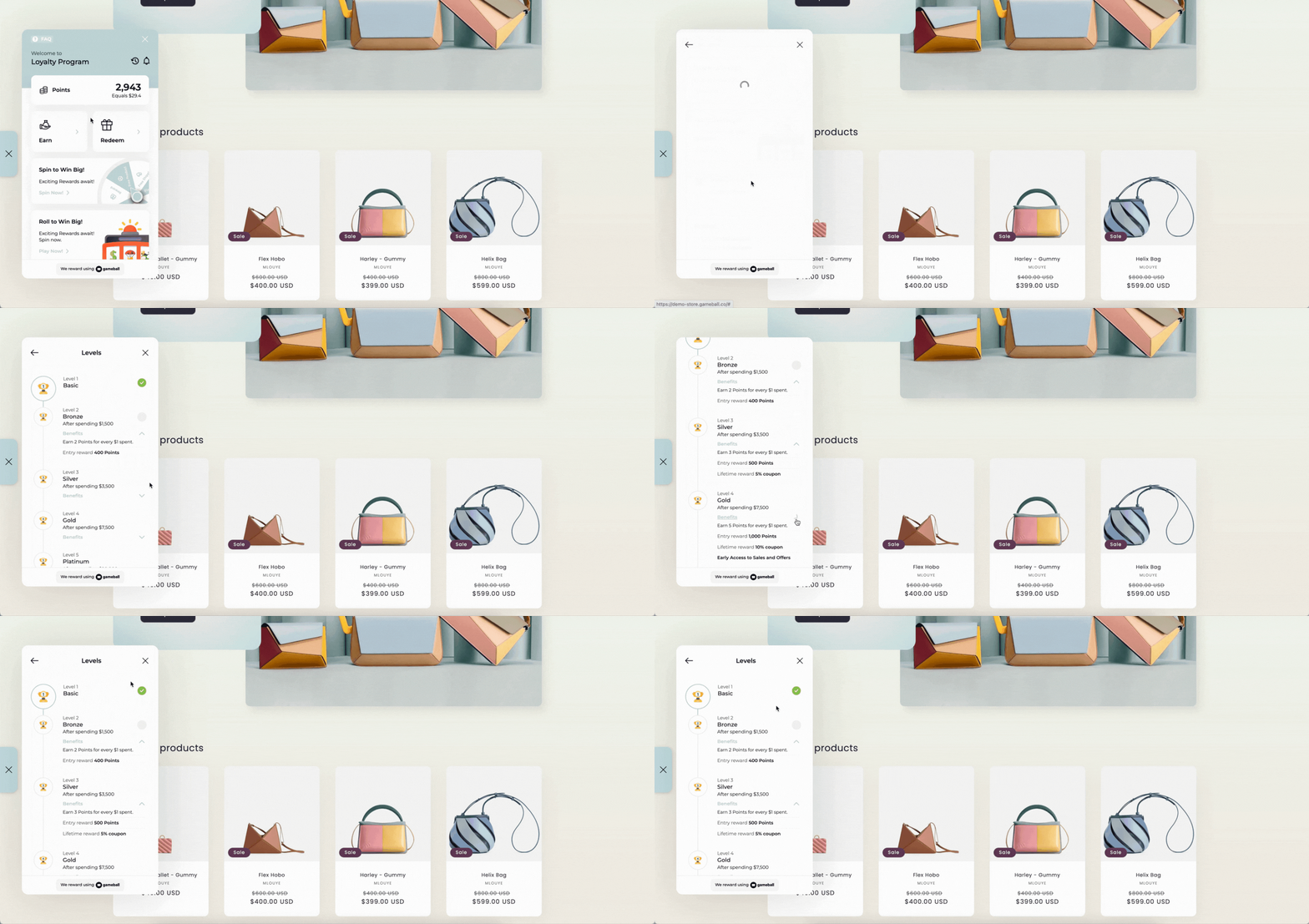
How Will Customers View Their Tier Experience?
Customers can easily track their progress and learn about available tiers directly through the Tiers card displayed on the home page of the Gameball widget. This card shows their current tier status at a glance. When customers click on the card, they are taken to a detailed view where they can explore:Available Tiers
View the next tier they can upgrade to and understand what it takes to get there.
Tier Requirements
See exactly what milestones or spending amounts are needed to reach the next tier.
Benefits & Perks
Explore the exclusive benefits and rewards associated with each tier level.
Current Tier Status
Track progress in real time and see how close they are to the next tier.
The tiers card is only visible to customers when the tiering program is set to Active. While the program is inactive, tiers are hidden from the widget entirely. Learn more about Program Activation.
What’s Next?
Configure Gameball Tiers
Set up and manage your VIP tiers structure.
Customizing Benefits per Tier
Configure entry rewards, lifetime rewards, and custom benefits for each tier.