

Step-by-Step Instructions
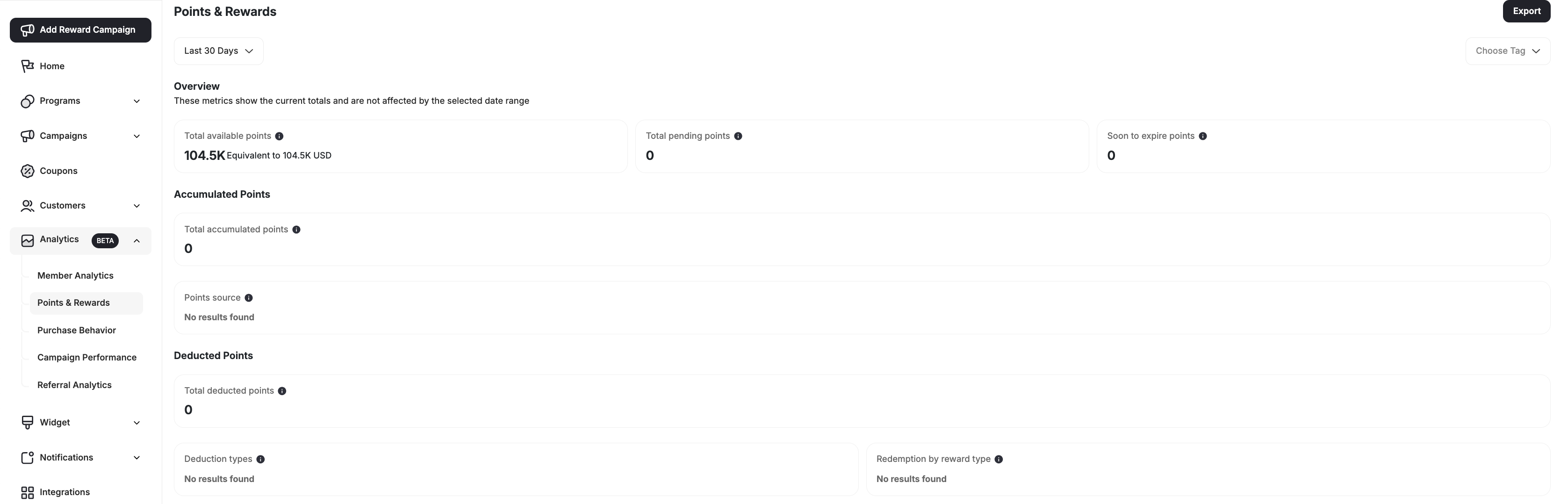
Navigate to Points & Rewards
Go to the Points & Rewards page from the Gameball dashboard under the Analytics section in the left-side menu bar.
Exported Fields and Their Descriptions
Here’s a description of all the columns included in your exported file:| Column Header | Description |
|---|---|
date | The date for which the points data is reported |
earned_points | Total points earned by customers on that date |
redeemed_points | Points that were used/redeemed for rewards |
burned_points | Points that were lost due to expiry, cancellation, partial refund or manual deduction |
cashback_reward_points | Points earned specifically from purchase rewards |
refunded_points | Points returned to customers after a refund process |
redeemed_fixed_points | Points used in an order directly without coupon creation |
expired_points | Points that expired before being redeemed |
cancelled_points | Points cancelled due to order cancellation or reversal |
migrated_points | Points transferred from a previous system or imported manually |
manual_added_points | Points manually granted by admins |
manual_negative_points | Points manually deducted by admins |
partially_refunded_points | Points adjusted due to partial refunds |
campaign_points | Points earned from campaigns (e.g., challenges, engagement triggers) |
referral_points | Points earned through referral activities |
level_points | Points awarded through tier progress |
redemption_rate | The ratio of redeemed points to earned points, shown as a percentage |
Related Articles
Customer Profile Attributes
Learn about all customer attributes and how they are populated.
Manage Your Customer List
View and manage your full customer list.
Update or Migrate Customers via CSV
Migrate customers from other loyalty programs.
Group Customers Using Tags
Use tags to manually group and target customers.