

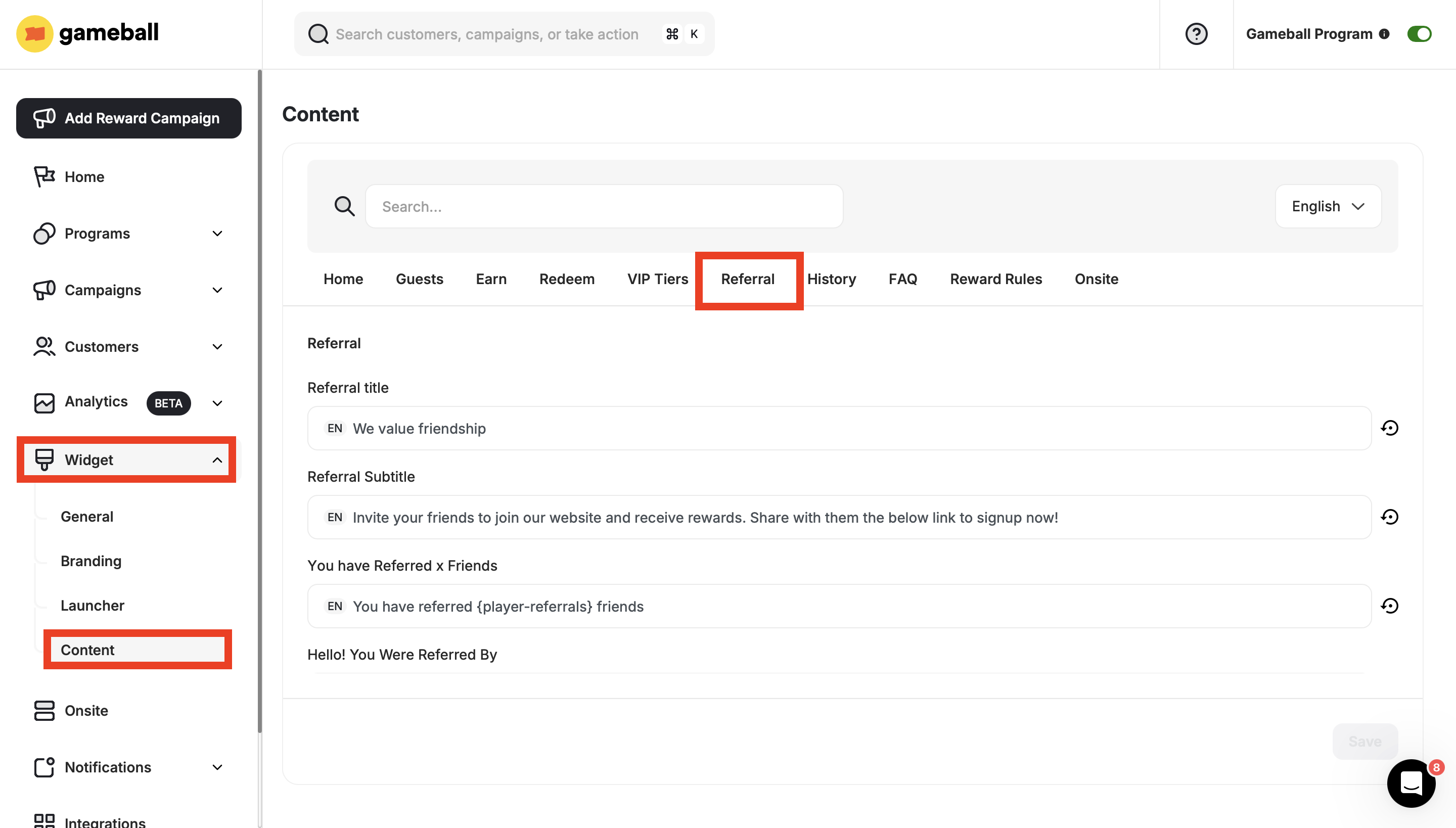
Referral Tab Fields
Navigate to Referral Content Settings
On the Gameball Admin Dashboard, go to Widget > Content: Referral.
Update the Referral Tab Fields
The following fields are available for customization:
| Tab | Description |
|---|---|
| Referral Title | The main heading displayed at the top of the referral section. |
| Referral Subtitle | A short description that supports the referral title. |
| You have Referred x Friends | Shows how many friends the customer has successfully referred. |
| Hello! You Were Referred By | Displays the name or email of the customer who referred the user. |
| Referral Extra Reward | Informs the customer about any extra reward earned for additional referrals. |
| They Get | Highlights what the referred friend will receive. |
| You Get | Highlights what the referring customer will receive. |
| You Got | Shows the reward the customer has received from past referrals. |
| Invalid Email Validation | Error message shown when an invalid email is entered. |
| Referrer Same Email Validation | Message shown when the referrer uses the same email as the referred friend. |
| Used Email Validation | Message shown when the email entered has already been used for referral. |
| Congratulations | A celebratory message shown when a referral is successful and a reward is granted. |
| Your Friend Places an Order | Indicates that the referral is only successful when the friend places an order. |
| Share Your Link | Step 1: Instructs the customer to share their unique referral link. |
| Your Friend Signs Up Using Your Link | Step 2: Indicates that the friend must sign up using the shared link. |
| Your Friend Completes the Steps | Step 3: Confirms that the friend must complete required actions to finalize the referral. |
| How It Works | Button label that navigates to an explanation of how the referral program works. |
| Referral Invites Empty State | Message shown when the customer has not sent any invites yet. |
| Referral Invites Title | Title displayed on the invite history section. |
| Completed Invites | Shows the number of friends who completed the referral process. |
| Pending Invites | Shows the number of referrals that haven’t been completed yet. |
| See Referral Invites | Button that opens the list of pending and completed referral invites. |
| Copy Confirmation on Checkout | Message shown when the customer copies their referral coupon at checkout. |
| Get | Label showing what the customer (referrer) will receive. |
| Give | Label showing what the referred friend will receive. |
| Your Coupons | Title of the section displaying all earned referral coupons. |
| Rewards | Title of the reward redemption section on the referral page. |
| See All | Button that leads to a full list of available rewards. |
| Guest – Use Referral Link and Get Rewards | Message encouraging guest users to use a referral link and earn a reward. |
| Get It Now | Call-to-action for guests to claim their gift or offer. |
| Enter Your Email | Prompt for guests to enter their email to proceed. |
| Enter Email and Get Gift | Encourages guests to submit their email in exchange for a reward. |
| As a Guest, Join Now and Complete an Action to Get Your Gift | Encourages guest users to sign up and complete an action to receive a gift. |
| Join Now | Call-to-action inviting the user to register. |
| Friend – Join Now | Message directed at the referred friend to join the platform. |
| Join Now to Get Your Gift | Invitation to register and receive a reward. |
| Join Now and Complete Action to Get Your Gift | Instructions to join and complete a task to earn a reward. |
| Join Now and Complete Action to Get Your Points Gift | Join and complete a required step to earn a gift in the form of points. |
| Join Now and Complete Action to Get Your Coupon Gift | Join and complete an action to receive a coupon-based gift. |
| Join Now and Complete Action to Get Your Points Gift (Popup) | A pop-up version of the message for getting a points-based gift. |
What’s Next?
Launch a Referral Program
Set up and launch your referral program to start rewarding customers who bring in new users.
Gameball Customer Widget
Explore the full overview of the Gameball customer widget and all its sections.
Customize Tabs Visibility and Order
Control which tabs appear in your widget and in what order they are displayed.