

Using Merge Tags
To use a variable in an email, click Merge Tags and select your variable.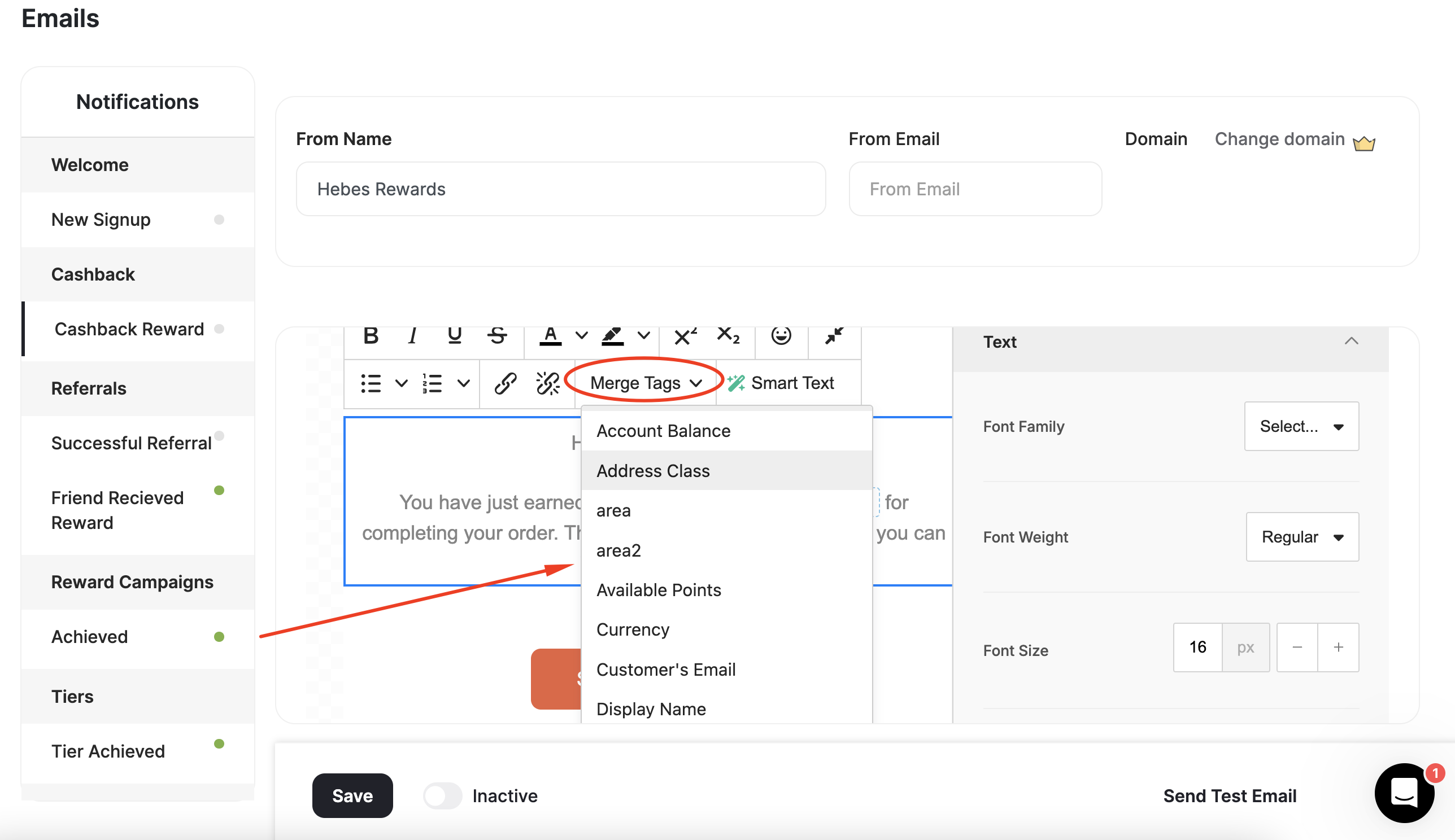
Available Variables
At Gameball, we use the following variables in email notifications:| Variable | Definition |
|---|---|
| Customer’s first name | The customer’s first name, if available. |
| Display Name | Display name |
| Customer’s email | The customer’s email, if available. |
| Score earned | The score earned with the customer’s latest achievement. Learn more |
| Equivalent value of earned points | Points earned with the customer’s latest achievement. |
| Equivalent value of total points | The equivalent monetary value of points. |
| Currency | Currency is set through the Admin Settings. |
| Points name | A customized name for points in the default language, based on your settings. |
| Score name | A customized name for the score in the default language, based on your settings. Learn more |
| Equivalent value of total points | Customer’s total points after completing their latest achievement. |
| Equivalent value of new points | The equivalent monetary value of new points. |
| New Tier | The new tier was reached by the customer. |
| Previous Tier | Customer’s tier before their latest achievement. |
| Referral Link | Customer’s link they use in the referral process |
| Mobile Referral Link | Customer’s link they use in the referral process via mobile |
| Paid Amount | The amount a customer paid in a given order |
| Merchant Name | Merchant Name |
| Branch Name | Branch Name |
| Return Days | Number of days for the return window |
| Available Points | Available points |
| Pending Points | Pending Points |
| Birthday | Customer’s birthday, if available |
| Remaining to Next Tier | The number of points, orders, or referrals the customer needs to reach their next VIP tier. |
What’s Next?
You are now all set to activate your email notification and start notifying your customers of their achievements through emails!Related Articles
Instant Notifications for Customers' Activity
Overview of all real-time notification types available across Gameball programs.