

| Platform | Plan |
|---|---|
| Shopify | Starter, Pro, & Guru |
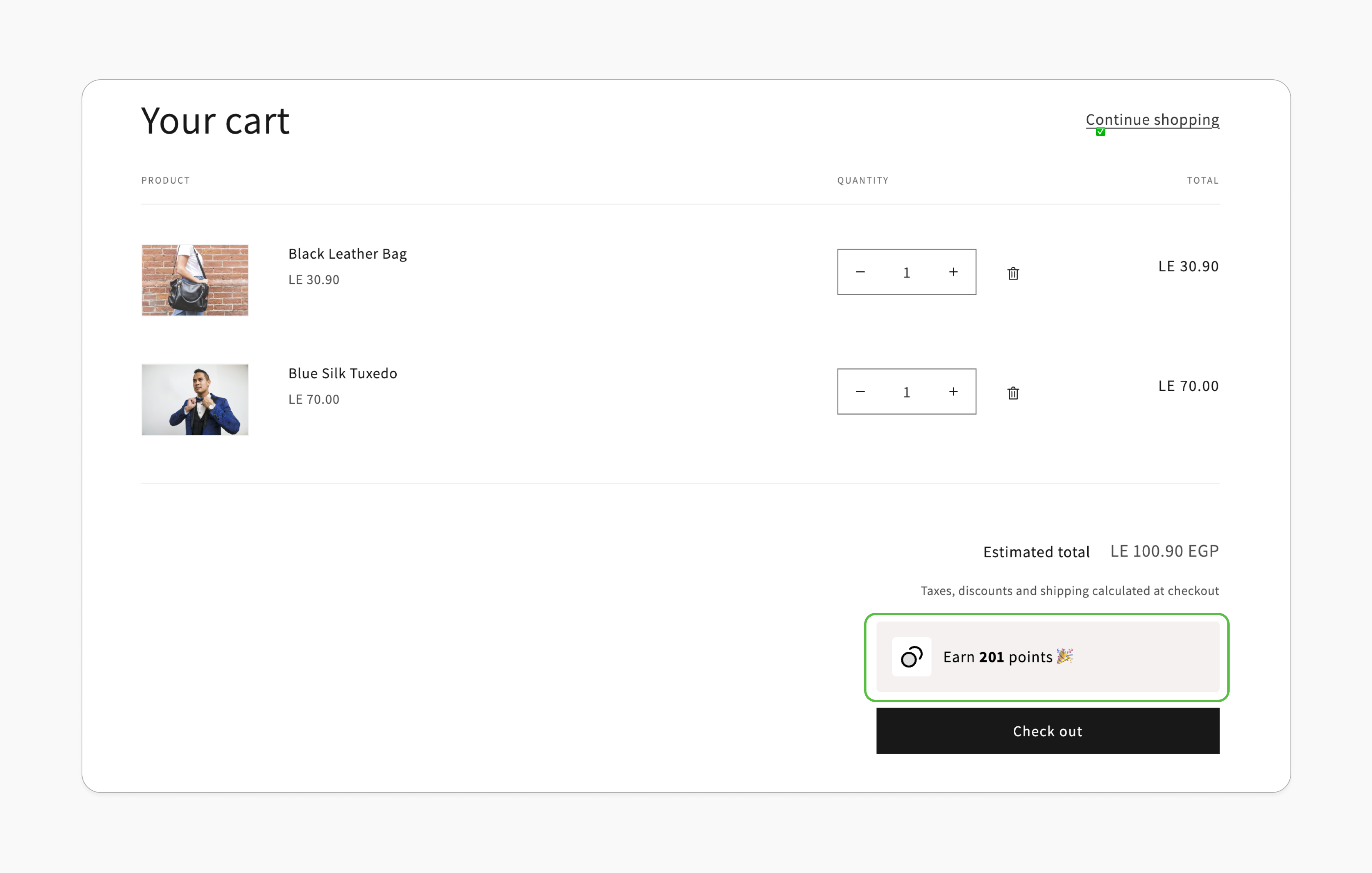
Increase Average Order Value
Customers are more likely to add additional items to their cart when they see the direct rewards tied to each product, leading to increased spending.
Reduce Cart Abandonment
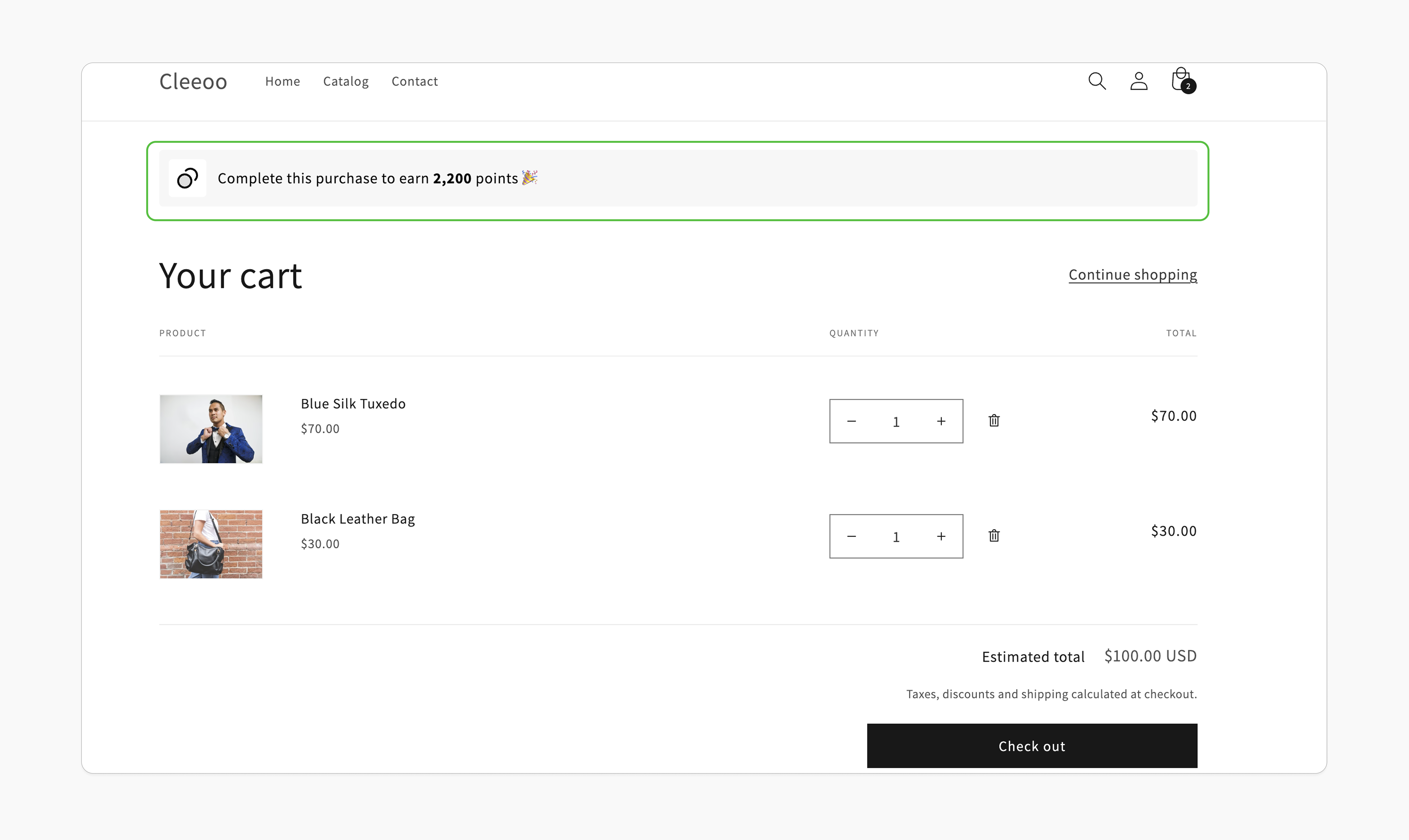
Motivate customers to complete the purchase by showing the reward they will get by completing their purchase.
Prerequisites
Updated Shopify Theme
Your theme must support app blocks. Without this, the Gameball block will not be visible in the editor. Learn more.
Enable Gameball Embed Block
Go to the Theme Editor in your Shopify admin. Select App Embeds from the left menu, search for “Gameball,” and toggle it on.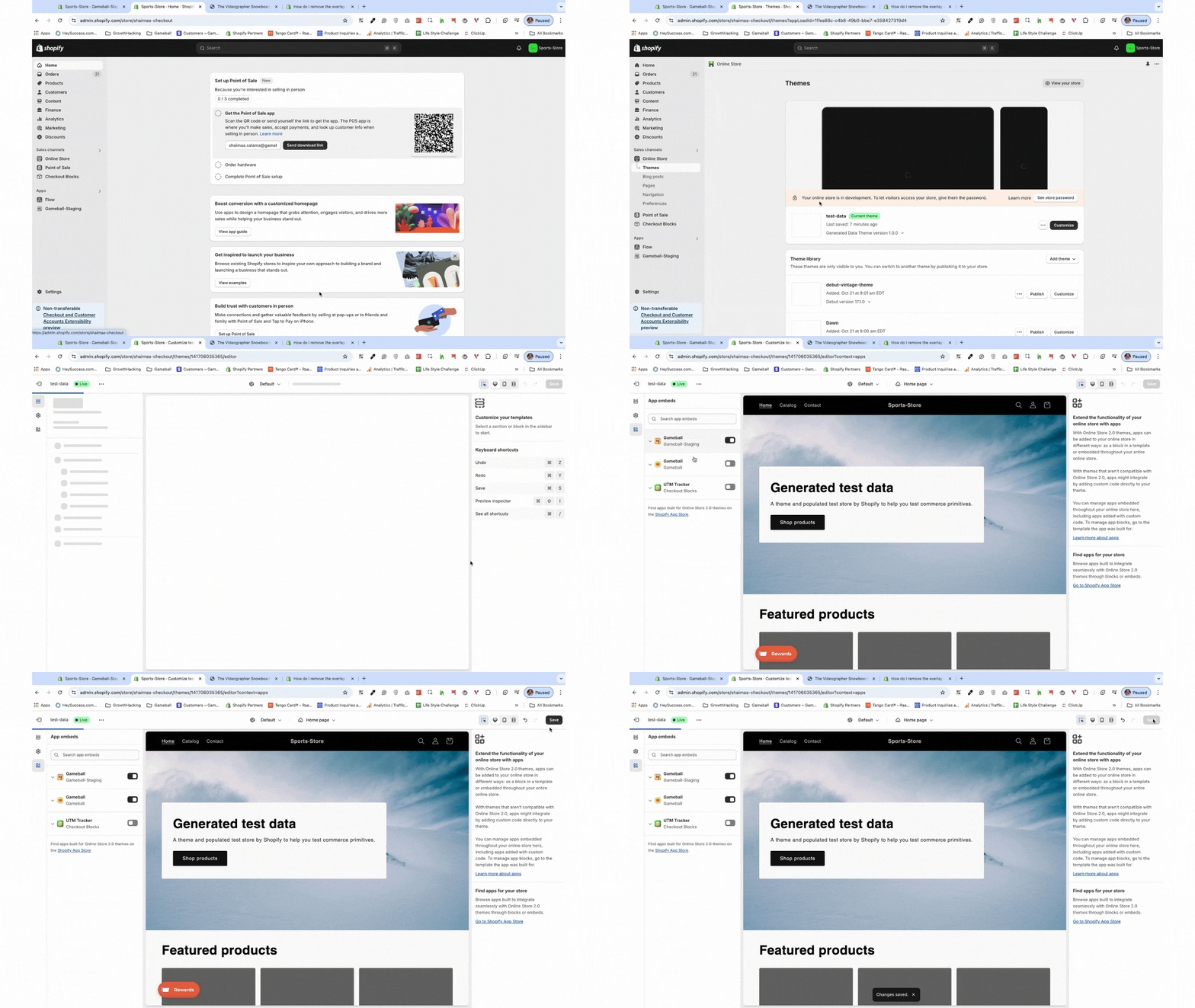
Activate the "Earn Points" Module
In the Gameball dashboard, navigate to Programs > Earn Points, then activate the module.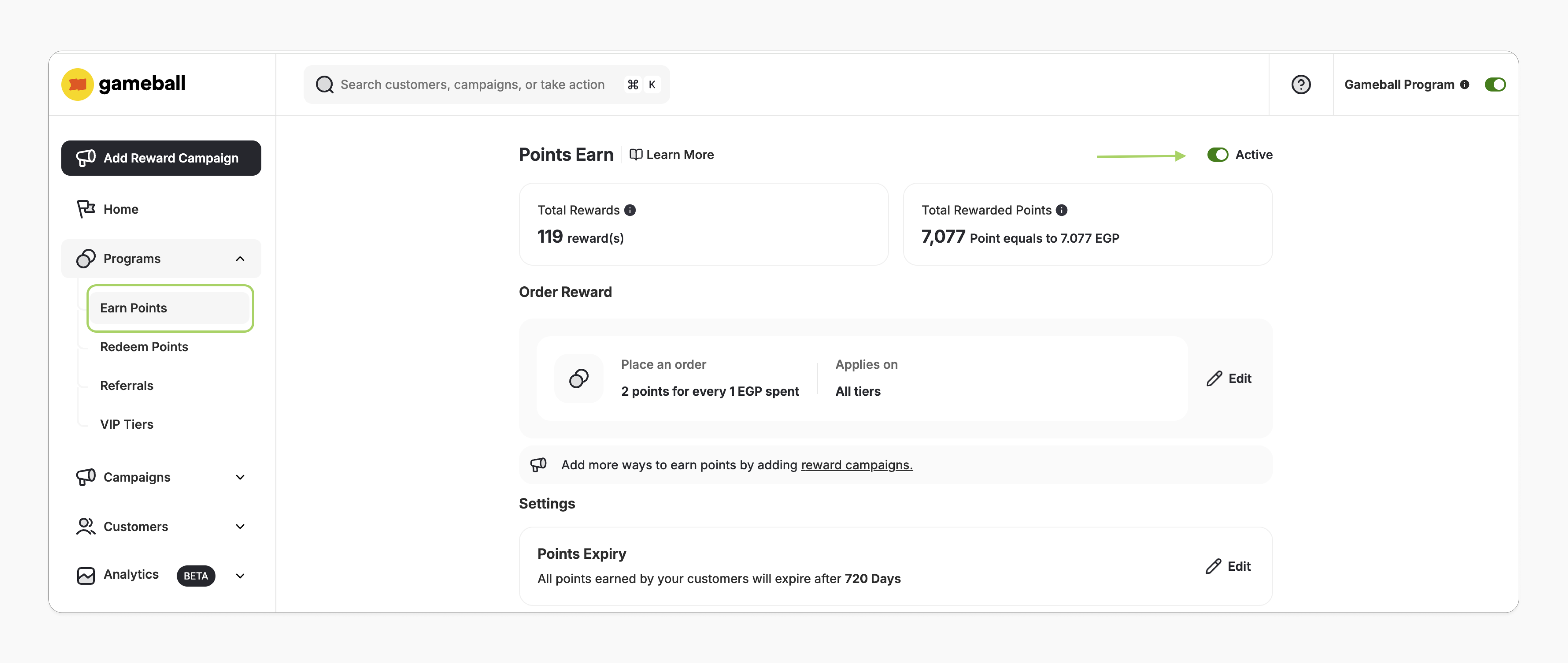
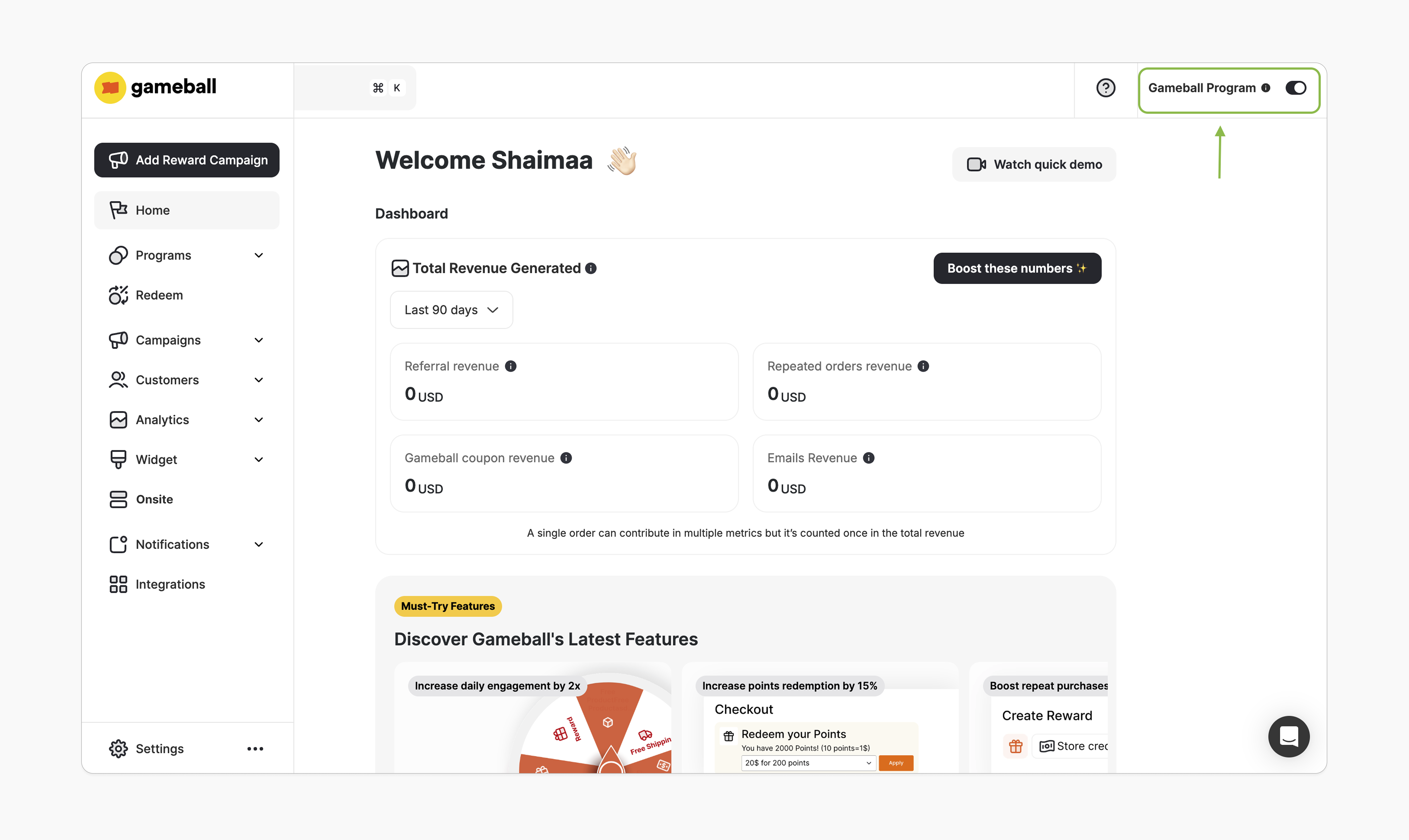
How to Install the Block
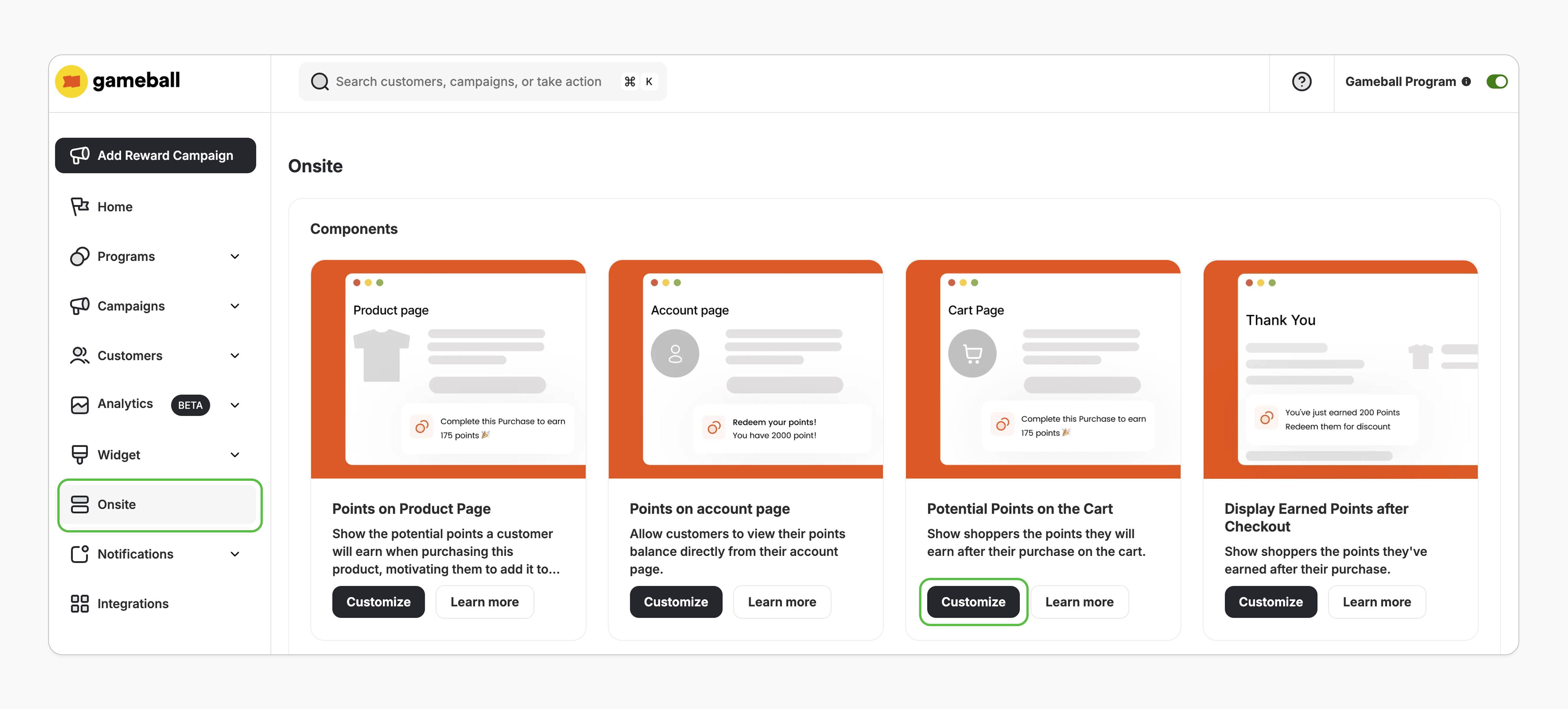
Open Theme Editor
You’ll be redirected to Shopify’s theme editor. If not, double-check the prerequisites.
Add the App Block
In the left sidebar under Template, select Add section > Apps, and search for “Cart Points”.
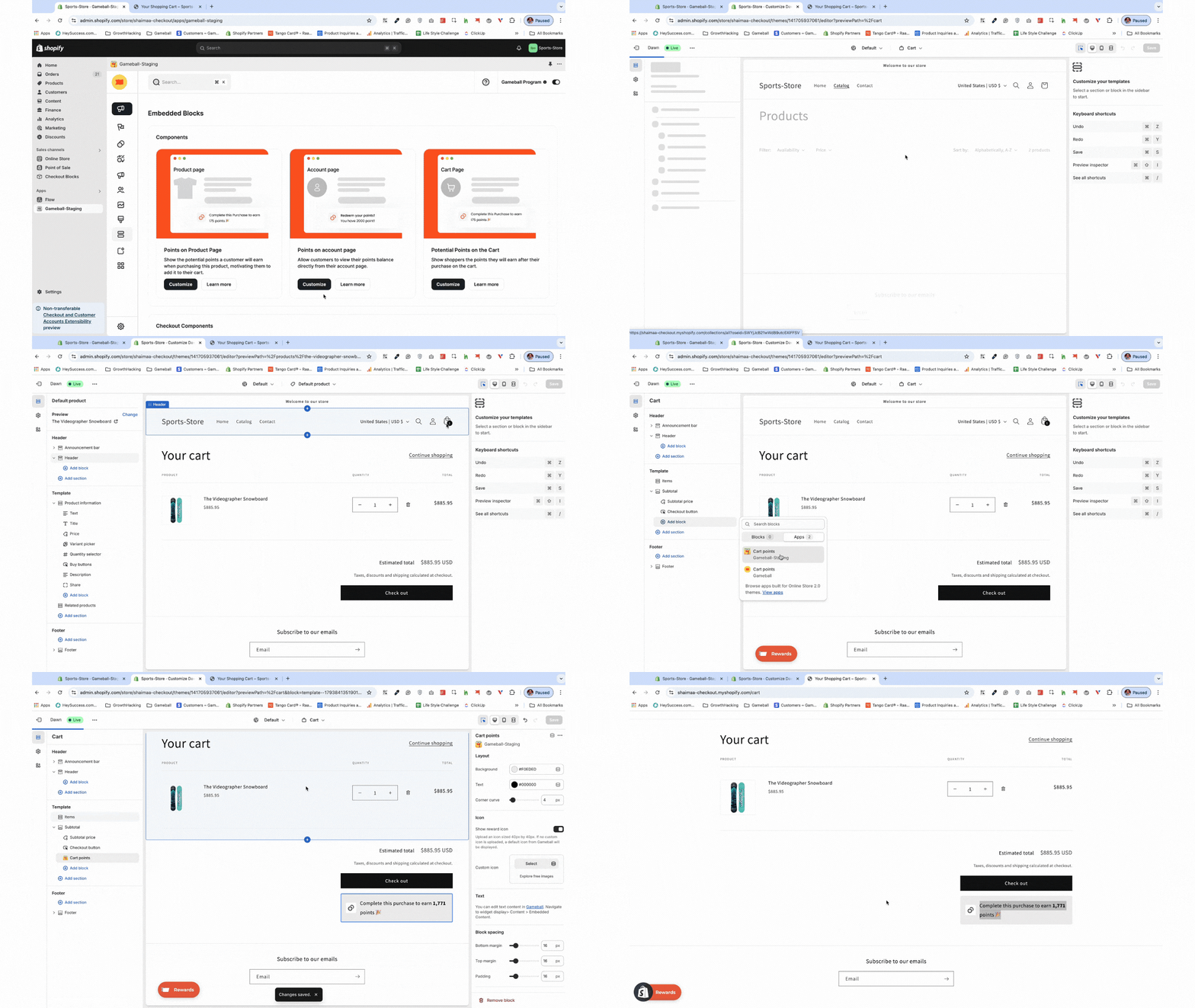
Customization
Style Customization
Style Customization
- In the Shopify theme editor, click on the “Cart Points” app block.
- On the right sidebar, adjust the icon, text, colors, and styles as needed.
- On the left sidebar, you can also change the block’s position within the template section.
- Click Save.
Content & Translation
Content & Translation
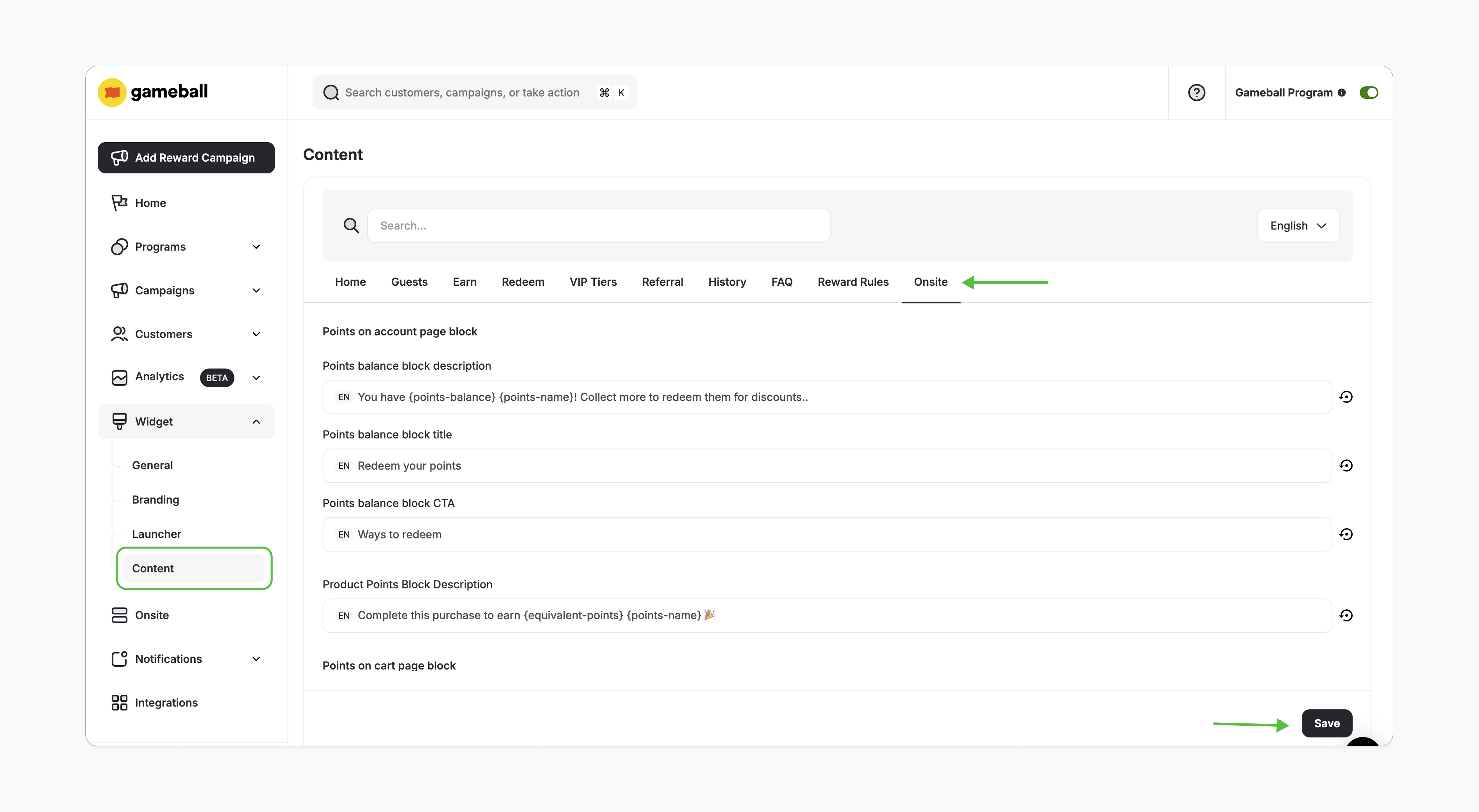
- In the Gameball dashboard, go to Widget > Content.
- In the Onsite tab, edit the displayed text as needed and click Save.
Logged-In vs. Guest (Not-Logged-In) Customers
- Guest Customers
- Logged-In Customers
If the customer isn’t logged in, the block will show the potential points they can earn based on default “earn points” rules, ignoring any custom order reward per tier.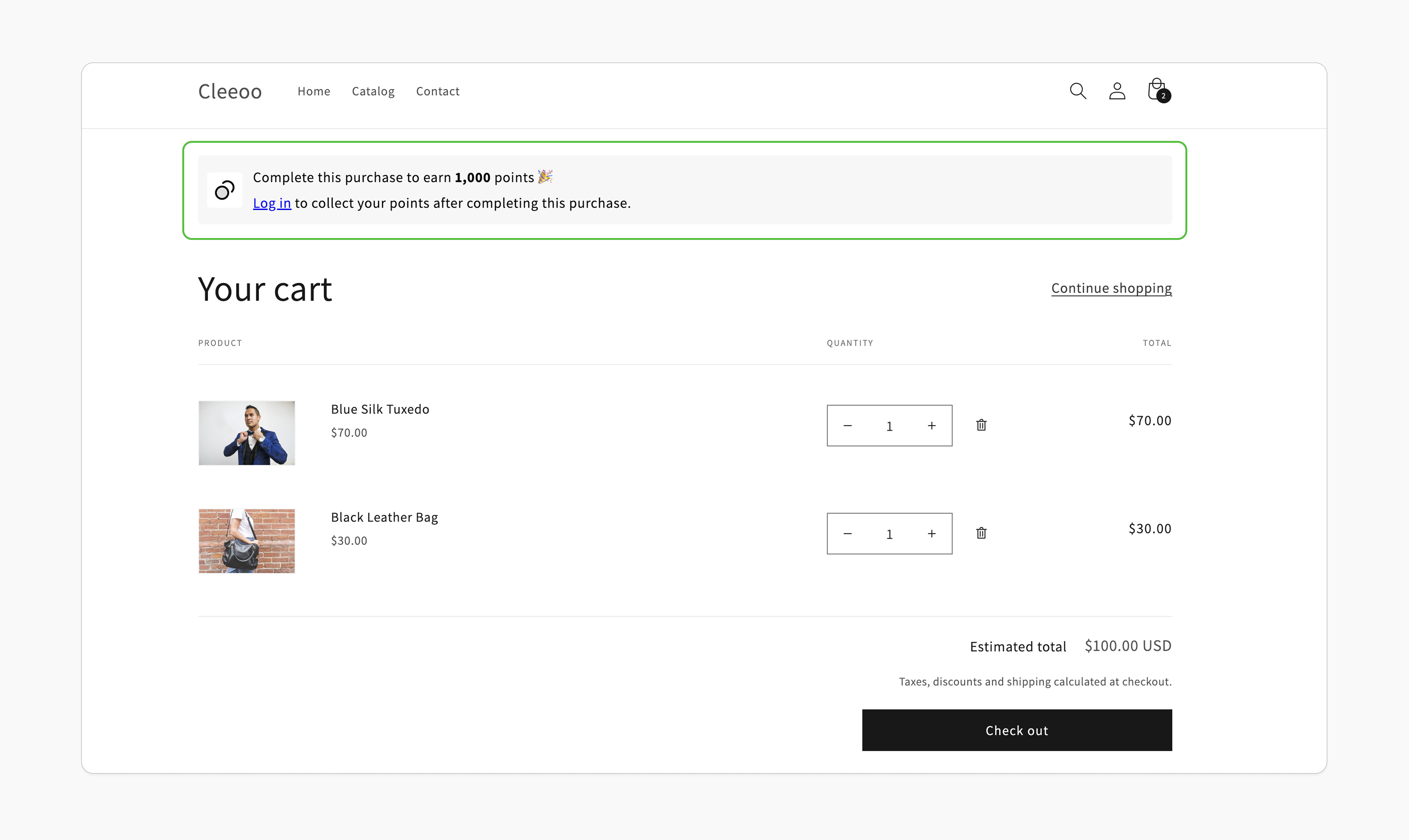
Important Notes
Frequently Asked Questions
Can I display the Potential Points Block on other pages?
Can I display the Potential Points Block on other pages?
Currently, this block can only be embedded on the cart page.
What if I downgrade my plan?
What if I downgrade my plan?
The points-in-cart block will automatically hide if your plan no longer supports this feature.
What should I do if I clicked on Customize but saw a "There is a problem loading the page" message?
What should I do if I clicked on Customize but saw a "There is a problem loading the page" message?
Please review the prerequisites and ensure all conditions are met. If you still encounter an issue, contact us at support@gameball.co.
Related Articles
Embed Points in Customer Profile
Display customers’ points balances in their profiles.
Display Potential Points on Product Pages
Show potential points directly on product pages.