

| Platform | Plan |
|---|---|
| Shopify | Starter, Pro, & Guru |
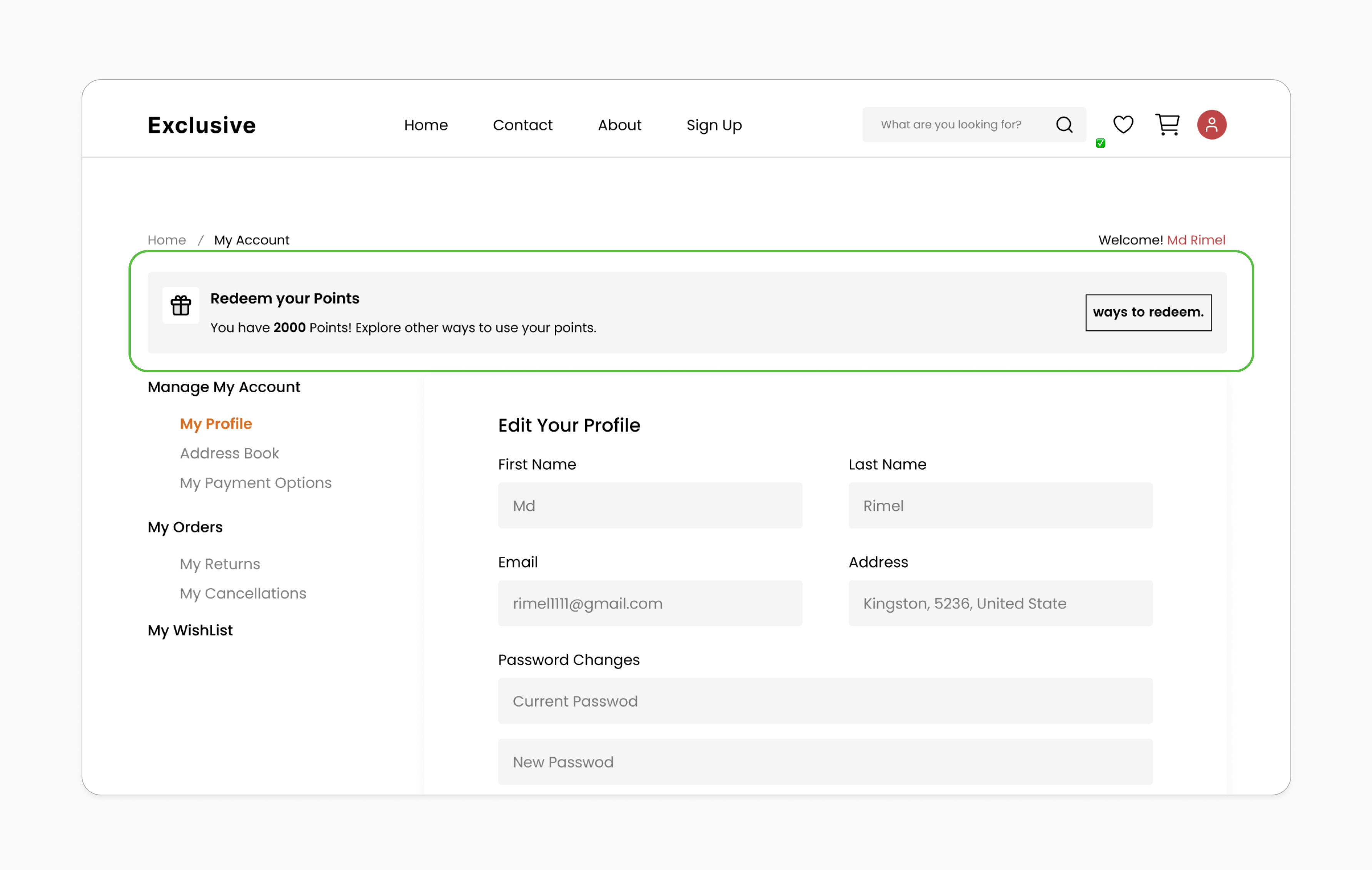
Prerequisites
Classic Customer Accounts
Ensure you’re using Shopify’s Classic customer accounts. The new customer accounts don’t support third-party apps yet. However, when you are adding the “Account Balance” embedded block, it is only supported by the old account creation method (classic account). This is due to a limitation from Shopify, as they don’t allow third-party apps like Gameball to edit the page with the new method.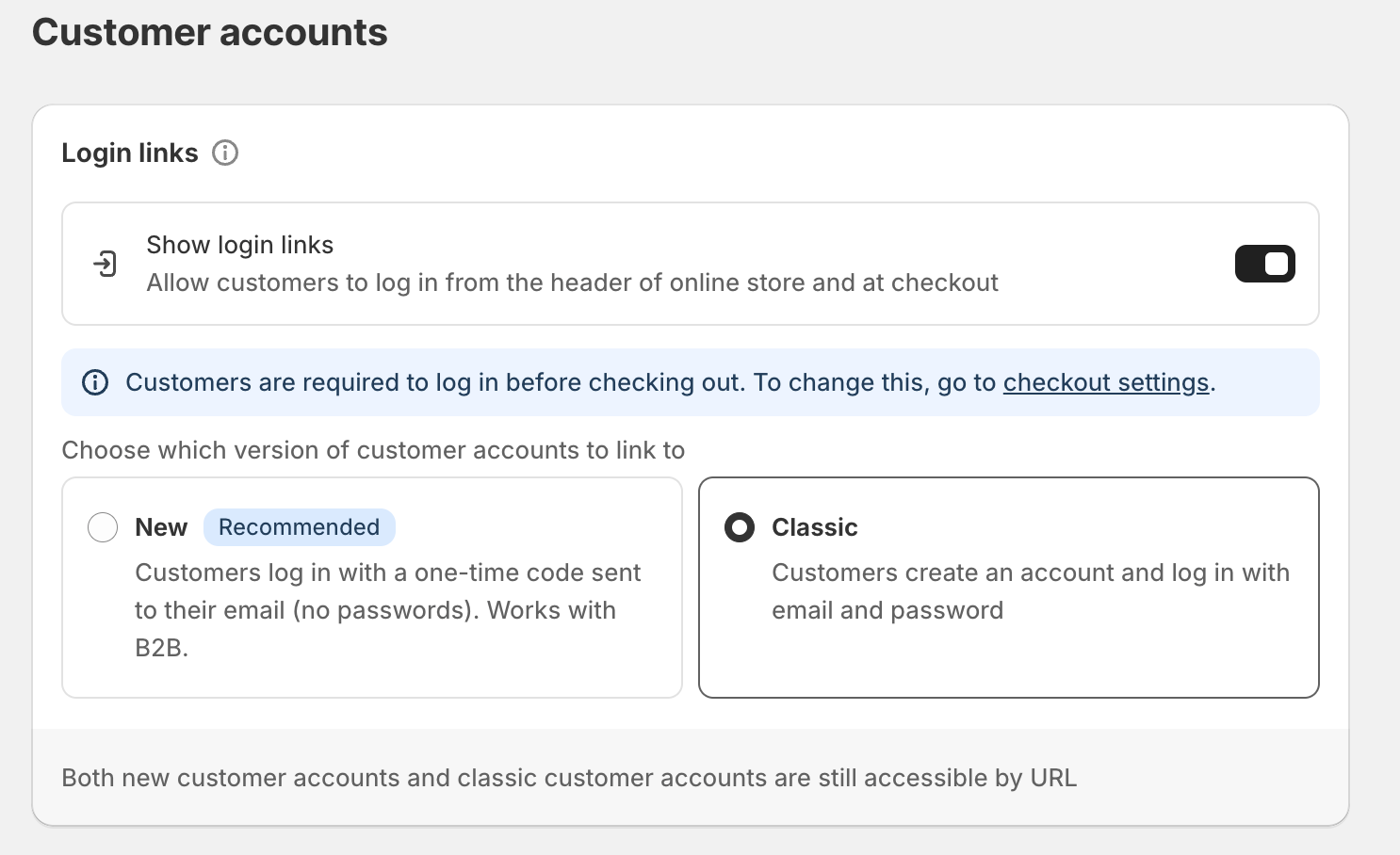
Updated Shopify Theme
Your theme must support app blocks. Without this, the Gameball block will not be visible in the editor. Learn More.
Enable Gameball Embed Block
Go to the Theme Editor in your Shopify admin. Select App Embeds from the left menu, search for “Gameball,” and toggle it on.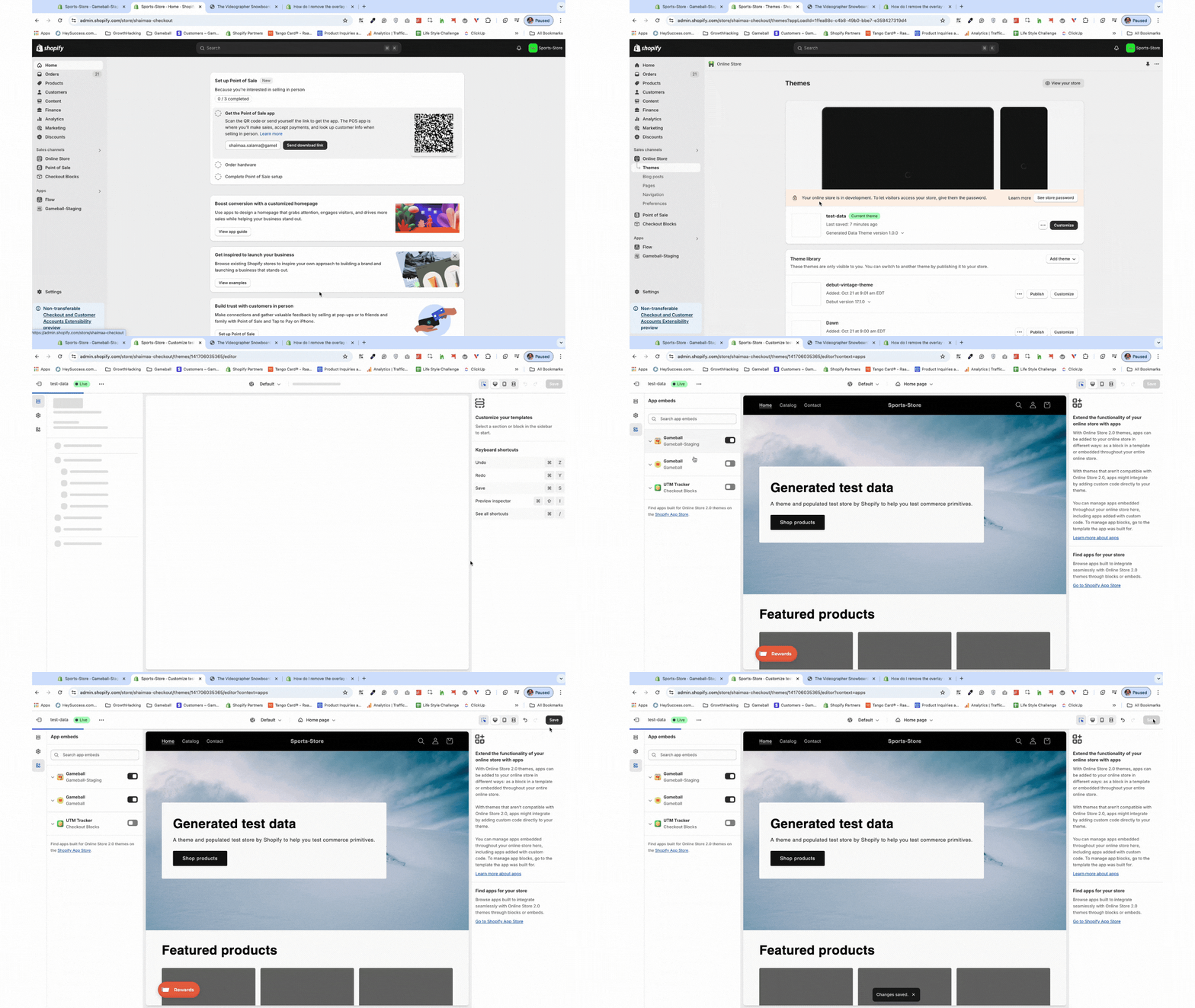
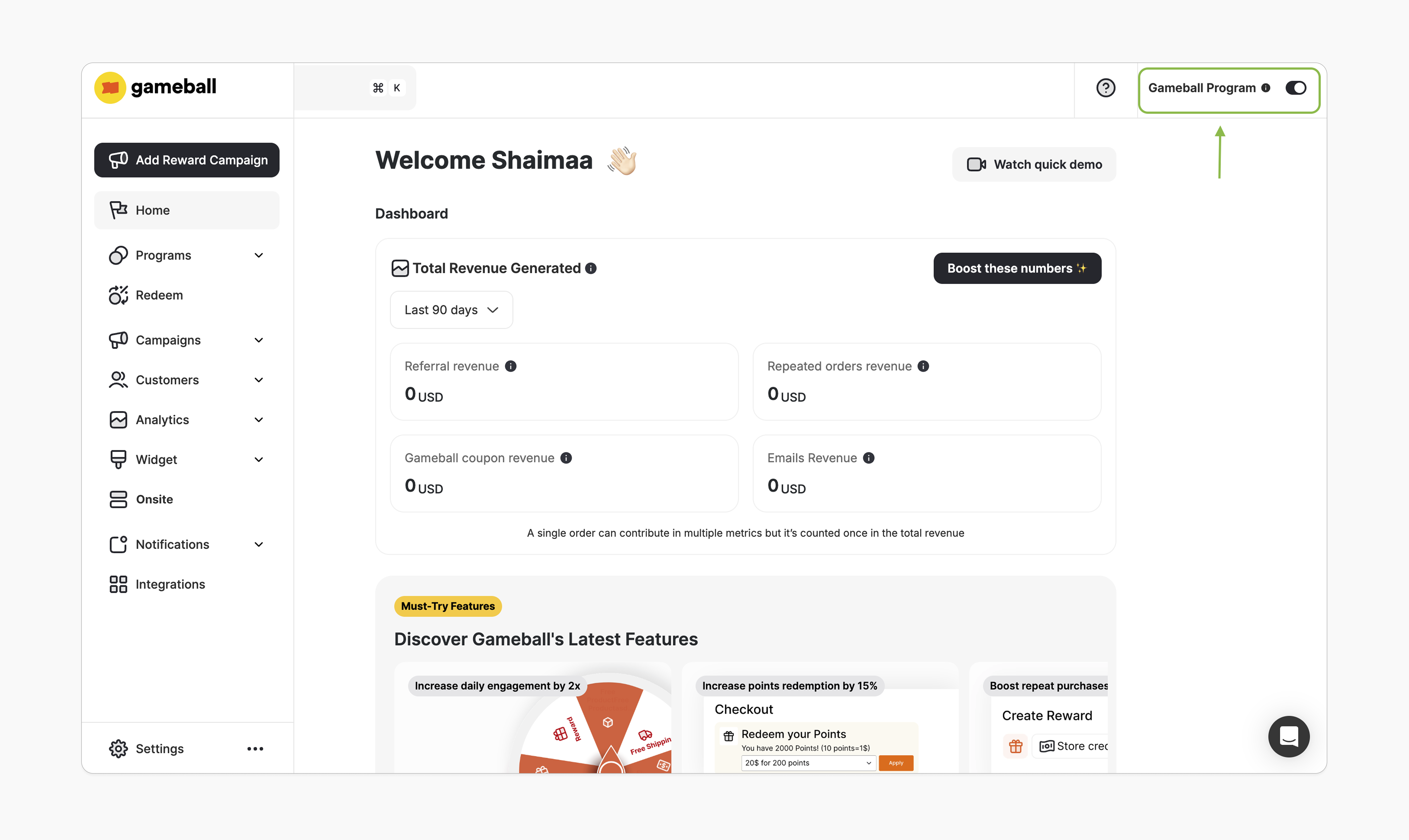
How to Install the Block
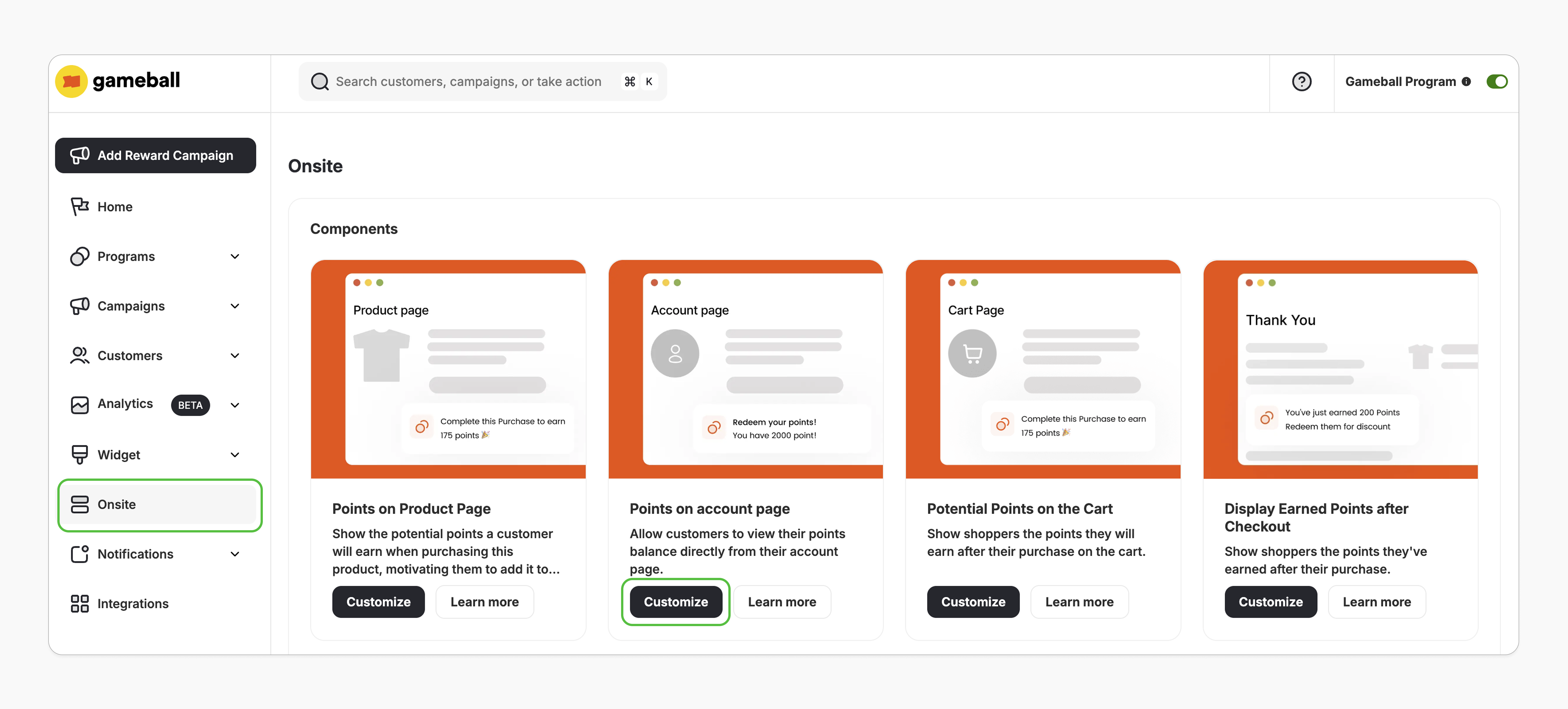
Open Theme Editor
You’ll be redirected to Shopify’s theme editor. If not, double-check the prerequisites.
Add the App Block
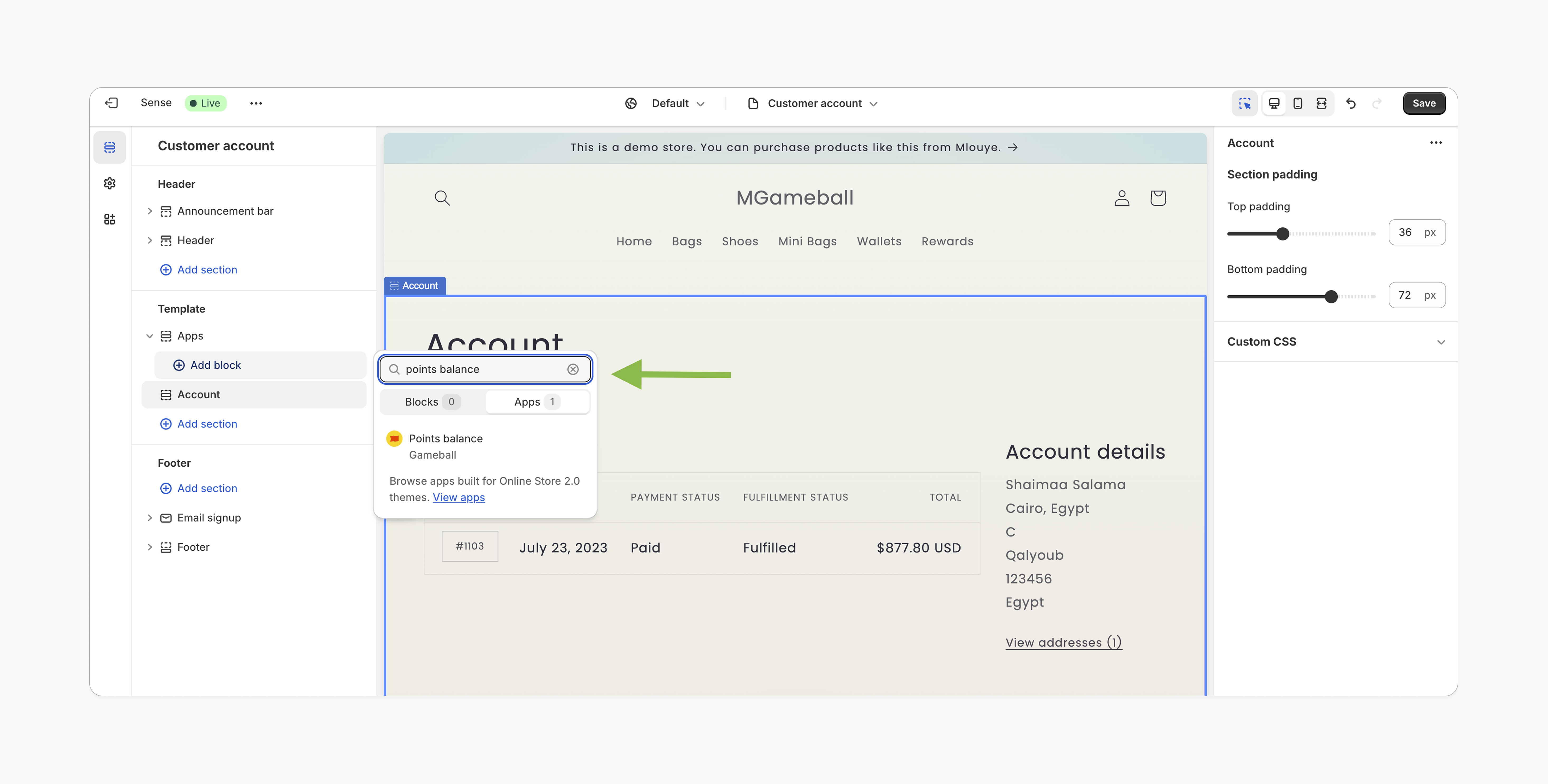
In the left sidebar under Template, select Add section > Apps, and search for “Points Balance”.
Customization
Style Customization
Style Customization
- In the Shopify theme editor, click on the Points Balance app block.
- Customize the icon, text, colors, buttons, and overall style using the right-hand sidebar.
- Adjust the block’s position in the template from the left sidebar.
- Click Save.
Content & Translation
Content & Translation
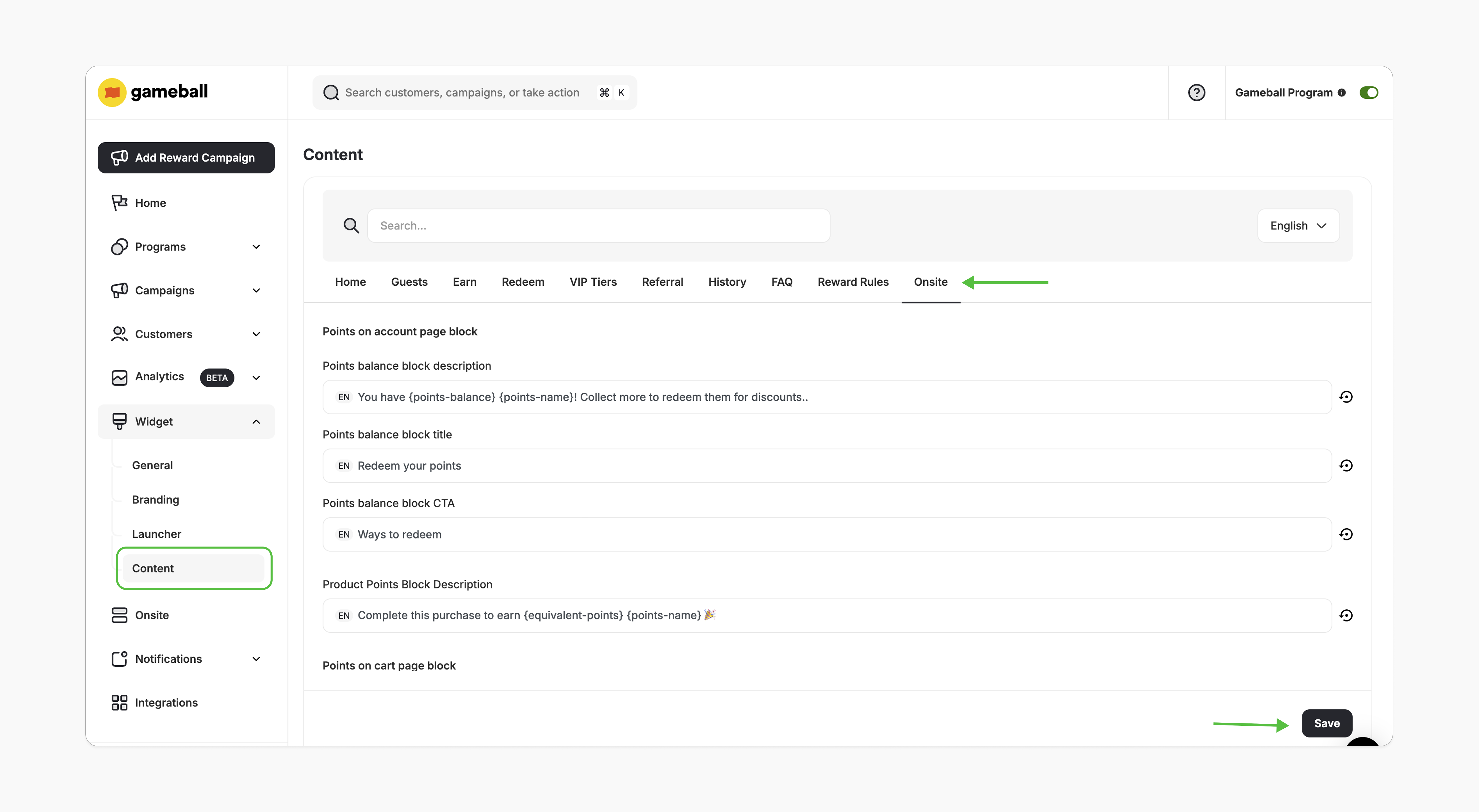
- In the Gameball dashboard, go to Widget > Content.
- In the Onsite tab, edit the displayed text as needed and click Save.
Important Notes
Common Questions
Can I display the Points Balance block elsewhere on my website?
Can I display the Points Balance block elsewhere on my website?
Currently, the block can only be embedded on the customer account page.
Does this block work with Shopify's New Customer Accounts?
Does this block work with Shopify's New Customer Accounts?
Gameball supports the “New customer account creation” in the following way: When a user logs in using Email/OTP and Gameball identifies their Shopify account, they are created as a member in Gameball (instead of a guest). This change resolves issues such as users not receiving rewards from birthdays, social campaigns, streaks, and similar benefits.However, if you are adding the “Account Balance” embedded block, it is only supported by the old account creation method. This is due to a limitation from Shopify, as they don’t allow third-party apps like Gameball to edit the page with the new method.
Why am I seeing an error message after clicking "Customize"?
Why am I seeing an error message after clicking "Customize"?
If you encounter a “There is a problem loading the page” message, review the prerequisites to ensure all conditions are met. If the issue persists, contact us at support@gameball.co.
What happens if I downgrade to the Free plan?
What happens if I downgrade to the Free plan?
The Points Balance block will automatically hide if your plan doesn’t support this feature.