

| Platform | Plan |
|---|---|
| Shopify | All Plans |
| Salla | All Plans |
| Non-platform Clients | All Plans |
Once the referral program is activated on your platform, customers can access the referral tab within the Gameball customer widget to begin referring friends.
Customer Experience: Referring Friends
Navigate to the Referral Section
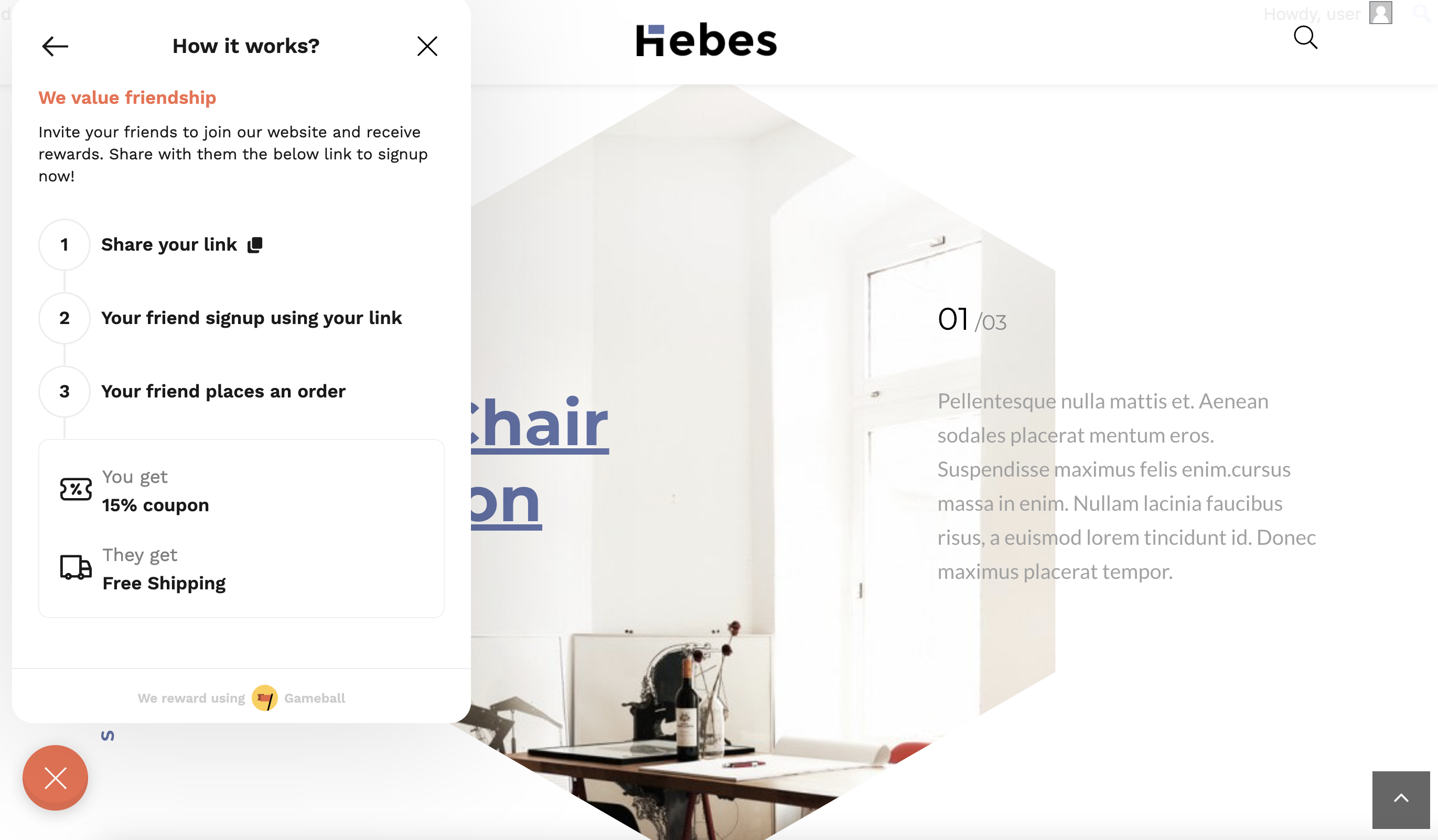
After opening the Gameball widget, customers will find a dedicated Referral section. This section highlights the benefits of the program for both the customer and the referred friend.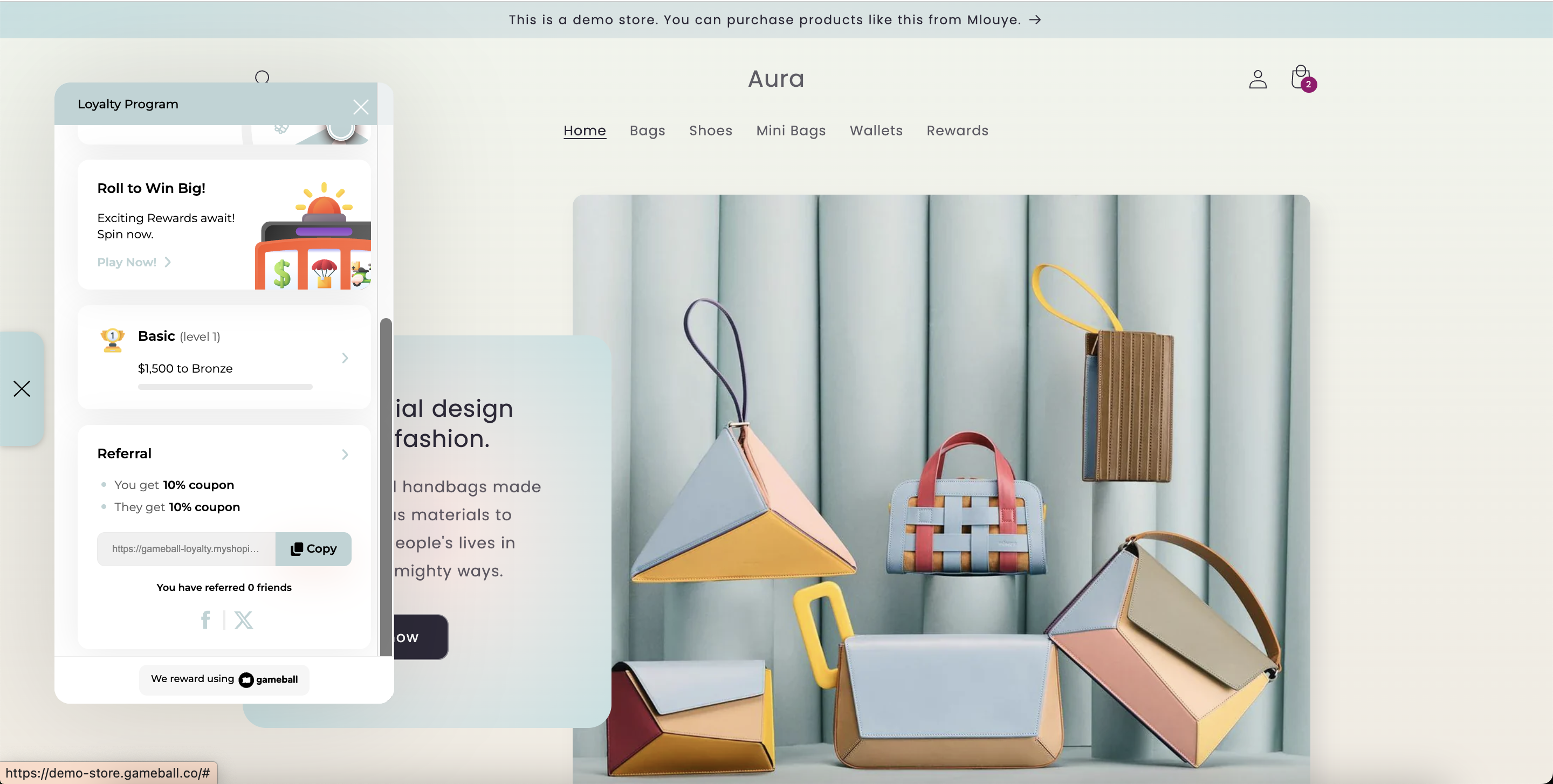
Access the Referral Link or Code
Each customer has a unique referral link/code located within the referral section. Customers can simply click to copy this link/code and share it with friends across their preferred platforms.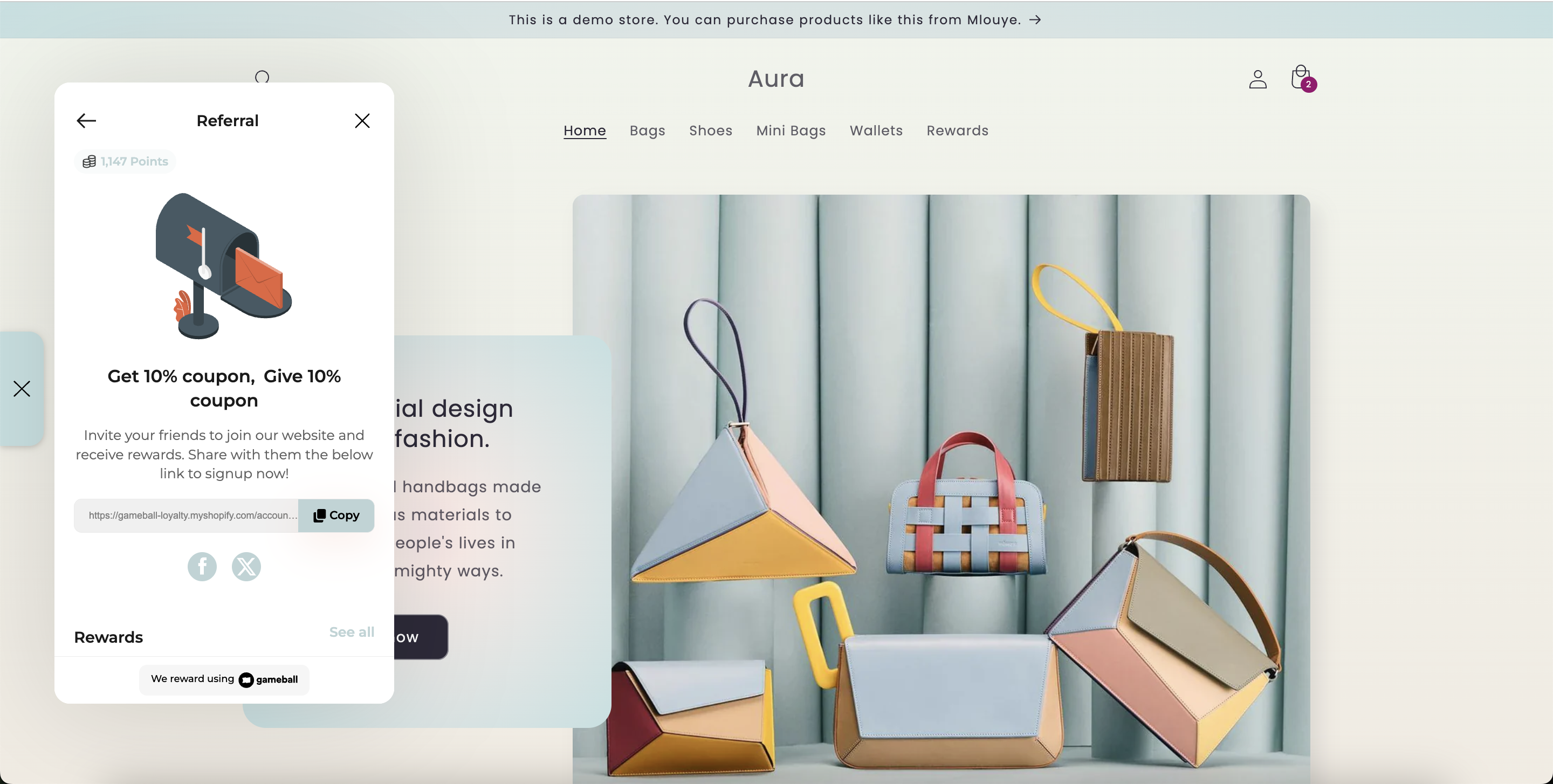
View Earned Rewards and Coupons
Customers can also view the coupons or rewards they can receive for their successful referrals. These appear clearly within the referral section of the widget and can be accessed at any time to check reward details and usage status.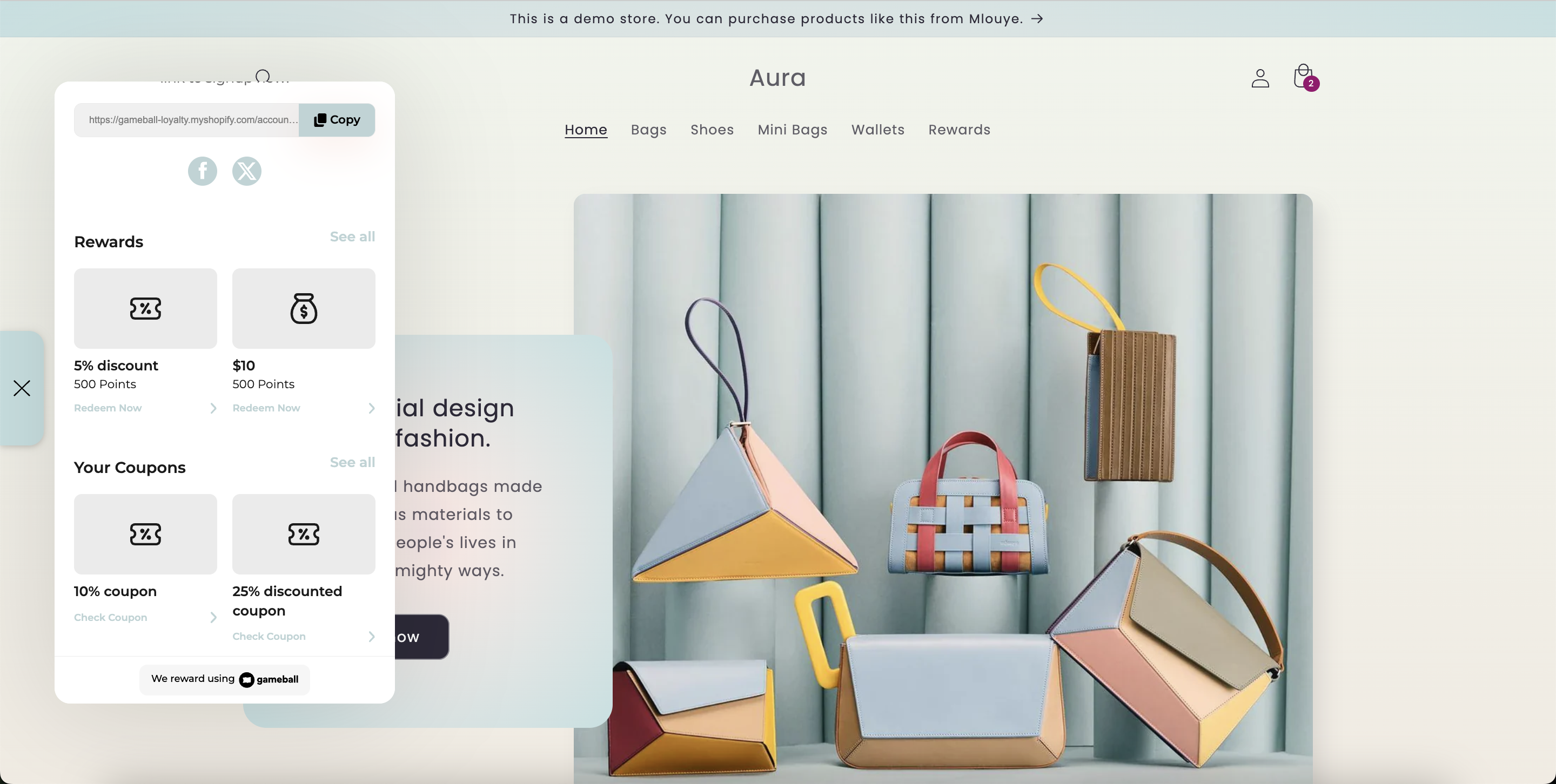
Track Referral Progress
Customers can monitor how their referral link performs by viewing the number of completed referrals and the corresponding rewards earned. This transparent tracking encourages continued participation in the program.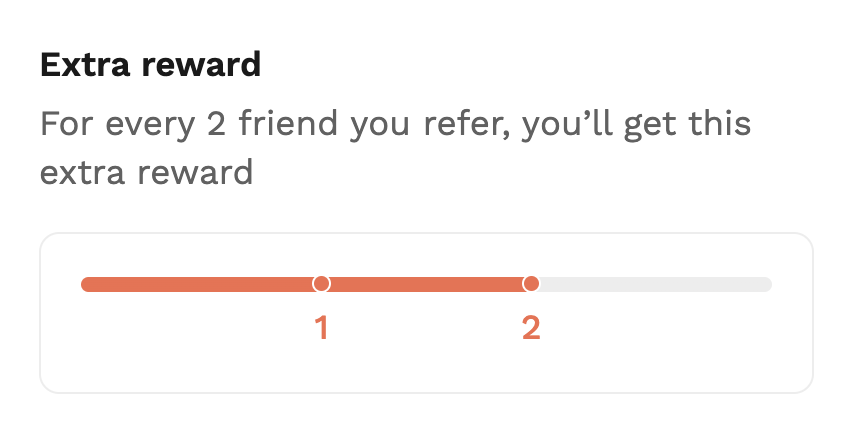
Explore Referral History
The referral section also displays referral history, allowing customers to view both completed and pending referrals. This helps them understand their current status and progress.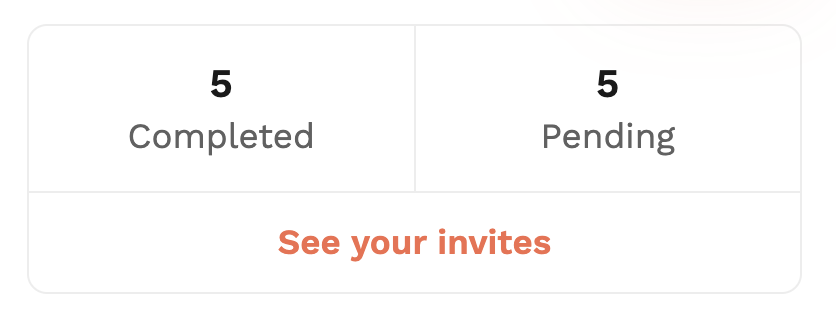
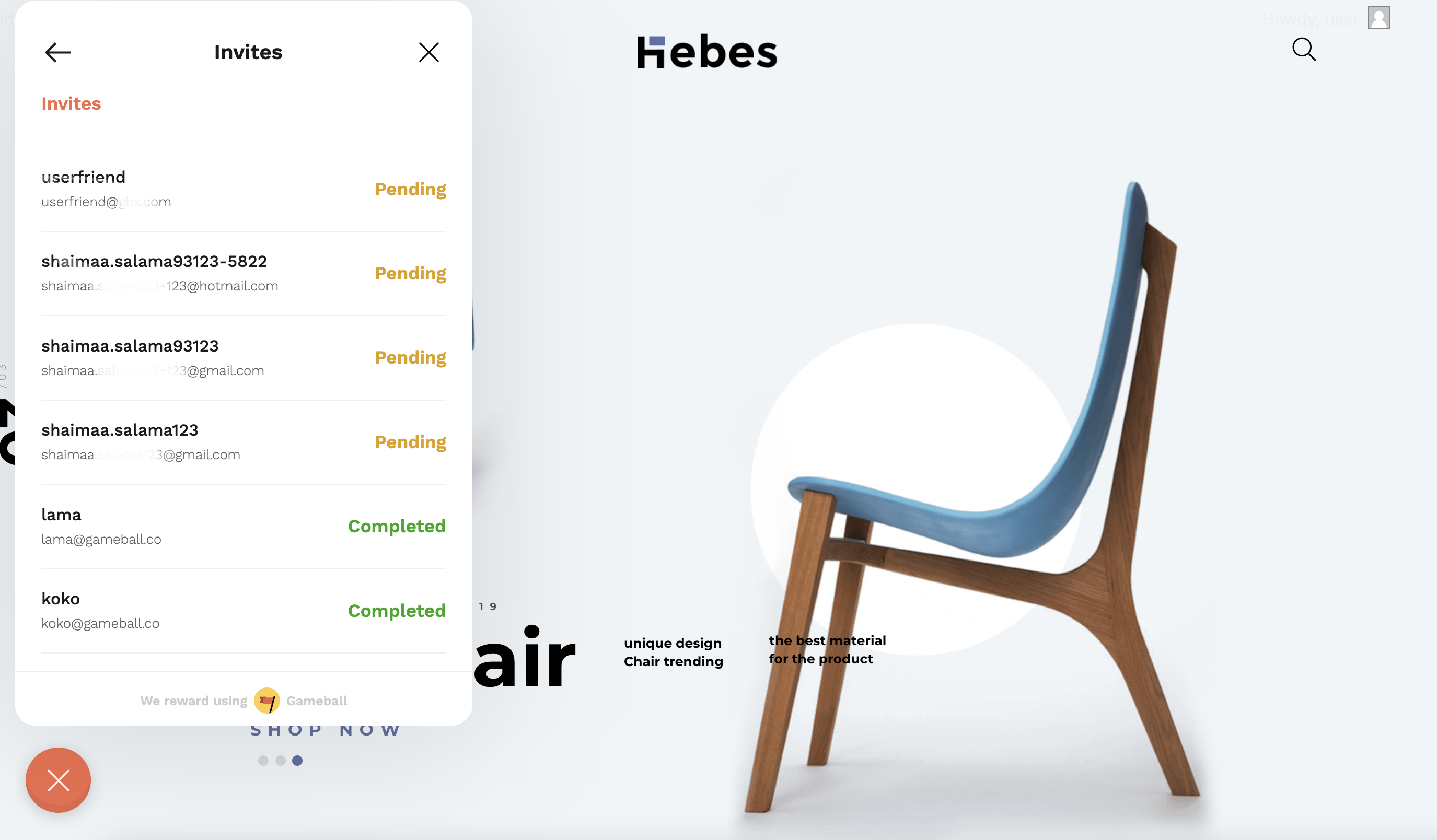
Pending referrals are invitations sent to friends who have not yet responded or completed the required actions for the referral to be considered successful.
Guest Experience: Referred Friends
Instant Notification
Instant Notification
When referred, guests immediately receive a notification containing a coupon or voucher applicable to their first purchase, encouraging them to engage right away.
Email Confirmation
Email Confirmation
In addition to the instant widget notification, referred friends also receive an email with the reward coupon, ensuring they can easily retrieve and use their reward.
Category-Specific Rewards
Category-Specific Rewards
If a coupon is valid only for specific categories or collections, the guest is informed within the notification. This helps avoid confusion and ensures clarity when redeeming the coupon.
Important Notes
Common Questions
Where can customers find their referral link?
Where can customers find their referral link?
Inside the Gameball widget under the Referral tab.
Can customers track which friends have accepted their invitation?
Can customers track which friends have accepted their invitation?
Yes, referral progress and history are visible in the same widget section.
How are referred friends notified?
How are referred friends notified?
Through an instant widget notification and a confirmation email with the reward.
Related Articles
Launching Referral Program
Set up and configure your referral program on the Gameball dashboard.
Launch and Configure Your Earn Pointing System
Configure how customers earn points for their purchases.