

Plan Availability
- Shopify & Salla
- Non-platform Clients
| Plan | Available |
|---|---|
| Pro & Guru | Yes |
Available Options
No Expiry
No Expiry
Customers retain their tier indefinitely once achieved, enjoying associated benefits until they progress to a higher tier.
Based on Activity (3 Months)
Based on Activity (3 Months)
Gameball evaluates customer activity over the past 3 months. Customers who meet tier requirements remain, and customers who do not meet the current level of activity will be enrolled in lower tiers that correspond to their activity.
Based on Activity (6 Months)
Based on Activity (6 Months)
Gameball evaluates customer activity over the past 6 months. Customers who meet tier requirements remain, and customers who do not meet the current level of activity will be enrolled in lower tiers that correspond to their activity in the past 6 months.
Based on Activity (12 Months)
Based on Activity (12 Months)
Similar to the 6-month/3-month system, but with a year-long evaluation period.
Based on Activity (24 Months)
Based on Activity (24 Months)
Evaluate customer activity over the past 2 years to determine tier status.
Tiering up is instant while tiering down is re-evaluated every given period (3, 6, 12, 24 months).
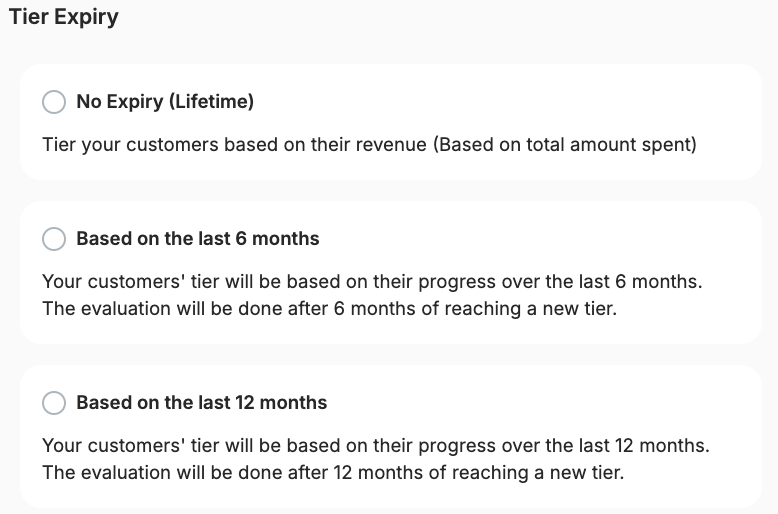
Configuring Tier Expiry
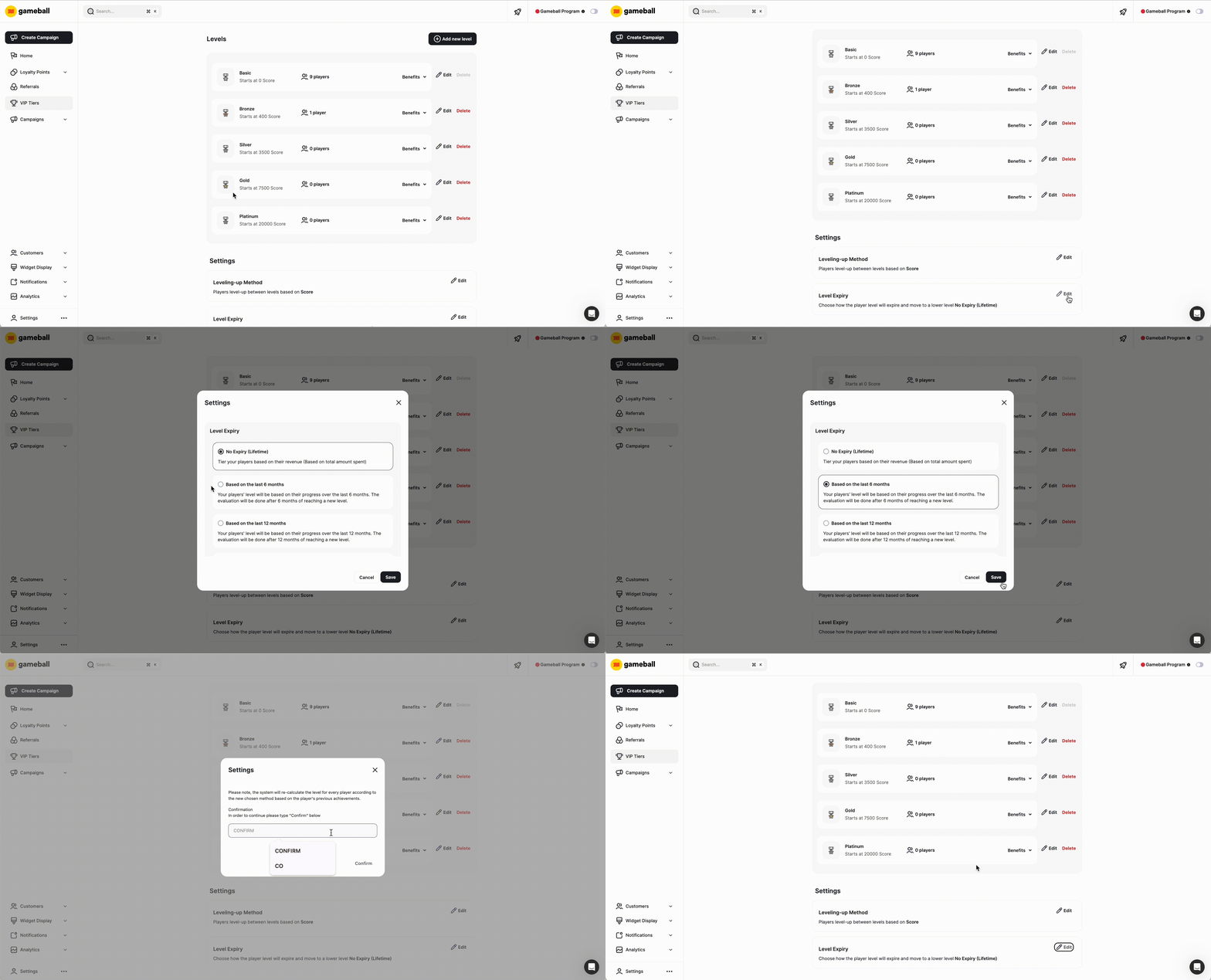
Navigate to VIP Tiers
Login to Gameball’s Dashboard and click on Programs, then VIP Tiers from the left side menu.
Impact of Changes
| Change Type | Behavior |
|---|---|
| Switching Expiry Systems | Customers are reassessed based on the new expiry system. Their activity within the specified timeframe determines tier status. |
| Changing Tiering Methods | Gameball recalculates customer tiers based on the new method, considering both current activity and historical data. |
| Adjusting Achievement Ranges | Altering tier requirements affects customer placements. Expiry dates remain unchanged, continuing from the last update. |
| Adding or Removing Tiers | Customers may move to higher or lower tiers without affecting expiry dates. Gameball maintains the existing countdown from the last system update. |
| Manual Tier Assignments | When manually assigning a tier, the expiry date resets for that customer, initiating a new countdown from the assignment date. |
| Plan Changes | Downgrading from Pro or Guru plans shifts the system to lifetime expiry. Customers are relocated based on their historical activity up to the downgrade date. Upgrading or switching plans maintains the current expiry system. |
How to View Tier Evaluation Dates
- Gameball Dashboard
- Customer Widget
A “Tier Evaluation Date” field appears under the Tier Information section on each customer’s profile.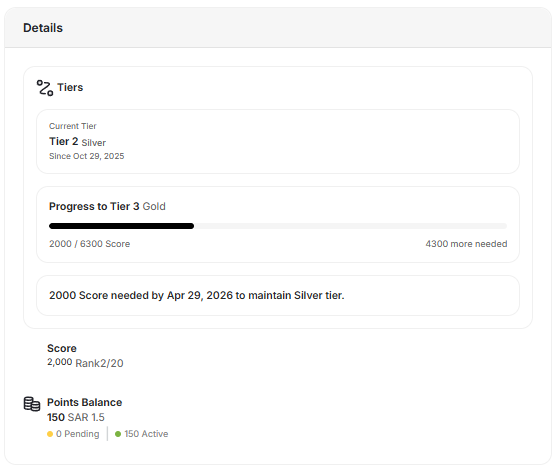
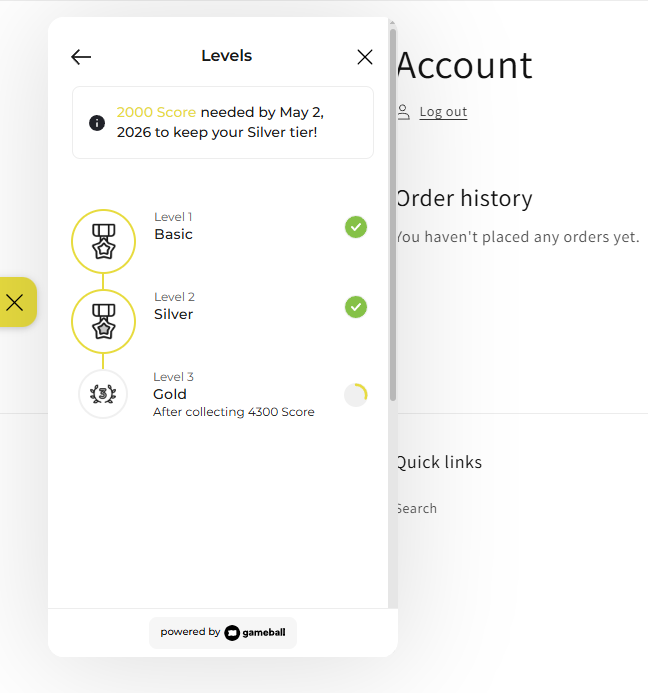
Evaluation dates recalculate automatically when tier settings change (e.g., from 12 months to 6 months).
Related Articles
Tiering-Up Methods
Understand the different methods for advancing customers through tiers.
Customizing Benefits for Different Tiers
Configure entry rewards, lifetime rewards, and custom benefits for each tier.