

| Platform | Plan |
|---|---|
| Available on all Platforms | All Plans |
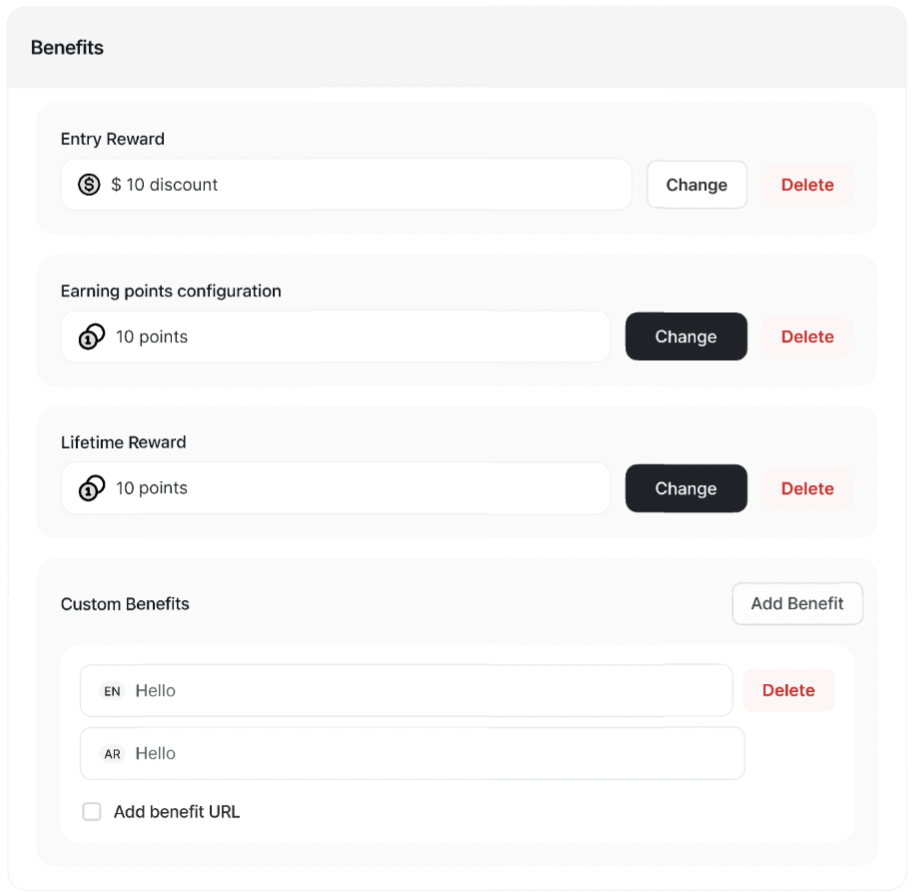
Gameball’s Tiers Benefits
Entry Rewards
Entry Rewards

Choose the Reward Type
Choose the Reward Type you want from the drop-down.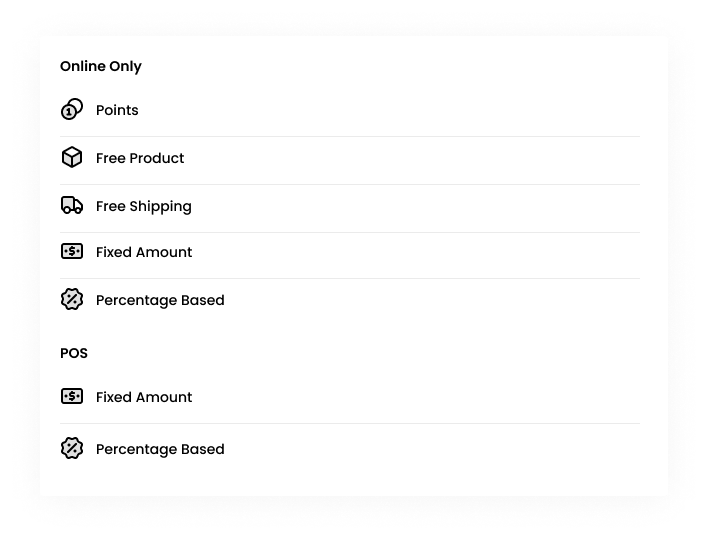
Loyalty Points Earning Custom Configuration
Loyalty Points Earning Custom Configuration

Navigate to Benefits
In the Benefits section, click on Add/Change Reward beside the Loyalty Points Earning Custom Configuration.
Enter Points Values
Enter both the number of points that you want the customers to earn when they spend a certain amount of dollars.A cashback calculation of the rule that you set will be shown for your reference. Learn more about how the redemption works.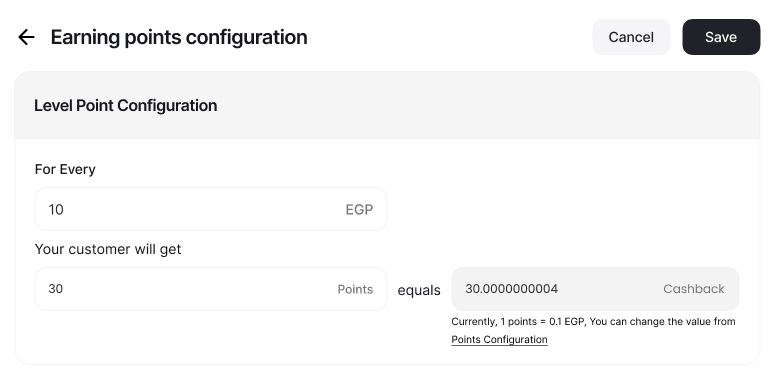
Lifetime Reward
Lifetime Reward

Navigate to Benefits
In the Benefits section, click on Add/Change Reward beside the Lifetime Reward.
Configure the Reward
Specify the reward type, excluding points that cannot be given as a lifetime reward. Set up the reward type accordingly. Learn more about Reward Types and how to set them up.
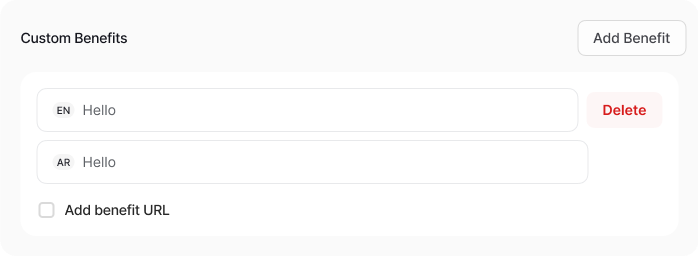
Custom Benefits
Custom Benefits

- Write a descriptive text explaining the extra benefits associated with this tier.
- Optionally, add a URL to redirect customers to a page providing more details about the benefits.
Return Window Duration for Tier Entry Reward Points
With this update, tier-entry points can be temporarily locked (pending) until the configured window expires, improving reward integrity and reducing fraudulent behavior.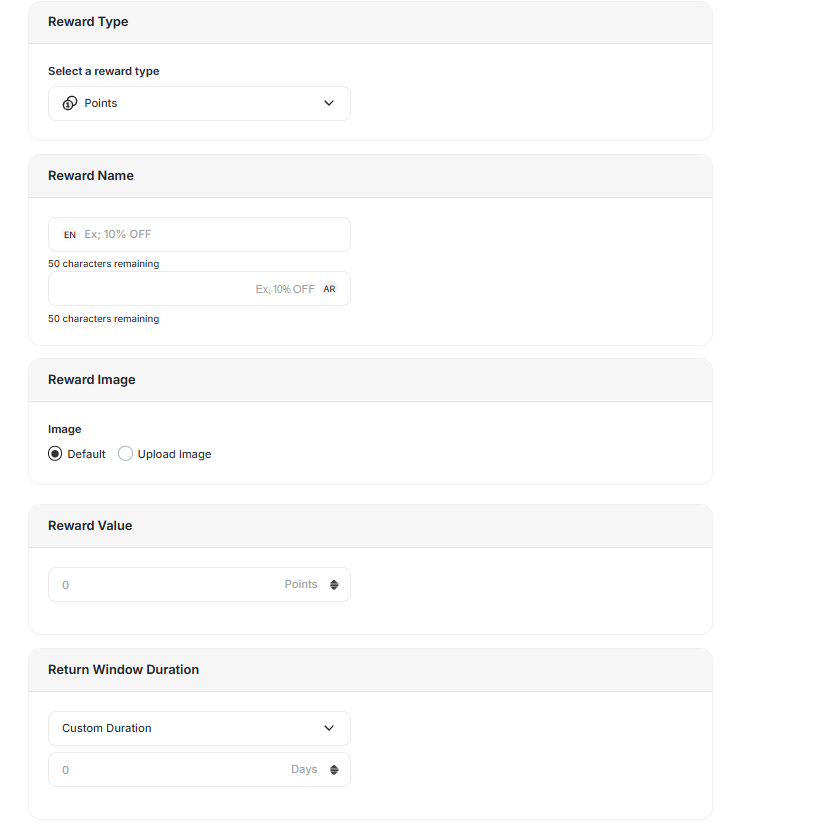
Configuration
A new field is now available inside each Tier Entry Reward setup:- Return Window Duration (days)
- Accepts numeric values greater than or equal to 0
- Default value: 0 days (points activate immediately)
Updated Reward Logic
When a customer levels up to a new tier:- Entry reward points are issued with status = pending.
- Pending duration matches the configured Return Window Duration.
- Points automatically switch to status = active once the window expires.
Refund and Downgrade Behavior
The system now handles return-window scenarios more intelligently:| Scenario | Behavior |
|---|---|
| Refund or Tier Downgrade before activation | Pending points are revoked automatically |
| Refund after activation | Standard refund deduction rules apply, as usual |
Customers Discovering Tier Benefits
Once you’ve configured the benefits through the Gameball dashboard, customers will see the details prominently displayed in the tier tab of their widget. This ensures that they are aware of the exclusive benefits associated with their tier, enhancing their overall experience and incentivizing continued engagement.
Related Articles
Tiering-Up Methods
Understand the different methods for advancing customers through tiers.
Understanding Tier Expiry
Learn how Gameball manages tier expiry in various scenarios.