

Overview
Let your customers turn their loyalty points into powerful discount coupons they can use at checkout. Whether for promotions, rewards, or referrals, couponing is a flexible and strategic way to boost retention and drive more conversions.What is Coupon Redemption?
Coupon Redemption lets customers exchange their points for discount codes (e.g., “10% OFF” or “FREESHIP”) that they can apply during checkout. This method is perfect for creating flexible promotional offers, tracking engagement, and giving marketers and product teams control over distribution and visibility. Gameball’s couponing system supports a wide range of use cases:| Scenario | Example |
|---|---|
| Seasonal Campaigns | “Black Friday Deal, Redeem points for 20% OFF!” |
| Loyalty Rewards | “Redeem 500 points for a $10 discount coupon.” |
| Product Promotions | “Use a $5 coupon on all shoes, redeemable with points.” |
| Referral Bonuses | “Invite a friend, get a $10 coupon.” |
| Gamified Challenges | “Complete 3 orders this month and earn 15% OFF” |
- Expiration rules
- Usage limits
- Coupon types (fixed discount, percentage, free shipping, etc.)
Creating Coupons with Gameball
How Customers Get Coupons
Gameball supports two redemption pathways, depending on whether the customer actively redeems or earns a coupon automatically:1. Convert loyalty points into discount coupons
Customers spend their loyalty points to receive a discount coupon, which they can then apply at checkout. This method gives users a sense of control over how they use their points, whether it’s for percentage-based discounts, fixed amounts, or other reward types.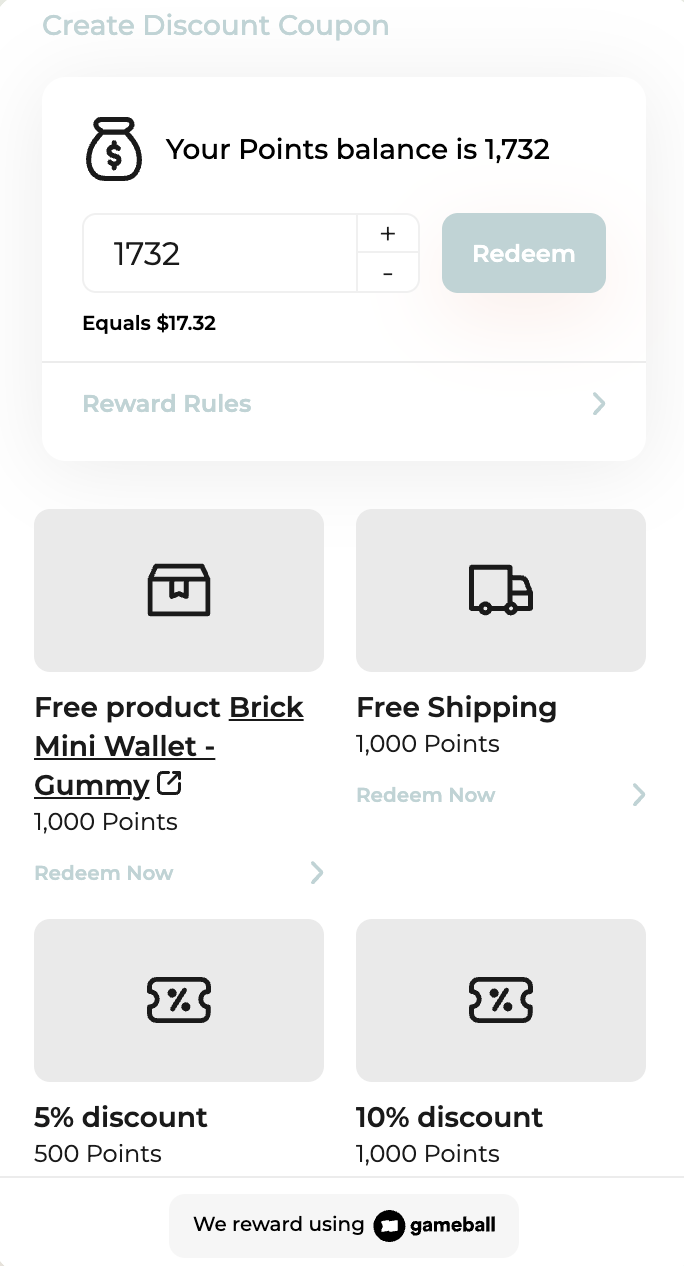
Example Customer Journey:
The user is presented with available redemption options, like:
- “Redeem 500 points for a 10% OFF coupon.”
- “Redeem 1,000 points for $20 OFF”
Implementation Note:
There are two ways to implement this flow, depending on your desired level of customization:- Via Gameball’s Widget
Customers access and redeem coupon options directly through the embedded Gameball customer widget.
(Ideal for faster implementation without building custom UI) - Using Custom UI Elements
You build your own redemption interface (e.g., a “Use My Points” screen). Behind the scenes, your system interacts with Gameball APIs to retrieve rules and generate the coupon.
(Ideal for apps or platforms seeking a native and branded experience)
Backend Flexibility:
Whether you use the widget or your own UI, the actual coupon creation can be powered by either:- Gameball’s Built-in Couponing Engine: Use POST /generate-coupon to issue a discount code based on a configured rule.
- Your Own Couponing System: Gameball can trigger your backend through a webhook or a configured API call to generate and return a coupon code from your system.
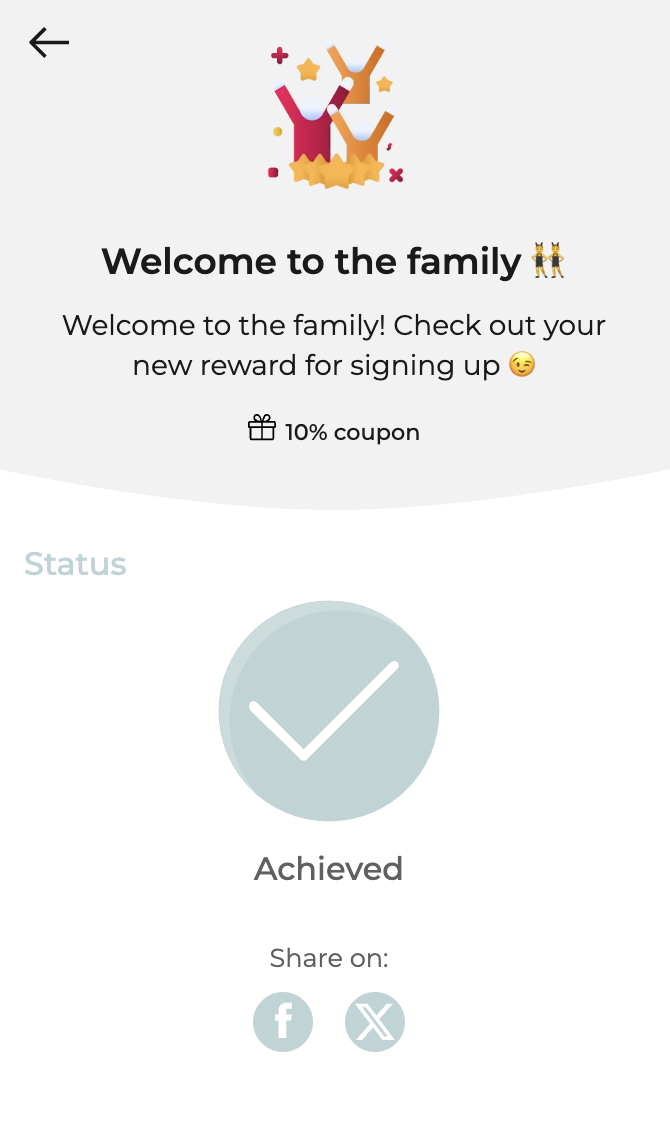
2. Coupon Received as Reward from campaigns/referral/automation
Customers receive a coupon automatically without using points, typically as part of a Gameball campaign or milestone.Examples:
- “ You completed the ‘Spend $100 Challenge’. Here’s 15% OFF!”
- “ Welcome Gift: Use this $5 OFF coupon just for signing up.”
How to Integrate Coupon-Based Redemption with Gameball
Choose from two integration methods, based on your system architecture and flexibility needs:1. Use Your Own Couponing Engine
If your business already uses its own system to manage coupon creation, whether through a custom-built backend or an e-commerce platform that supports coupon APIs (like Shopify, etc.). Gameball can connect to it smoothly. In this approach, Gameball does not generate the coupon code directly. Instead, when a customer qualifies for a coupon-based reward, Gameball sends a webhook (an automated HTTP request) to your system. This request contains the relevant customer and reward details, requesting that your system generate a coupon code. Your system is then responsible for creating the coupon, using your own logic, restrictions, or API, and sending the generated code back to Gameball. Once received, Gameball shows the coupon to the customer through its widget or your custom UI. You define:- Coupon creation endpoint
- Payload structure
- Rules and logic for each coupon
Integrate Your Own Couponing Engine
To learn how to configure your couponing system to work with Gameball and enable coupon generation via webhooks, visit this Help Center article for step-by-step guidance.
2. Use Gameball’s Native Couponing Engine
Let Gameball manage coupon creation, validation, and redemption for you, fully configurable via the Gameball dashboard. You can:- Set redemption rules (e.g., 500 points = 10% OFF)
- Control coupon formats and discount types
- Track usage and campaign attribution
Enable Gameball's Native Discount Engine
If you are using a Gameball-supported integration (such as Shopify), no additional integration is needed; this is already handled automatically.
Coupon-Based Redemption Scenarios Summary
| Redemption Method | Triggered By | Coupon Visible? | Points Spent? | Example |
|---|---|---|---|---|
| Points Redemption | Customer | Yes | Yes | “Redeem 500 points for 10% OFF” |
| Reward Coupon | Gameball campaign | Yes | No | “You unlocked 15% OFF!” |