

| Platform | Plan |
|---|---|
| Shopify | Guru |
| Salla | Guru |
| Non-platform Clients | Enterprise |
Prerequisites
- Make sure to create a merchant ID for each of your brands/stores on the Gameball dashboard before configuring cashback rules.
- Ensure the Merchants feature is activated on your account.
- To activate this feature on your dashboard, you must request it from our customer support team.
How to Configure a Cashback Rule for Different Brands
After creating an ID for each of your brands and stores, follow these steps to configure a cashback rule for any of these recognized brands or stores:
View Merchants
You will find all merchants listed. Learn how to create a Merchant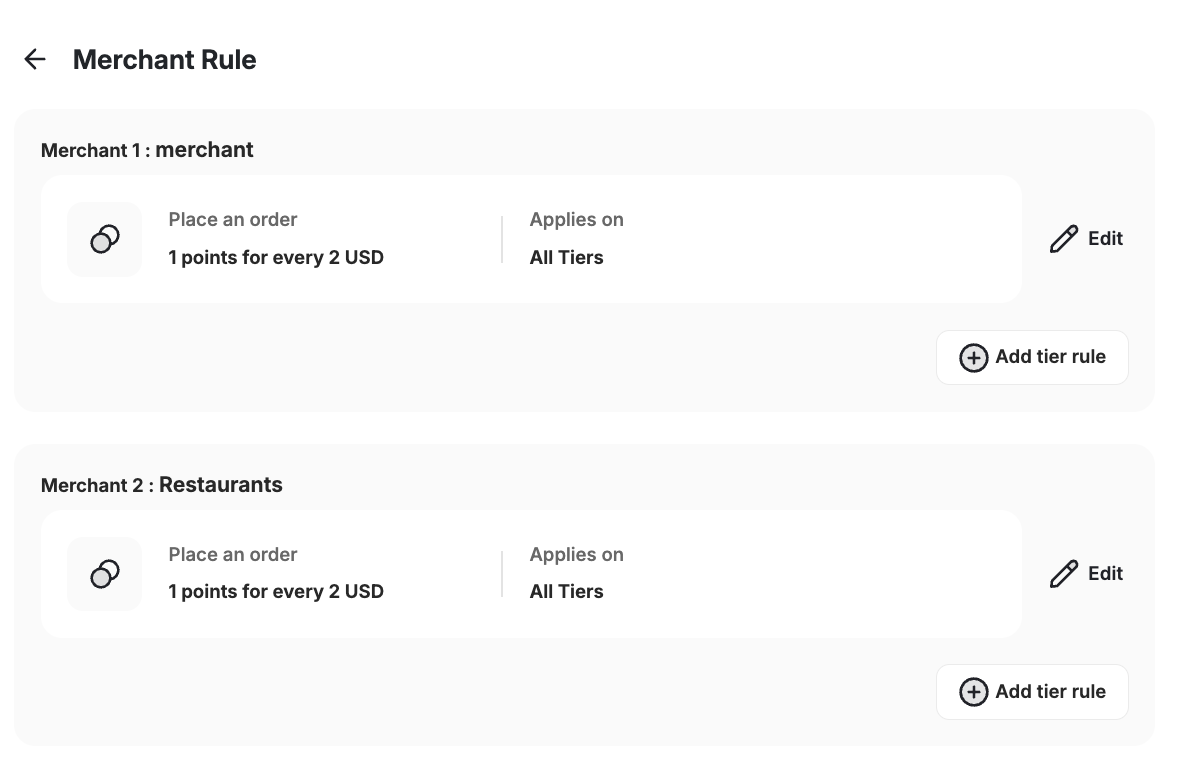
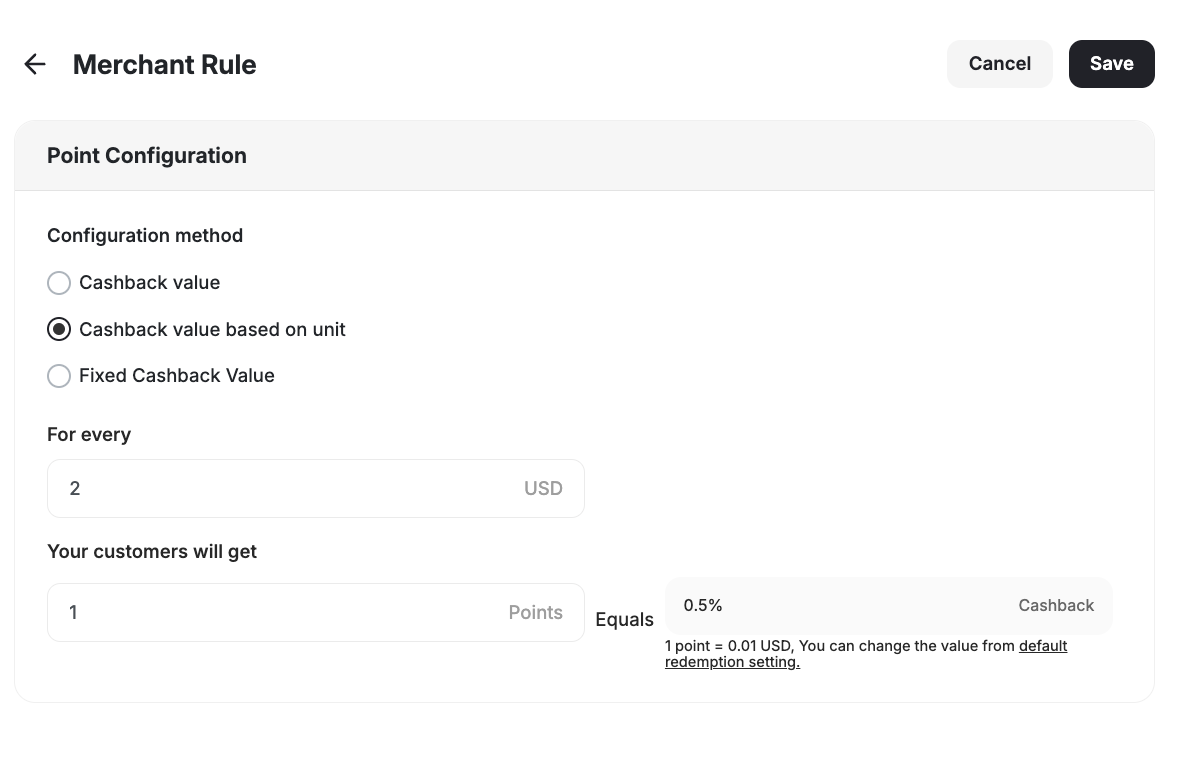
Configure the Cashback Rule
Fill in the required information:
- Choose Merchant: Select the brand you want to create the new cashback rule for.
- Configuration Method: Choose between:
Cashback Value
Cashback Value
Set a cashback percentage based on the customer’s paid amount. Example: If you offer 5% cashback and a customer pays 5 cashback worth of points.
Cashback Value Based on Unit
Cashback Value Based on Unit
Set a fixed number of points per currency unit regardless of the cashback percentage. Example: If a customer pays $100, they could receive 1000 points based on your configuration.
Fixed Cashback Value
Fixed Cashback Value
Set a fixed cashback value for the customer to earn based on their purchase.
Important Notes
- By default, every newly created merchant will fall under your default cashback rules unless a specific rule is configured.
- You can create different cashback rules based on each merchant’s level.
- Merchant-specific cashback rules override the default cashback rules if the customer purchases from a recognized merchant.
Common Questions
Can I have both collection-based and merchant-based cashback rules active?
Can I have both collection-based and merchant-based cashback rules active?
No, if you use collection-based cashback rules, you cannot activate merchant-based cashback at the same time.
What happens if I do not configure a special cashback rule for a merchant?
What happens if I do not configure a special cashback rule for a merchant?
The default cashback rule will apply.
Related Articles
Collection-Based Earning Rules
Set up different cashback values for different collections.
Understanding Loyalty Points Calculations
Learn how Gameball prioritizes and applies different earning configurations.
Create and Manage Merchants
Add merchants for each brand and store you own.