

| Platform | Plan |
|---|---|
| Shopify | All Plans |
| Salla | All Plans |
| Non-platform Clients | All Plans |
Navigating to Redeem Points
From the left-side menu, go to Programs and click Redeem Points. The page opens on the Configuration tab, where all your redemption options are listed.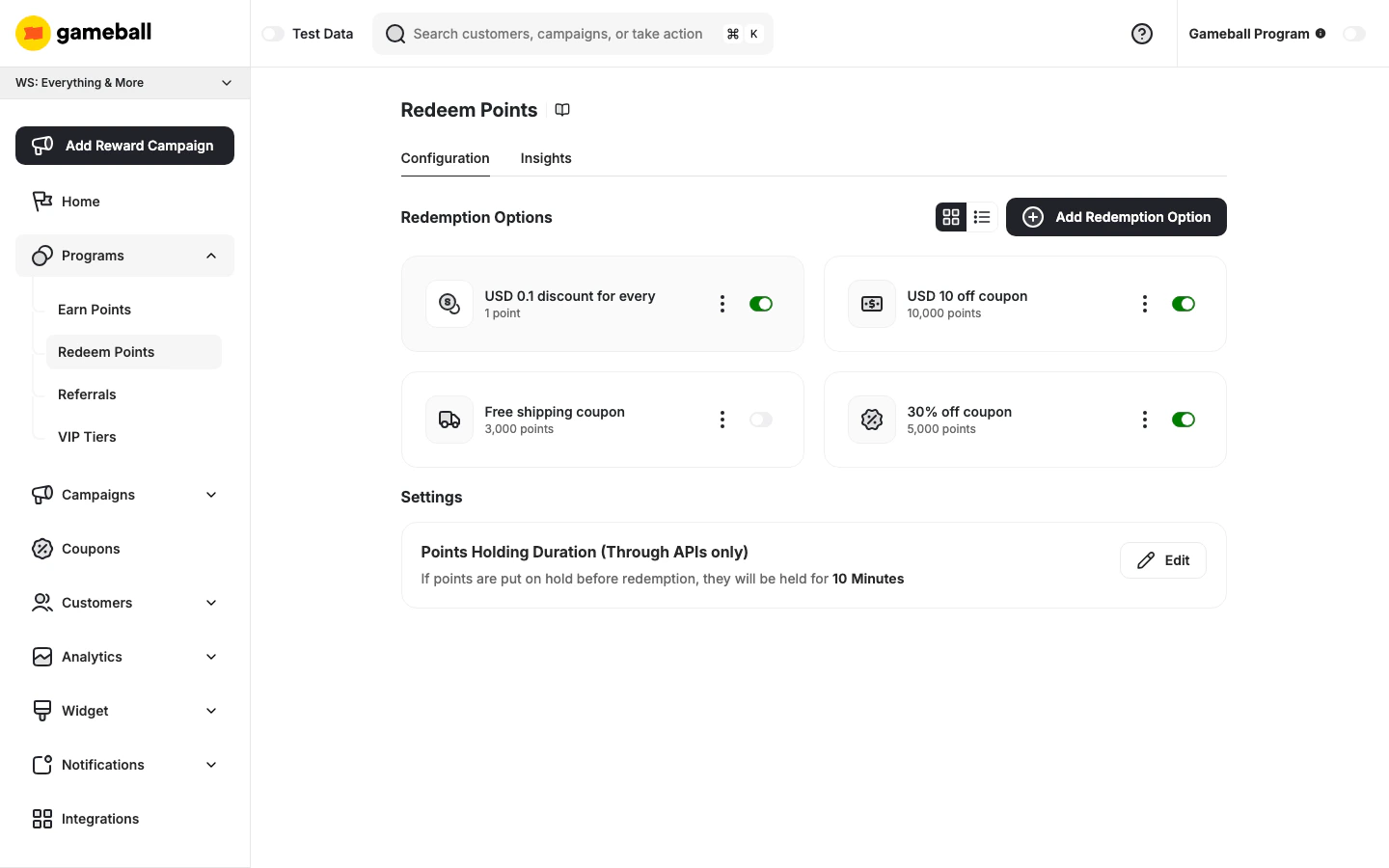
Default Redemption Rule
The Redemption Options section always includes a default dynamic rule displayed as “USD X discount for every Y point”. This rule defines the base conversion rate between points and currency — how much monetary value a single point is worth when customers redeem. To edit it, click the ⋮ menu on the default rule card and select Edit. This opens the Flexible Redemption Option page where you can configure: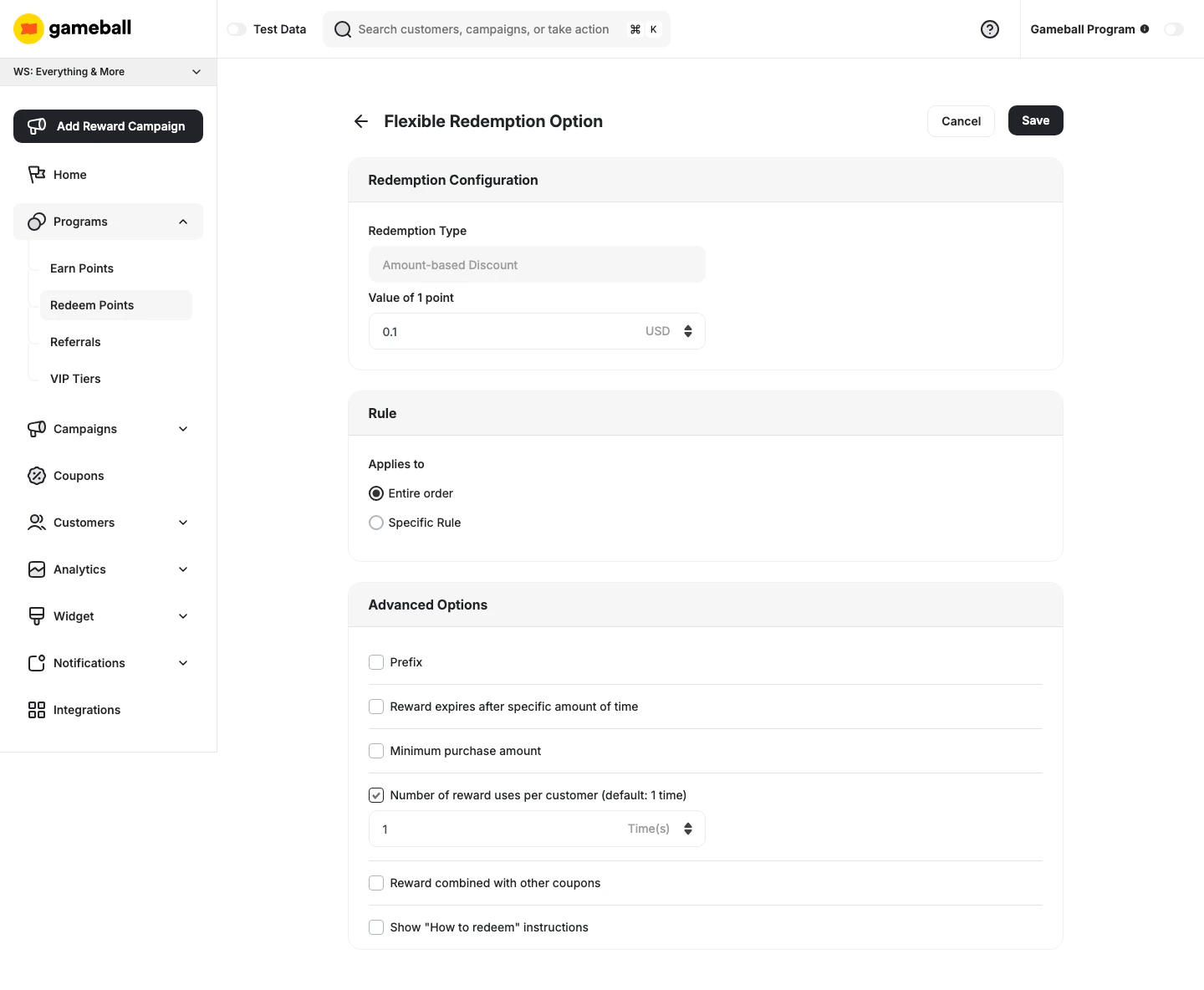
- Redemption Type — locked as Amount-based Discount (cannot be changed)
- Value of 1 point — the monetary equivalent of a single point (e.g., 0.1 USD)
- Applies to — Entire order or Specific Rule
The cashback percentage shown on the earn rule edit panel is calculated based on this value. Changing the Value of 1 point here will update that percentage automatically.
Managing Redemption Options
All configured redemption options appear in the Redemption Options section. You can toggle between a card view and a list view using the icons at the top right of the section. Each option displays its redemption type, the points required to redeem it, and a toggle to enable or disable it directly.Adding a New Redemption Option
Configure the Option
You will be taken to the Custom Redemption Option page.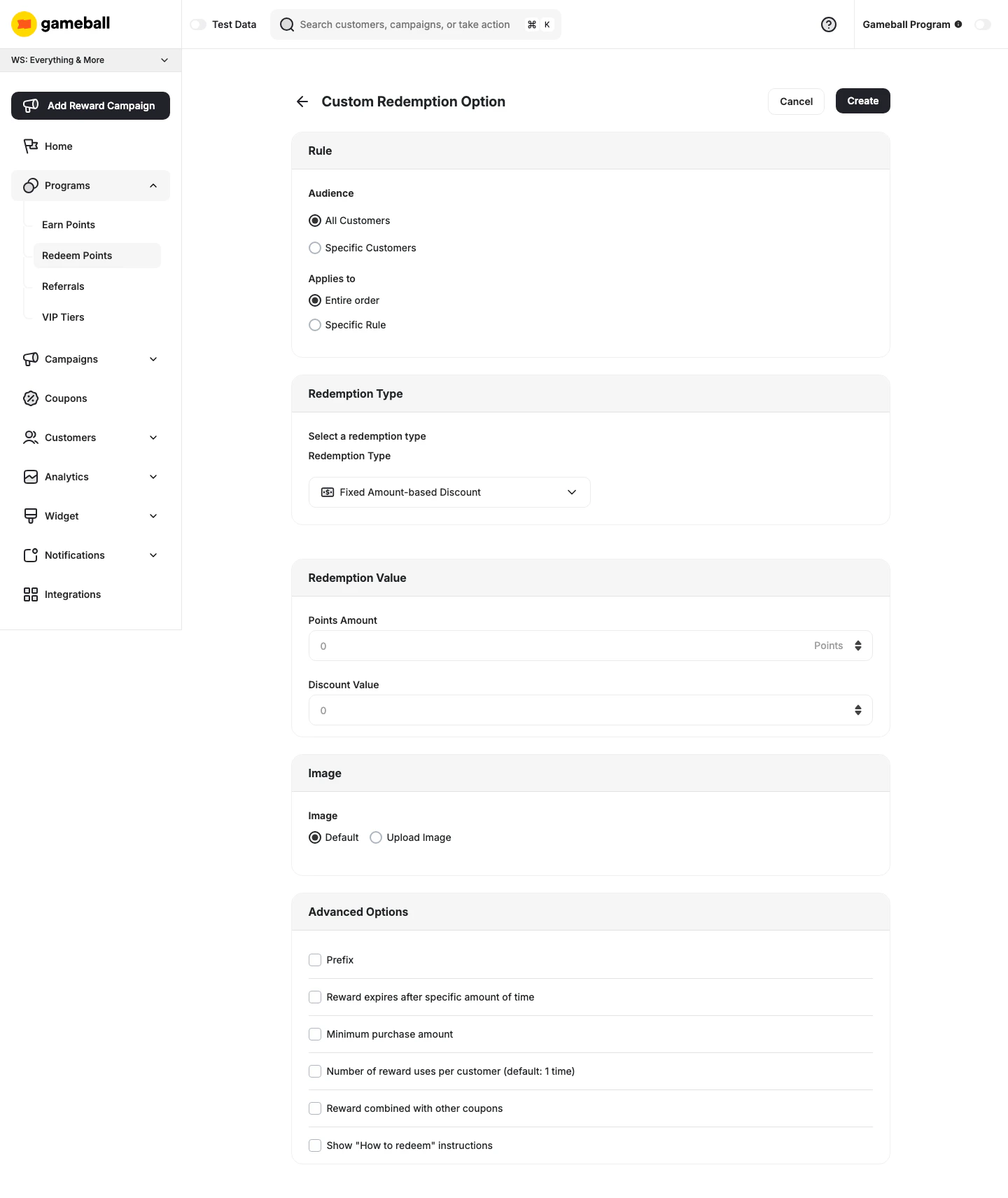
- Audience — choose whether this option applies to All Customers or Specific Customers
- Applies to — select Entire order or Specific Rule
- Select a redemption type from the dropdown (e.g., Fixed Amount-based Discount, Percentage-based Discount, Free Shipping, Free Product)
- Enter the reward name in English (EN) and Arabic (AR) — up to 50 characters each
- Points Amount — the number of points required to redeem this option
- Discount Value — the value of the discount awarded
- Choose Default or Upload Image to set a custom icon for this redemption option
| Option | Description |
|---|---|
| Prefix | Add a custom prefix to the generated coupon code |
| Reward expires after specific amount of time | Set an expiry window for the issued coupon |
| Minimum purchase amount | Require a minimum order value for the coupon to apply |
| Number of reward uses per customer | Limit how many times a customer can redeem this option (default: 1 time) |
| Reward combined with other coupons | Allow this coupon to be stacked with other active coupons |
| Show “How to redeem” instructions | Display redemption instructions to customers |
Available Reward Types
Online Only Rewards
Online Only Rewards
- Percentage-Based Discount: Customers can exchange their points for a coupon that provides a percentage discount on their next purchase.
- Fixed Amount Discount: Customers can redeem their points for a coupon that offers a fixed-value discount on their purchase.
- Free Shipping: Customers can use their points to get free shipping on their order.
- Free Product: Customers can redeem their points to receive specific products at no cost.
- Percentage-Based Cashback (Non-Platform Only): Customers can use a coupon to receive a percentage of their purchase amount back as cashback, credited to their wallet in points or store credit.
- Fixed Amount Cashback (Non-Platform Only): Customers can use a coupon to receive a fixed amount of cashback, credited to their wallet in points or store credit — regardless of the total purchase amount.
- Percentage-Based Fees Discount (Non-Platform Only): Customers can receive a coupon that applies a percentage discount to transaction fees.
POS Rewards (Shopify Only)
POS Rewards (Shopify Only)
- POS Fixed Amount Coupon: Redeem points for a specific amount off at point-of-sale.
- POS Percentage Coupon: Redeem points for a percentage discount at point-of-sale.
Settings
Points Holding Duration
Set the duration that holds the redemption request until your customer completes the payment process — for example, when using points as partial payment alongside another payment method. Click Edit next to Points Holding Duration (Through APIs only) to configure:- Holding Duration Value — enter a number
- Points Holding Time — choose the unit: Minutes, Hours, or Days
Insights and Analytics
Click the Insights tab at the top of the page to analyze the performance of each redemption option.| Metric | Description |
|---|---|
| Issued | Number of coupons generated |
| Burned | Coupons redeemed or used |
| Expired | Coupons that expired unused |
| Burn Rate | % of issued coupons that were used |
| Expiry Rate | % of issued coupons that expired unused |
| Total Points | Total points redeemed to generate coupons |
Related Articles
Launch and Configure Your Earn Pointing System
Configure how customers earn points for their purchases.