

Steps to Spend Points on Shopify POS
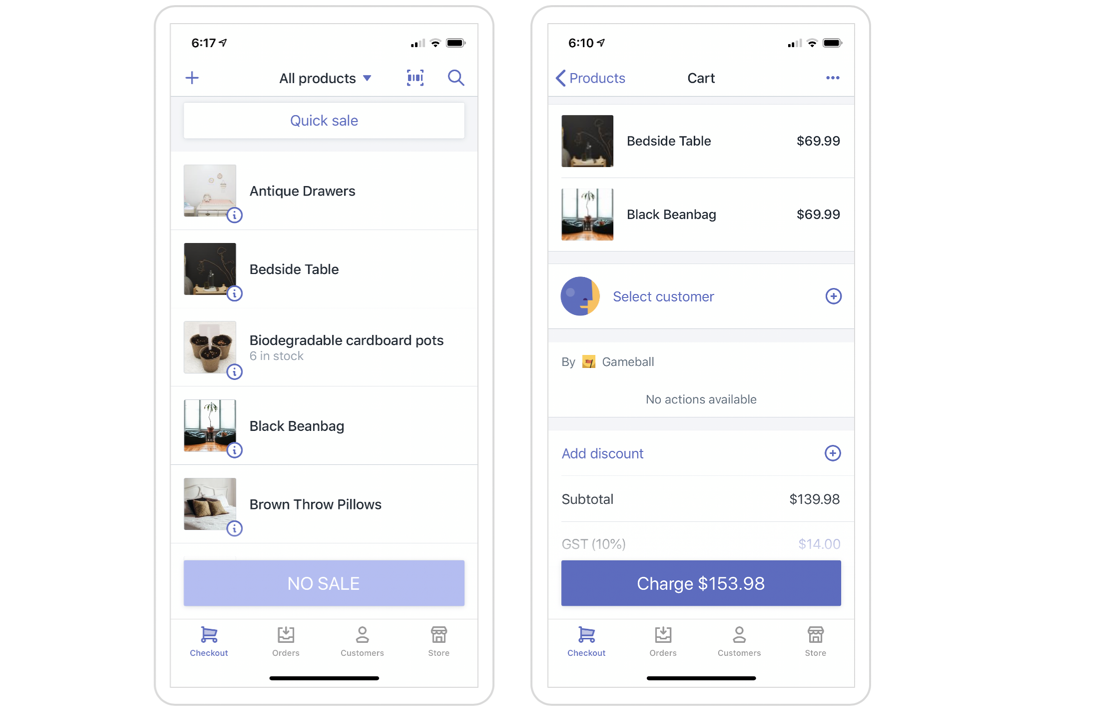
Select the Customer
Select the customer placing the order by searching for the customer’s email used before — through POS or through the online store (in case you have both channels).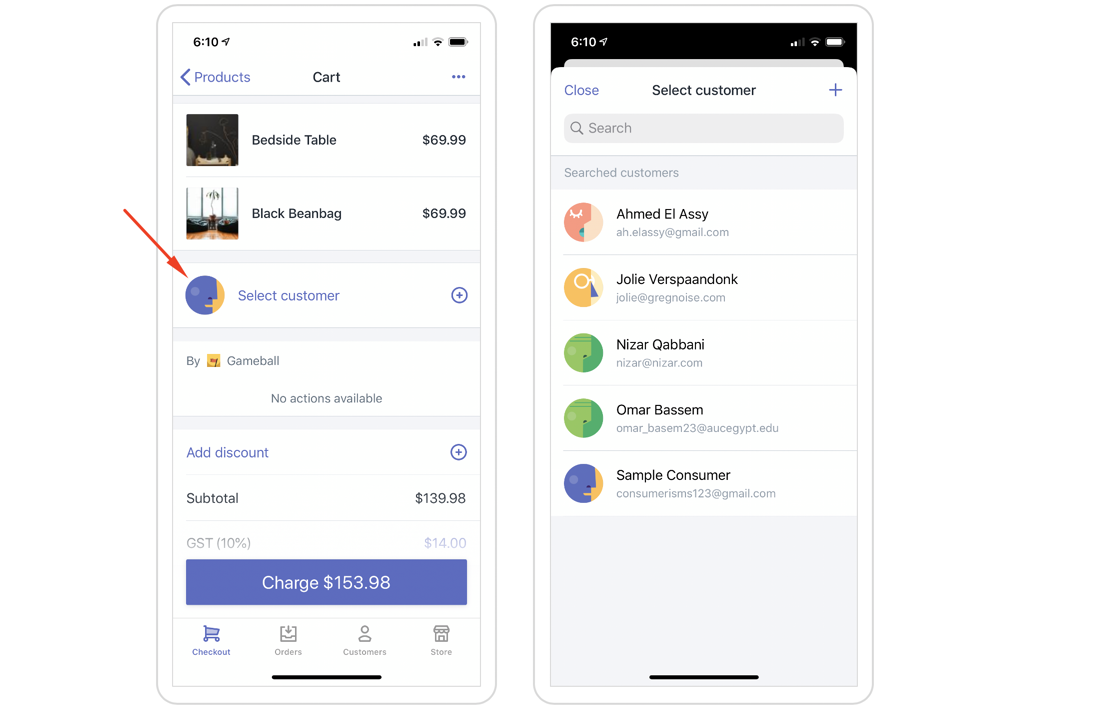
Open the Gameball Tab
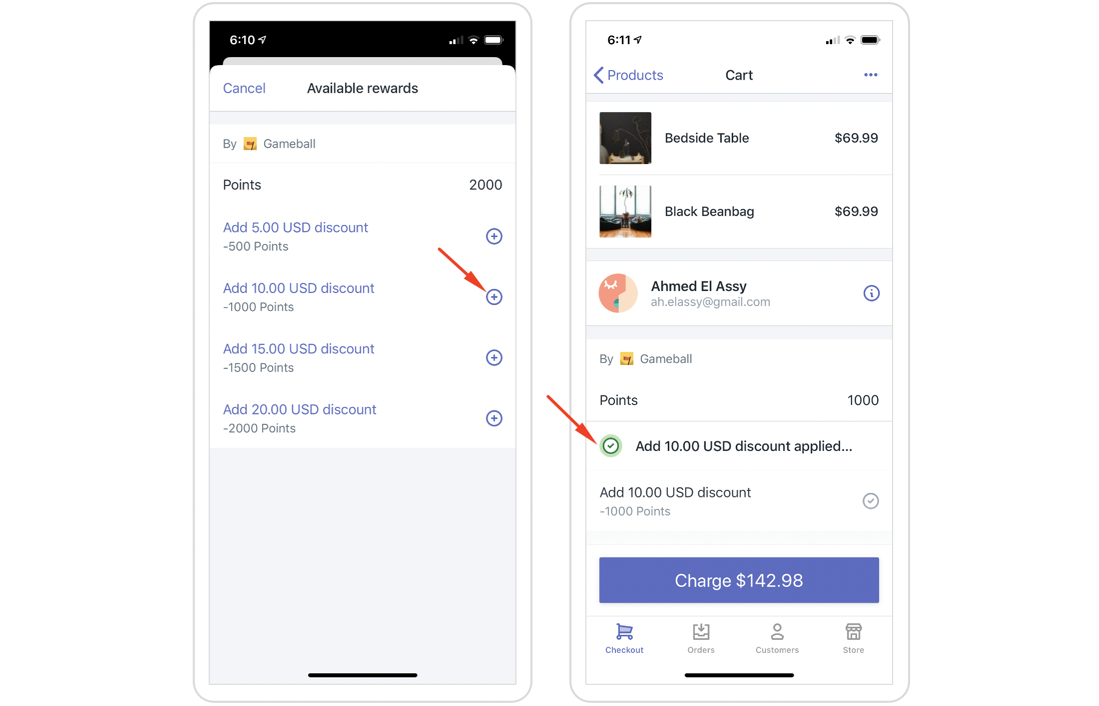
You will find a new tab called “Gameball.” Inside this tab, you will find the available points for this selected customer. Click on View actions to choose an option from the available POS rewards.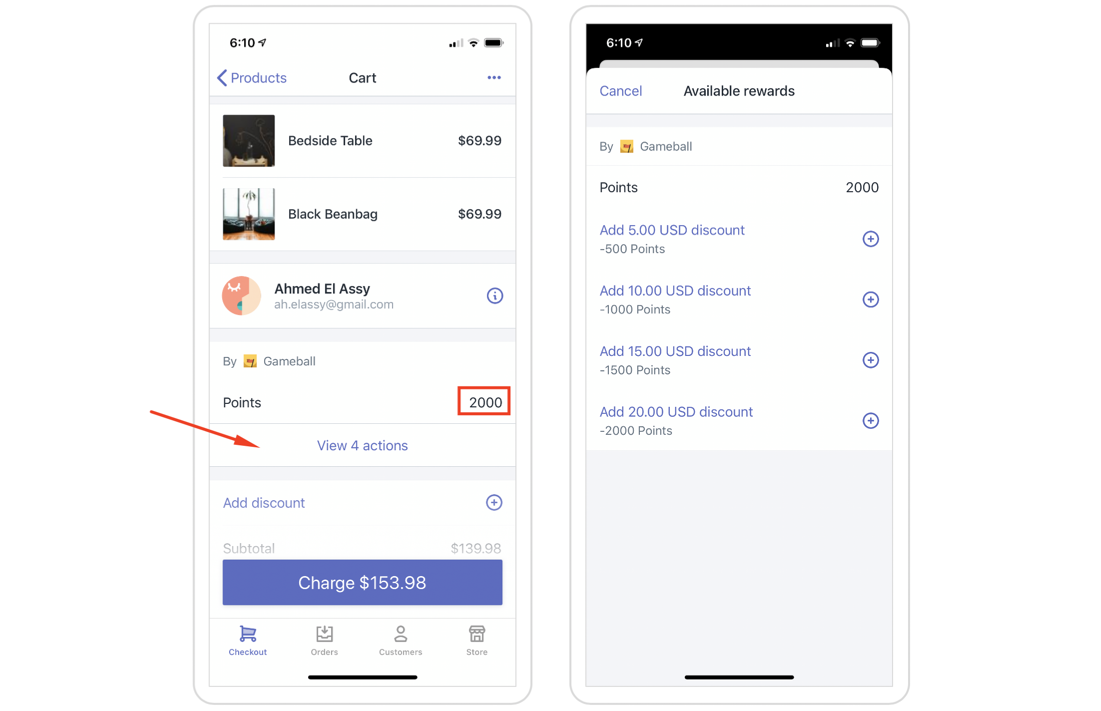
Related Articles
How Gameball Works on Shopify POS
Understand how customers can get rewards through Shopify POS.
Differentiate Reward Campaigns Through POS and Online Shopify
Give different rewards based on whether an order is placed online or in-store.