

Plan Availability
| Platform | Plan |
|---|---|
| Shopify | All Plans |
Before You Begin
Make sure you have configured the following:Enable Points Redemption
Activate the points redemption program on your Gameball dashboard.
Configure Points Value and Expiry
Set the equivalent monetary value and expiry settings for wallet points.
Both value and expiry will be configured by default during the Gameball onboarding wizard. Additionally, when a customer redeems points through the Gameball widget, the application interacts with Shopify to generate unique discount codes, which are displayed instantly to the customer. Administrators can find these codes in the “Discounts” section of Shopify Admin.
How Customers Redeem Their Points
Access the Redeem Tab
Once you enable points redemption, your customers will see a new Redeem tab inside the widget under their points.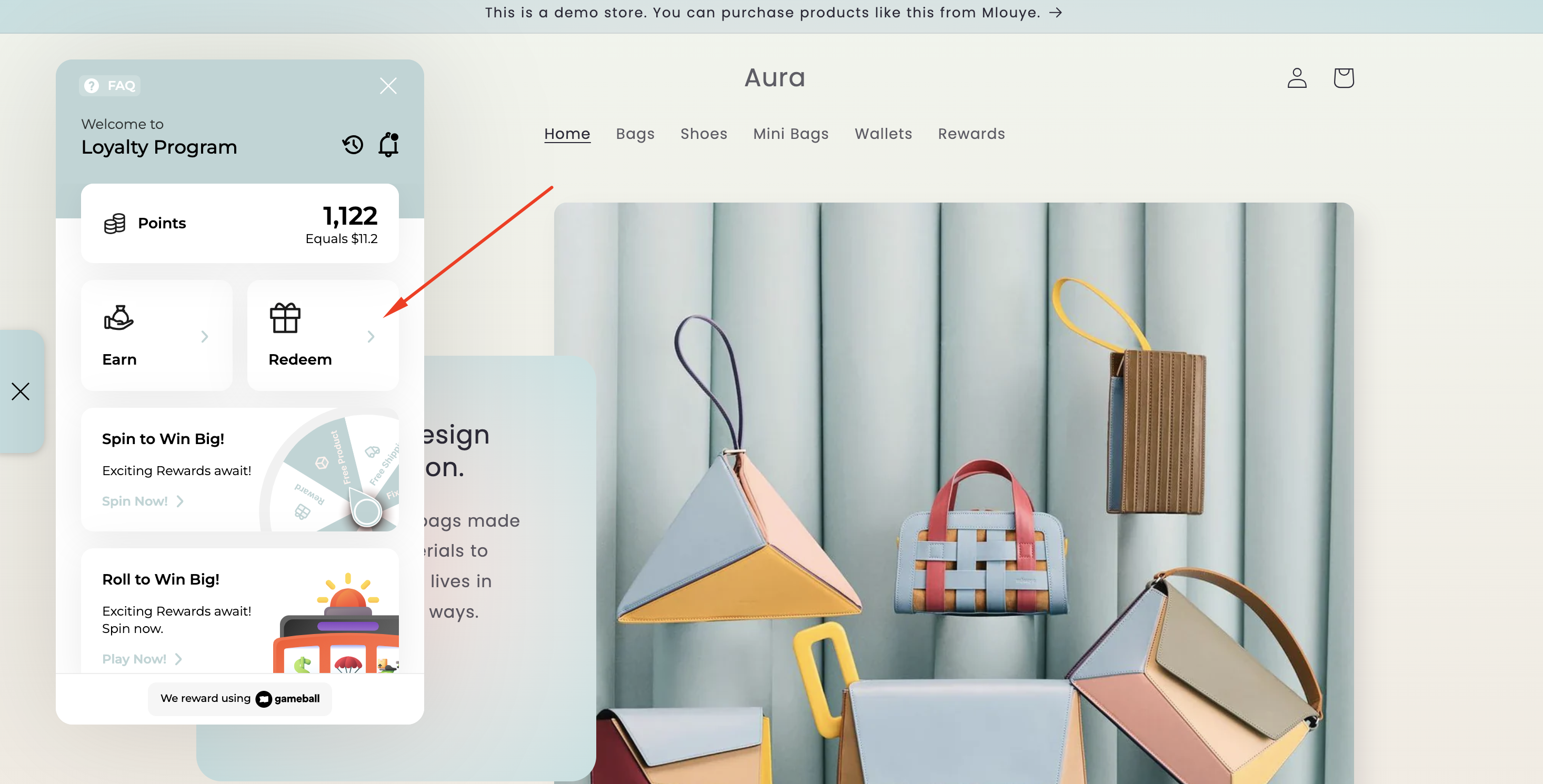
Create a Discount Coupon
Under “Create Discount Coupon,” customers should put the number of points they want to redeem, then click the Redeem button.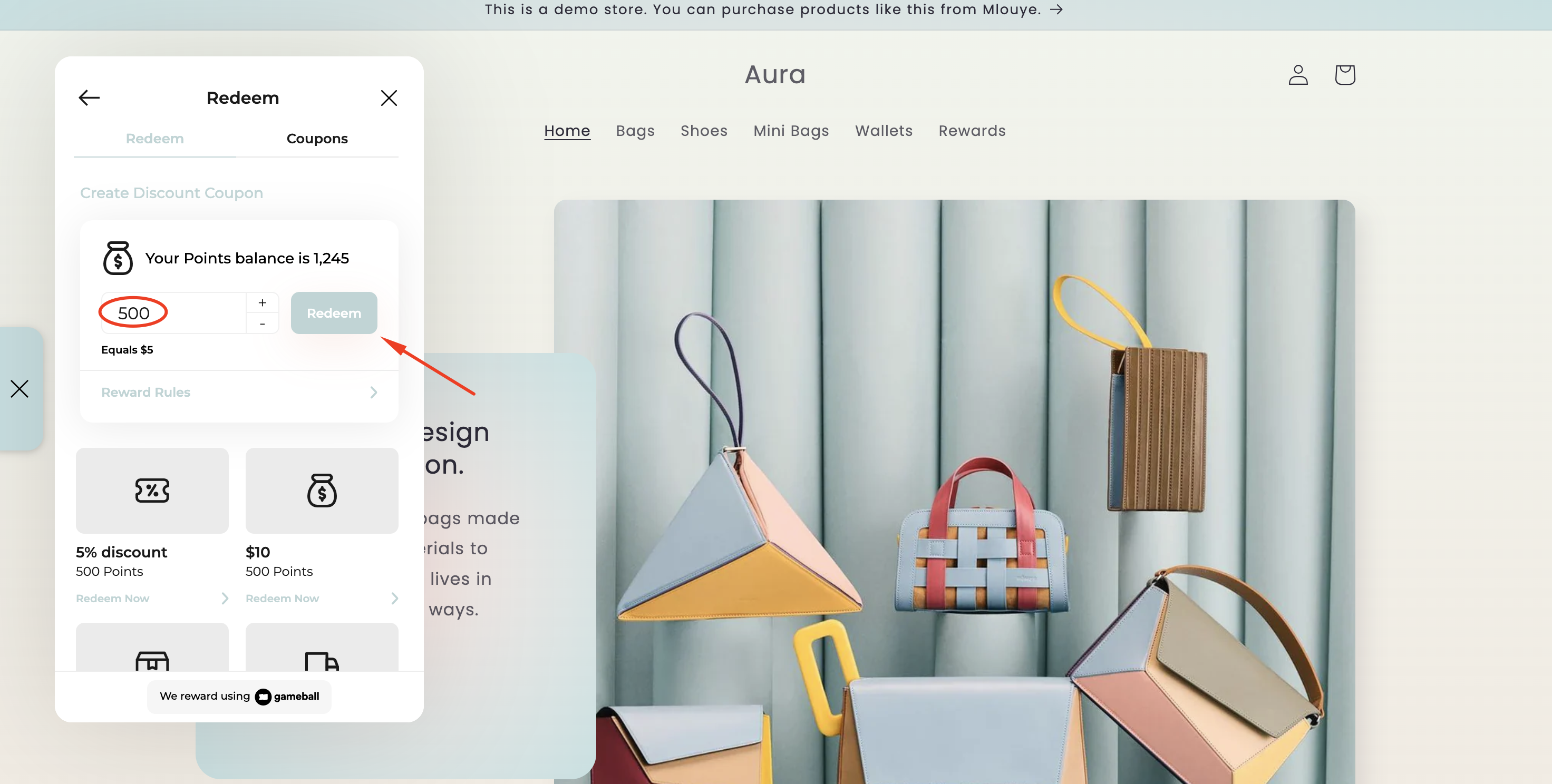
Use the Coupons Tab
Under the Coupons tab, customers can also redeem coupons that are automatically created if their points balance is equal to or more than the coupon value.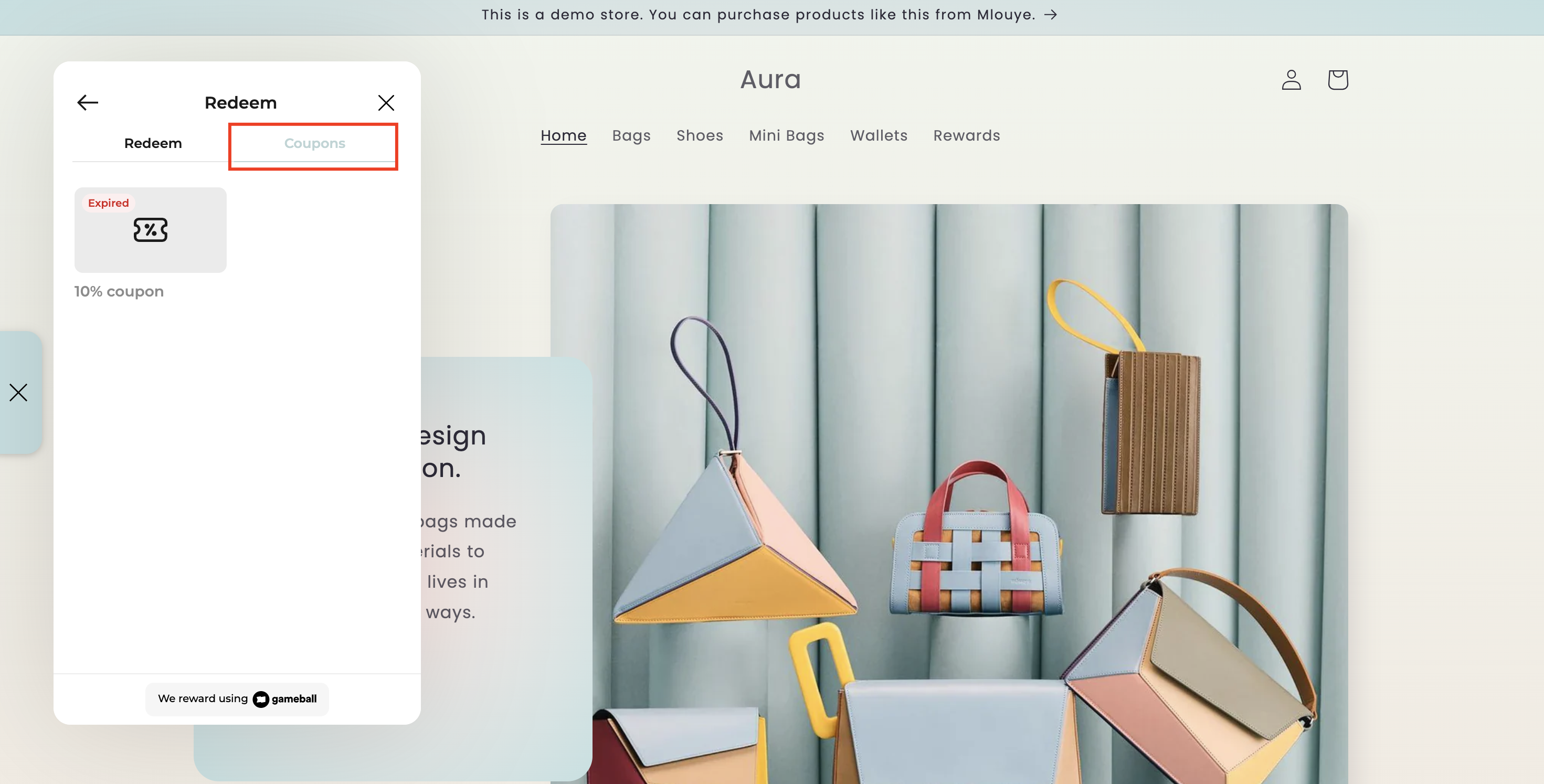
Apply the Coupon Code
A discount code can be used by selecting the available coupon and copying the code to paste it during the checkout process, or by clicking Apply Coupon.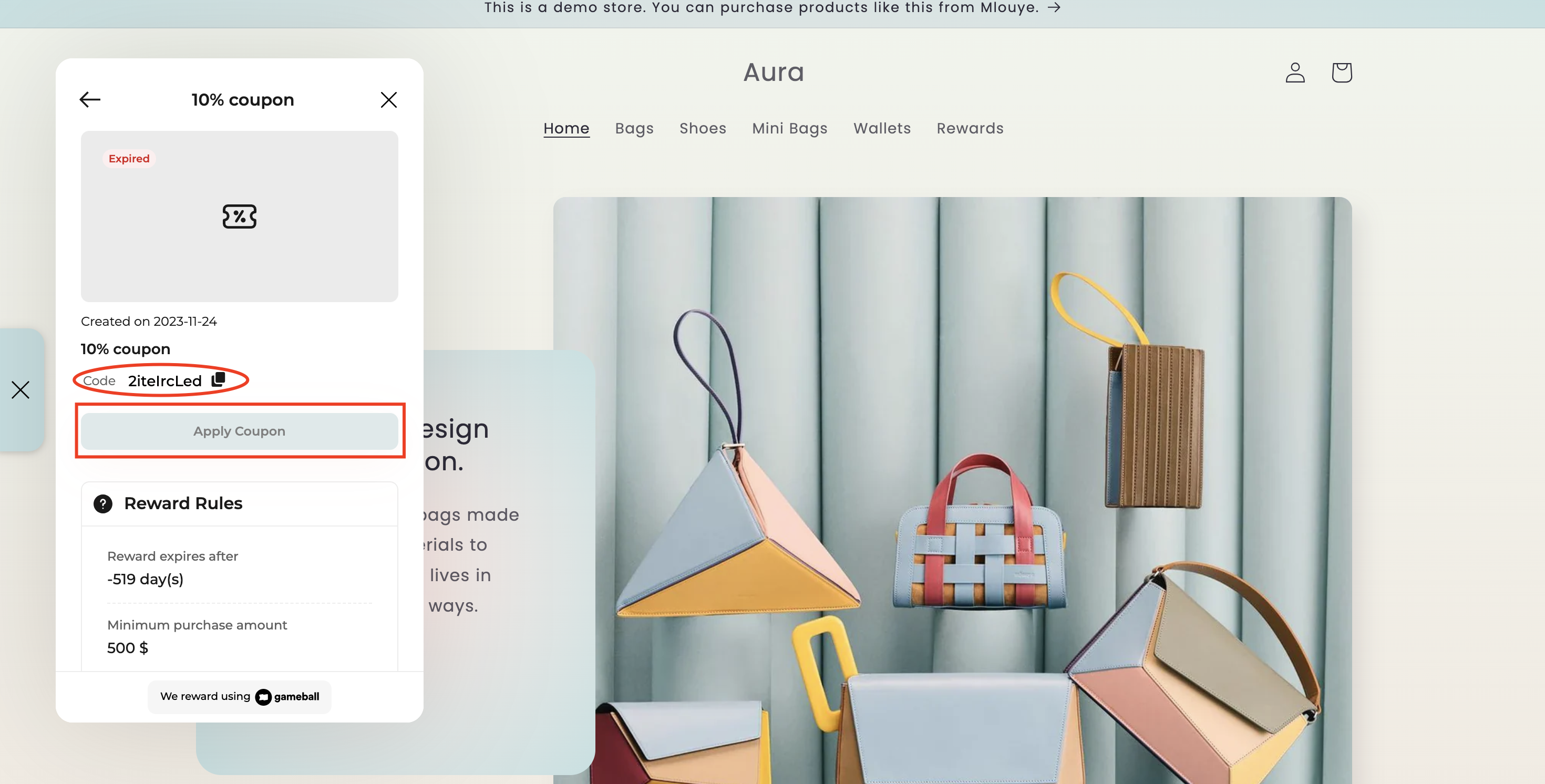
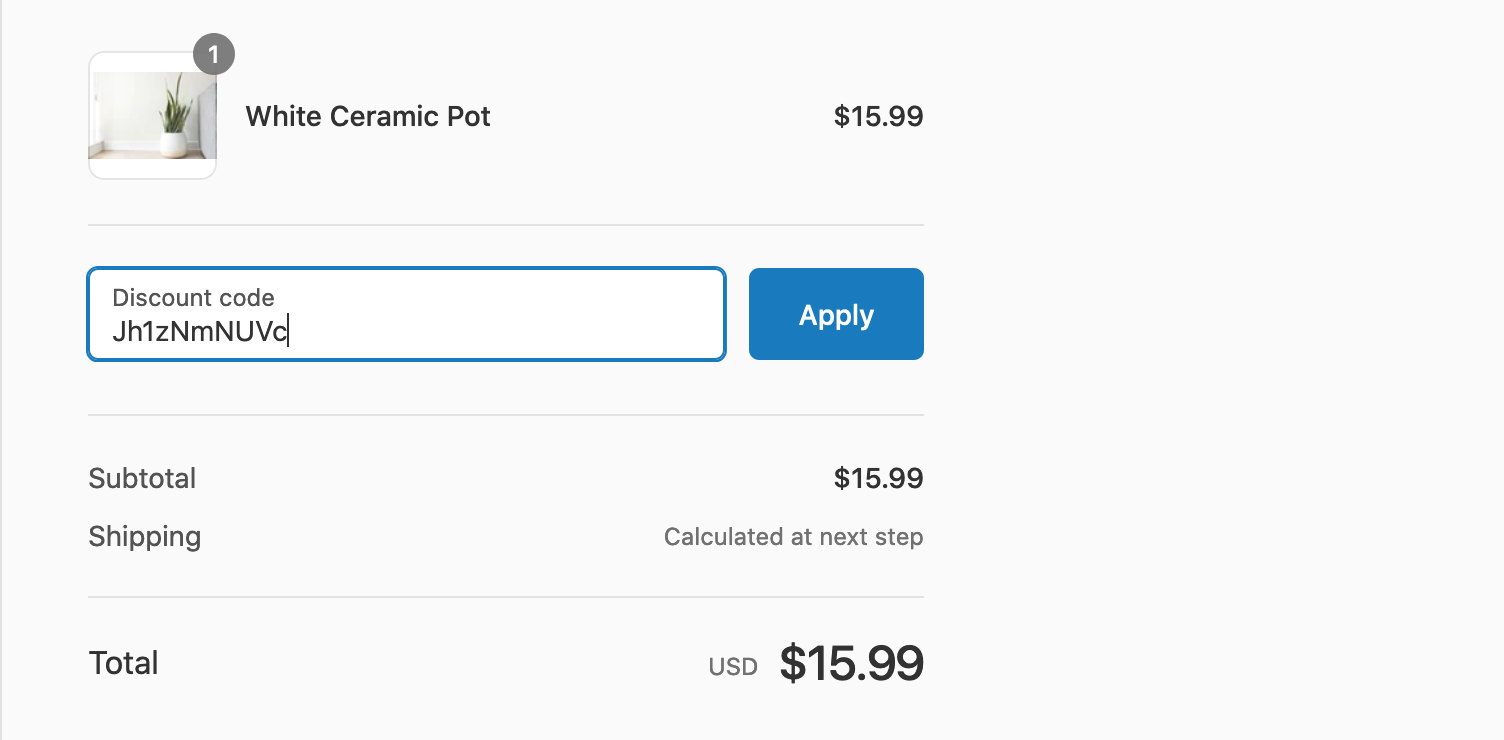
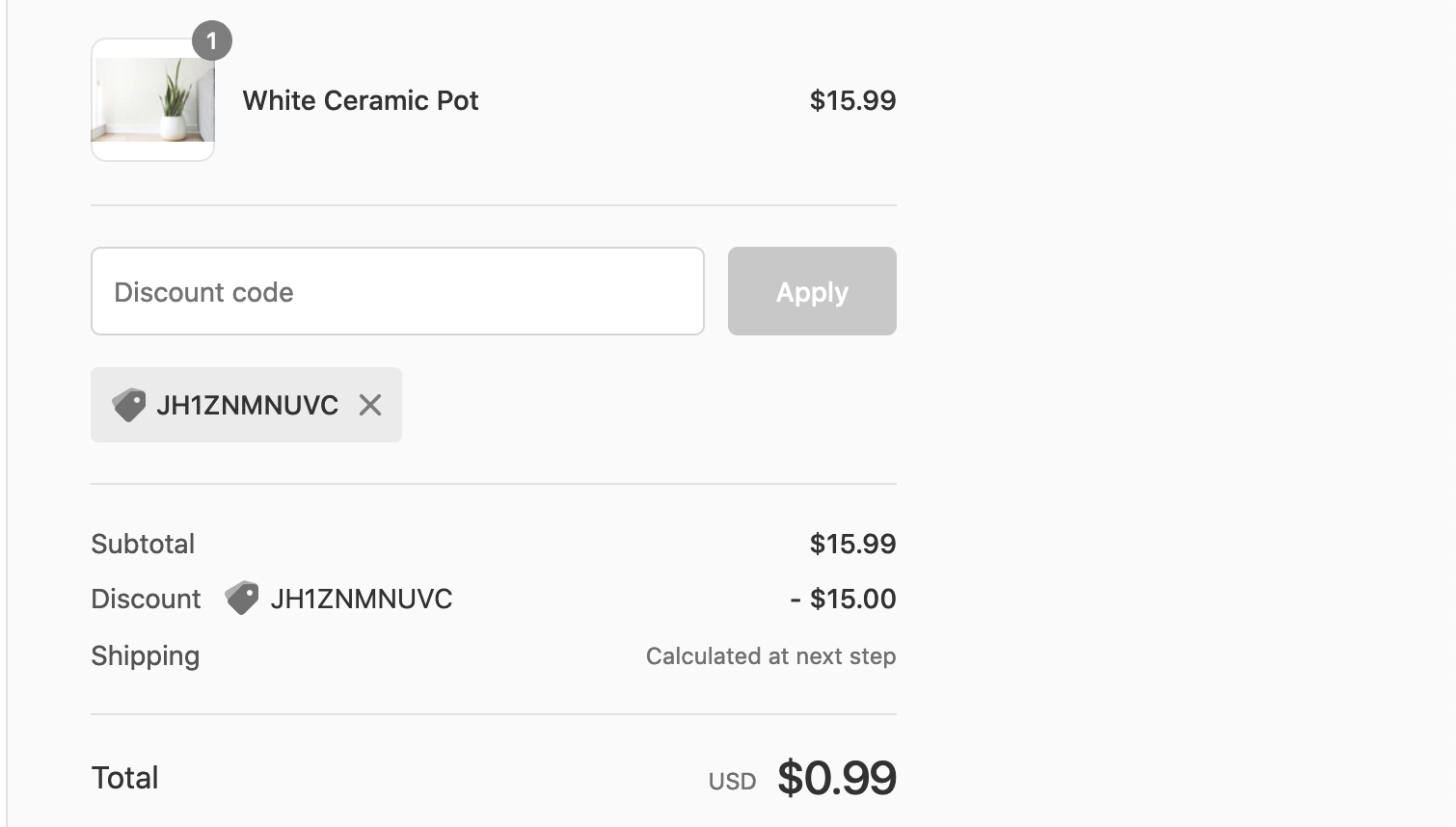
By clicking Apply Coupon, the customer will automatically find the coupon applied during checkout and will not need to paste the code themselves. To manage these discount codes, admins can navigate to the “Discounts” section in the Shopify Admin dashboard, where all generated coupons are stored for review and management.
Related Articles
Enable Customers to Spend Points on Shopify POS
Let customers redeem their Gameball points during in-store POS transactions.
Launch and Configure Points Redemption
Set up the full points redemption program for your store.