

place_order
Description
This event will be sent to Gameball when your customer places an order on your platform entirely. (Entirely means that the order status is Paid.)Keys
| Key | Description |
|---|---|
total_discount | Total discount applied on this order |
total_price | Total order price |
order_id | Order ID on Shopify |
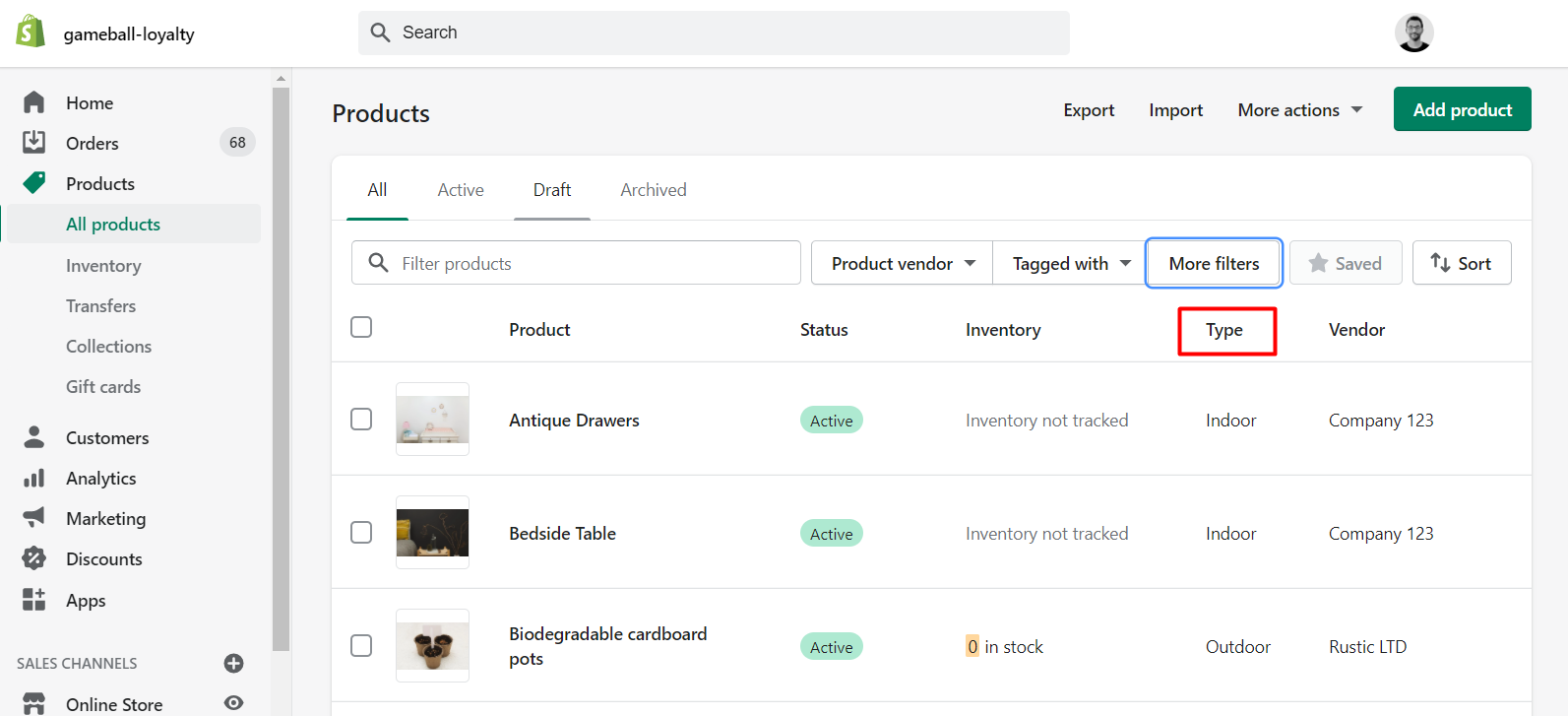
product_category | Product type of the order (fashion, electronics, etc.) Can be one category or multiple categories based on the items in the order |
tag | Product tag of the order. Can be one tag or multiple tags based on the items in the order |
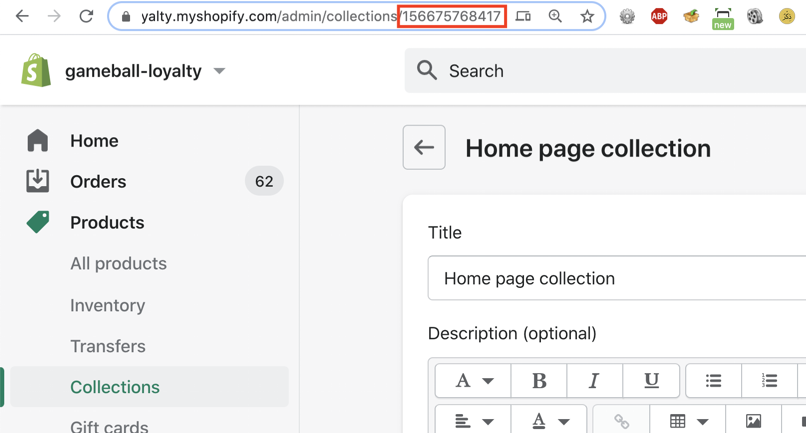
collection_id | Collection IDs of the order products. Can be one collection or multiple collections based on the products in the order |
weight | Order weight |
vendor | Product brand/vendor inside this order (e.g. Zara, Nike). Can be one or multiple brands sent simultaneously |
source | Whether the order was placed on the online Shopify store or through Shopify POS. Returns "web" or "pos" |
view_product_page
Description
This event should be sent when your customer views a product page on your Shopify store.Keys
| Key | Description |
|---|---|
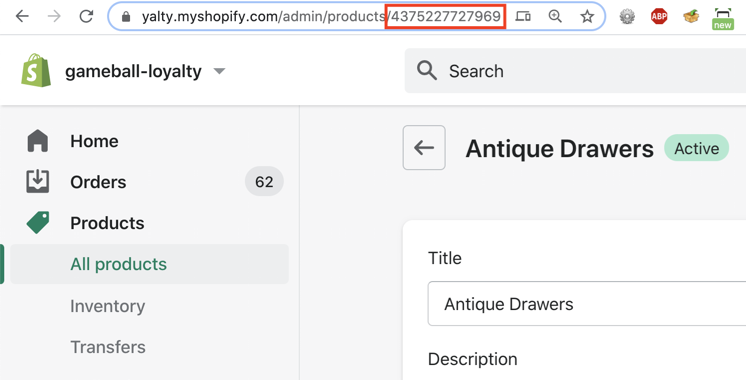
product_id | Product ID on Shopify (found in the URL of the product) |
product_category | Product category (fashion, electronics, etc.) based on available categories on your Shopify store |
product_vendor | Product brand/vendor, based on available vendors on your Shopify store |
collection_id | Collection IDs of the product. Can be one collection or multiple collections |
All the above events can be used in both the reward campaigns engine and while sending communication campaigns.
Friends_Referred
This event is automatically tracked when a customer successfully refers a friend through the Gameball referral program.Order_Refunded
Theorder_refunded event is automatically triggered by Gameball whenever a refund is processed through the platform.
This event is only applicable when using the V4.0 Refund APIs.
Key Benefits
Key Benefits
- Full Refund Visibility: Every refund triggers an
order_refundedevent, logging essential refund data. - Customer Transparency: Refunded orders are now visible within each customer’s activity timeline.
- Better Segmentation and Reporting: You can now segment customers based on refund behavior or integrate this event into your loyalty logic and analytics tools.
Data Included in the Event
Data Included in the Event
| Field | Description |
|---|---|
order_id | The original order ID |
refund_id | The unique refund ID |
refunded_amount | The monetary amount refunded |
refunded_points | The number of points deducted due to the refund |
Related Articles
How Does the Event Rule Engine Work?
Understand how event-based triggers drive reward campaign logic.
Differentiate Reward Campaigns Through POS and Online Shopify
Use the Source key to target campaigns by sales channel.