

Email Limits by Plan
| Plan | Email Limit per Billing Cycle |
|---|---|
| Free / Starter | 0 (no outbound emails) |
| PRO | 10,000 emails |
| Guru | 10,000 emails |
How Does Consumption Tracking Work?
When you navigate to your billing page, you’ll notice a new addition: the Email Consumption card. This card provides real-time insights into your email usage, allowing you to monitor how many emails you’ve sent against your allocated limit.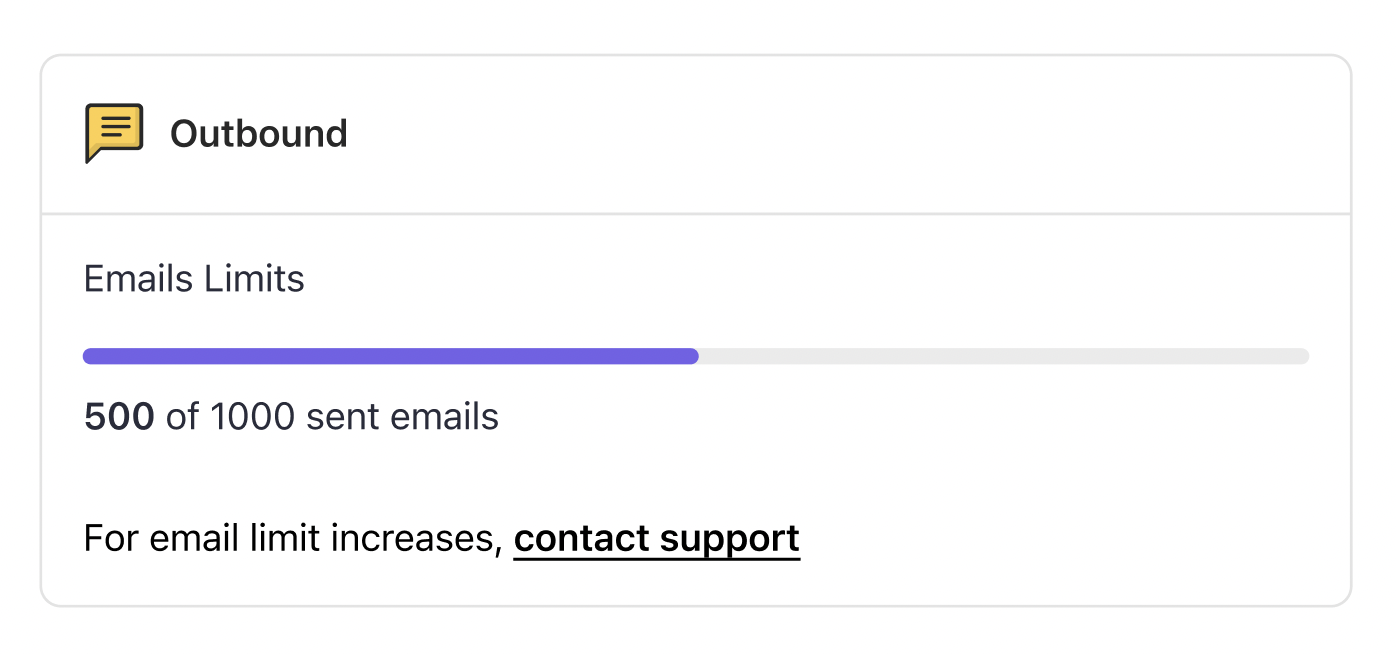
Managing Plan Transitions
We understand that your business needs may change over time. Here is how email consumption is handled when transitioning between plans:| Scenario | What Happens |
|---|---|
| Downgrading from PRO/Guru to Free/Starter | Email consumption resets to “0 of 0” — no emails are sent beyond your new plan’s limit |
| Downgrading then upgrading back to PRO within the same billing cycle | Email consumption retains its previous status, reflecting the 10,000 email limit |
| Upgrading to PRO in a subsequent billing cycle after downgrading | Email consumption resets, giving you a fresh start with your 10,000 email allocation |
Consumption Alerts
When you approach your email limit, Gameball will send you timely alerts to notify you of your consumption progress:80% Consumption Alert
80% Consumption Alert
You’ll receive an email notification when you’ve consumed 80% of your allocated emails for the billing cycle. This alert serves as a gentle reminder to monitor your usage and consider adjusting your plan if needed.
100% Consumption Alert
100% Consumption Alert
Upon reaching 100% of your email limit, you’ll receive another email notification. This alert signals that you’ve exhausted your allocated emails for the current billing cycle.
No Hidden Charges
We believe in transparent pricing. If you exceed your email limit, no extra charges will apply. Instead, any additional emails sent beyond your limit will be blocked until the start of your next billing cycle, when you can start resending them again.Email notifications are a separate feature that allows you to send customers emails when they achieve certain milestones (like earning cashback, completing reward campaigns, or reaching new tiers). Email notifications do not have an outbound charge limit and are available under certain packages. Learn more about email notifications.
Need Further Assistance?
If you have any questions or need assistance with managing your email limits, don’t hesitate to reach out to our Support. We’re here to support you every step of the way.Related Articles
Email Notifications
Send customers achievement milestone emails when they reach new tiers or earn rewards.
Gameball Plans and Subscriptions
Compare plan features and understand what is included in each tier.