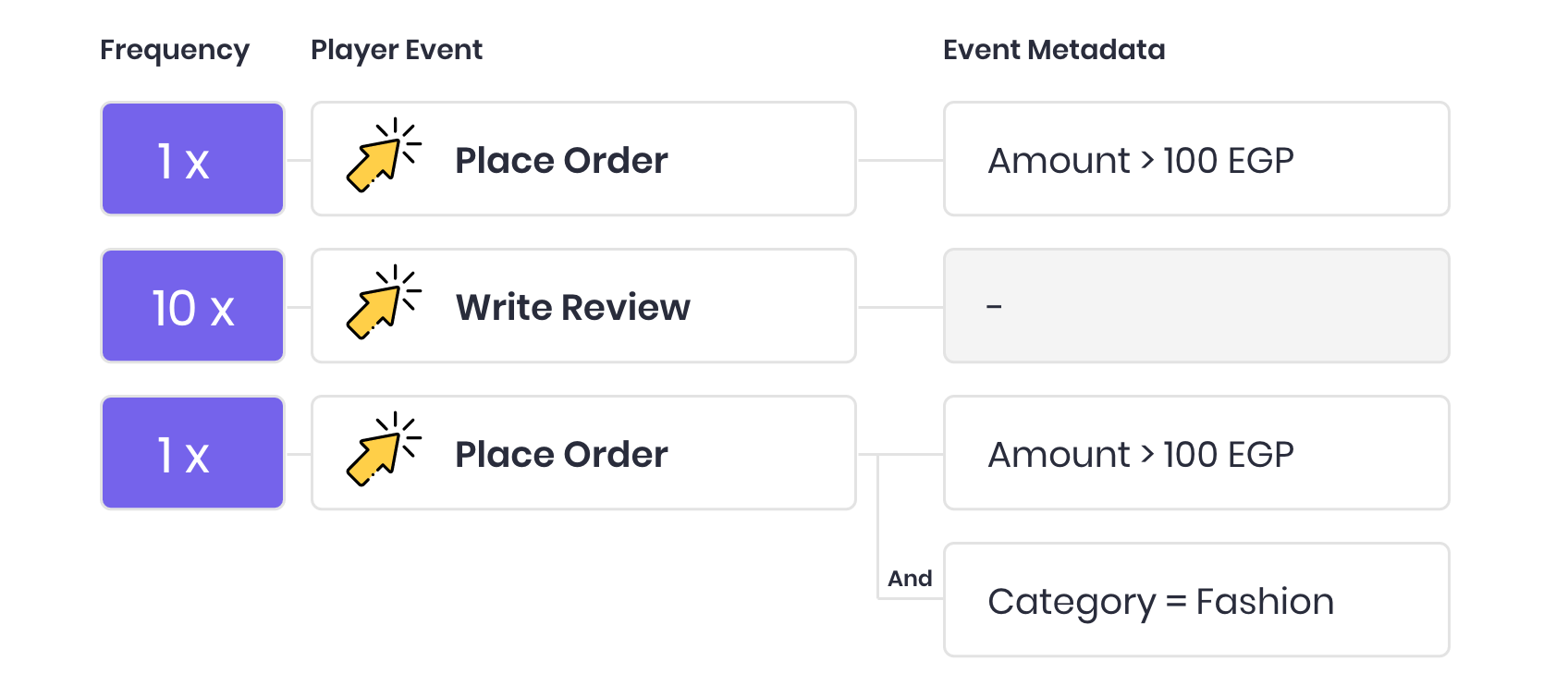
Gameball Events Engine helps you set the reward campaign for one or more events your customer needs to complete. You can also add one or more rules per event with this engine.
Event engine overview
The events engine is used in multiple cases, like creating communication campaigns, a referral program, or a reward campaign. You will need to use the event engine to set the events that a customer needs to do to trigger a campaign or achieve any of the mentioned programs.
Event engine use cases
For additional information about events, see Understand your customers’ events, and Manage your customers’ events.

Key Operators

For every chosen key in the case of using the event rule, you will find multiple operators based on the data type, which can be either numeric or string:
String equals operator icon
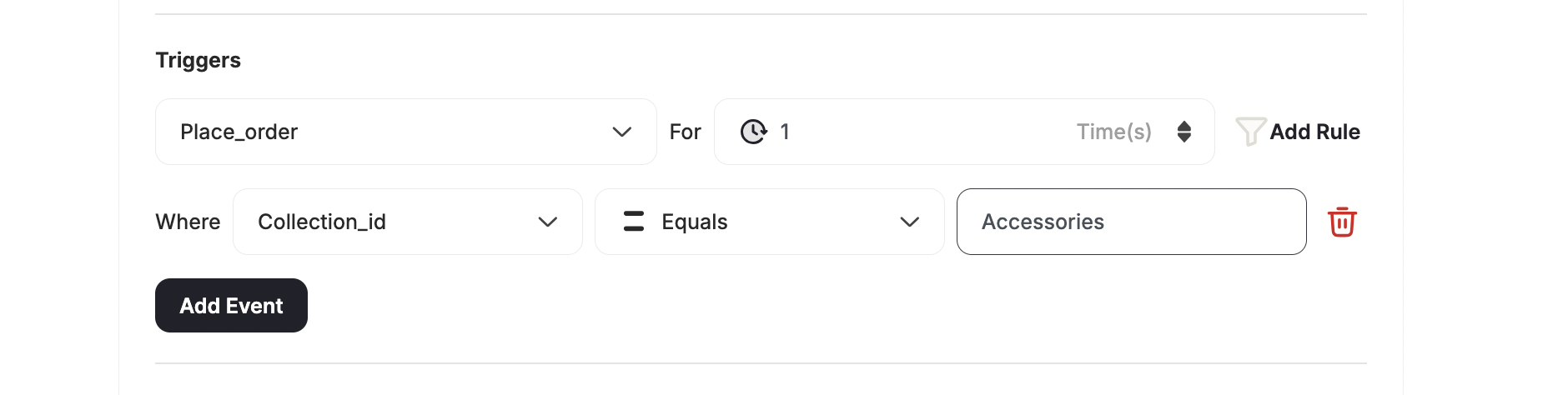
The received data from the customer for this key should equal a specific value (not case sensitive).Use case: Buy from a specific collection or productYou can specify which product or collection a customer must buy from to meet the rule requirement.
String equals use case example
Different values operator icon
This will allow you to configure the event to be completed in case Gameball receives X number of different types of data for this key.Example: User-defined key: Category to receive 3 different values, the customer will complete this event if Gameball receives Fashion, Electronics, and Accessories.Use case: Buy from 3 different collectionsIf you want your customers to meet a condition with multiple variables, such as to buy at least one product from 3 different collections, then the different values operator is what you need to use.
Different values use case example
Equals or greater than operator icon
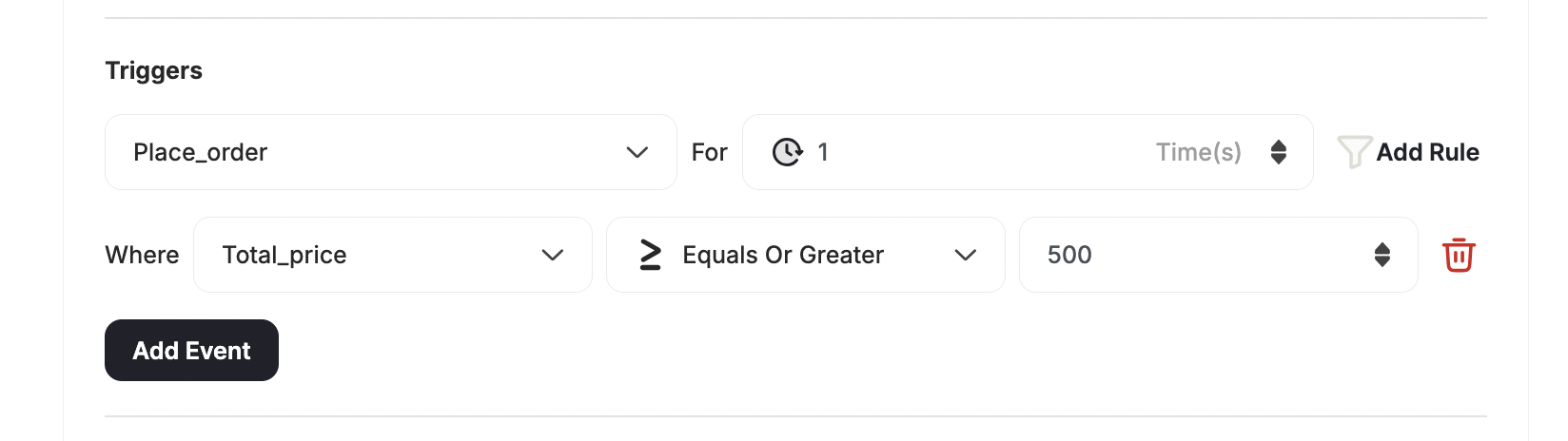
The received number from the customer for this key should be greater than or equal to a specific value.Use Case: Free shipping for orders over $500Grant a reward for when customers exceed a specific order value.
Equals or greater than use case example
Numeric equals operator icon
The received data from the customer for this key should equal a specific value in numbers.
Accumulative total operator icon
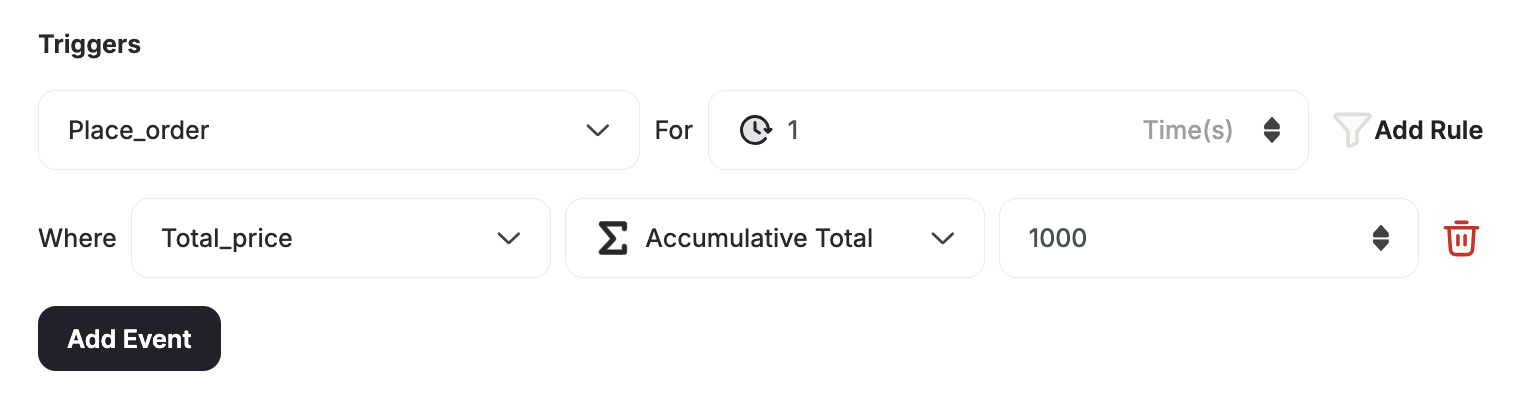
The customer should reach a predefined number in one or multiple events for this key, and Gameball will store the received numbers till reaching the predefined number.Use case: Get a 20% coupon after spending a total of $1000To create a rule where you want the customer to win a reward after they have spent a total of more than x amount (across all previous orders) you will need to use this operator.
Accumulative total use case example
Contains operator icon
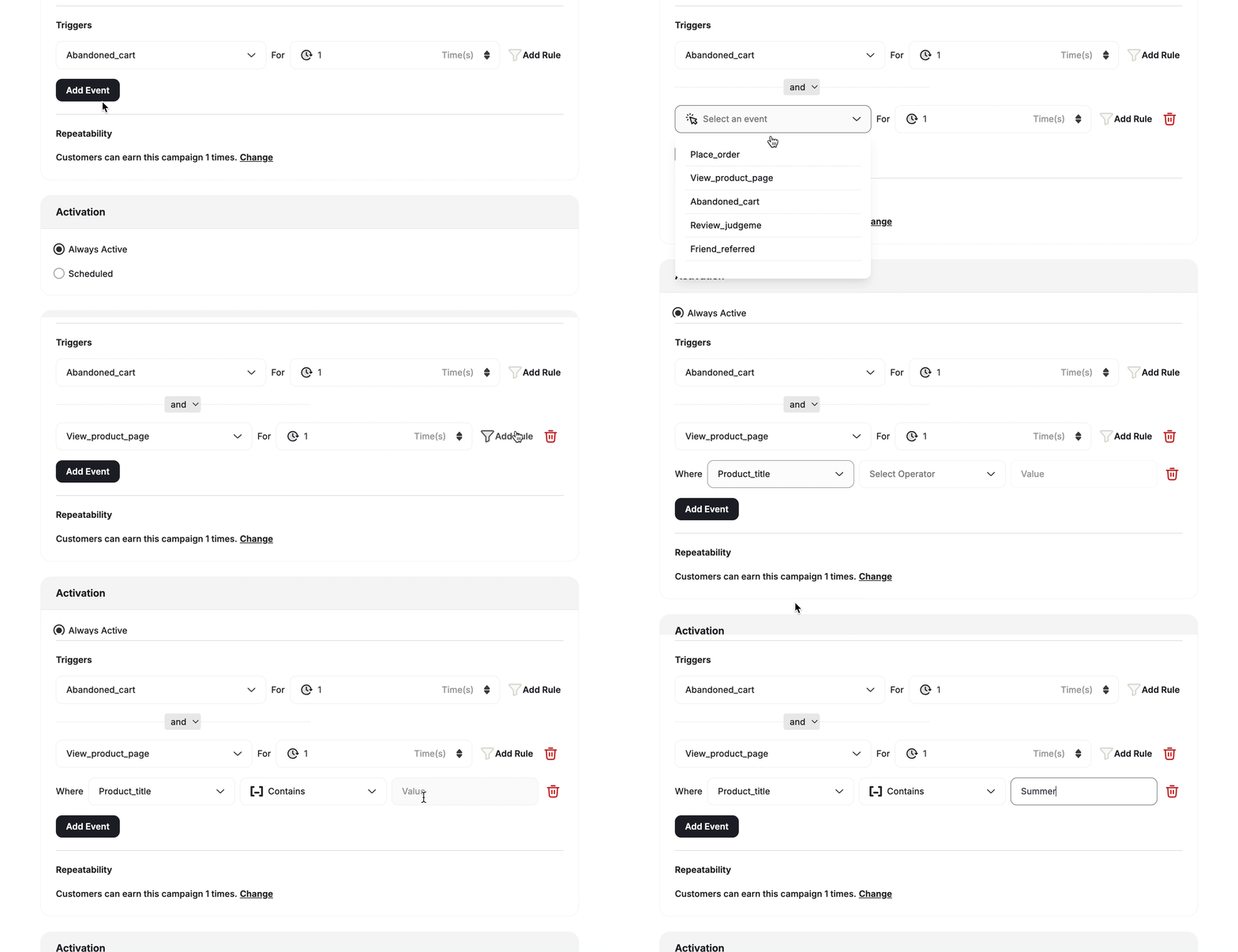
Include will be triggered if the key-value contains the added rule value, and the customer’s event should satisfy the included value. For example, if your rule is to reward customers when they buy a certain type of product like “Summer shirts”, “Summer accessories”, you can just select all products that include the word “Summer”.Use case: Order includes an item from a specific collectionLet customers win a reward when they complete an order that has at least one item that belongs to a specific collection, while it does not matter what other collections are under the same order.
Repeated value operator icon
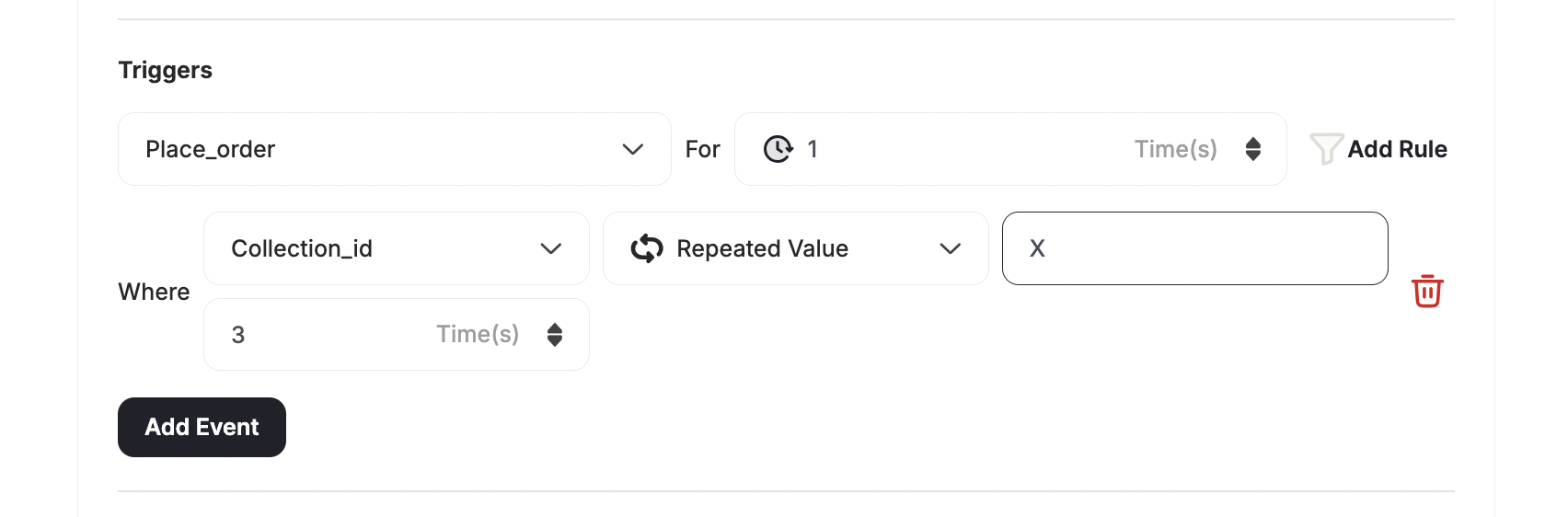
When using this operator, you are prompted to enter a string value for the key selected, then the number of repeated times which this reward campaign is won. This campaign will be achieved only when the customer meets the configured criteria for the number of repeated times indicated.By default, each new rule is set to be won for 1 time until the user changes it. The repeated number of times can be within the same event or cumulative.Use case: Buy 3 items from a specific collectionYou can create a rule where the customer has to buy 3 different items from the same collection using the repeated value operator.
Repeated value use case example
Between operator icon
You can use a between operator when working with numeric attributes, allowing you to target customers who fall within a specific numeric range with greater accuracy.
Minimum must be less than maximum.
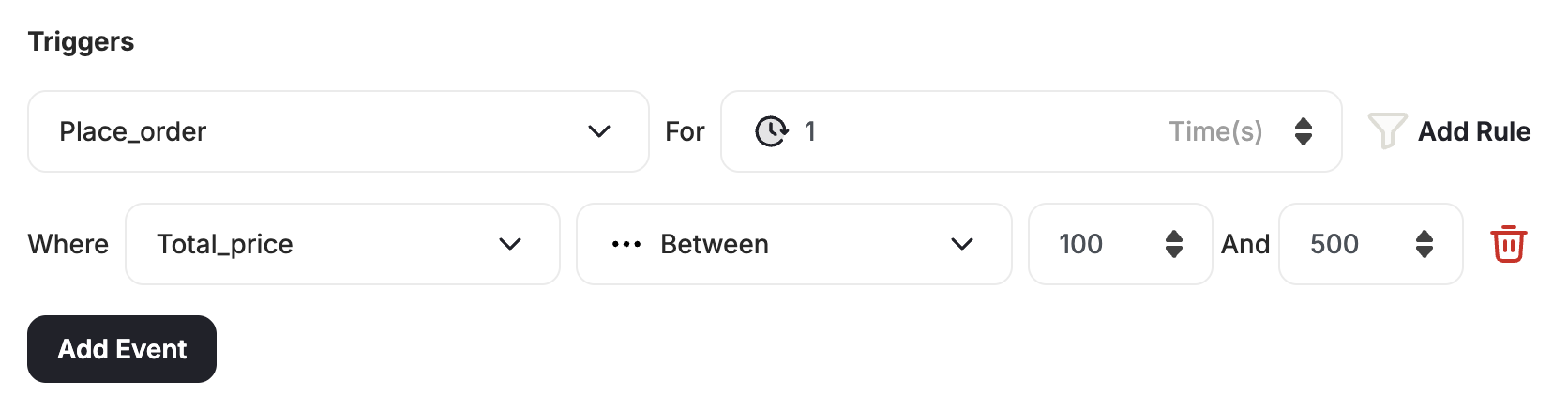
Use case: Spend anywhere from 100 to 500You can create a rule where the customer has to buy an order where the total price is between 100 and 500.
Between operator use case example

The AND and OR Relation

You can also create multiple events. These are the relations you can set between those various events:
RelationBehavior
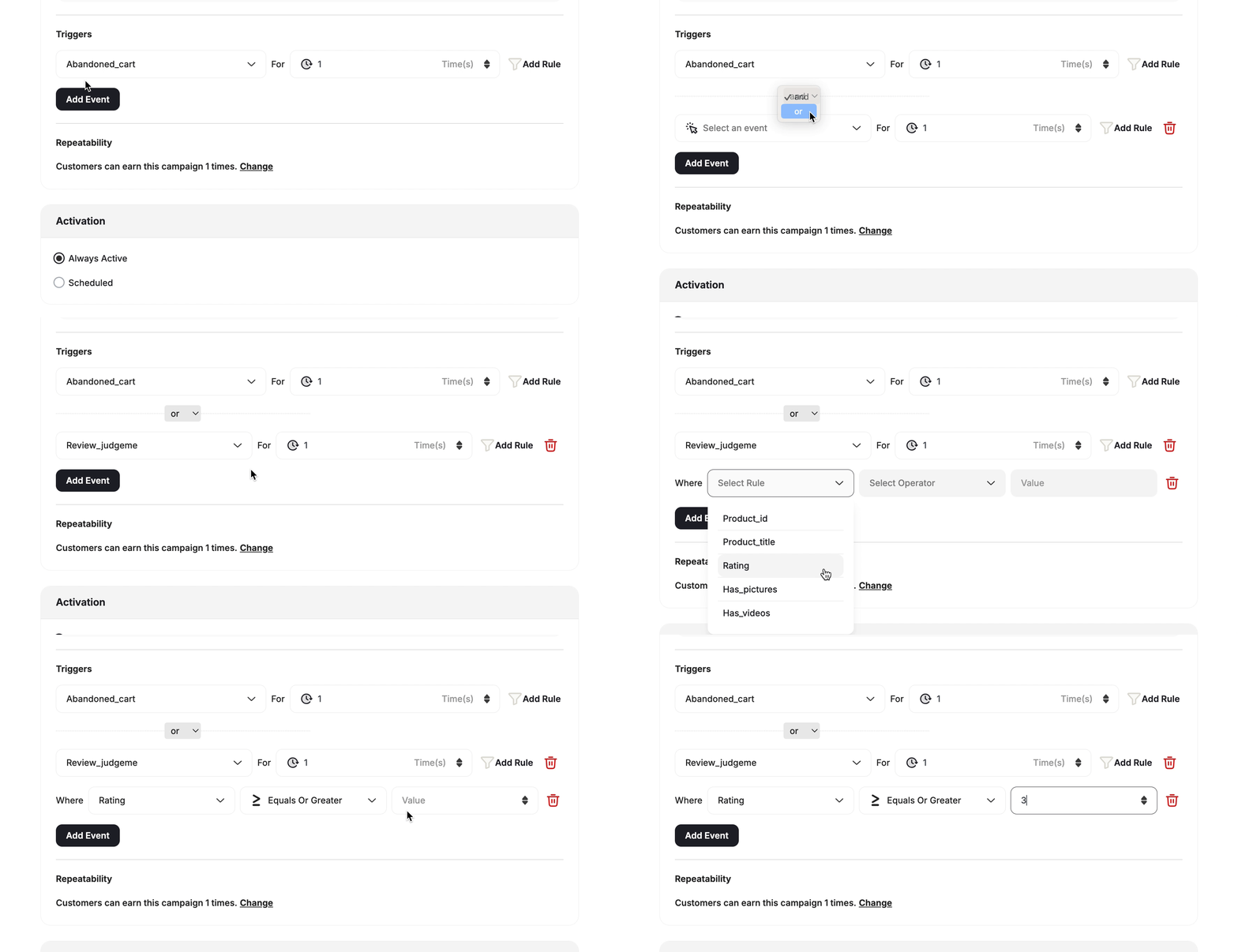
ANDThe customer will have to complete every event to win the reward campaign.
ORThe customer will have to complete one of the configured events to win the reward campaign.

Where You Will Use These Operators

Reward campaigns mainly focus on how to reward your customers when they take certain actions on your platform, especially if you are creating action-based reward campaign from scratch.
Event engine in reward campaigns
The referral program motivates your customers to spread the word about your platform so you can increase your acquisition and grow faster. When a customer refers a friend, the friend has to first complete a specific action before they receive rewards. Read more about the referral Program.
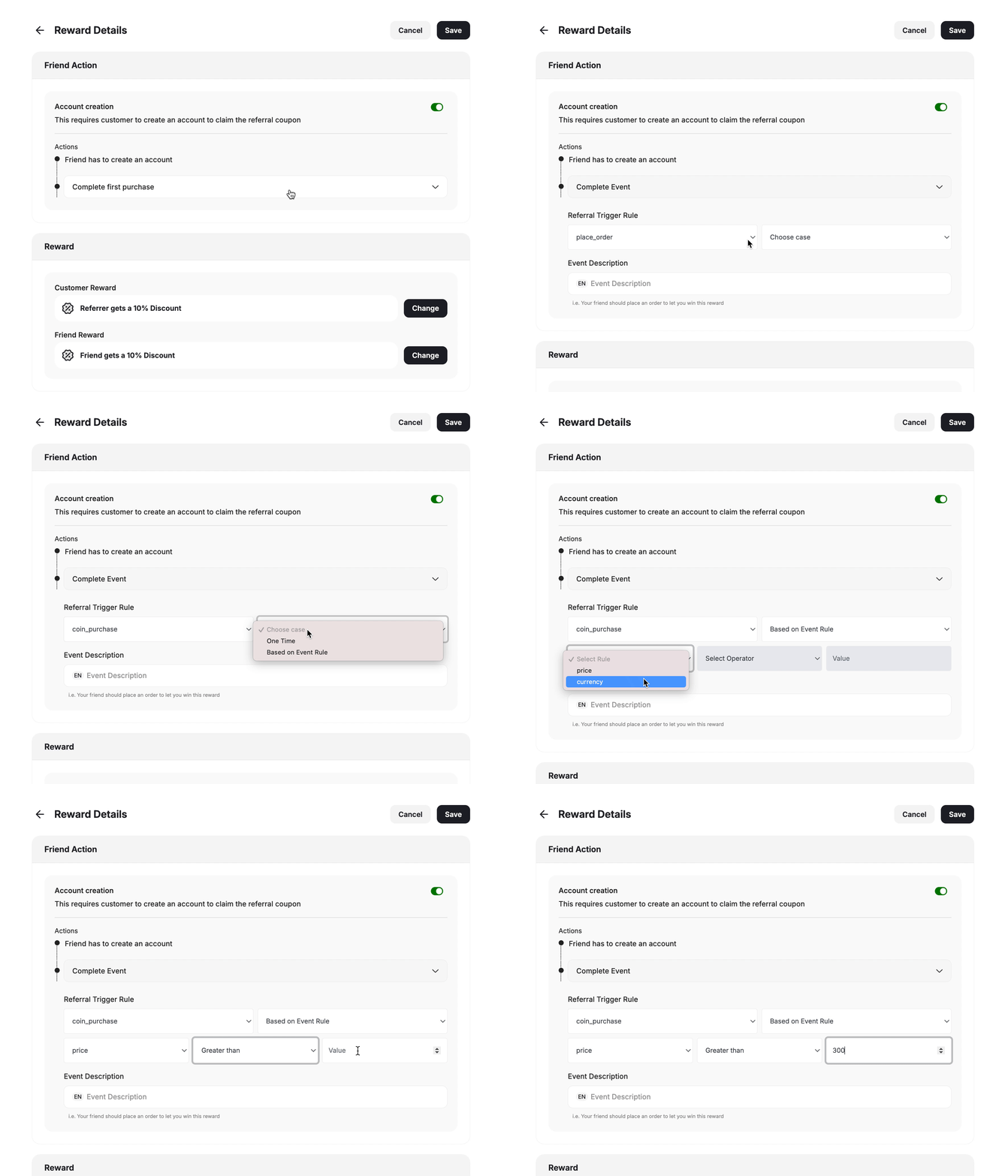
Event engine in referral program
You can trigger communication campaigns based on customer actions, for example, when a customer visits a certain page on your website, they will receive a message that pushes them to take further action. Read more about customer communication campaigns
You can create segments to target customers who fall within specific ranges based on the actions they made or the properties they have. Read more about segment creation