

Black Friday Template
Goal
Capitalize on Black Friday with limited-time discounts.Flow
On Black Friday, this automation provides a 10% discount valid for 7 days. Customers are notified about the discount via email and the automation waits for them to place an order. If no order is made, a reminder email is sent one day before the discount expires.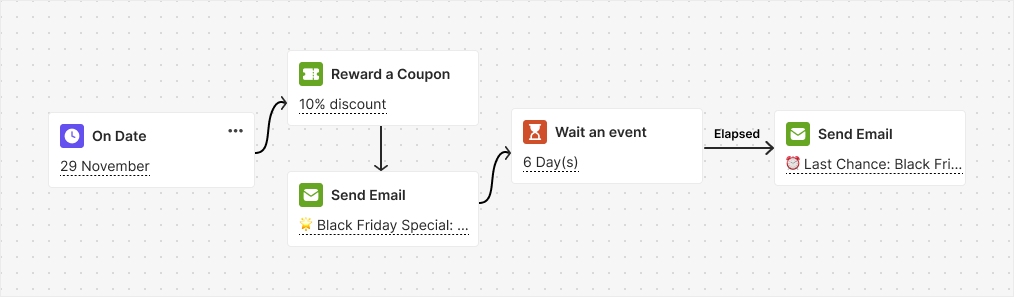
Trigger
On Date (November 29)Instructions
The date (November 29) is already pre-selected on the trigger block — you are good to go!Flash Sale Template
Goal
Drive sales with flash sale discounts and reminders.Flow
On a set date, this automation activates a 20% discount for 7 days, communicated via email. It then waits for the customer to place an order. If no order is placed, a reminder email is sent one day before the discount expires.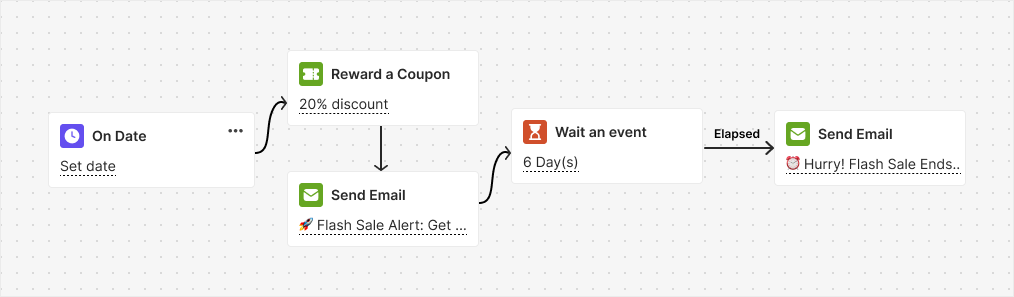
Trigger
On DateInstructions
Select the desired date from the trigger block, and you are all set!Double Points on Weekends Template
Goal
Encourage weekend purchases by offering double points to customers.Flow
This automation is triggered specifically on weekends to promote the double points offer, which is available only during the weekend and is communicated through email.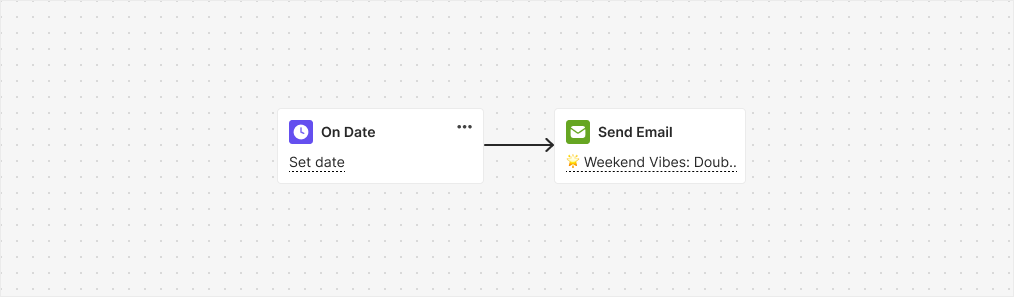
Trigger
On DateInstructions
Select the date you want to activate the promotion from the trigger block, and you are ready to boost weekend sales!Points Expiry Reminder
Goal
Gives you full control over when and how to notify customers about their expiring points, helping you drive engagement while reducing liability.Flow
This automation is triggered specifically when a customer’s points are near expiration, sending them any type of chosen notification.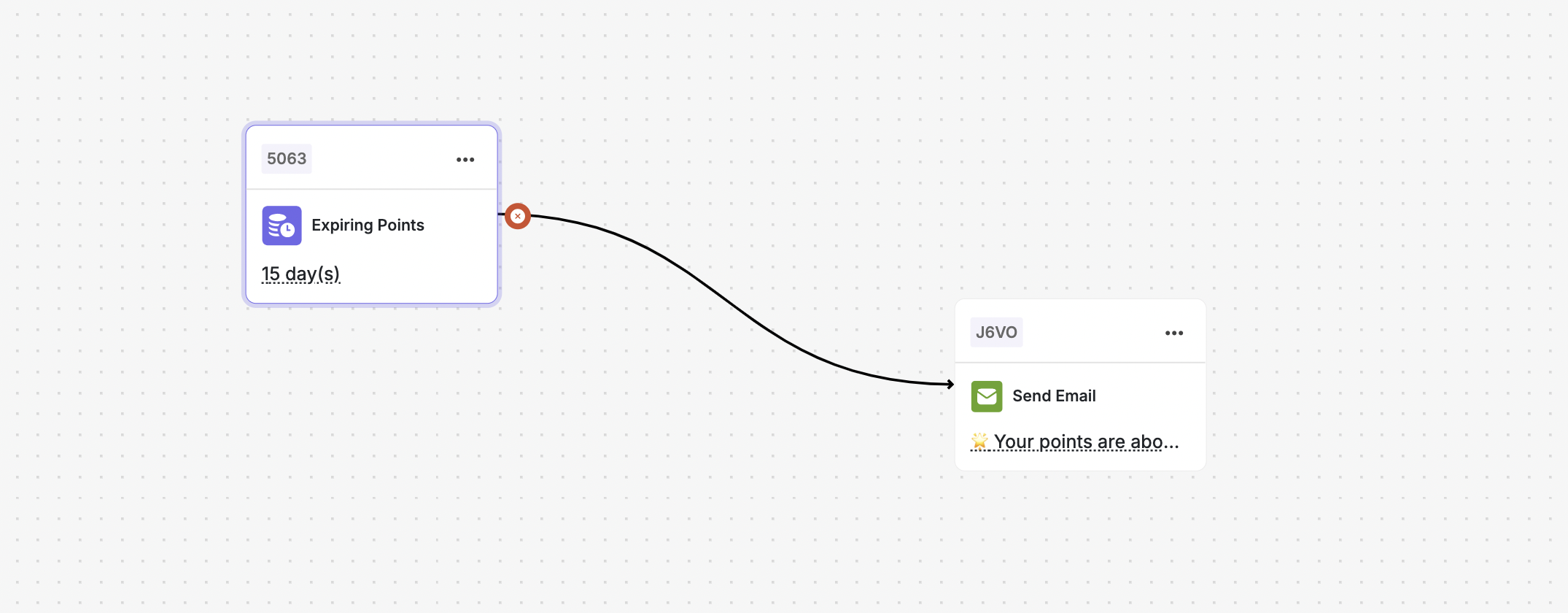
Trigger
“Points to Expire”- Available in the Automation Builder.
- Detects when a customer’s points are approaching expiration.
Instructions
Related Articles
How to Create an Automated Workflow
Step-by-step guide to building automation campaigns.
Introduction to Automation Templates
Overview of all available automation templates.