

Available Push Notification Templates
Close to Achieving a New Reward Campaign
Close to Achieving a New Reward Campaign
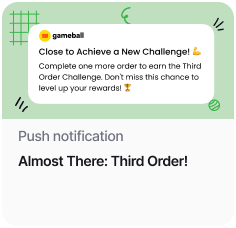
| Field | Value |
|---|---|
| Trigger | Scheduled — One Time — Now |
| Audience | Specific Audience |
| Customer Attribute | Total Orders = 2 |
End-of-Season Offer
End-of-Season Offer
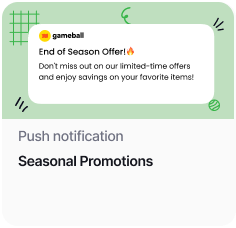
| Field | Value |
|---|---|
| Trigger | Scheduled — One Time — Now |
| Audience | All |
Back in Stock Alert
Back in Stock Alert
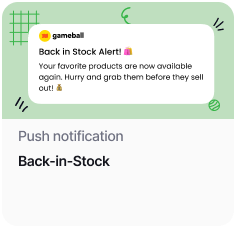
| Field | Value |
|---|---|
| Trigger | Scheduled — One Time — Now |
| Audience | All |
How to Use the Templates
Check this article for a detailed guide on how to create a new push notification or make edits on a template.
Benefits of Using Push Notification Templates
| Benefit | Description |
|---|---|
| Personalization | Tailor messages to specific audience segments based on their behavior or attributes. |
| Automation | Set triggers and targeting criteria to automate message delivery and maximize efficiency. |
| Engagement | Capture users’ attention with timely and relevant messages, encouraging interaction and action. |
| Conversion | Drive desired actions such as achieving new reward campaigns, capitalizing on offers, or purchasing restocked items to increase customer loyalty and sales. |
Related Articles
Web Messages Templates
Explore pre-built web message templates for on-site customer engagement.
Email Templates
Explore email templates to reach customers directly in their inbox.