

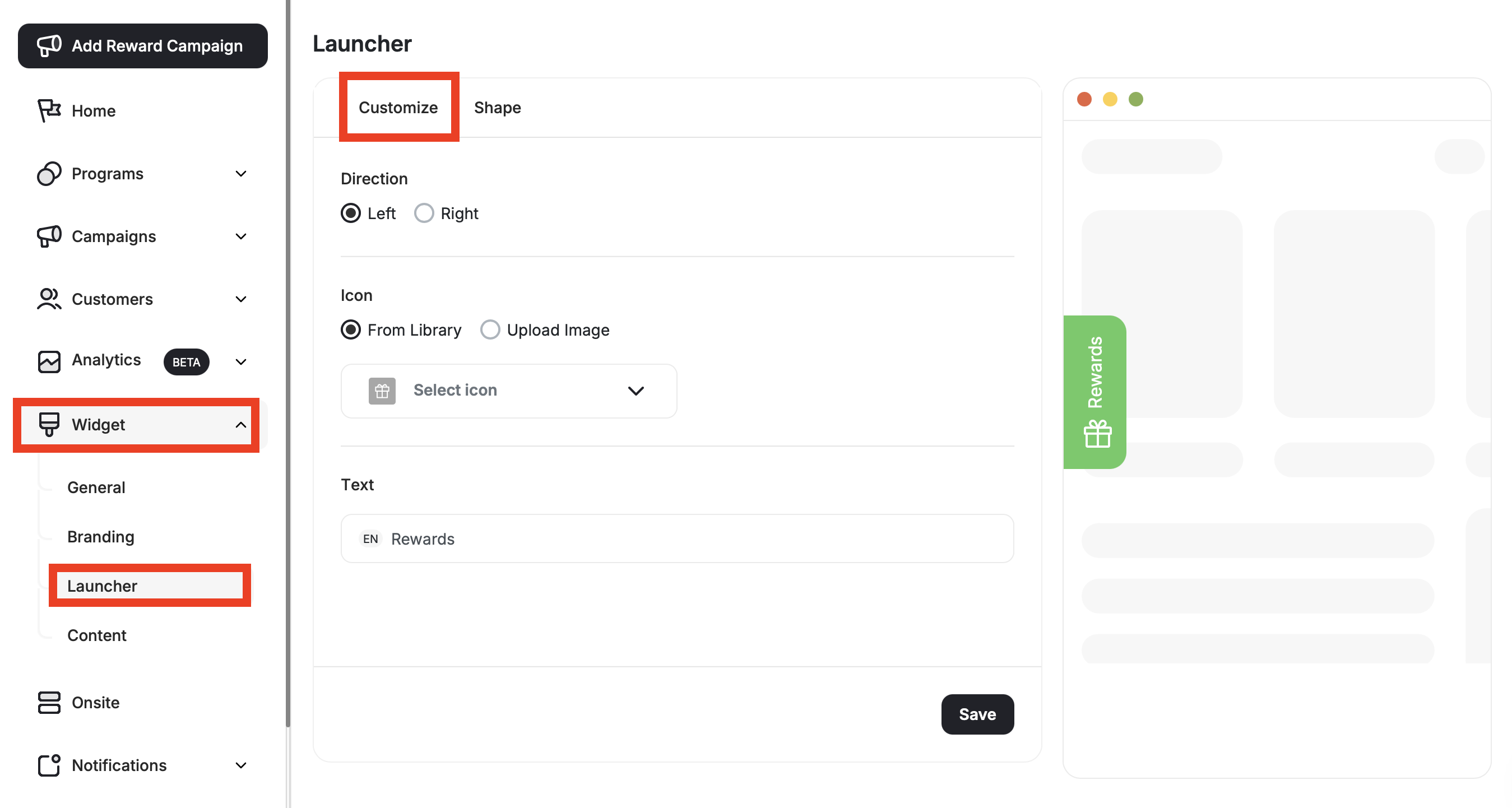
Direction
Start by controlling which area of the page the widget launcher button should be displayed on:- Left
- Right
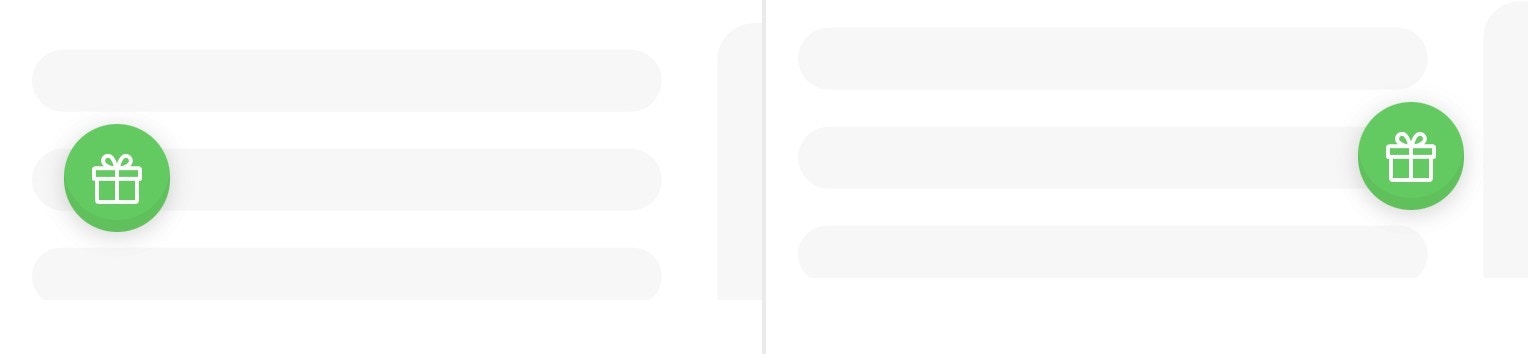
Launcher Customization Options
Icon
Icon
Uploading an Image to Edit the Launcher Icon is available on:

| Platform | Plan |
|---|---|
| Shopify | Pro, Guru |
| Salla | Pro, Guru |
| Non-platform clients | Growth, Enterprise |
- From Library: Choose from Gameball’s icons library.
- Upload Image: Upload your own image from your own library to match your theme.
When choosing “Upload Image,” the image size and type must be: 60px x 60px. JPEG or PNG.
Text
Text
Type down a small text that would appear on the widget button. It could be something simple such as: “Rewards”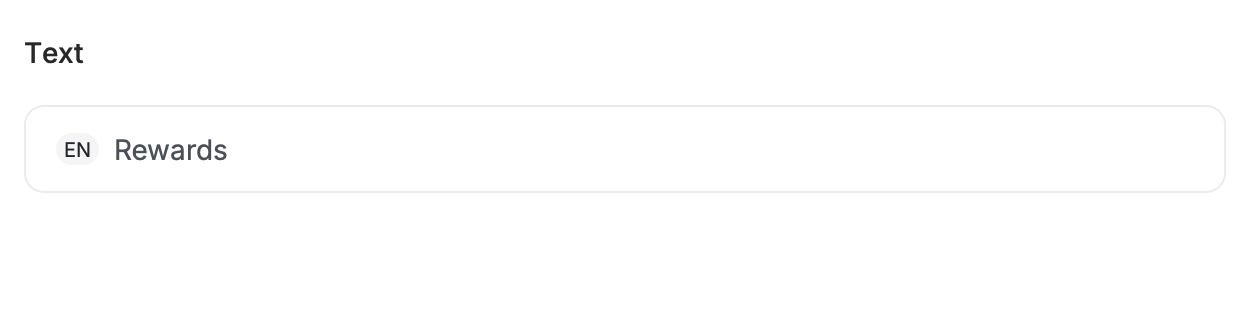
Visibility & Effect
Visibility & Effect
To customize launcher visibility and animation, go to Widget > Launcher: Shape in the Gameball Admin Dashboard.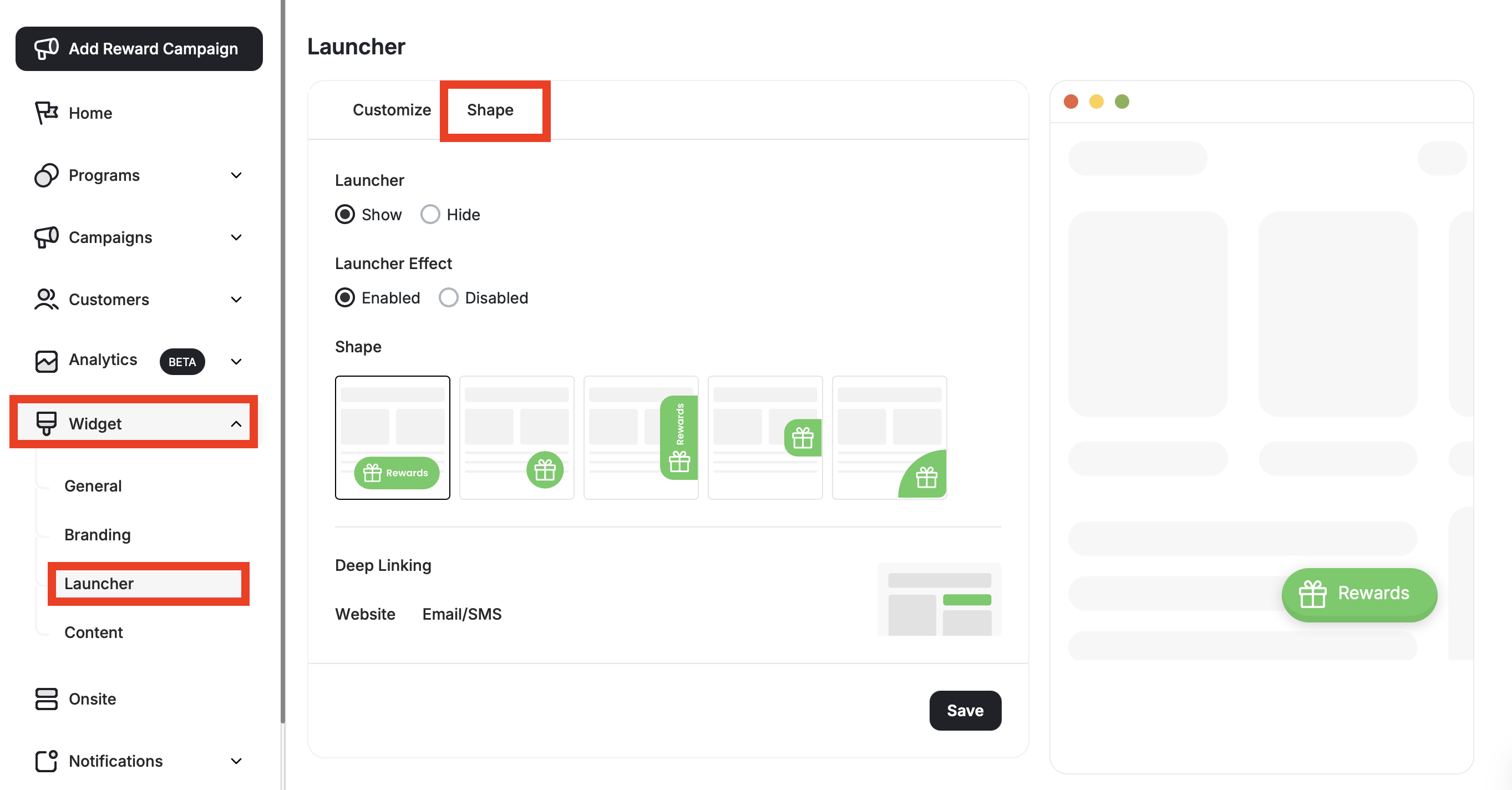
- Show: Ensures the button will be visible to all your players and visitors.
- Hide: Button will not be visible.
- Enabled: Enables a wiggly-like effect to the widget to help customers notice it.
- Disabled: Disregards the animation.
Hiding the launcher does not deactivate the loyalty program.
Shape
Shape
You can control the shape of the profile launcher button. Gameball offers multiple shapes to let you choose from based on your preference or what will be a better match with your website design: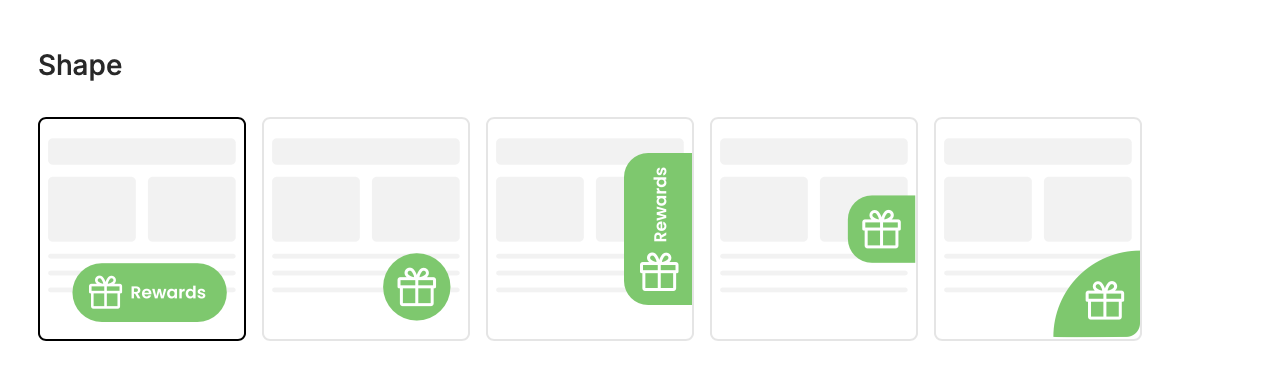
- Corner Curve
- Circle
- Center Tab
- Oval With Text: In this case, you will need to add the text and its color.
- Center Tab With Text: In this case, you will need to add the text and its color.
Deep Linking
Deep Linking
This will let your customers launch the Gameball customer widget through any button on your website. Learn more about this in Enable Opening Gameball Widget Through Inline Links Using Deep-links.
What’s Next?
Customize Tabs Visibility and Order
Control which tabs appear in your widget and in what order they are displayed.
Guest Profile Configuration for Web
Configure the guest experience, including images, sign-up URLs, and login redirects.
Configure Widget Language
Set a default language and add additional languages to serve a multilingual audience.