

How to Create Real-Time Notifications for Referrals
Navigate to Referral Notifications
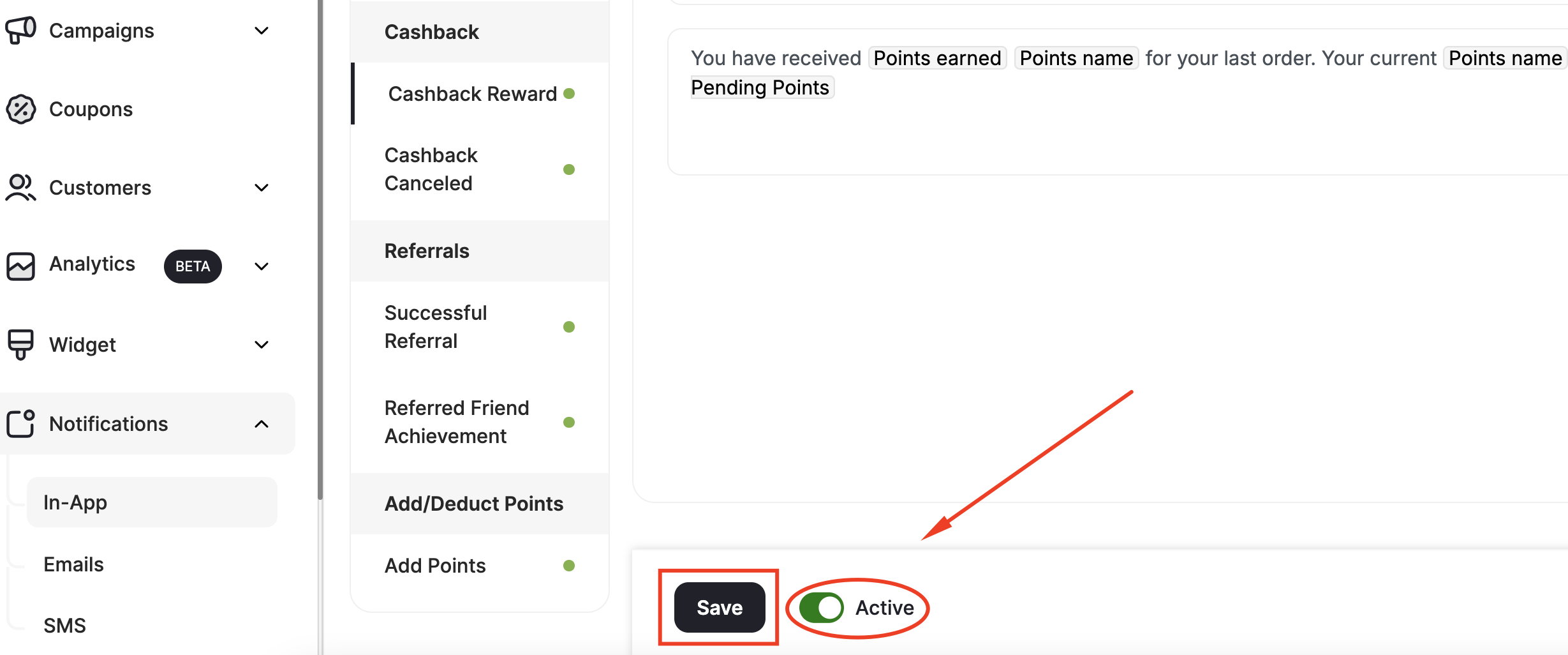
In the Gameball Admin Dashboard, from the left bar, click Notifications. Choose between In-App, Emails, & SMS. Scroll to Referrals and select between Successful Referral and Referred Friend Achievement.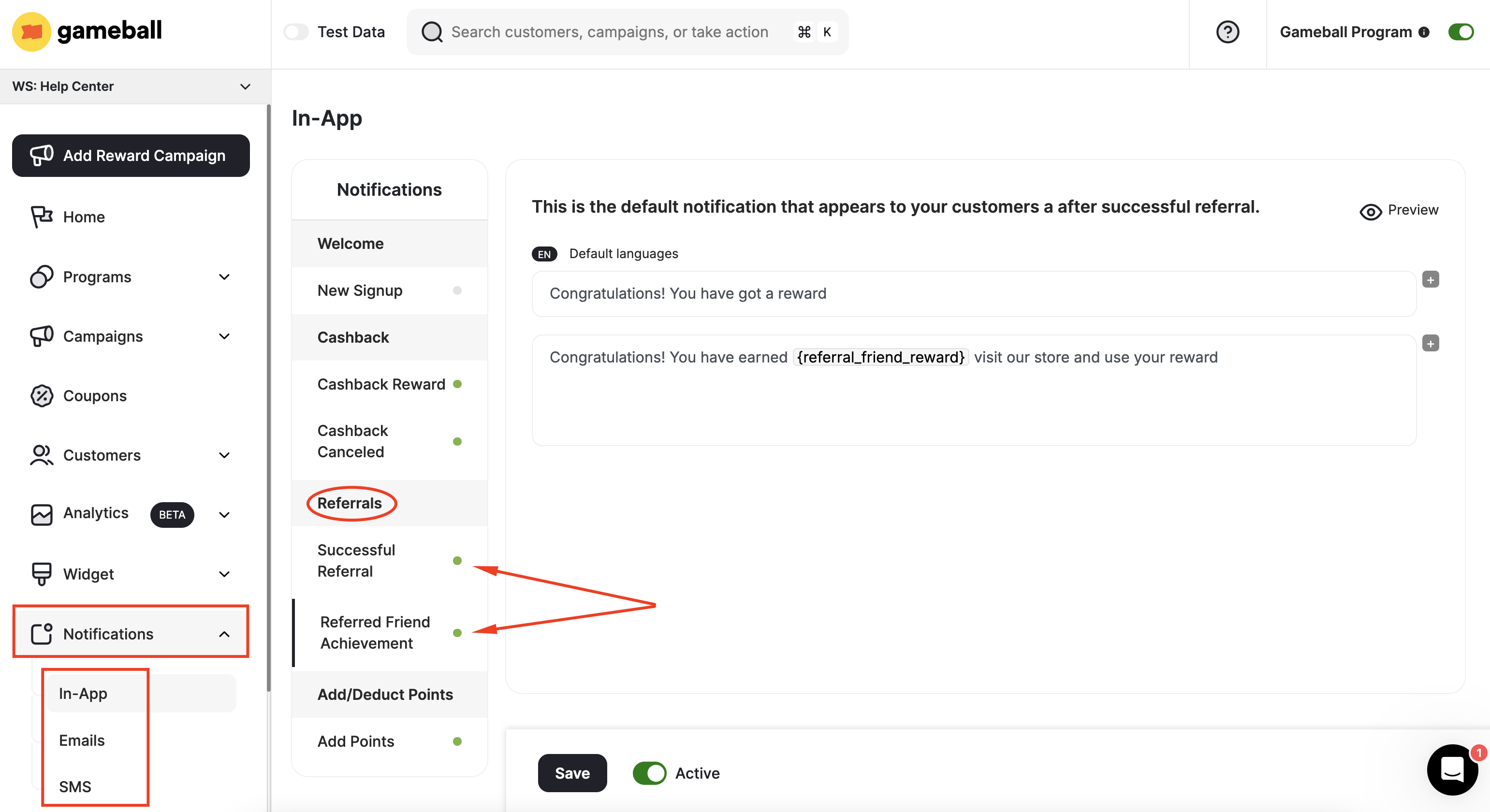
Write the Notification Message
Construct a heading and a body for the notification. In case you are creating an email notification, write a clear subject line and body. Learn how to write an email notification.
Configure the Notification Script
Add your message script for each referral notification type:
Successful Referral Message
Successful Referral Message
Send real-time transaction notifications for every successful referral. Inform your customer when the friend they referred has completed the required action.
Referred Friend Achievement Message
Referred Friend Achievement Message
If you reward your customers when their referral attempt becomes successful, ensure that your customer receives a real-time notification informing them that they have received an award due to their successful referral attempt.
Add Script Variables
To send more personalized, relevant, and clear notifications, add variables in between your messages by clicking the + icon.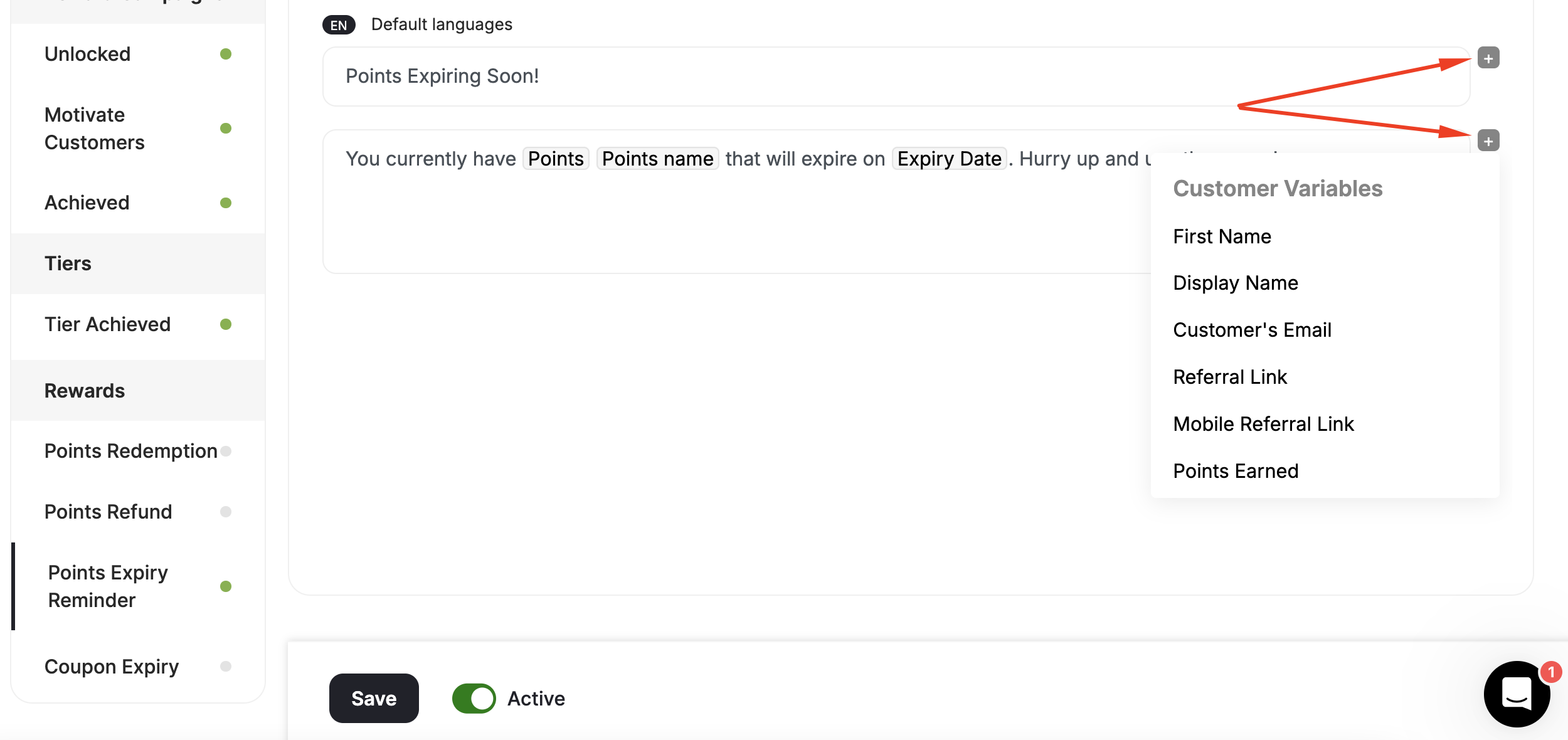
- Customer Variables: First Name, Display Name, Customer’s Email, Referral Link, Mobile Referral Link, Points Earned, Tier-up Progress, Points, Points Before, Tier Up total progress, Total Friends Referred.
- Referral Variables: Equivalent value of total points, Equivalent value of earned points, Currency, Points Name, Referral Link, Mobile Referral Link.
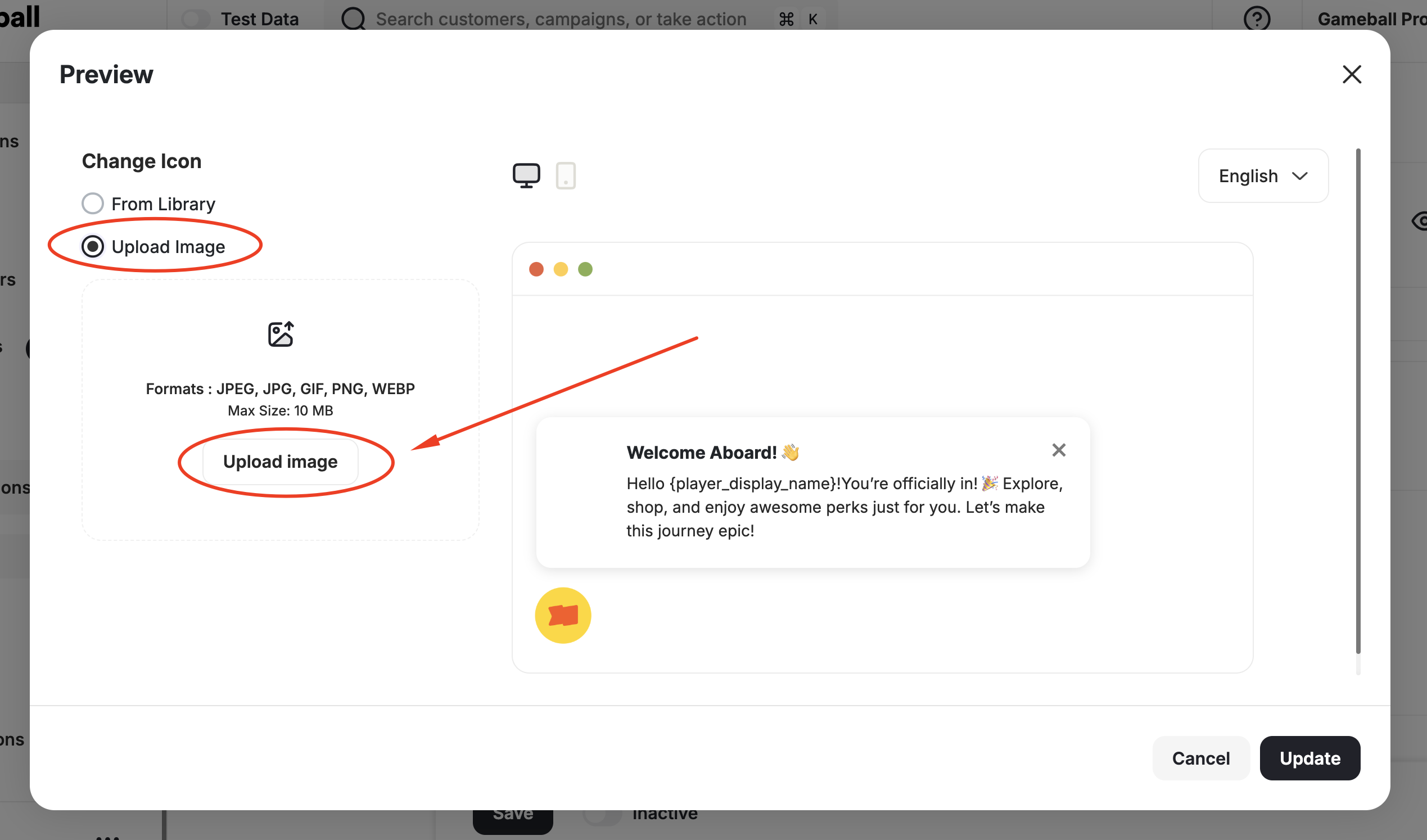
Preview and Update Notification Icon
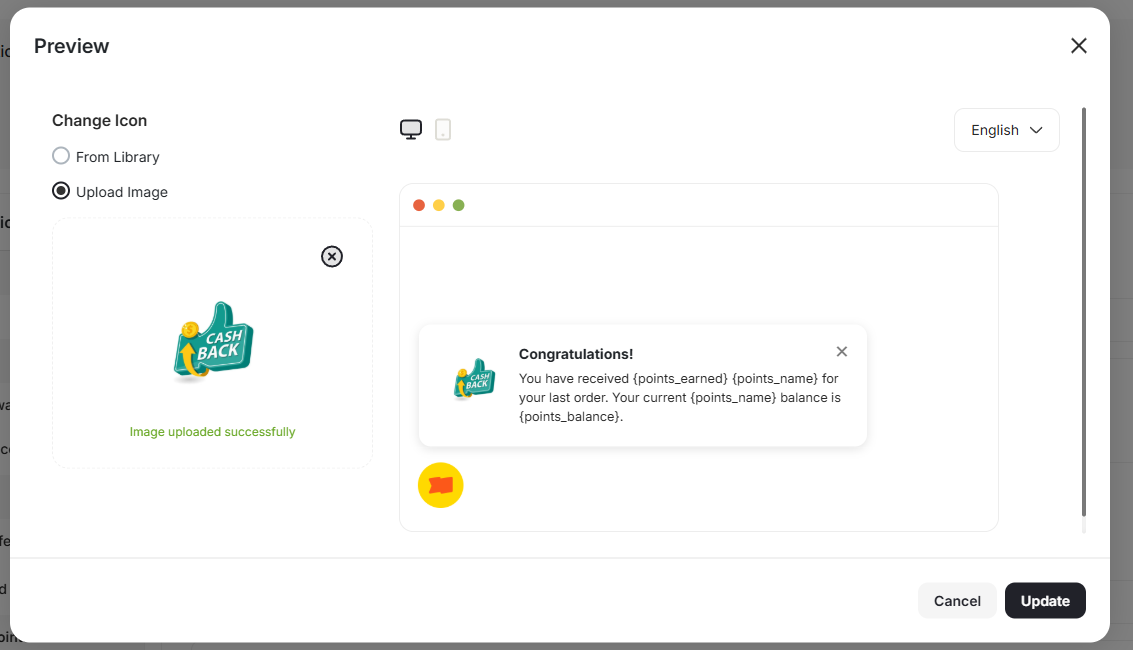
Before activating the notification, click Preview on the top right of the edit page to see what the notification will look like for customers.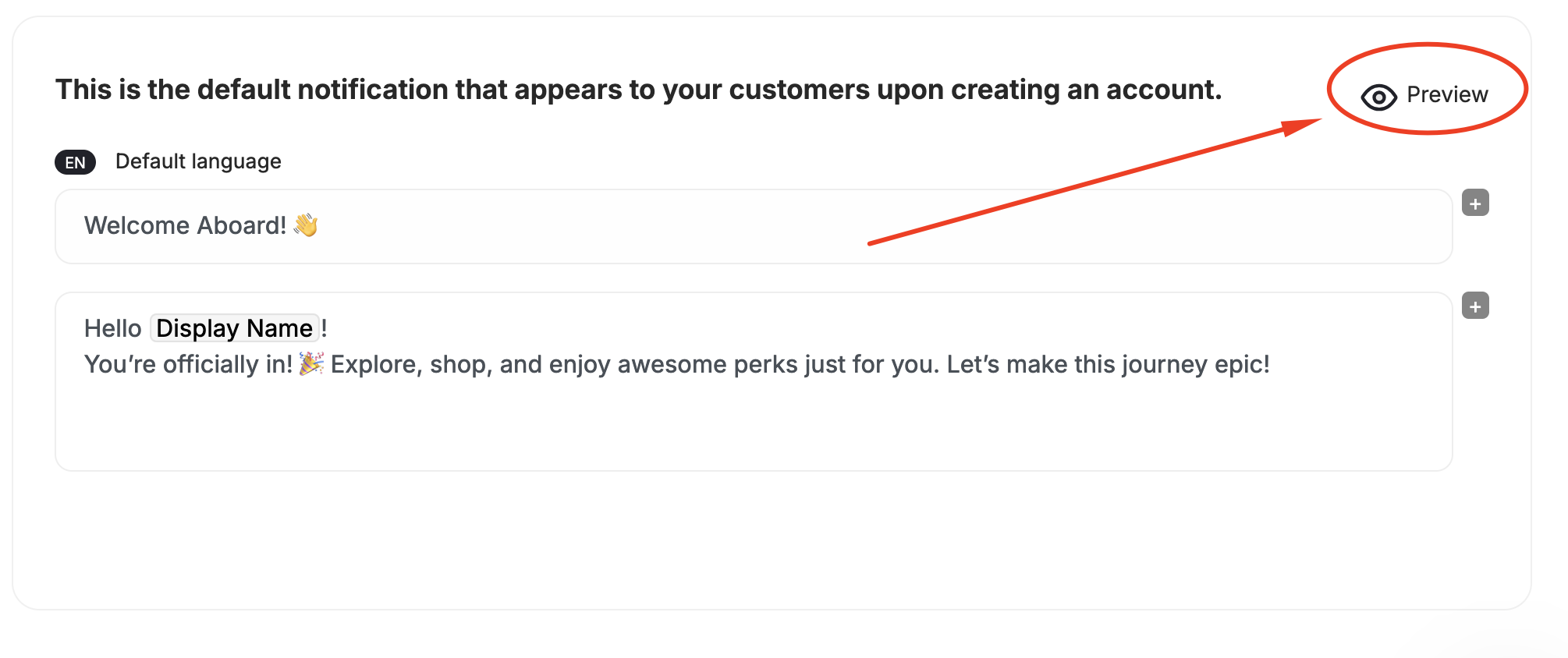
Related Articles
Send Real-Time Notifications for Tiers
Notify customers when they level up to a new tier in your loyalty program.
Send Real-Time Notifications for Reward Campaigns
Keep customers informed of reward campaign unlocks, progress, and achievements.
Send Real-Time Notifications for Cashback
Notify customers of cashback rewards earned or canceled for their transactions.
Send Real-Time Notifications for Transactional Rewards
Notify customers about points redemption, refunds, and expiry events.
Sending Customers Emails Celebrating Achievements
Send achievement emails to drive customers back to your platform.