

Stage 1: Publish and Unpublish the Gameball Loyalty Experience
By toggling the switch at the top right of any page on the Gameball Admin Dashboard, you will be able to activate or deactivate the Gameball loyalty experience.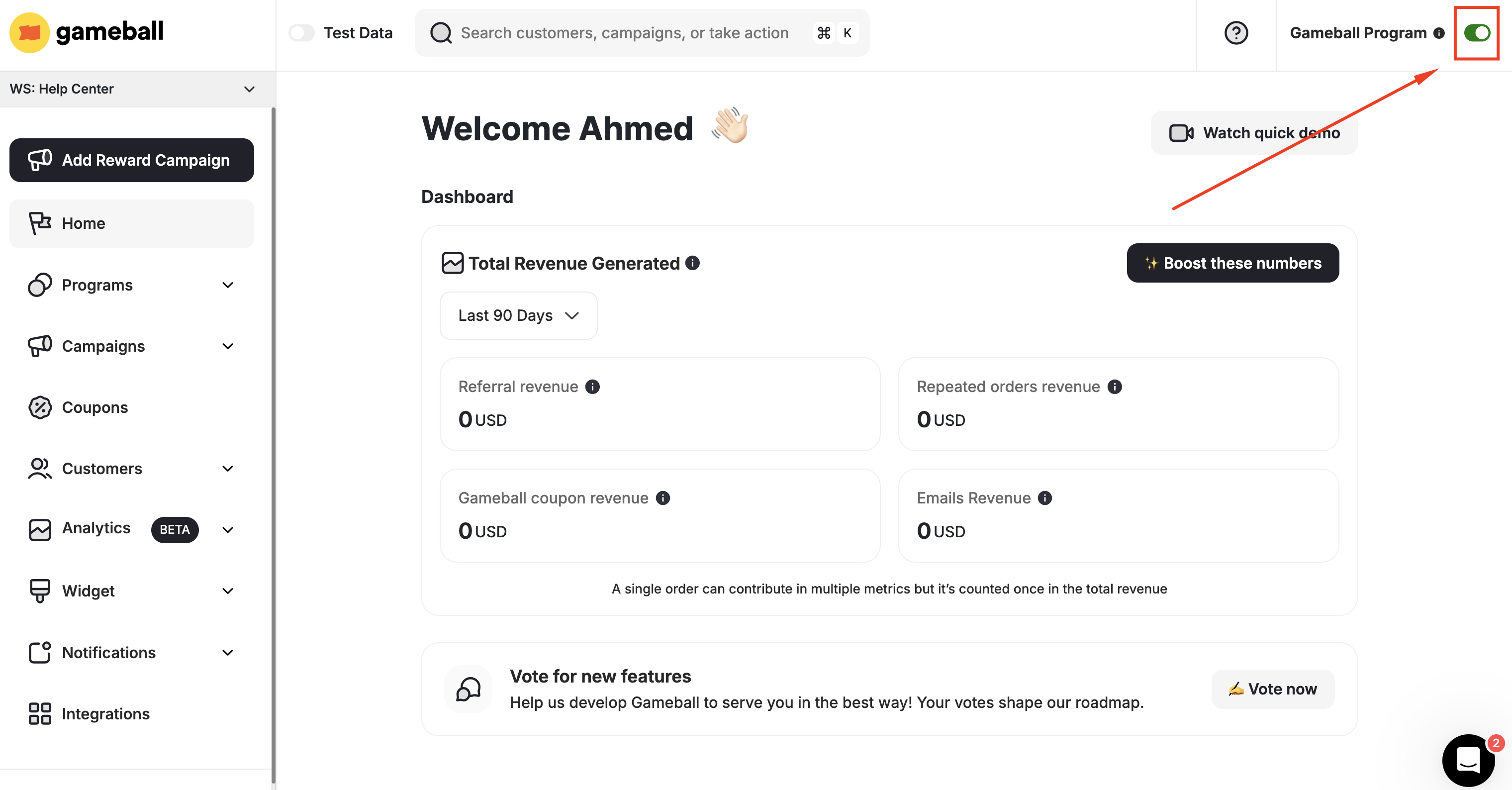
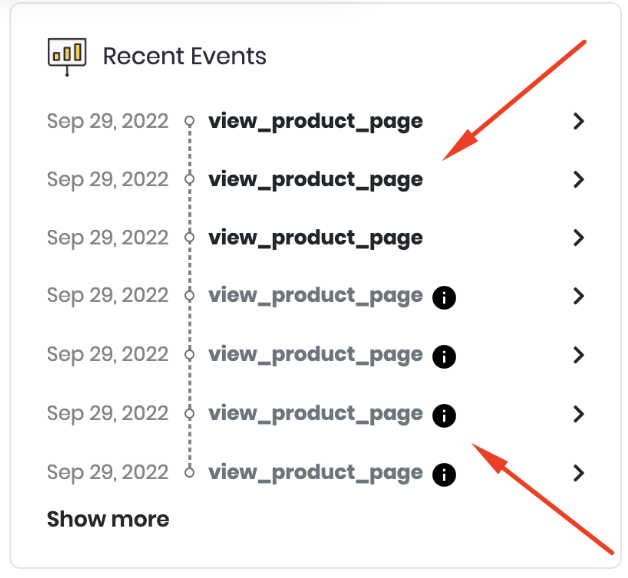
When the Gameball program is switched to unpublished, any customer event will still reflect on their profile on the dashboard; however, they will appear dimmed as these actions will have no consequence.
What Happens When You Deactivate the Program?
| Effect | Description |
|---|---|
| Program visibility | Your loyalty program will not be visible to customers |
| Reward earning | Your customers will not earn rewards |
| Notifications | Your customers will not receive any messages, notifications, or emails |
| Customer actions | Your customers’ actions will still be added to Gameball |
| Existing coupons | Your customers will be able to use coupons they had already claimed before disabling the program |
Stage 2: Hiding and Unhiding the Gameball Widget
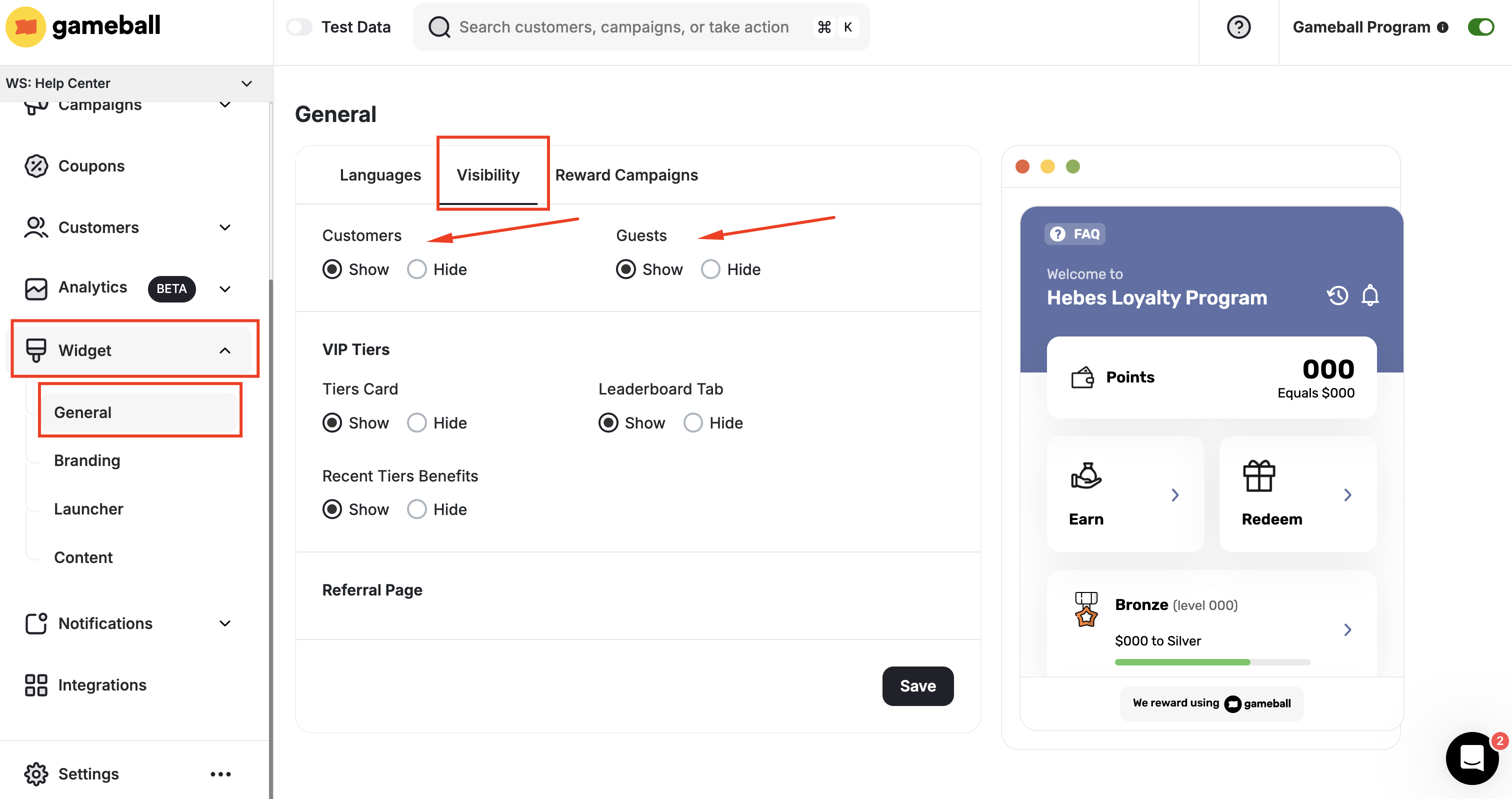
You can completely hide Gameball’s widget without deactivating the loyalty program, which means your customers will still be rewarded for their interaction; however, they will not be able to track their progress or find anything related to the configured loyalty program.Navigate to Widget Visibility Settings
Go to Gameball Admin Dashboard, click Widget Settings > General: Visibility.

Stage 3: Hiding and Unhiding the Gameball Widget Button
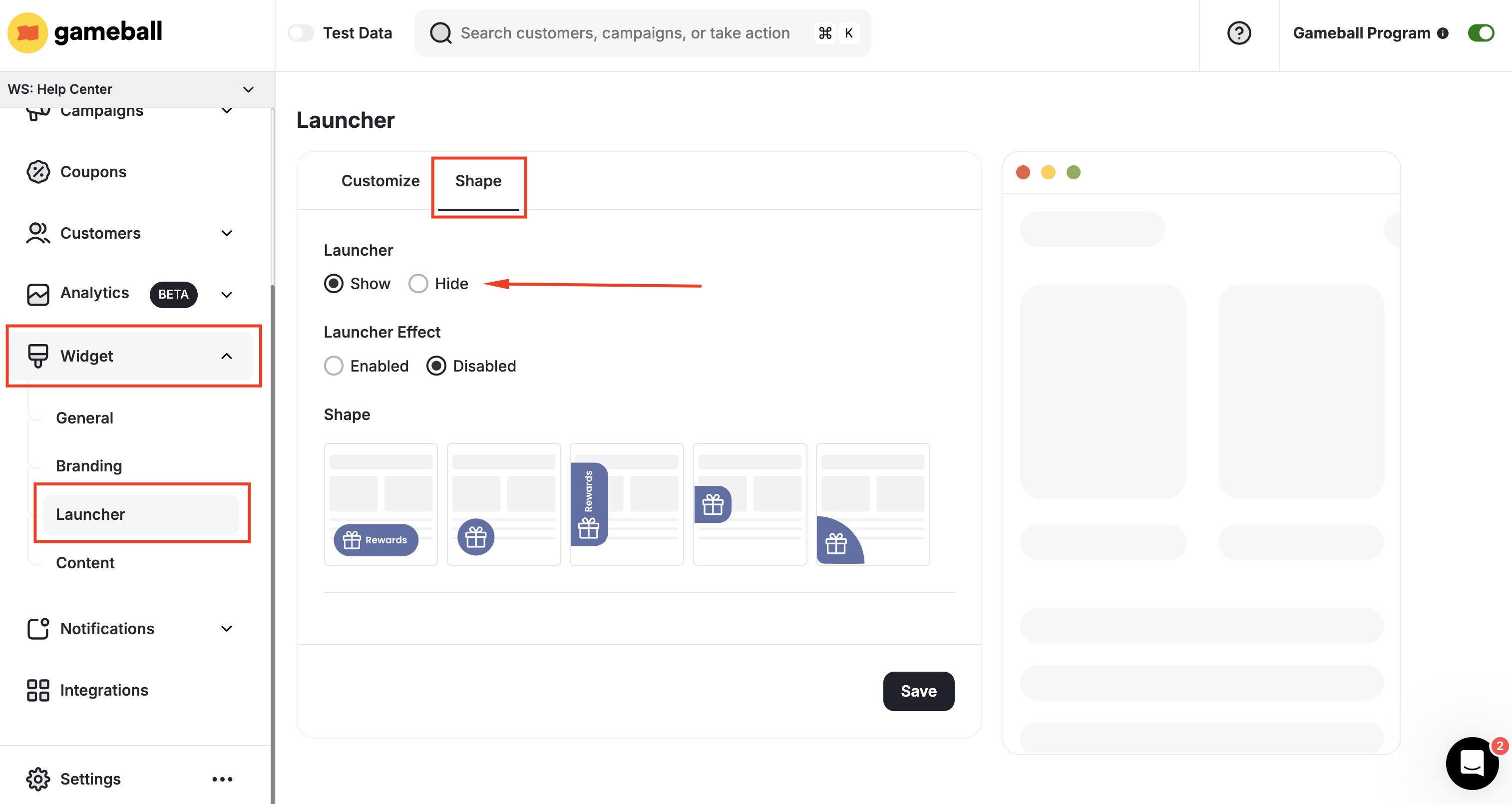
Lastly, you can choose between hiding or displaying the Gameball Launch button on your platform. Suppose there is no space for the Gameball launch button on your platform, or none of Gameball’s available buttons match your brand theme. In that case, you can simply hide it and let other inline buttons or any other interactive elements open the Gameball widget. Read more on Enabling Opening Gameball Widget by Using Deeplinks.Navigate to Launcher Settings
Go to Gameball Admin Dashboard, click Widget Settings > Launcher > Shape tab.
Related Articles
Customize Your Gameball Widget to Match Your Brand
Personalize the Gameball widget to align with your brand’s visual identity.
Widget Deep Links
Open the Gameball widget from custom buttons or elements on your platform.