

Plan Availability
All Gameball customersConfigure Gameball Currency Settings
You can access the Currency settings section in Gameball Admin Dashboard through Settings > Admin Settings > General > Currency Section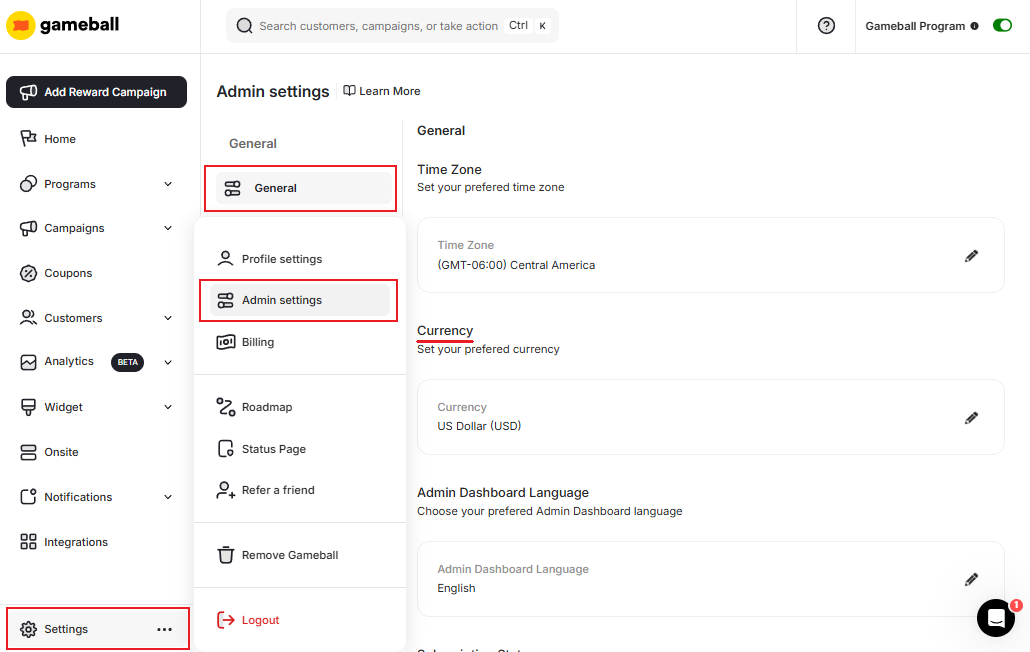
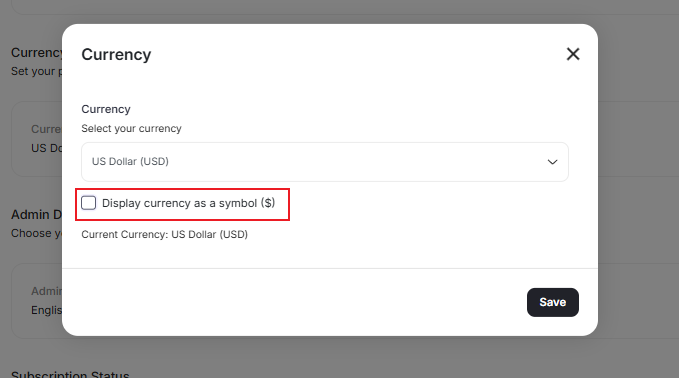
Earn Program
Total Rewarded Points Equivalence shown in your Earn Program.
Redeem Program
Total Redeemed Points Equivalence shown in your Redeem Program.
Earn Configurations
Points value for redemption in the default redemption rule of Earn Configurations.
Gameball Widget
Points Equivalence displayed inside the Gameball Widget for customers.
Related Articles
Configure Gameball Time Zone Settings
Match your platform timezone with Gameball data timestamps.
Manage your Gameball Player Attributes
Configure customer profile attributes for deeper segmentation insights.
Configure Gameball Dashboard Language Settings
Change the language of your Gameball dashboard to your preferred locale.