Plan Availability
All Gameball customers can access the data reset feature. If you want to reset some or all your data related to your loyalty program, Gameball allows you to do that through a few, easy steps.Types of Data You Can Reset
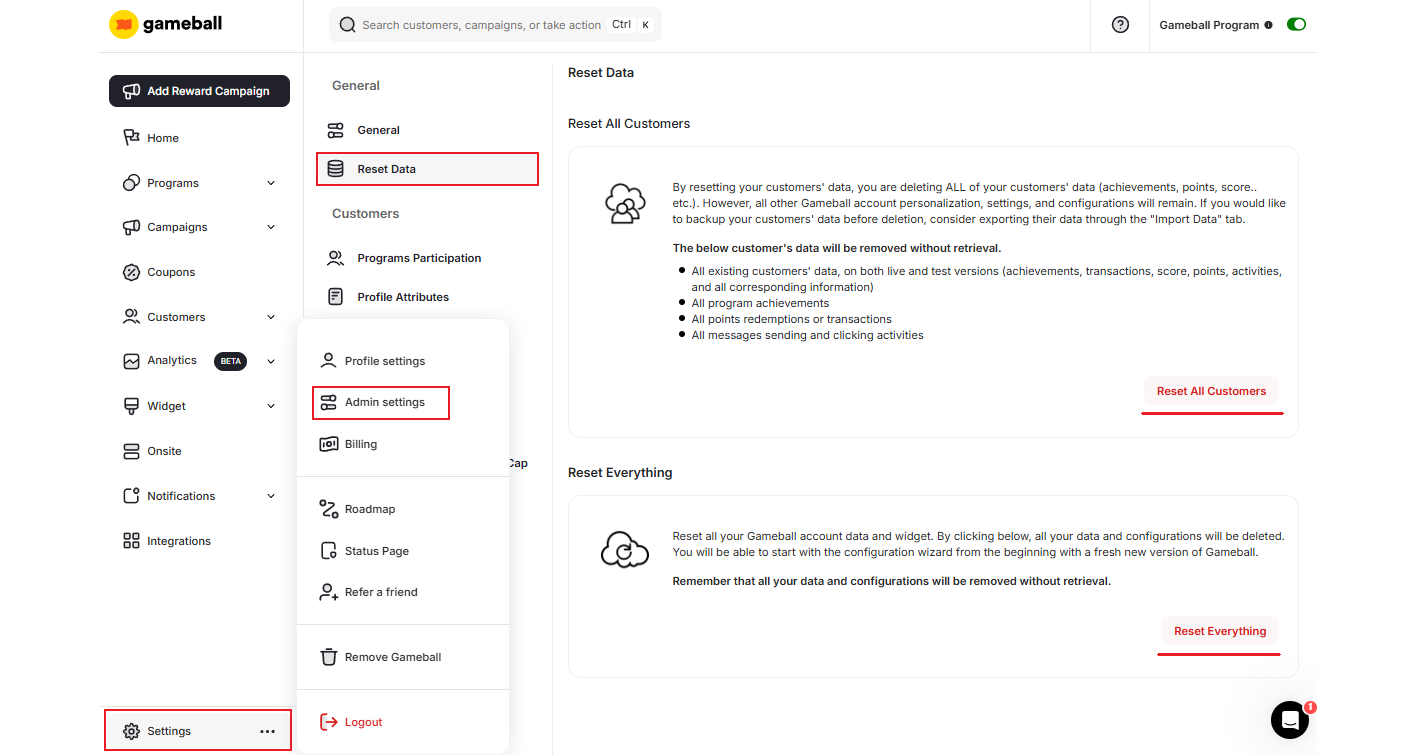
All Customers Data
All Customers Data
Resets all information related to customers only, such as customers’ points, levels, scores, achievements, activities, transactions, and all corresponding information. Learn more about customer’s data.The following customer data will be deleted without retrieval:
- All existing customers’ data, on both live and test versions (achievements, transactions, score, points, activities, and all corresponding information)
- All program achievements
- All points redemptions or transactions
- All messages sending and clicking activities
All Data
All Data
Resets all previous configurations related to your Gameball account and widget, including customers’ data, which will be permanently deleted.Once you reset all your data, you will start with the configuration wizard from the beginning with a fresh new version of Gameball.