

Plan Availability
- Shopify & Salla
- Custom Integrations
| Feature | Available |
|---|---|
| Profile Attributes | Guru |
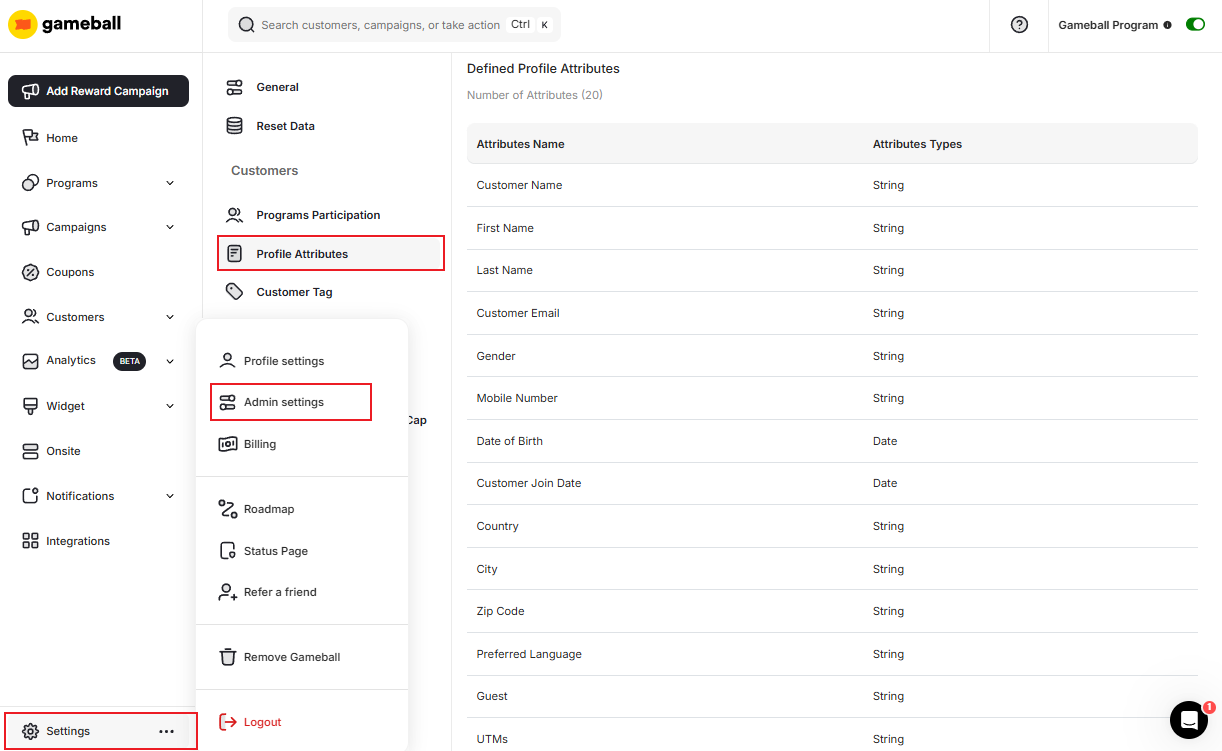
Read more about Customer Profile Attributes.
Default Attributes
On this settings page, you will be able to see Gameball’s default attributes. These cannot be edited or deleted:| Attribute | Attribute |
|---|---|
| Name | UTMs |
| First Name | Devices |
| Last Name | Total Amount Spent |
| Last Order Date | |
| Gender | Total Orders Count |
| Mobile Number | Average Order Value |
| Date of Birth | Channel |
| Join Date | Gameball Creation Date |
| Country | — |
| City | — |
| Zip Code | — |
| Preferred Language | — |
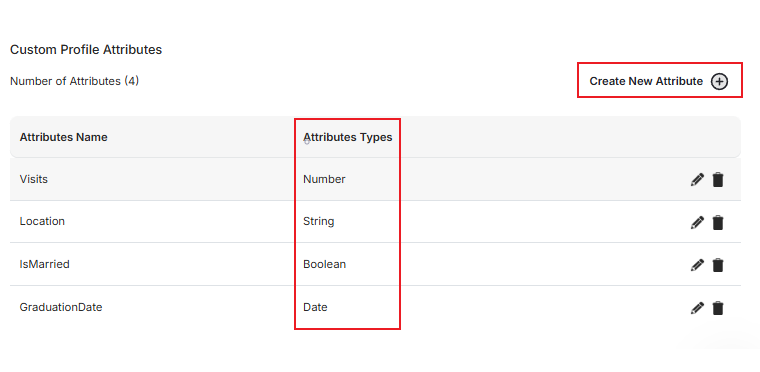
Add or Delete Custom Customer Profile Attributes
You can add or delete a custom attribute by scrolling down to the custom profile attributes section, then create an attribute by adding its name and a data type from the following options:Number
Number
Use for numeric values such as order counts, spending thresholds, or custom scoring metrics.
String
String
Use for text-based values such as customer preferences, referral codes, or custom labels.
Boolean
Boolean
Use for true/false flags such as whether a customer has completed onboarding or opted into a program.
Date
Date
Use for date-based values such as contract start dates, last activity dates, or custom milestones.
Related Articles
Customer Profile Attributes
Understand all available customer profile attributes and how they work in Gameball.
Group your Players by Tags
Learn how to organize and segment your customers using tags.