

Plan Availability
- Shopify
- Self Serve
- Salla
| Plan | Available |
|---|---|
| Pro | Yes |
| Guru | Yes |
Overview
In today’s mobile-centric world, delivering timely and relevant push notifications is crucial for engaging users and enhancing their app experience. Firebase, Google’s powerful mobile and web application development platform, provides robust tools for managing push notifications. This article walks you through the steps to configure your Firebase account for push notifications within the Gameball Admin Dashboard.Getting Started with Firebase Configuration
To ensure seamless integration and functionality for push notifications in your mobile app, follow these steps to set up Firebase:Access Firebase Settings in Gameball Admin Dashboard
Navigate to your Gameball Admin Dashboard > Settings > Admin Settings.Locate the Integration section then go to Mobile Integration.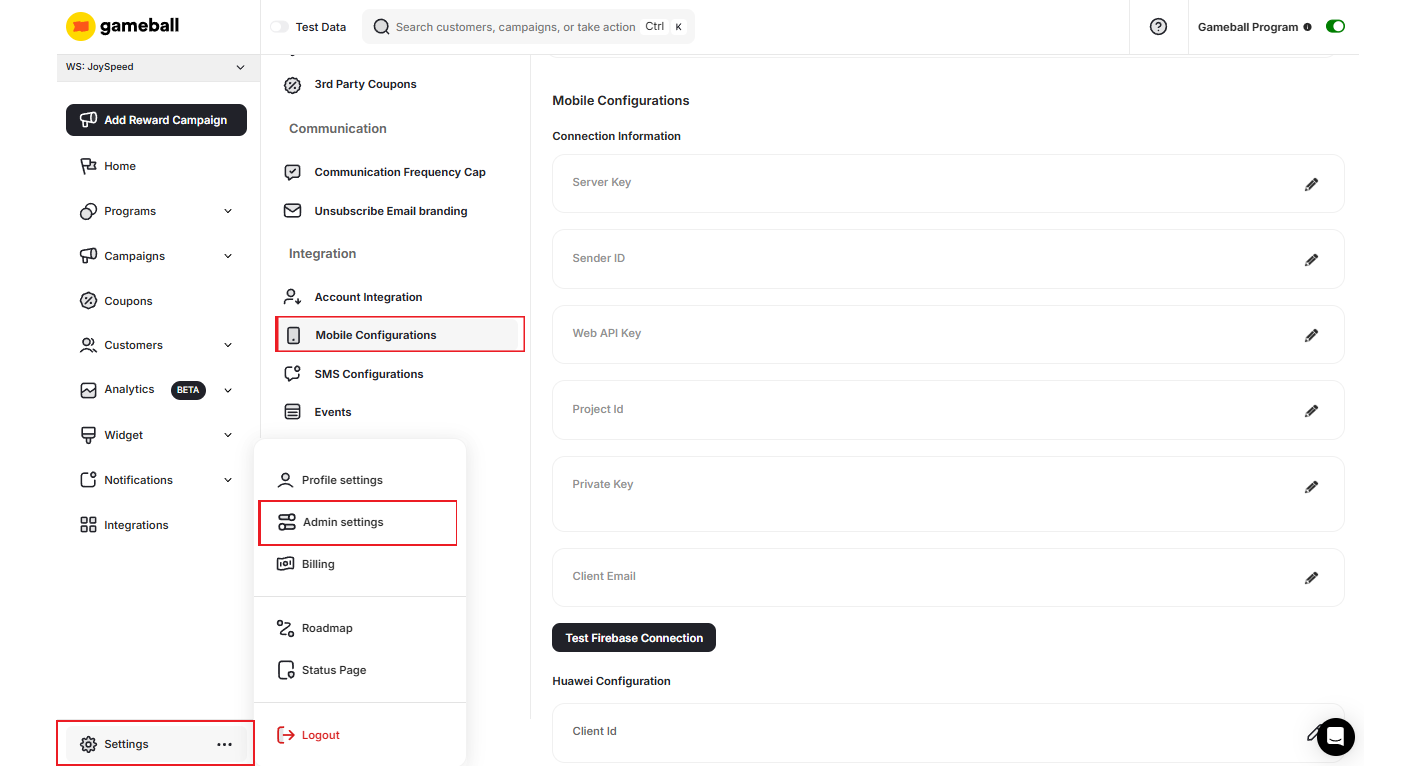
Add Firebase Credentials
In the Account Integration page, scroll down to the Firebase Settings section. You will need to input the following information from your Firebase account:
Server Key
Server Key
This key is essential for sending messages to your app.Where to Find It: Firebase Console > Your app > Project Settings > Cloud Messaging > Project credentials > Server key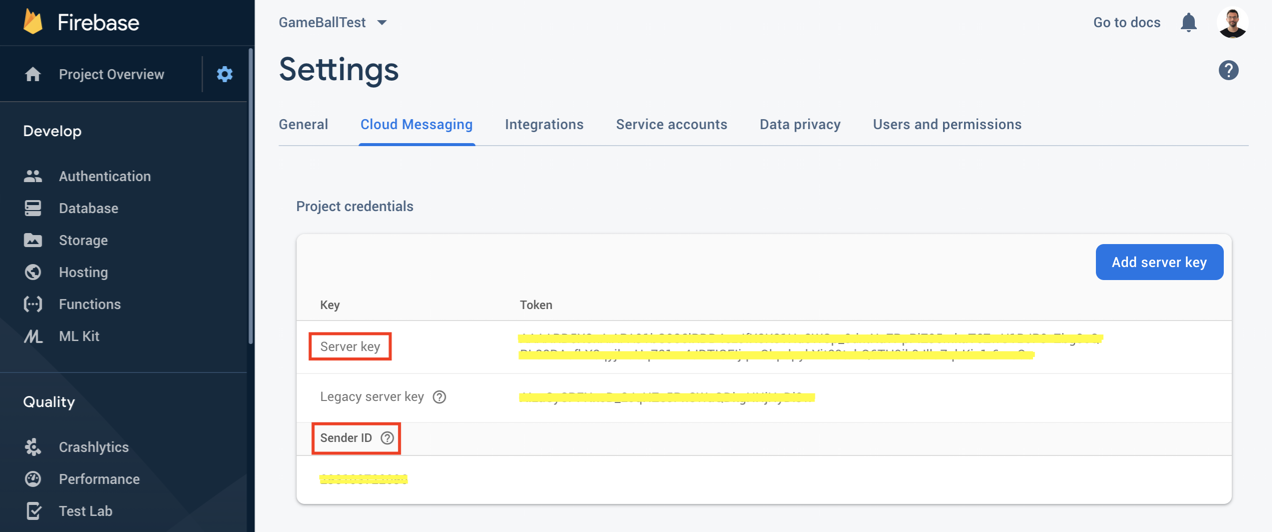
Sender ID
Sender ID
This ID is used for both server keys and legacy server key tokens.Where to Find It: Firebase Console > Your app > Project Settings > Cloud Messaging > Sender ID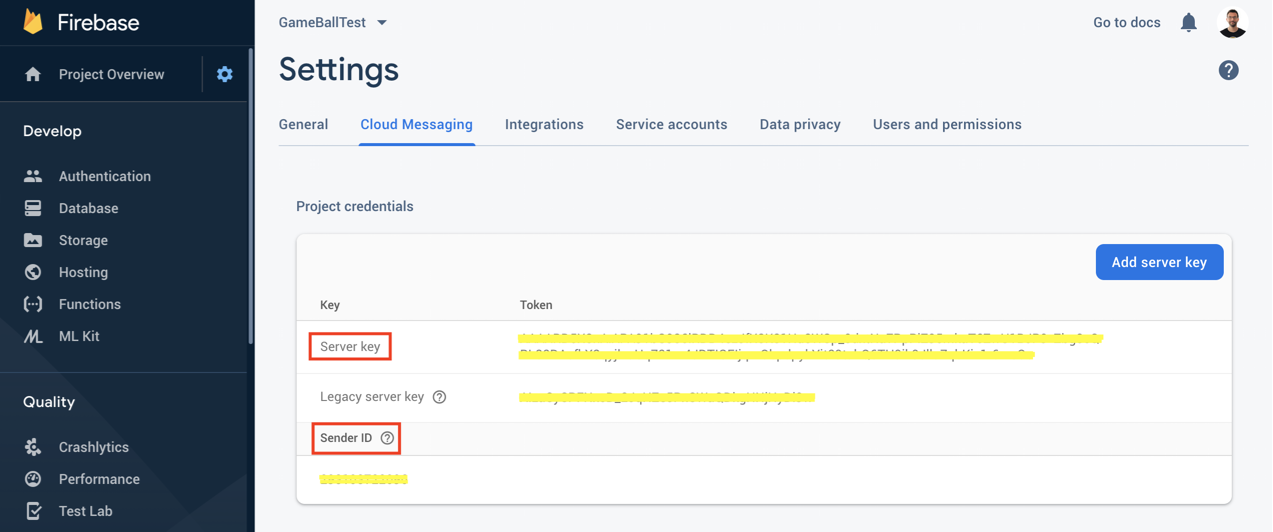
Web API Key
Web API Key
This key is used for authentication and access to Firebase services.Where to Find It: Firebase Console > Your app > Project settings > General > Web API Key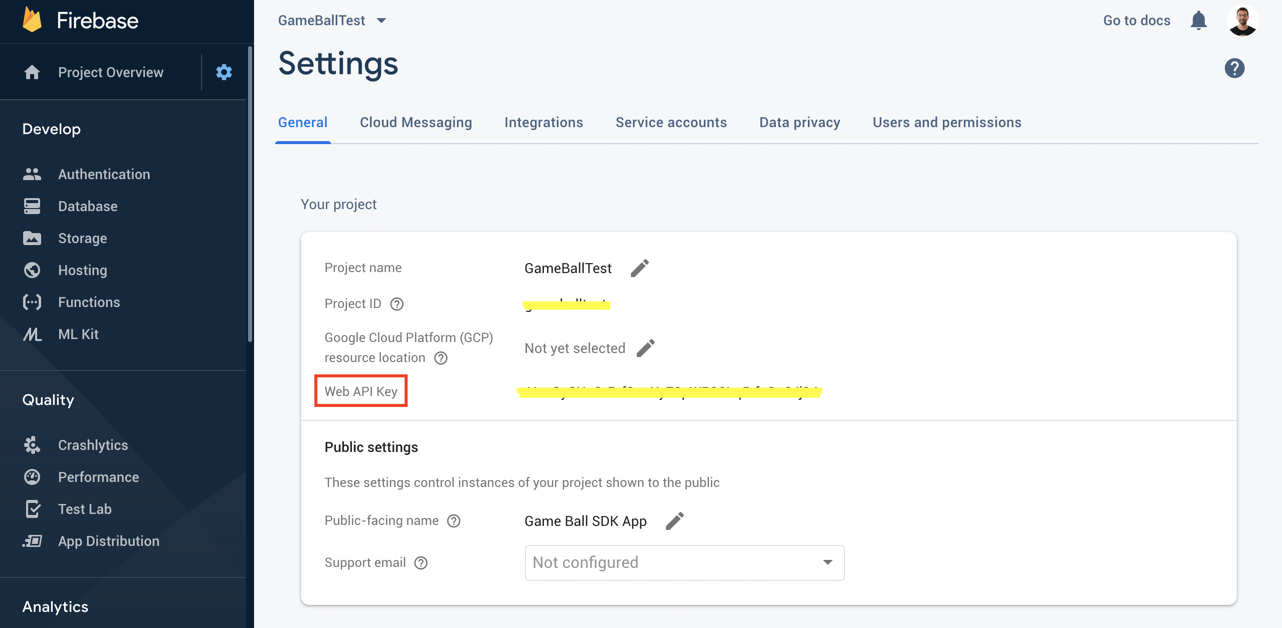
Migrating from Legacy FCM APIs to HTTP v1
Firebase recently updated their messaging system, requiring a migration from the legacy FCM APIs to the newer HTTPv1 API. With this update, there are important changes to the way information is sent from Gameball to Firebase, particularly in how the data object is structured.Key Changes
Data Object Formatting
Data Object Formatting
With the new HTTPv1 API, any extra information that needs to be sent for notifications must be included in a data object.After (HTTPv1 API format):As seen in the “After” section, the
- Before (FCM API): The data object was formatted as a standard JSON.
- After (HTTPv1 API): The data object must now be sent as Key Value Pairs of String, which needs to be parsed by you.
data object is now sent as a Key Value Pairs of String, meaning the data values should be properly stringified.Sending Notifications via Gameball
Sending Notifications via Gameball
If you need to send additional information along with the notification from Gameball, ensure that the data is converted to a JSON string before it is passed to Firebase. Failing to do so may result in errors or failed notifications.
With Firebase configured, you’re ready to enhance user engagement through push notifications. The next step is to set up Firebase for mobile friends referral links in Gameball. This will allow you to leverage push notifications for referrals, driving growth and user acquisition.
Related Articles
Firebase Mobile Friends Referral Links
Configure your Firebase account on Gameball for mobile friends referral links.
Updating FCM Configuration to HTTP v1
Step-by-step guide to migrate your FCM configuration to the new HTTP v1 API.