

Plan Availability
- Non-platform
- Shopify
- Salla
| Plan | Available |
|---|---|
| All | Yes |
Overview
The Data Warehouse Ingestion Module allows you to push selected loyalty data directly into your own data warehouse. This enables you to combine Gameball data with data from other business systems and analyze everything in one centralized analytics environment. This feature was designed primarily for you if you already rely on internal dashboards and BI tools (such as PowerBI, Metabase, or similar) for daily reporting and decision-making. Instead of building and maintaining analytics separately inside each tool, businesses can centralize their data in a data warehouse and build unified dashboards across all systems.Why This Feature Exists
Most large organizations already store their operational data in a data warehouse, which acts as a single source of truth. Data from multiple systems—such as order management, inventory, CRM, and communication tools—is pushed into the warehouse and then consumed by analytics tools. With the Data Warehouse Ingestion Module, Gameball becomes part of this ecosystem. You can now:- Combine loyalty data with revenue, inventory, and customer communication data
- Build cross-system dashboards in one place
- Run advanced analysis without relying solely on Gameball’s in-dashboard reports
How You Typically Use It
A common setup looks like this:| System | Data Pushed |
|---|---|
| Order / POS system (e.g. Microsoft Dynamics) | Revenue and order data |
| Inventory management system | Stock and product data |
| Customer engagement platform (e.g. Braze) | Communication and campaign data |
| Gameball | Loyalty and rewards data |
- How does revenue trend by loyalty tier?
- How many points were earned from completed orders?
- What is the distribution of customers across tiers?
- How do loyalty actions correlate with repeat purchases?
Available Gameball Data Models
Gameball currently provides four built-in data models that can be pushed to a data warehouse. You can choose which models to enable during setup.Members
Members
Contains customer-level loyalty data. Useful for segmentation, tier analysis, and customer-level reporting.
| Field | Description |
|---|---|
customer_unique_id | Customer identifier from the client’s external system, used for integration and mapping |
display_name | Customer’s display name as shown in the loyalty program interface |
is_migrate | Integer flag indicating if this customer was migrated from another system (1 = migrated, 0 = native) |
referred_by_unique_id | Customer identifier of the person who referred this customer, if applicable |
referral_activation_date | Date when the customer’s referral was activated and confirmed |
is_referred_customer | Integer flag indicating if this customer was referred by another customer (1 = referred, 0 = not referred) |
current_tier_name | Current loyalty tier name the customer belongs to |
current_tier_order | Current loyalty tier order the customer belongs to |
customer_points | Current number of loyalty points the customer has available for use |
total_earned_points | The lifetime amount of points that the customer have earned |
total_redeemed_points | The lifetime amount of points that the customer have redeemed |
total_expired_points | The lifetime amount of customer’s points that have been expired |
customer_score | Current customer score (frubies) value the customer has accumulated |
customer_pending_points | Points that have been earned but not yet activated or confirmed for the customer |
tier_entry_date | Date when the customer entered their current loyalty tier |
customer_type | Customer lifecycle state: Registered (full customer profile) or Guest (limited profile) |
is_included | Integer flag indicating if the customer is included in active program participation |
created_at | Date when the customer record was created in the Gameball platform |
updated_at | Date when the customer record was last updated |
is_deleted | Indicates if this is a deleted row |
Transactions
Transactions
Represents all points and order-related movements. Use this model to analyze how points are earned and spent over time.
| Field | Description |
|---|---|
gameball_transaction_id | Unique identifier for the transaction |
transaction_id | Unique identifier for the transaction in the client system |
customer_unique_id | Identifier of the customer who did the transaction |
merchant_name | The merchant name where this transaction happened |
branch_name | The branch name where this transaction happened |
transaction_type | The type of the transaction: cashback, redemption, expiry, etc. |
direction | The direction of the points transaction: + or - |
tier_name | The name of the tier the customer was on when this transaction happened |
tier_order | The order of the tier the customer was on when this transaction happened |
points_amount | The amount of points in the transaction |
points_used_amount | The amount of points that has been used from this transaction (for positive transactions only) |
redemption_factor | The factor used to calculate the value of points |
points_value | The monetary value of the points at the time of the transaction |
transaction_status | The status of the transaction: active or pending (for positive transactions only) |
points_expiry_date | The date when the points will expire (for positive transactions only) |
created_at | Timestamp when the transaction record was created in Gameball |
updated_at | Timestamp when the transaction record was last updated in Gameball |
is_deleted | Indicates if this is a deleted row |
Achievements
Achievements
Includes all loyalty events and campaign-related actions such as reward campaigns, referrals, and tier progressions. This data closely matches what is available in Gameball’s activity logs and reports.
| Field | Description |
|---|---|
gameball_achievement_id | Unique identifier for the achievement event |
customer_unique_id | Identifier of the customer who earned the achievement |
achievement_type | Broader grouping of the achievement type (e.g., Level, Campaign, Referral, Transaction, Manual) |
achievement_sub_type | Detailed classification such as Level, Challenge, Milestone, Quest, Referral, Purchase Reward, Manual action |
campaign_name | Identifier of the campaign associated with the achievement event |
is_coupon_rewarded | Indicates whether a coupon was issued as part of the achievement |
current_tier_name | Customer’s current tier name at the time of achievement |
current_tier_order | Customer’s current tier order at the time of achievement |
achieved_tier_name | The name of the tier reached by the customer if achievement type is related to tier progression |
achieved_tier_order | The order of the tier reached by the customer if achievement type is related to tier progression |
achieved_points | Number of points earned from this achievement event |
points_value | Monetary equivalent of the achieved points in the client’s currency |
achieved_score | Score gained from this achievement (if the leveling method is based on score) |
created_at | Timestamp when the achievement record was created in Gameball |
updated_at | Timestamp when the achievement record was last updated in Gameball |
is_deleted | Indicates if this is a deleted row |
Coupons
Coupons
Contains coupon assignment data with lifecycle status, discount amounts, and usage metrics. Supports reporting on reward redemption and coupon usage.
| Field | Description |
|---|---|
gameball_unique_id | Unique identifier for each coupon per customer per assignment |
coupon_code | The actual coupon code that customers use to redeem the offer |
customer_unique_id | Identifier of the customer who received this coupon assignment |
coupon_type | Coupon discount mechanism: Fixed, Percentage, Free Shipping, Free Product, Store Credit, etc. |
coupon_source | Source usage context: Online, POS, Permanent, Reward Campaign, or Automation |
coupon_sub_source | Origin of the coupon creation: Campaign, Reaching a Tier, Referral, or Automation |
amount | Discount amount — for fixed types this is the actual discount amount; for percentage types this is the percentage value |
total_paid_amount | Total monetary value across all orders where this coupon was applied (only for used coupons) |
total_order_count | Total number of orders where this coupon was applied (values > 1 indicate multiple uses if multi-use enabled) |
current_state | Current lifecycle status: deleted, expired, used, or assigned (default) |
created_at | Timestamp when the coupon was originally created |
updated_at | Timestamp when the coupon was last updated |
is_deleted | Indicates if this is a deleted row |
Example Use Case
You may want to build a dashboard showing:- Revenue from your order management system
- Points earned from those same orders (from Gameball)
How to Set Up the Integration
Open Data Warehouse Integration
Go to Admin Settings in the Gameball dashboard, then navigate to Data Warehouse Integration and click Set Up Connection.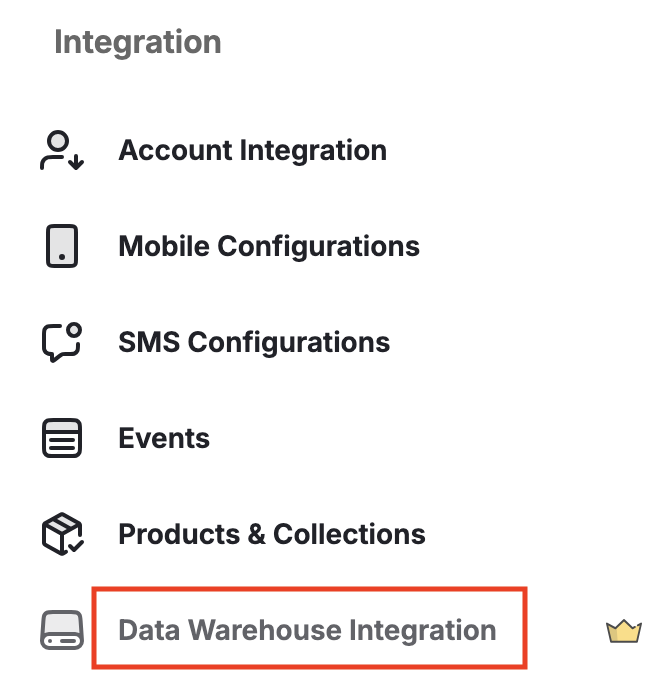
Select Data Warehouse Provider
Choose your data warehouse provider (for example, Amazon Redshift), then click Next.
Define Data Push Frequency
Choose how often Gameball should push data:
- Daily
- Weekly
- Monthly
Select Data Models
Choose which Gameball data models you want to push: Members, Transactions, Achievements, or Coupons.
What Happens After Submission
The connection is not established automatically.| Stage | Detail |
|---|---|
| Initial submission | Acts as a configuration and request flow |
| Technical setup | Gameball’s technical team manually completes the integration |
| Connection live | Status changes to Connected |
| Ongoing pushes | Each scheduled push appears in the dashboard with its status and details |
After the connection is live, each scheduled data push (daily, weekly, or monthly) will appear in the dashboard with its status and details.