

Plan Availability
All Gameball customersConfigure Gameball Time Zone Settings
You can access the Time zone settings section in Gameball Admin Dashboard through Settings > Admin Settings > General > Time zone Section.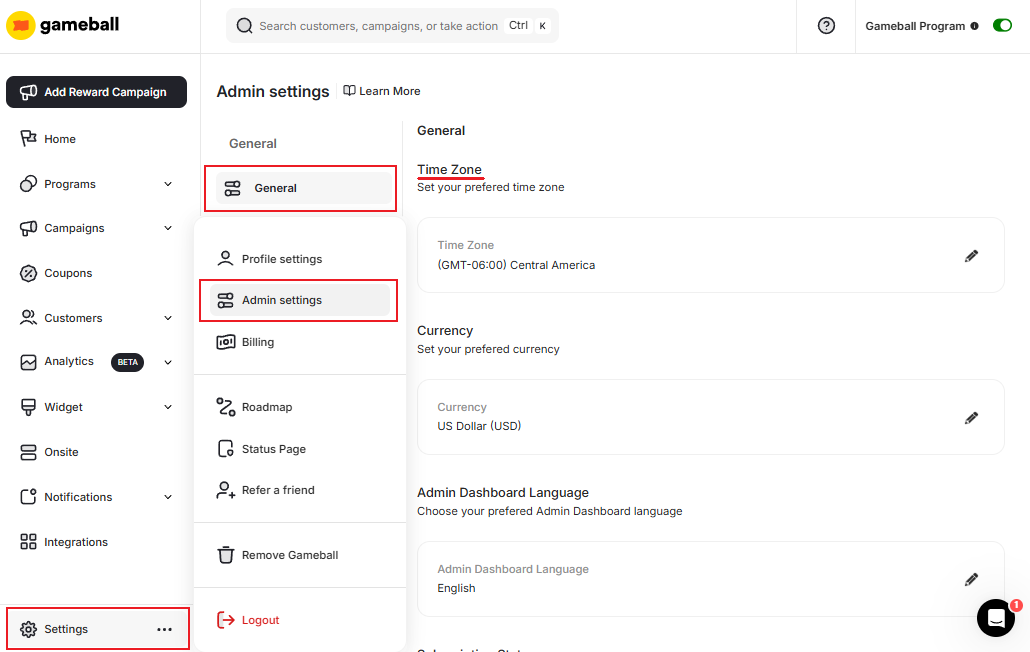
Analytics Dashboards
All date-based analytics and reporting reflect the configured time zone.
Customers Creation Date
Customer join dates are recorded using the configured time zone.
Programs Achievements
Achievement timestamps are aligned with your selected time zone.
Points Transactions
All points earning and redemption events are timestamped in your time zone.
Related Articles
Configure Gameball Currency Settings
Match your platform currency with the Gameball currency display.
Manage your Gameball Player Attributes
Configure customer profile attributes for deeper segmentation insights.
Configure Gameball Dashboard Language Settings
Change the language of your Gameball dashboard to your preferred locale.