

Overview
To ensure continuous delivery of notifications to your mobile users, Gameball now requires an update to the Firebase Cloud Messaging (FCM) configuration, transitioning from the legacy API to the new HTTP v1 API. This article walks you through the steps needed to complete this migration.Migration Steps
Access Your Firebase Project Information
Sign in to the Firebase Console
Sign in to the Firebase Console
Open your web browser and go to the Firebase Console. Log in using the Google account associated with your Firebase project.
Navigate to Service Accounts
Navigate to Service Accounts
Generate a New Private Key
Generate a New Private Key
Click on Generate New Private Key to download a JSON file containing all necessary information for the migration.Sample FCM Private key JSON file:
Update Your Gameball Dashboard
Log in to the Gameball Dashboard
Log in to the Gameball Dashboard
Access your Gameball dashboard using your credentials.
Locate Mobile Configurations
Locate Mobile Configurations
Navigate to your Gameball Admin Dashboard > Settings > Admin Settings. Locate the Integration then go to Mobile Integration.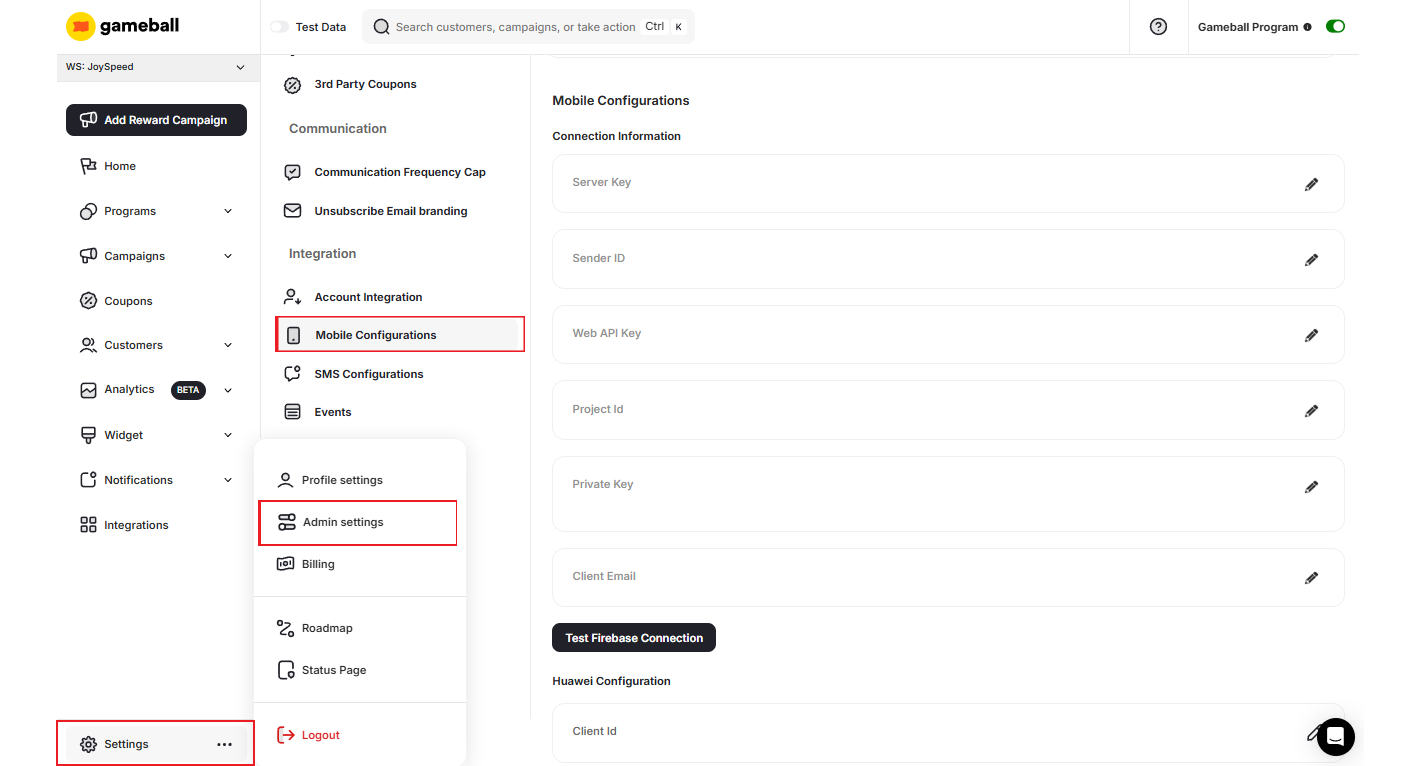
The old attributes such as Sender ID, Web API Key, and Server Key should be left unchanged.
Enter the Required Information
Enter the Required Information
Using the downloaded JSON file, fill in the following fields in the Gameball dashboard:
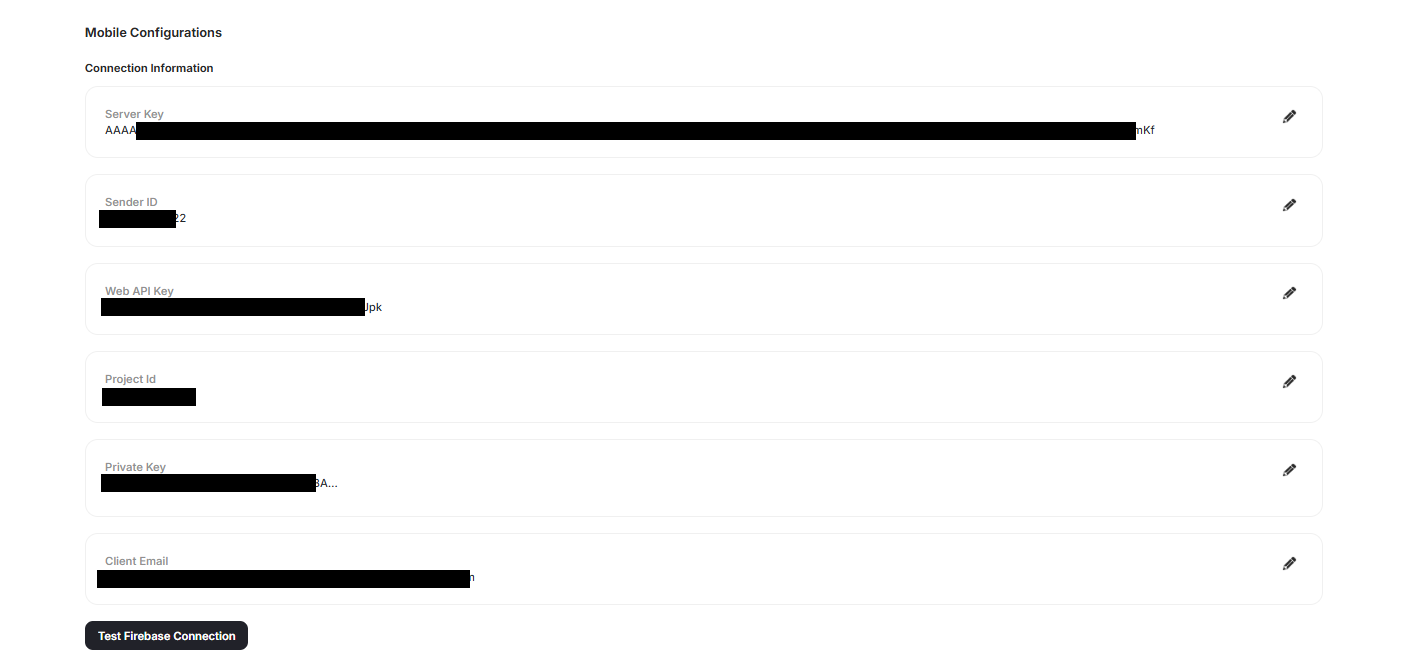
| Field | Source in JSON file |
|---|---|
| projectId | Copy the value of project_id |
| privateKey | Copy the entire value of private_key (including “BEGIN” and “END PRIVATE KEY” lines) |
| clientEmail | Copy the value of client_email |
Save Changes
Save Changes
After entering all three fields, click Save to apply the changes.
By following these steps, you will ensure your notifications continue to work seamlessly with the new Firebase API requirements.
Need Help?
If you have any questions or need further assistance, please contact our support team at support@gameball.co.Related Articles
Configure Your Firebase Account for Mobile Push Notifications
Set up Firebase Cloud Messaging for push notifications in Gameball.