

Setup Requirements
Ensure the Klaviyo Reviews app is installed in your store. Learn More.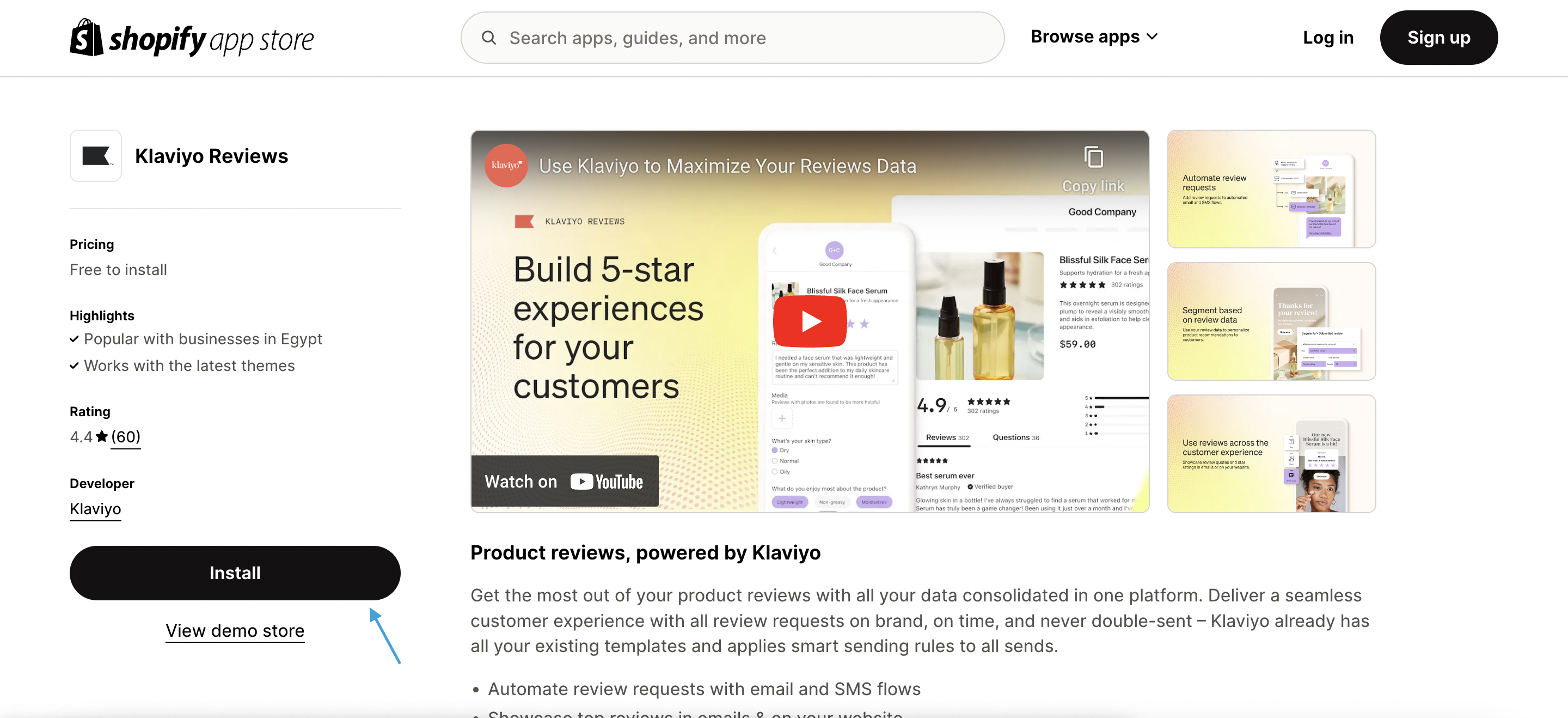
Step-by-Step Integration
Navigate to the Klaviyo Dashboard
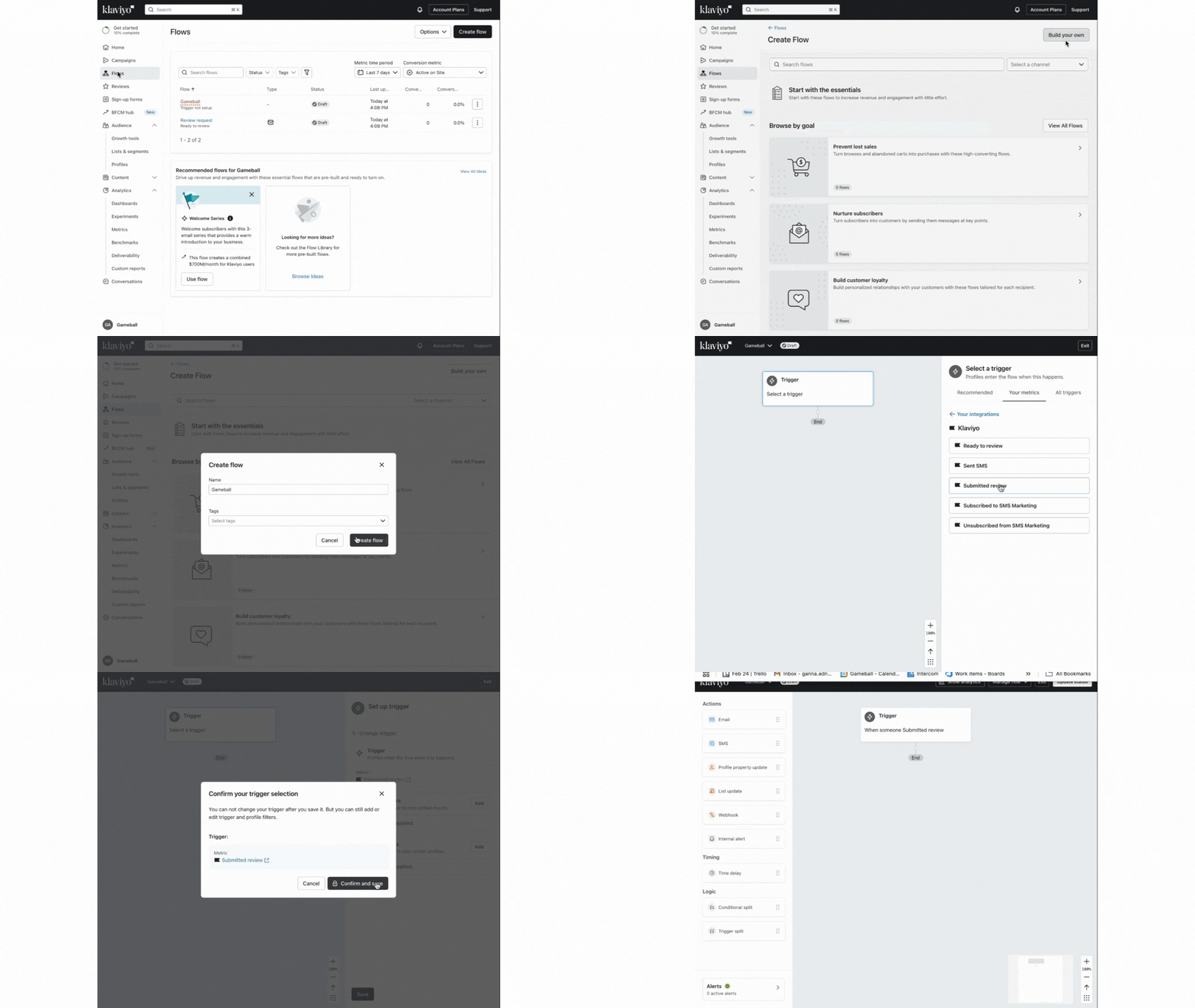
Log in to your Klaviyo account and select the Flows tab from the side menu.
Create a New Flow
Click Create Flow, choose Build Your Own, and enter a name for the flow when prompted.
Set Up the Trigger
- Select Metrics as the trigger type.
- Choose Klaviyo as the metric source.
- Select Submitted Review as the event.
- Click Save.
Configure the Trigger Filter
To exclude store-level reviews, add a trigger filter:
- Click Add on the Trigger Filters card.
- Select Add Trigger Filter.
- Set the field
is_store_reviewto false. - Click Save.
Configure the Webhook Action
Set up the webhook action to send review event data to Gameball: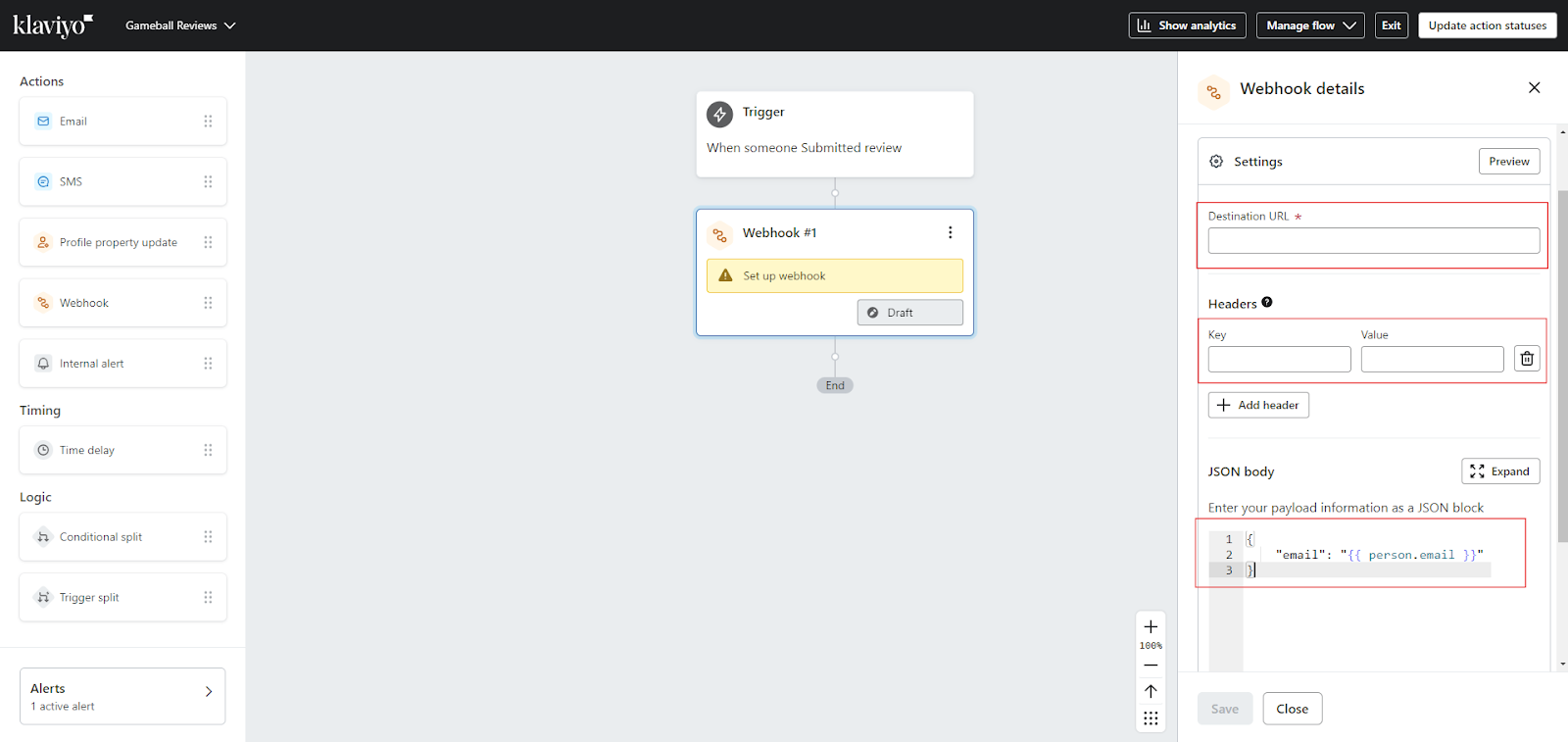
- Select Webhook Action.
- Set the Destination URL to:
https://api.gameball.co/api/v3/integrations/event - Add the following header:
- ApiKey:
#{{Gameball API Key}}
- ApiKey:
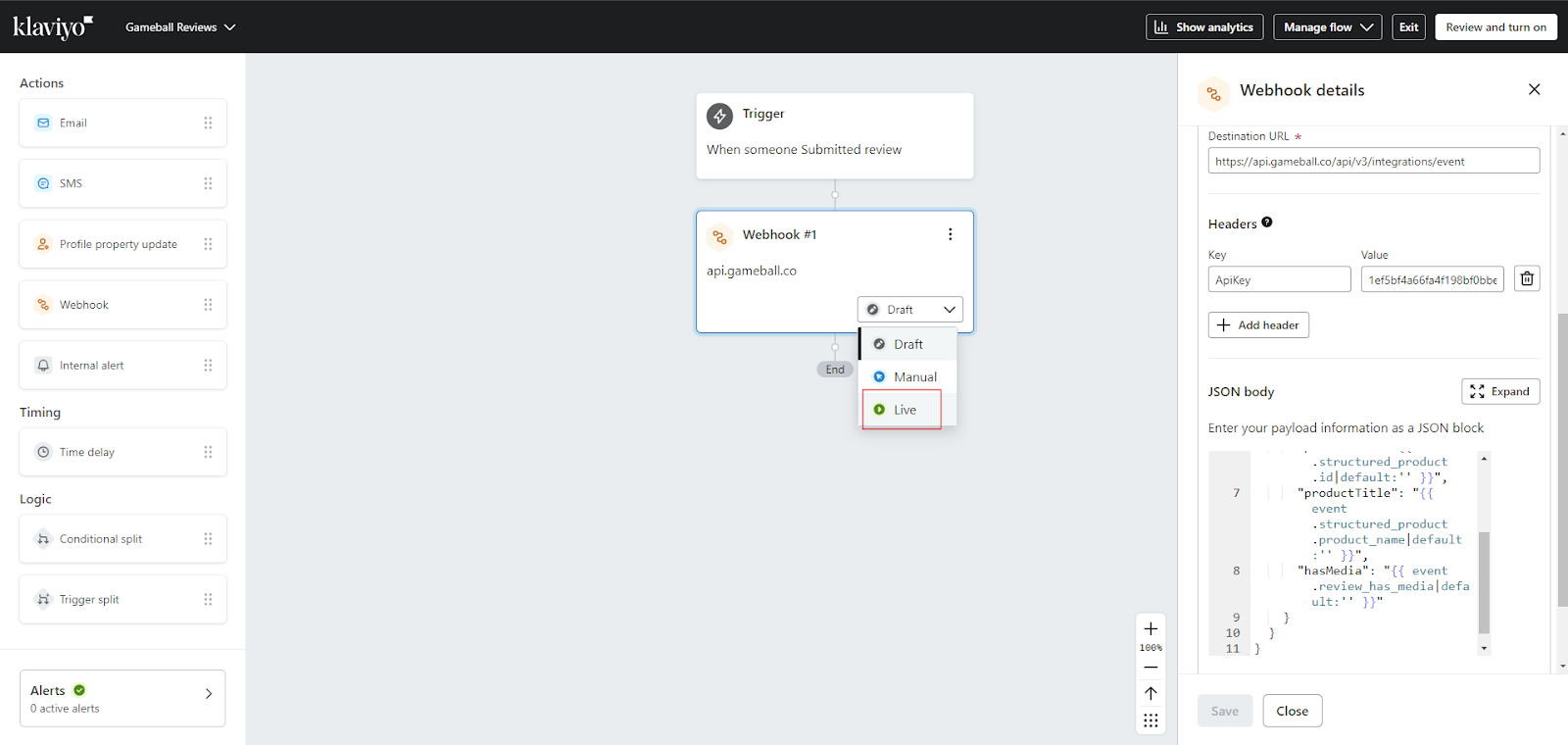
- Add the JSON body:
- Click Save.
Gameball Use Cases
With this integration, you can enhance your customer engagement by:- Reward Customers for Reviews - Use Reward Campaigns to automatically grant points, discounts, or other incentives when customers leave a review. Learn More.
- Automated Follow-Up Messaging - Create Communication Campaigns that send targeted emails or notifications in response to customer reviews. Learn More.
- Review-Triggered Automations - Incorporate review events as triggers in Automation Campaigns to personalize customer journeys. Learn More.
Klaviyo App Integration
Set up the main Klaviyo integration with Gameball.
Judge.me App Integration
Reward customers for Judge.me reviews.