

Plan Availability
- Shopify & Salla
- Non-Platform
| Plan | Available |
|---|---|
| Pro & Guru | Yes |
Use Cases
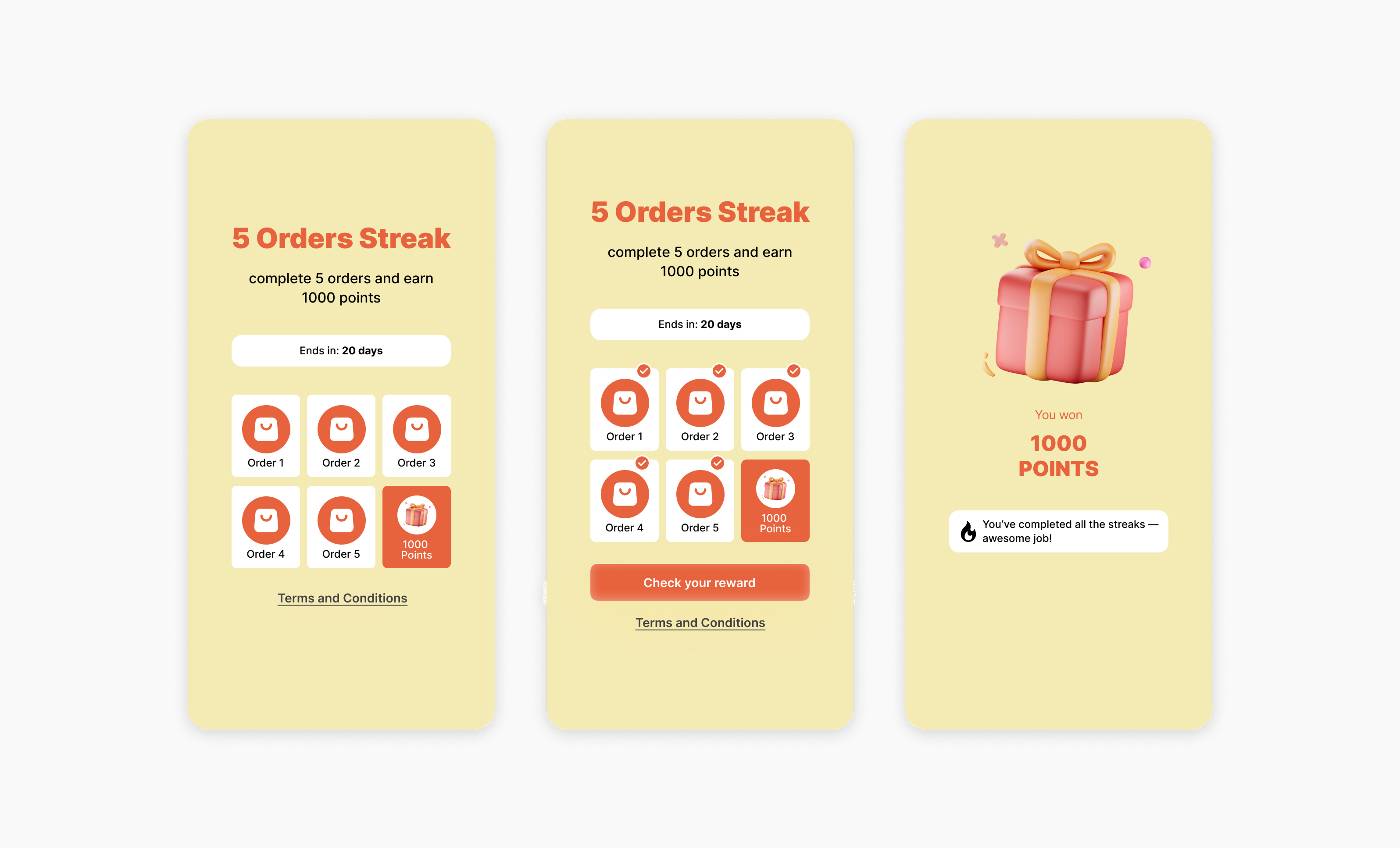
Drive Repeat Purchases
Place 3 orders within this month to earn a reward.
Promote High-Value Orders
Make 5 orders over $100 each to get rewarded.
Encourage Category Exploration
Make 3 orders, each one from a specific collection (Kids, Women, Men).
Boost Referrals
Refer 3 friends to get a premium membership.
Creating a Stamps Campaign
Campaign Configuration
Define the Streak Length
Define the Streak Length
Choose how many times a customer needs to complete the action to earn a reward.Example: “The customer must place 5 orders to receive a reward.”
Choose the Trigger
Choose the Trigger
Select the action you’d like to track — such as placing an order, referring a friend, etc.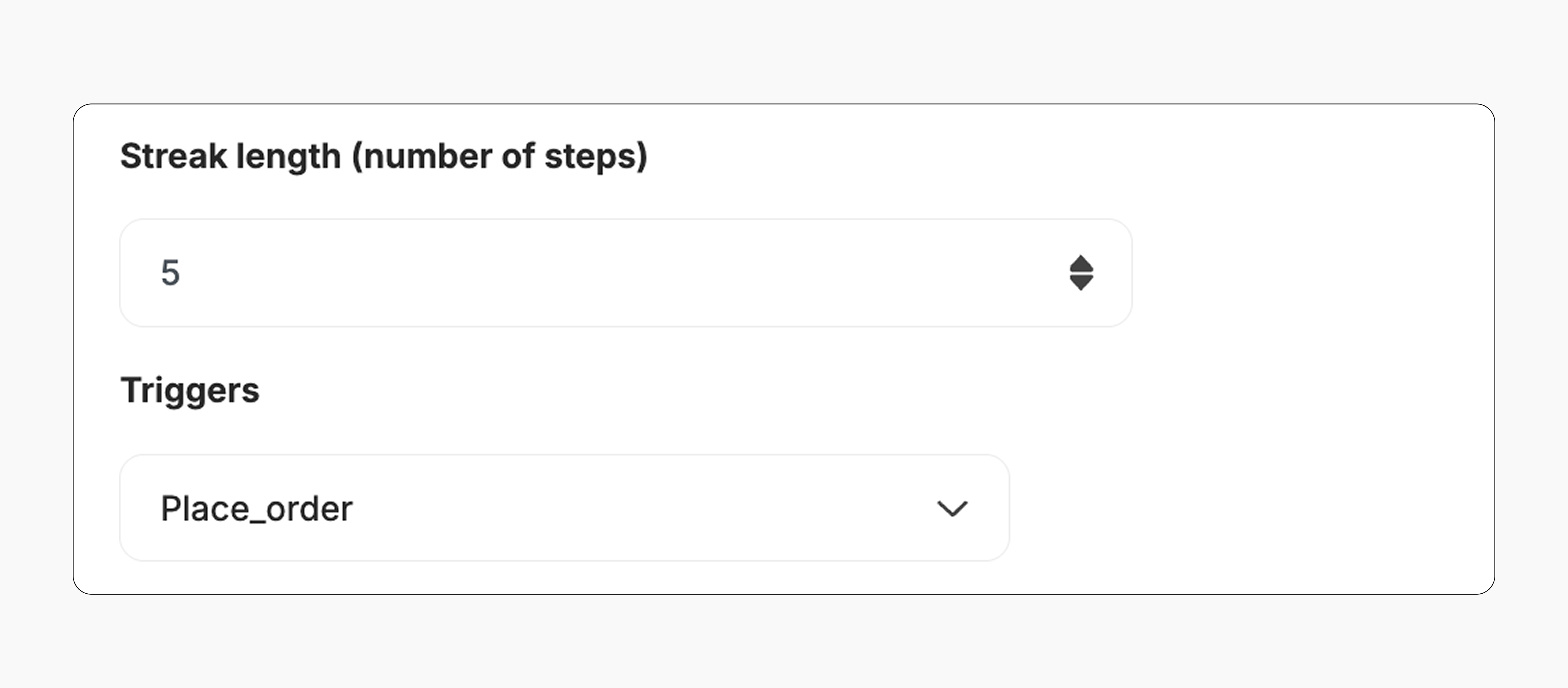
Add Rules (Optional)
Add Rules (Optional)
You can set specific conditions for each action in the streak.Example: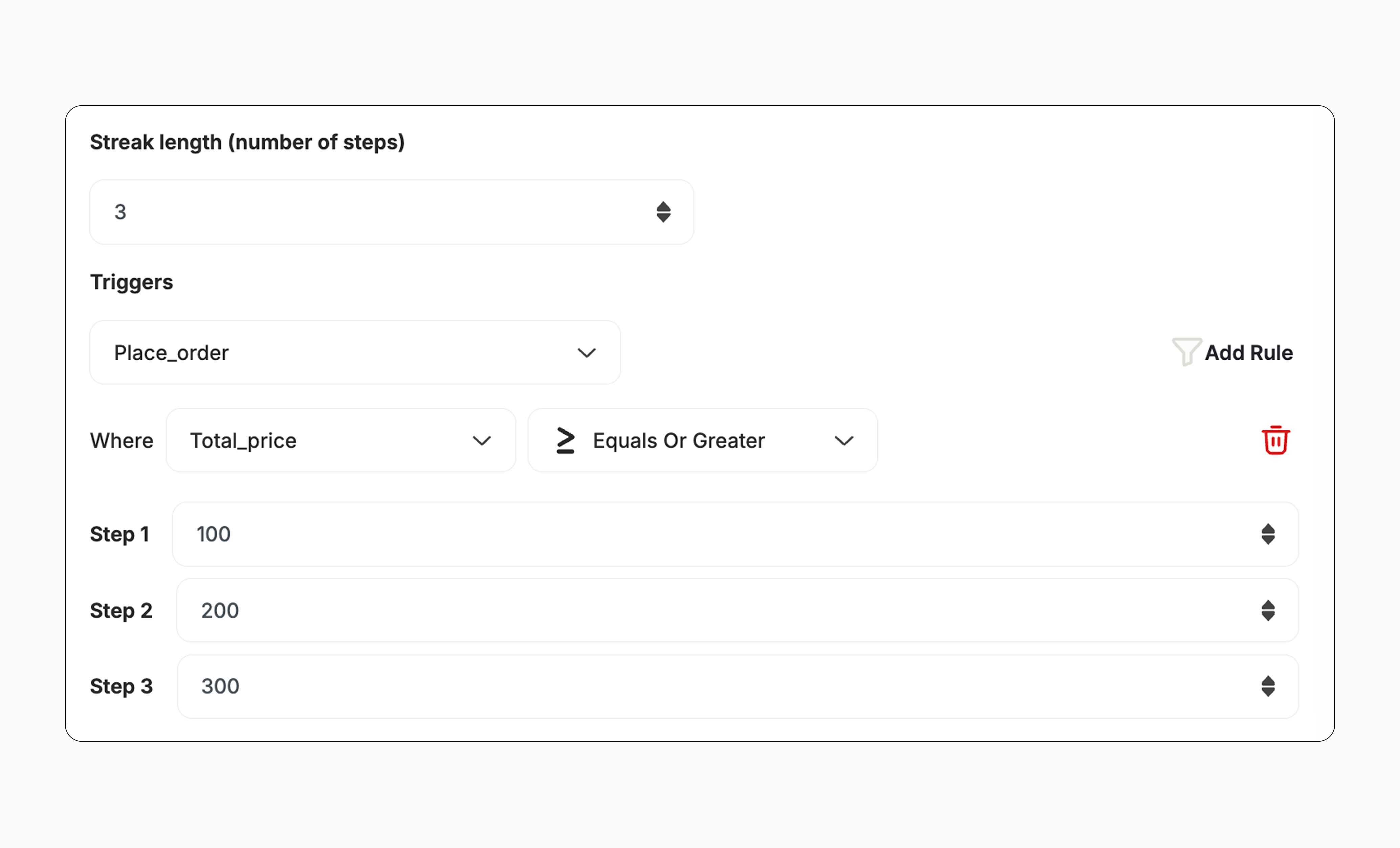
- Order 1 must be at least $100
- Order 2 must be at least $300
- You can set one condition per action in the streak. For example, require an order to meet a minimum amount or come from a specific collection.
- You can use different collections for each action, but you cannot mix condition types (e.g., minimum amount for one action and collection for another). Different values or amounts can be set for each step.
This template uses the standard reward campaign setup. See the Generic Setup Guide for details.
End User Experience
How it works:Complete the First Action
The customer starts by completing the first required action (e.g., placing an order).
Receive Step Notifications
They receive notifications after each step if event notification is enabled. Learn more.
Earn the Reward
After finishing all the steps, the customer receives the reward immediately (points, discount, badge — based on your setup).
Repeat the Streak
If allowed, they can repeat the streak to earn the reward again as per the repeatability setup. Learn more.
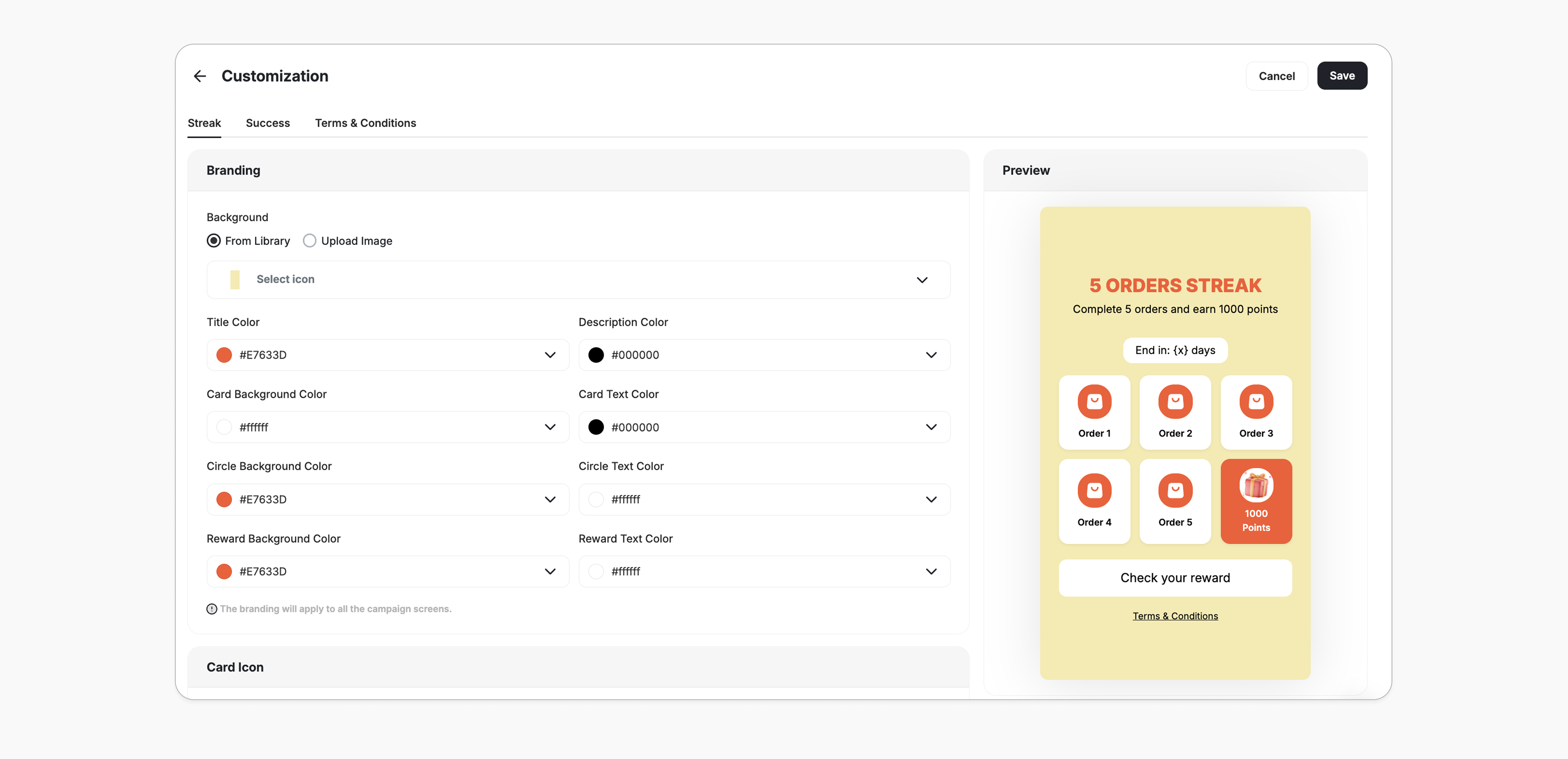
Customization
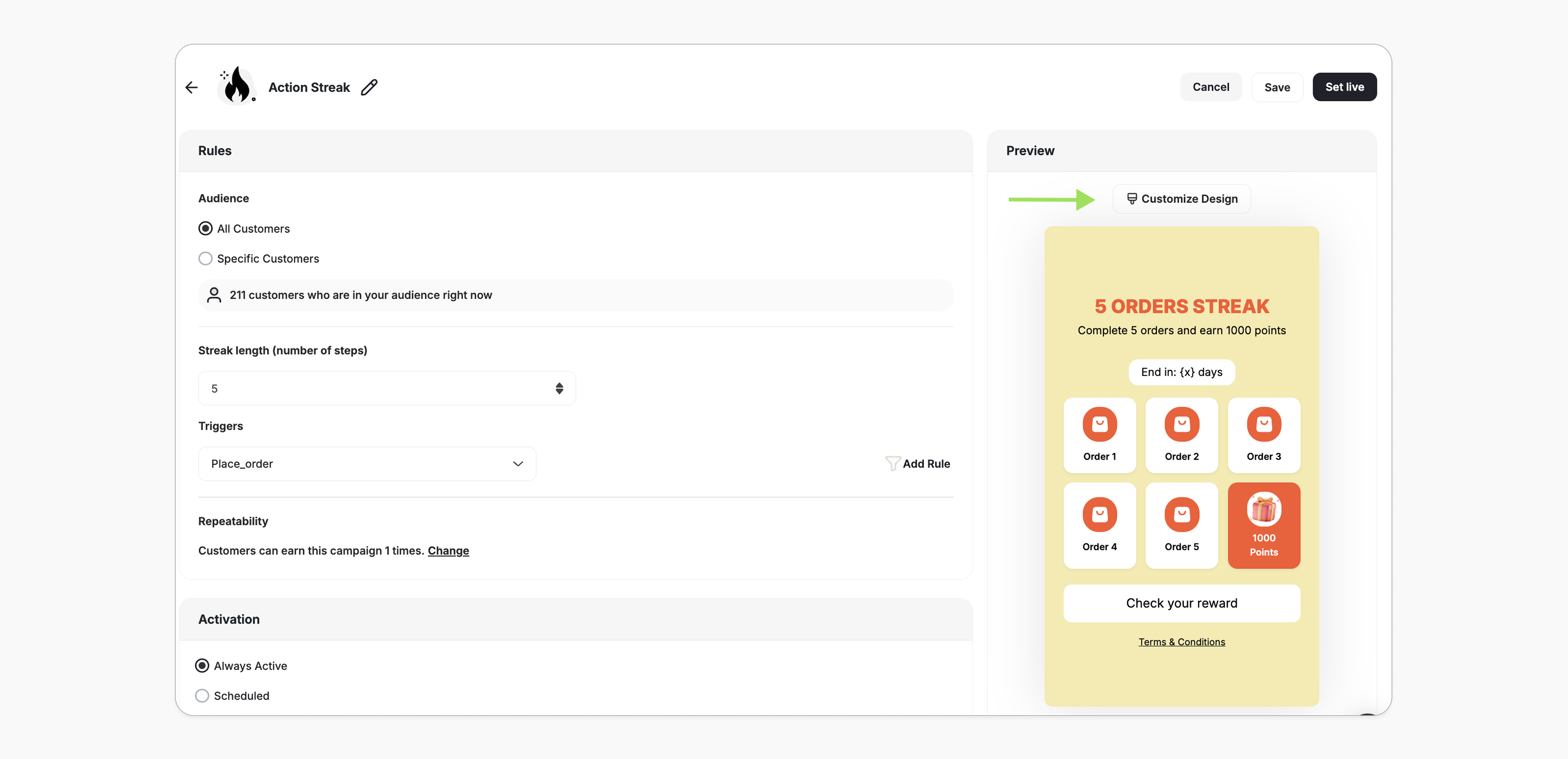
You can fully customize each stage of the campaign through dedicated tabs representing the different screens in the flow:- Main Screen
- Success Screen
- Terms & Conditions
- Branding: Adjust background colors, text colors, and upload custom artworks.
- Content: Edit the headlines, descriptions, and call-to-action messages to match your tone and messaging.
Editing a Live Stamps Campaign
Editing a live campaign should be done with care to ensure a smooth experience for your customers.Trigger
Trigger
The trigger event, trigger condition, and streak length cannot be edited.If changes are required, the admin must create a new campaign.
Audience
Audience
Audience Edited:
- All existing customers are re-evaluated.
- Customers who no longer match the updated audience are automatically exited from the campaign.
- The same behavior applies — the customer is automatically exited from the campaign.
- The customer is ineligible and has not earned the streak. The campaign is hidden from the widget.
- The customer has already earned the streak at least once — the badge remains visible in the widget with an “Achieved” status. Any progress in the current cycle is lost.
Repeatability
Repeatability
New Limit is Higher:
- Customers can rejoin the campaign if they are still eligible under the updated limit.
- All customers are re-evaluated.
- Customers who have already reached or exceeded the new limit will be automatically exited from their current cycle.
De-activate / Re-activate
De-activate / Re-activate
De-activate: Customer progress is saved. Any actions performed while the campaign is inactive will not be counted toward the streak.Re-activate: Customers resume from the last saved step. Progress continues as normal.
Related Articles
Set Up a Reward Campaign
Learn the full setup process for creating and activating reward campaigns.
Reward Types in Gameball
Explore all reward types available and how to configure each one.
Notification After Earning a Reward
Configure in-app and email notifications triggered when customers earn rewards.